
Zavedení
The MINIX 100W USB C Charger (NEO P3 Pro) is a versatile 3-port GaN charger designed for rapid charging of various devices, including laptops, tablets, and smartphones. It features a smart display for real-time charging information and a compact, travel-friendly design. This manual provides essential information for the safe and efficient use of your charger.

Image: The MINIX 100W USB C Charger (NEO P3 Pro) connected to a laptop, illustrating its fast charging capability.
What's in the Box (Setup)
Your MINIX 100W USB C Charger package includes the following items:
- 1x MINIX P3 PRO 100W Charger
- 1x EU Plug Adapter
- 1x UK Plug Adapter
- 1x Uživatelská příručka
- Zásobník 1x

Image: The MINIX P3 Pro charger, EU plug, UK plug, and storage bag, as included in the package.
Attaching the Correct Plug Adapter
The MINIX P3 Pro charger comes with interchangeable plug adapters (US, EU, UK) to ensure compatibility in various regions. To attach an adapter:
- Align the desired plug adapter with the charger's prongs.
- Gently push the adapter onto the charger until it clicks securely into place.
- To remove, press the release button (if present) and slide the adapter off.

Image: The MINIX charger with its switchable US, EU, and UK plug adapters.
Návod k obsluze
Připojovací zařízení
The MINIX P3 Pro features two USB-C ports and one USB-A port. Connect your devices using appropriate charging cables. For optimal 100W charging, use a 100W 5A cable connected to a single USB-C port.
- USB-C1: Up to 100W Max output.
- USB-C2: Up to 100W Max output.
- USB-A1: Up to 30W Max output.

Image: The MINIX P3 Pro charging three devices concurrently: a laptop via USB-C1, a tablet via USB-C2, and a smartphone via USB-A1.
Smart Display and Touch Control
The integrated smart display provides real-time information about your charging status. You can interact with the display using the touch control button.
- Stav nabíjení: View the current wattage výstup.
- Podrobnosti specifické pro port: Tap the touch button to cycle through individual port outputs.
- Temperature Reminder: The display may show temperature-related information for safety.
- Celkový čas: Displays the total charging duration.
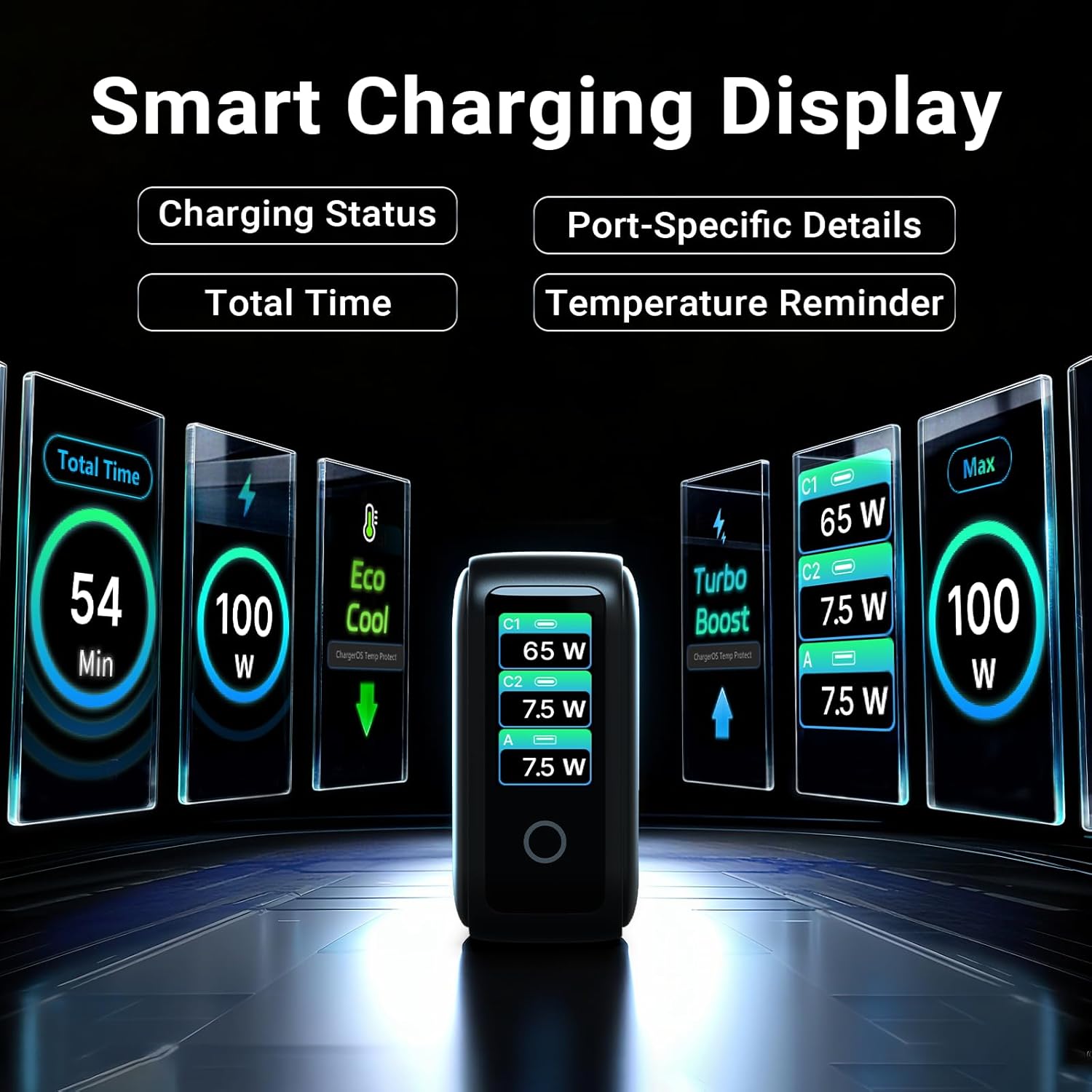
Image: The smart display of the MINIX P3 Pro, showcasing real-time charging status and port-specific details.
Otočení obrazovky
To adapt the display orientation to your wall outlet, press and hold the touch control button for 3 seconds. The screen will rotate 180°.
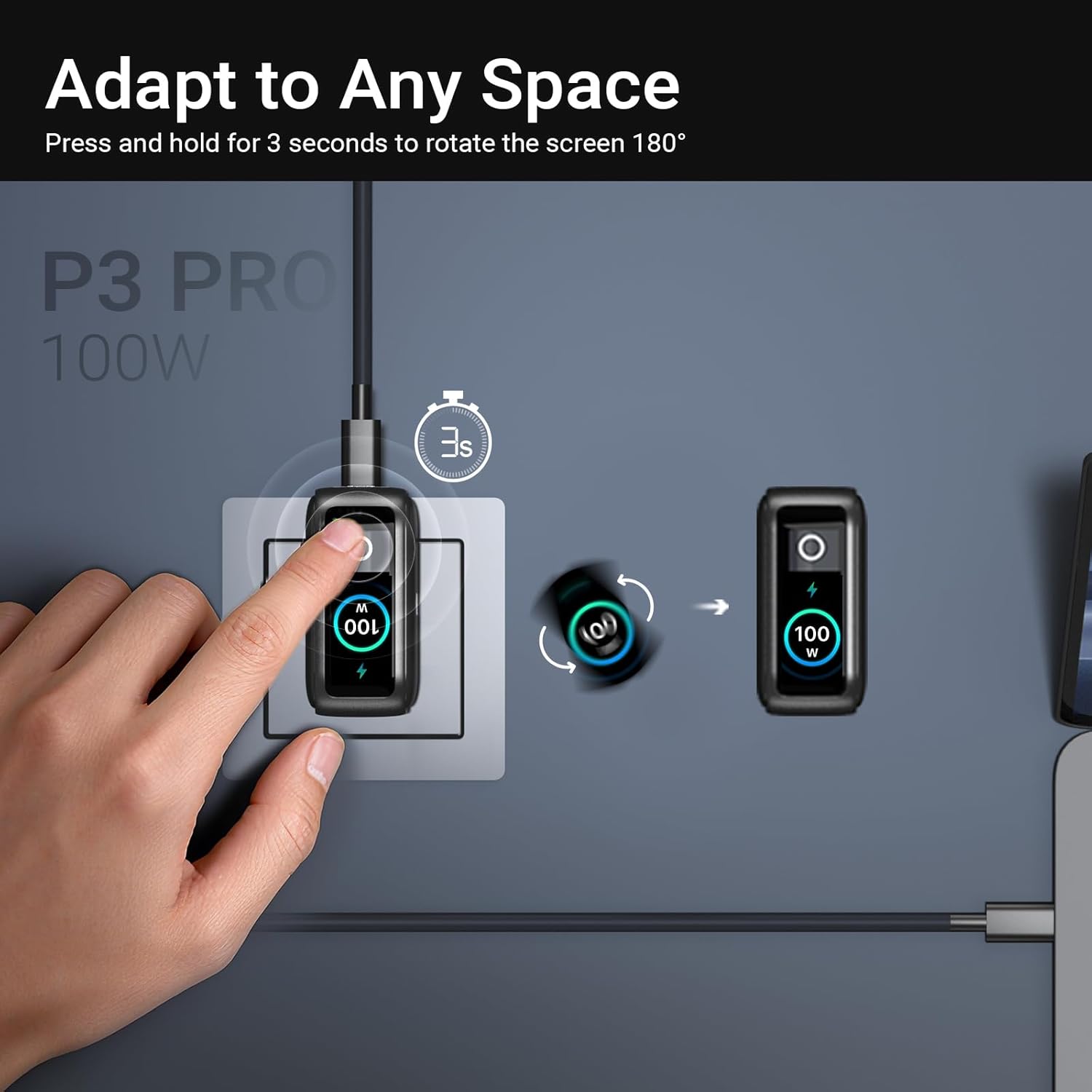
Image: The MINIX P3 Pro charger plugged into a wall socket, illustrating how to rotate the smart display by 180 degrees for better viewIng.
Distribuce energie
The charger intelligently redistributes power based on the number of connected devices and their power requirements. Below is a general guide to power output configurations:
- 1 výstupní port:
- USB-C1: 100W
- USB-C2: 100W
- USB-A1: 30W
- 2 porty Výstup:
- USB-C1 + USB-C2: 65W + 30W
- USB-C1 + USB-A1: 65W + 7.5W
- USB-C2 + USB-A1: 7.5W + 7.5W
- 3 porty Výstup:
- USB-C1 + USB-C2 + USB-A1: 65 W + 7.5 W + 7.5 W
Video: An official product introduction video for the MINIX P3 Pro, demonstrating its features and functionality, including power distribution across multiple ports.
Údržba
To ensure the longevity and optimal performance of your MINIX P3 Pro charger, follow these maintenance guidelines:
- Udržujte nabíječku čistou a bez prachu a nečistot. K čištění používejte měkký, suchý hadřík.
- Avoid exposing the charger to extreme temperatures, humidity, or direct sunlight.
- Nenechávejte nabíječku upadnout ani ji nevystavujte silným nárazům.
- Store the charger in the provided storage bag when not in use, especially during travel, to protect it from scratches and damage.
- Během provozu zajistěte dostatečné větrání kolem nabíječky, aby nedošlo k jejímu přehřátí.
Specifikace
| Funkce | Detail |
|---|---|
| Značka | MINIX |
| Číslo modelu | P5010 |
| Celkový počet portů USB | 3 (2x USB typu C, 1x USB typu A) |
| Wattage | 100W (max.) |
| Vstupní objemtage | 240 voltů |
| Výstupní proud | 5 Amps |
| Výstupní objemtage | 120 voltů |
| Typ konektoru | USB typu A, USB typu C |
| Kompatibilní zařízení | Laptops, Tablets, Samsung Galaxy S21-S24 Series, iPhone 17/16/15/14/13/12 Series, iPhone SE (3rd Gen) |
| Speciální funkce | Fast Charging, Lightweight Design, Multi-Device Charging, Travel-Friendly, Smart Display, Touch Control |
| Barva | Černý |
| Hmotnost položky | 200 gramů |
| Materiál | Termoplastický elastomer (TPE) |
| Certifikace | CE, FCC, WEEE |
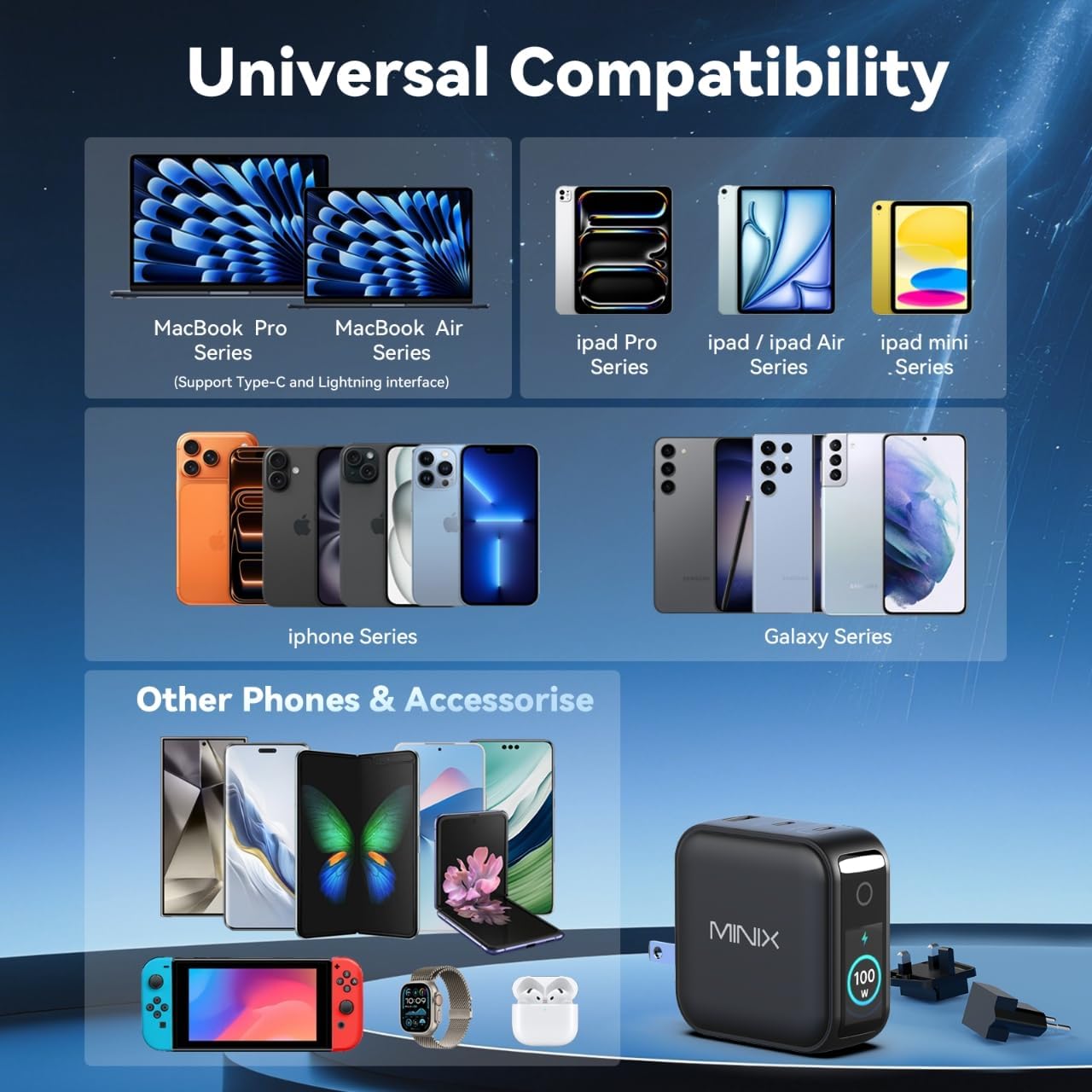
Image: A visual representation of the MINIX P3 Pro's universal compatibility with various devices.
Odstraňování problémů
If you encounter issues with your MINIX P3 Pro charger, please refer to the following common troubleshooting steps:
- Nabíječka se nezapíná:
- Ujistěte se, že je nabíječka bezpečně zapojena do funkční zásuvky.
- Verify that the correct regional plug adapter is firmly attached.
- Zařízení se nenabíjí nebo se nabíjí pomalu:
- Zkontrolujte, zda je nabíjecí kabel bezpečně připojen k nabíječce i k zařízení.
- Ensure the charging cable is not damaged and supports the required power delivery (e.g., 100W for high-power devices).
- Zkuste jiný port na nabíječce.
- If charging multiple devices, note that power is distributed, which may reduce individual port output. Refer to the "Power Distribution" section.
- Ensure your device supports the charging protocols (PPS, PD3.0, QC3.0) supported by the charger.
- Smart display not working or showing incorrect information:
- Ensure the charger is powered on and a device is connected.
- Tap the touch button to cycle through display modes.
- If the display is unresponsive, unplug the charger from the wall for a few seconds and then plug it back in.
- Nabíječka se během používání zahřívá:
- Je normální, že se nabíječka během provozu zahřívá, zejména při nabíjení s vysokým výkonem.
- Ensure there is adequate ventilation around the charger. If it becomes excessively hot, disconnect it immediately and contact support.
Bezpečnostní informace
Přečtěte si prosím a dodržujte tato bezpečnostní opatření, abyste předešli poškození produktu nebo zranění:
- Nevystavujte nabíječku vodě, vlhkosti ani vysoké vlhkosti.
- Avoid using the charger in environments with extreme temperatures.
- Do not disassemble, modify, or attempt to repair the charger yourself. This will void the warranty.
- Uchovávejte nabíječku mimo dosah dětí a domácích zvířat.
- S nabíječkou používejte pouze kompatibilní kabely a zařízení.
- Odpojte nabíječku ze zásuvky během bouřek nebo pokud ji delší dobu nepoužíváte.
- The charger includes built-in safety features such as over-current, over-voltage, ochrana proti přehřátí a zkratu.
Záruka a podpora
The MINIX 100W USB C Charger (NEO P3 Pro) comes with a 1letá záruka výrobce.
Zákaznická podpora
For any questions, technical assistance, or warranty claims, please contact MINIX customer service:
- Online podpora: Navštivte MINIX Store on Amazon and use the "Ask Product Question" feature.
- Offline Maintenance Service: Navštivte prosím naše oficiální webvíce informací.
Please have your product model number (P5010) and purchase details ready when contacting support.