
Moman X.view M4 Pro
Moman X.view M4 Pro Selfie Monitor User Manual
Model: Xview M4 Pro
1. Úvod
This manual provides comprehensive instructions for the safe and efficient use of your Moman Xview M4 Pro Selfie Monitor. Please read this manual thoroughly before operating the device and retain it for future reference.
2. Bezpečnostní informace
Pro zajištění bezpečného provozu a prevenci poškození dodržujte následující bezpečnostní opatření:
- Nevystavujte monitor vodě ani nadměrné vlhkosti.
- Zabraňte pádu zařízení nebo jeho vystavení silným nárazům.
- Nepokoušejte se monitor rozebírat ani opravovat sami. Kontaktujte kvalifikovaný servisní personál.
- Chraňte monitor před přímým slunečním zářením a zdroji tepla.
- Používejte pouze specifikovaný napájecí adaptér a příslušenství.
3. Obsah balení
Ověřte, zda jsou v balení přítomny všechny položky:
- Moman X.view M4 Pro Selfie Monitor (main unit)
- Nabíjecí kabel USB-C
- Uživatelská příručka (tento dokument)
Note: The package contents may vary slightly depending on the region or specific bundle purchased.
4. Nastavení
4.1 Nabíjení monitoru
Before first use, fully charge the Moman Xview M4 Pro monitor. Connect the provided USB-C cable to the monitor's charging port and the other end to a compatible USB power adapter (not included) or a computer's USB port.
The charging indicator light will typically show red while charging and turn green or off when fully charged.
4.2 Montáž monitoru
The Moman Xview M4 Pro is designed to be mounted on various camera rigs or smartphone cages. It features a standard 1/4"-20 screw hole for attachment.
- Attach the monitor to a cold shoe mount or a compatible bracket (sold separately) using the 1/4"-20 screw.
- Securely fasten the monitor to your smartphone cage or camera setup.
- Upravte viewúhel nastavení podle potřeby.
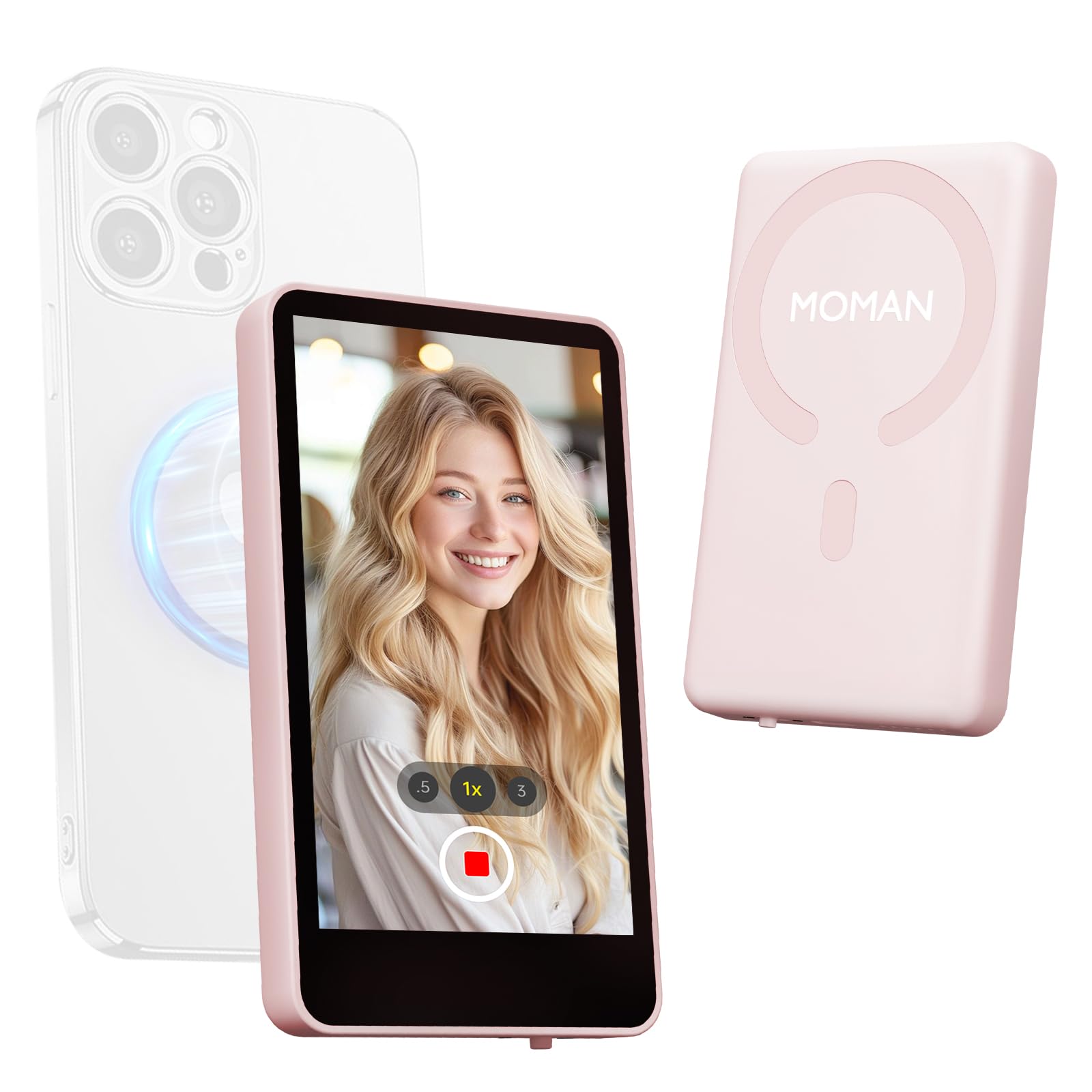
Image: The Moman Xview M4 Pro Selfie Monitor shown attached to a smartphone rig, demonstrating its compact size and mounting flexibility.
5. Návod k obsluze
5.1 Zapnutí/vypnutí
To power on the monitor, press and hold the power button located on the side/back of the device for approximately 3 seconds. The screen will illuminate. To power off, press and hold the power button again until the screen turns off.
5.2 Connecting to a Smartphone
The Moman Xview M4 Pro connects wirelessly to your smartphone (iPhone 7-17 Series & Android). Follow these steps:
- Ujistěte se, že máte na svém smartphonu zapnuté Bluetooth a Wi-Fi.
- Download and install the dedicated Moman Xview aplikaci z obchodu s aplikacemi ve vašem chytrém telefonu.
- Open the Moman Xview app and follow the on-screen instructions to pair with the M4 Pro monitor. The app will guide you through the connection process, typically involving selecting the monitor from a list of available devices.
- Once connected, your smartphone's camera feed will be mirrored on the M4 Pro monitor.
For optimal performance, ensure your smartphone and the monitor are within close proximity and free from wireless interference.
5.3 Funkce monitoru
The M4 Pro monitor provides various functions to enhance your selfie and video recording experience:
- Monitorování v reálném čase: View your smartphone's camera feed in real-time.
- Nastavení jasu: Use the dedicated buttons or app controls to adjust screen brightness.
- Mirror/Flip Function: Some models or app versions may offer options to mirror or flip the display for specific shooting scenarios. Refer to the app for available features.
- Indikátor baterie: The monitor displays its current battery level.
6. Údržba
6.1 Čištění
To clean the monitor, use a soft, dry, lint-free cloth. For stubborn smudges, lightly dampen the cloth with water or a screen-cleaning solution. Do not use harsh chemicals or abrasive materials.
6.2 Skladování
When not in use, store the monitor in a cool, dry place, away from direct sunlight and extreme temperatures. It is recommended to use the original packaging or a protective case to prevent scratches and damage.
7. Řešení problémů
| Problém | Možná příčina | Řešení |
|---|---|---|
| Monitor se nezapne. | Slabá baterie. | Charge the monitor using the provided USB-C cable. |
| Nelze se připojit k chytrému telefonu. | Bluetooth/Wi-Fi off; App not installed; Monitor not in pairing mode; Interference. | Ensure Bluetooth/Wi-Fi are on. Install Moman Xview app. Restart monitor and app. Move closer to the monitor. |
| Obrazovka je prázdná nebo bliká. | Volné připojení; softwarová závada. | Ensure secure connection. Restart monitor and smartphone. Check for app updates. |
If the problem persists after trying these solutions, please contact Moman customer support.
8. Specifikace
| Funkce | Detail |
|---|---|
| Model | Xview M4 Pro |
| Konektivita | Wireless (Bluetooth/Wi-Fi) |
| Kompatibilita | iPhone 7-17 Series & Android smartphones |
| Rozměry | 12.19 x 9.91 x 1.9 cm (přibližně) |
| Hmotnost | 168 gramu (přibližně) |
| Zdroj napájení | USB-C (internal rechargeable battery) |
Specifikace se mohou bez upozornění změnit.
9. Záruka a podpora
Moman products are covered by a limited warranty. For detailed warranty terms and conditions, please refer to the warranty card included with your product or visit the official Moman webmísto.
For technical support, troubleshooting assistance, or service inquiries, please contact Moman customer support through their official webwebu nebo kontaktních informací uvedených na obalu produktu.
Moman Official Webmísto: www.moman.co
Ask a question about this manual
Ask about setup, troubleshooting, compatibility, parts, safety, or missing instructions. Manuals+ will review the question and use this page’s manual context to help answer it.