
YOSUN MJFM3LL
YOSUN Replacement Remote Control for Apple TV 4K/HD (Model MJFM3LL) Instruction Manual
Model: MJFM3LL
Zavedení
This manual provides instructions for the YOSUN Replacement Remote Control, designed for use with Apple TV 4K and HD models. This remote offers essential control functions without requiring complex setup. Please read this manual thoroughly before use.
Důležitá poznámka: This remote control does NOT support Siri or voice control functions. It also does not feature Bluetooth or touchpad functionality. Power, Volume, and Mute buttons are compatible with specific TV brands only (Samsung, LG, Vizio, Hisense, Sony, Amazon Fire TV, Toshiba, Insignia Fire TV).
Kompatibilita zařízení
The YOSUN Replacement Remote Control is compatible with the following Apple TV models:
- Apple TV Remote (white) A1156 MA128LL/A
- Apple TV Remote (aluminum) MM4T2AM/A
- Siri Remote (1st Gen) / Apple TV Remote (1st Gen) MQGD2LL/A
- Siri Remote (2nd Gen) / Apple TV Remote (2nd Gen) MJFM3LL/A
- Siri Remote (3rd Gen) / Apple TV Remote (3rd Gen) MNC73AM/A
This remote is designed to work with Apple TV (1st/2nd/3rd Gen), Apple TV HD (4th/5th Gen), and Apple TV 4K (1st/2nd/3rd Gen).
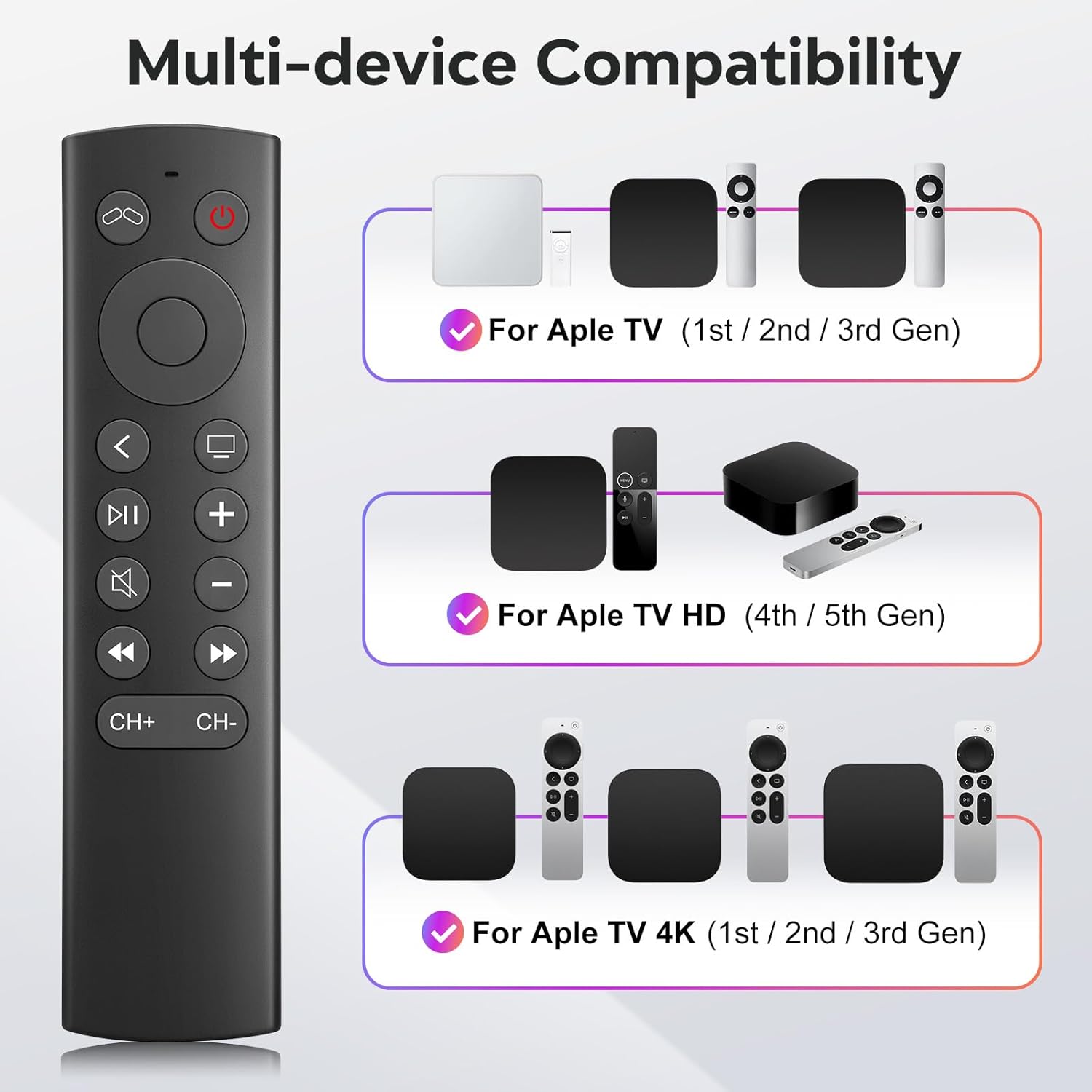
Figure 1: Multi-device compatibility overview for the YOSUN remote.
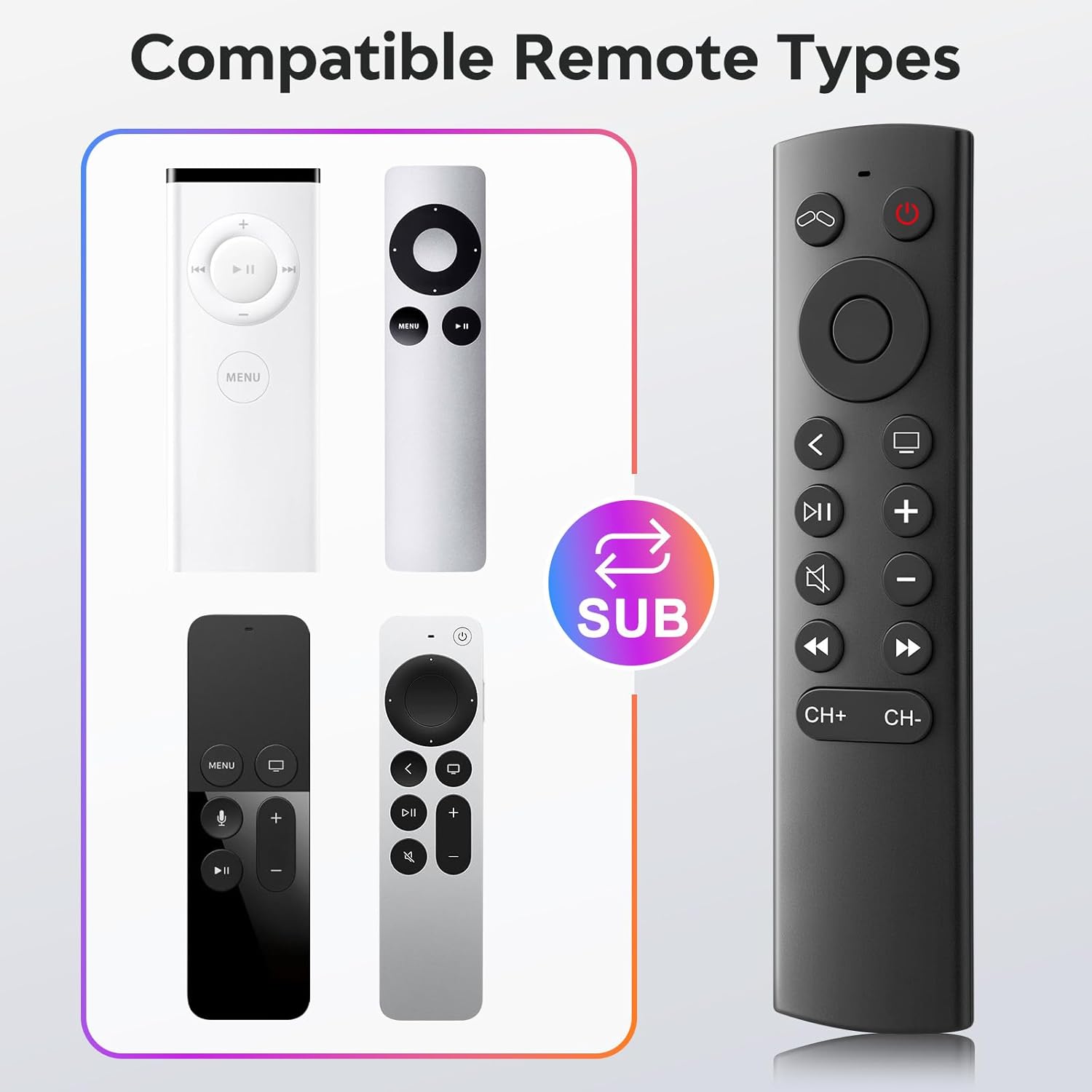
Figure 2: Compatible remote types that the YOSUN remote can replace.
Pokyny pro nastavení
- Vložte baterie: Open the battery compartment on the back of the remote control. Insert two (2) AAA batteries, ensuring correct polarity (+/-). (Batteries are not included).
- No Pairing Required: This remote control operates using infrared (IR) technology and does not require any programming or pairing with your Apple TV device. It is ready to use immediately after battery installation.
- Unlock Previous Device (if applicable): If you are replacing an older Apple TV remote (1st, 2nd, or 3rd Gen), you might need to "unlock" the old device using its original remote control first. This ensures the new remote can connect properly.
- Klikněte na Napájení televizoru button on the YOSUN remote.
- Wait for the "unlocked" icon (two interlocking circles, one purple, one orange) to appear on your screen.
- Klikněte na Napájení televizoru button once more to "unlock" your old device.
- Once unlocked, the YOSUN remote should function as usual.
Note: The "Unlock / Locked" function only supports Apple TV (1st / 2nd / 3rd Gen).
Obrázek 3: Schéma instalace baterie.
Návod k obsluze
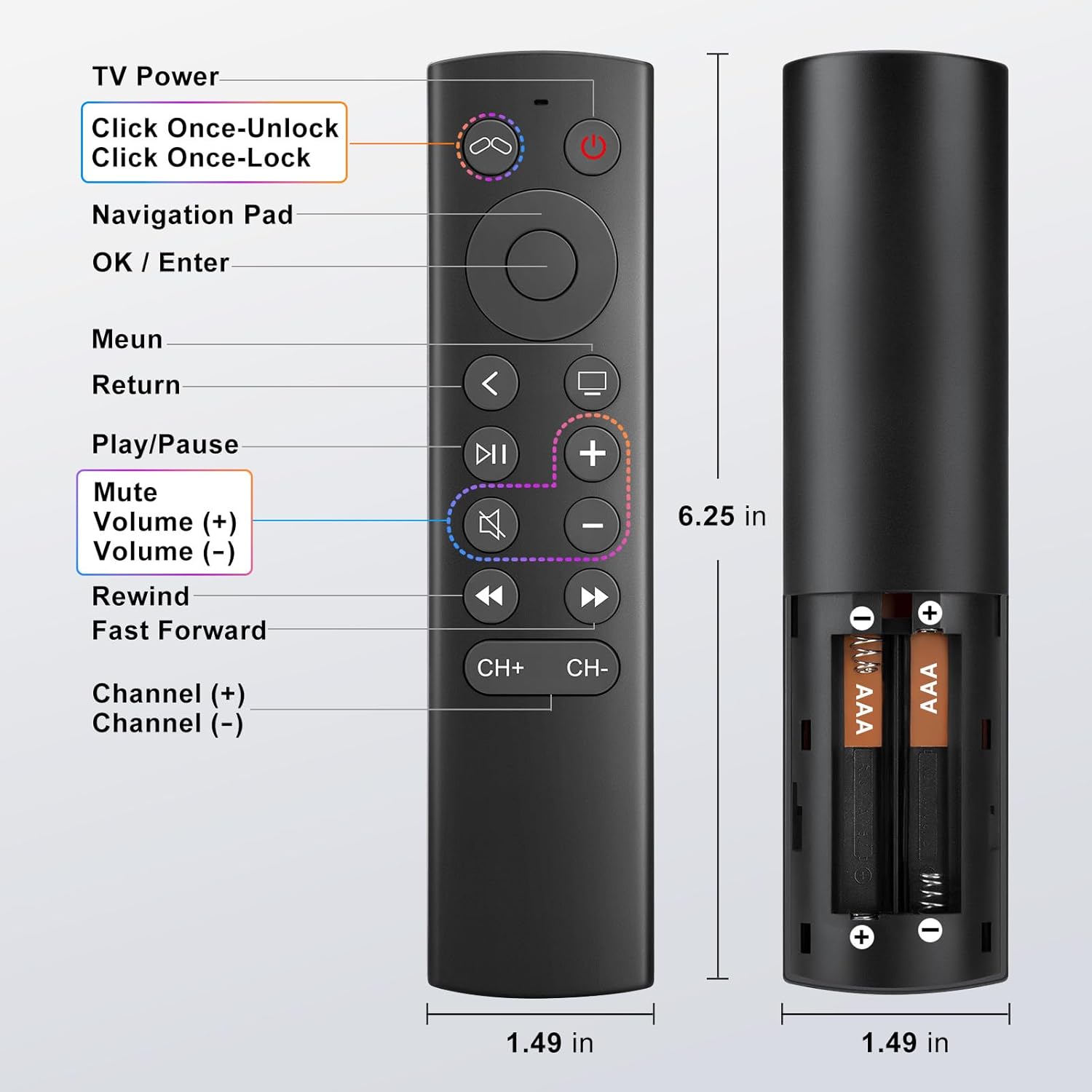
The YOSUN Replacement Remote Control provides intuitive access to your Apple TV functions. Refer to the button layout below for specific controls.
Obrázek 4: Rozložení a funkce tlačítek dálkového ovladače.
Klíčové funkce:
- Tlačítko napájení televizoru: Controls the power of your television.
- Navigační tlačítko (nahoru, dolů, vlevo, vpravo): Prochází menu a obsahem.
- OK / Enter Button: Potvrzuje výběr.
- Tlačítko nabídky: Returns to the previous menu or home screen.
- Tlačítko návratu: Vrátí se na předchozí obrazovku.
- Tlačítko Přehrát/Pozastavit: Ovládá přehrávání médií.
- Tlačítko ztlumení: Ztlumí nebo zapne zvuk televizoru.
- Volume (+) / Volume (-) Buttons: Upravuje hlasitost TV.
- Rewind / Fast Forward Buttons: Controls media playback speed.
- Channel (+) / Channel (-) Buttons: Changes channels (if supported by your TV setup).
Note on TV Control Buttons: The Power, Volume, and Mute buttons are designed to control your television directly. These buttons are compatible with Samsung, LG, Vizio, Hisense, Sony, Amazon Fire TV, Toshiba, and Insignia Fire TV brands only. For other TV brands, these buttons may not function.

Figure 5: Important functional limitations of the remote.
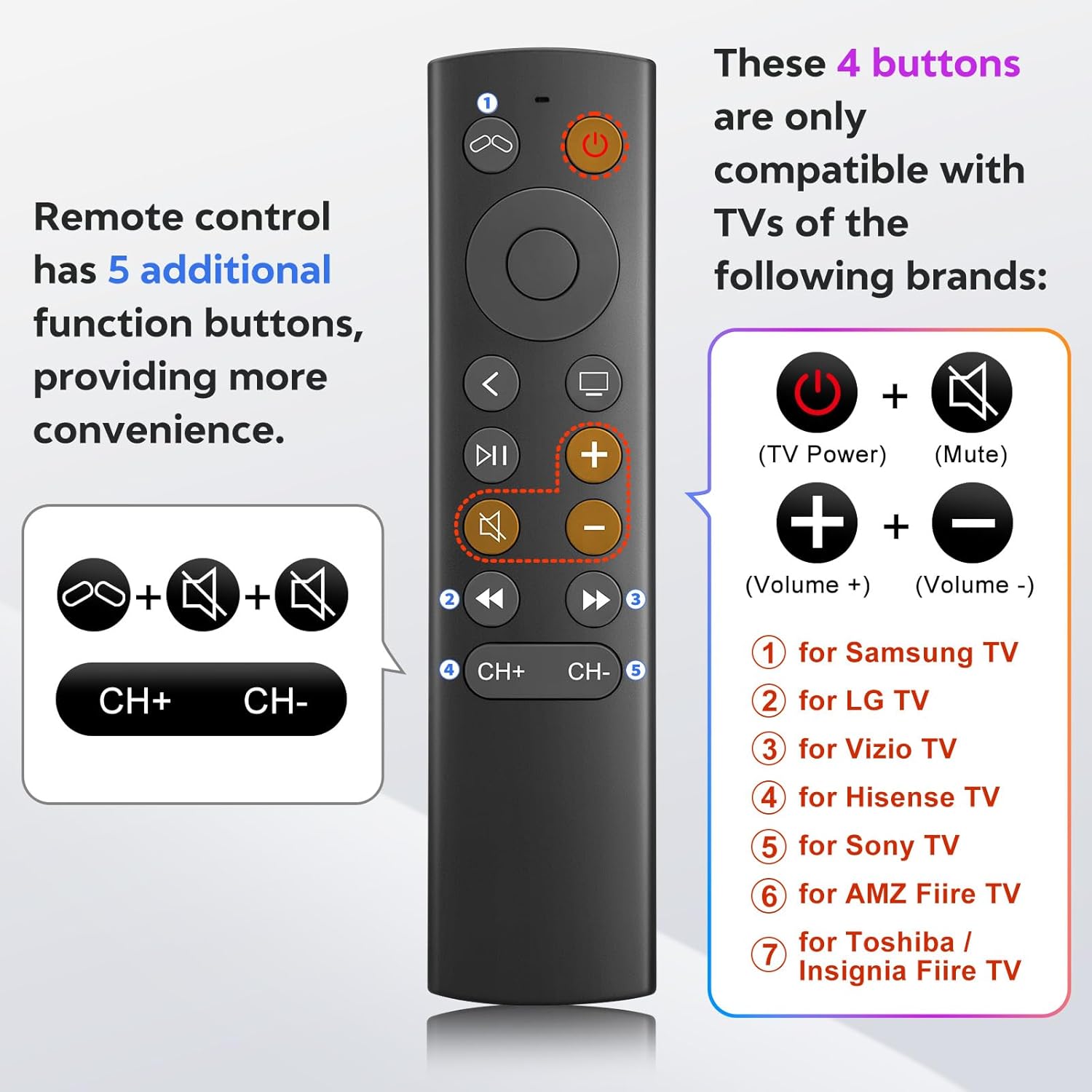
Figure 6: TV control button compatibility.
Údržba
- Čištění: K čištění dálkového ovladače používejte měkký, suchý hadřík. Nepoužívejte tekuté čisticí prostředky ani abrazivní materiály.
- Výměna baterie: Replace batteries when the remote's response becomes sluggish or stops working. Always replace both AAA batteries at the same time.
- Skladování: Dálkový ovladač skladujte na chladném a suchém místě mimo dosah přímého slunečního záření a extrémních teplot.
Odstraňování problémů
- Problem: Remote is not responding.
- Zkontrolujte baterie: Ujistěte se, že jsou baterie vloženy správně se správnou polaritou a nejsou vybité. V případě potřeby je vyměňte za nové baterie typu AAA.
- Přímá viditelnost: Ensure there is a clear line of sight between the remote and your Apple TV. Infrared remotes require direct line of sight.
- "Unlock" Procedure: If you are using an older Apple TV (1st, 2nd, or 3rd Gen), ensure you have performed the "unlock" procedure as described in the Setup Instructions.
- Problem: Power, Volume, or Mute buttons are not working on my TV.
- Kompatibilita: These buttons are only compatible with specific TV brands: Samsung, LG, Vizio, Hisense, Sony, Amazon Fire TV, Toshiba, and Insignia Fire TV. If your TV is not one of these brands, these functions may not work.
- Problem: No Siri, voice control, Bluetooth, or touchpad functionality.
- Intended Design: This remote is an infrared replacement and is specifically designed without these advanced features to offer a simpler, direct control experience. These are not malfunctions.
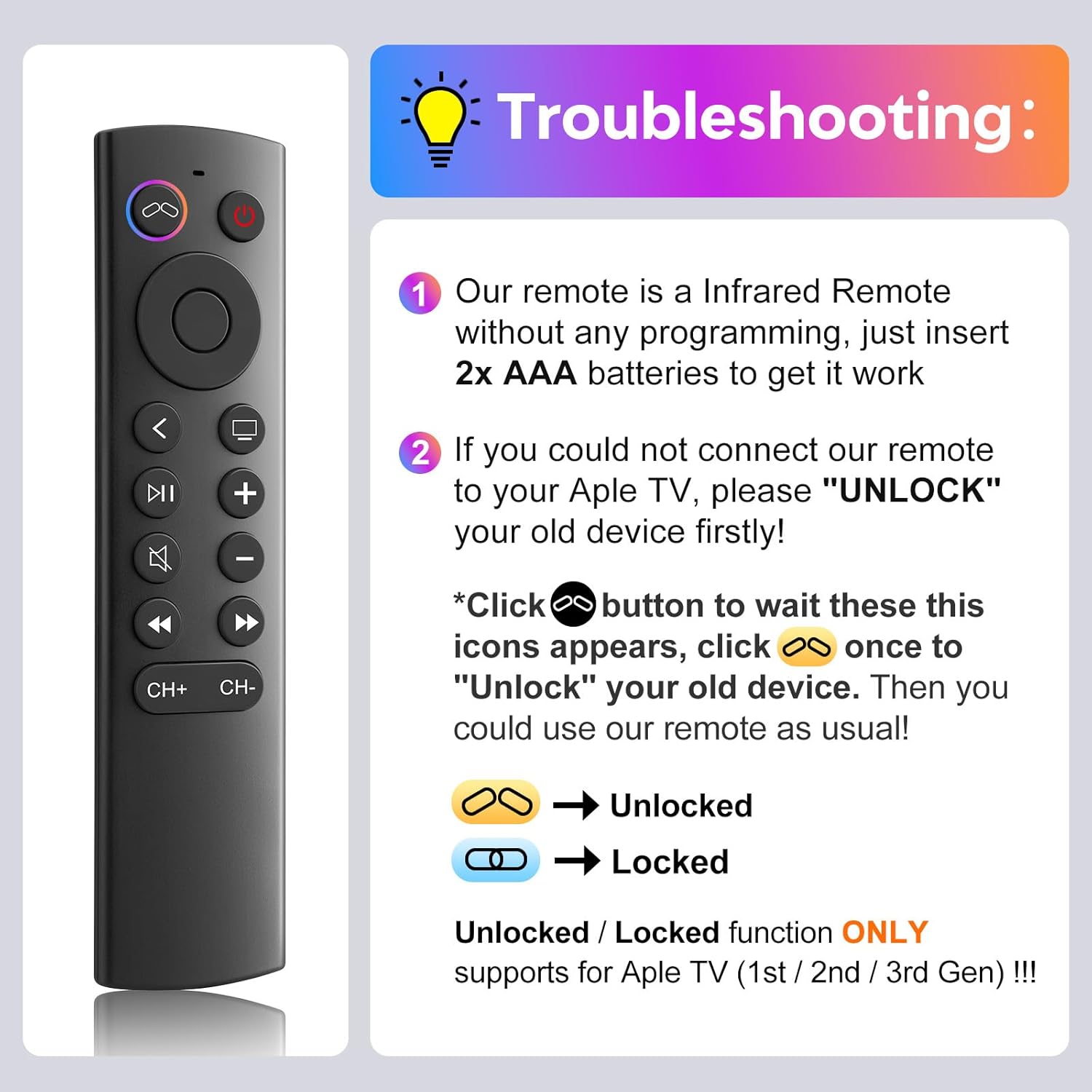
Obrázek 7: Průvodce řešením běžných problémů.
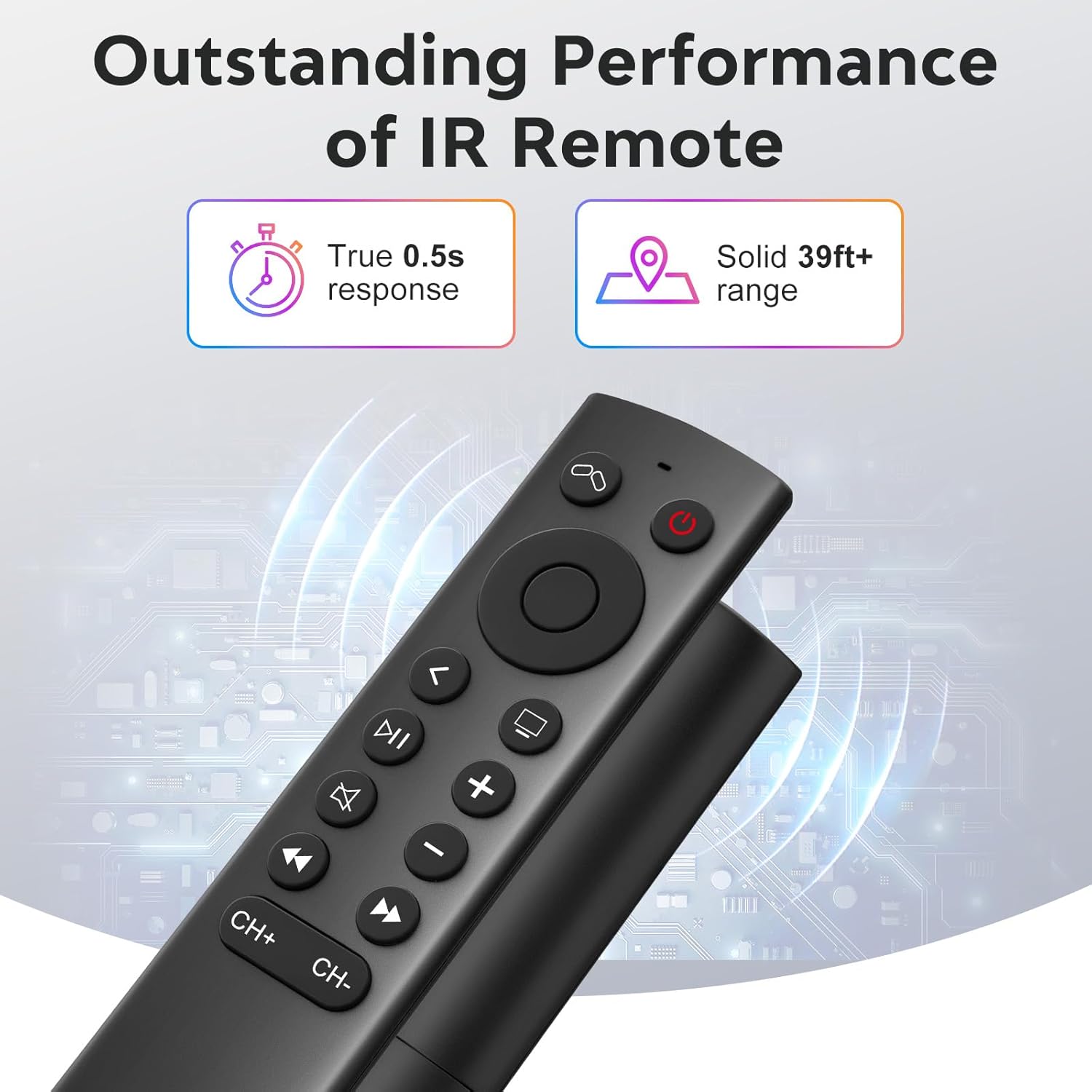
Figure 8: Visual comparison of unlocked vs. locked device states.
Specifikace
| Značka | YOSUN |
| Číslo modelu | MJFM3LL |
| Rozměry produktu | 6.29 x 1.57 x 0.66 palce |
| Hmotnost položky | 1.44 unce |
| Barva | Černý |
| Speciální funkce | Není vyžadováno žádné programování |
| Maximální počet podporovaných zařízení | 1 |
| Kompatibilní zařízení | Apple TV (various generations) |
| Doba odezvy | True 0.5s response |
| Provozní rozsah | Solid 39ft+ range (approx. 10 meters) |
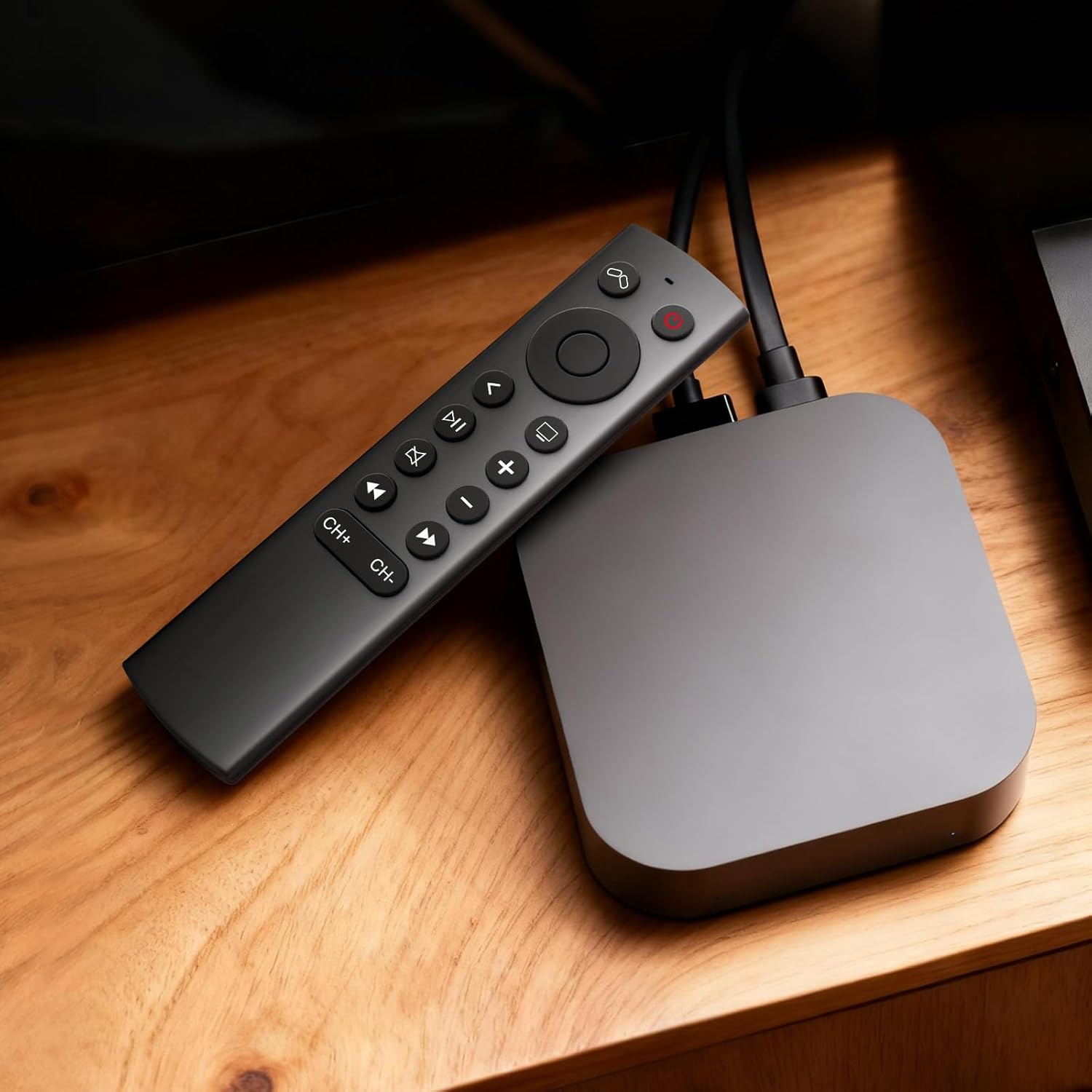
Figure 9: Performance features of the IR remote.
Záruka a podpora
This YOSUN Replacement Remote Control comes with a 1-Year Warranty. For warranty claims or technical support, please contact YOSUN customer service through the retailer where the product was purchased.
Uschovejte si prosím doklad o koupi pro účely záruky.
Videoukázka produktu
Video 1: Stručný přehledview of the YOSUN Replacement Remote Control for Apple TV, highlighting its features and compatibility.
Ask a question about this manual
Ask about setup, troubleshooting, compatibility, parts, safety, or missing instructions. Manuals+ will review the question and use this page’s manual context to help answer it.