
Zavedení
Thank you for choosing the NEWFAST AC1200 WiFi Repeater. This device is designed to extend the coverage of your existing wireless network, eliminating Wi-Fi dead zones and providing a stronger, more reliable connection throughout your home or office. Please read this manual carefully before using the device to ensure proper installation and operation.
Obsah balení
Ověřte, zda jsou v balení přítomny všechny položky:
- 1 x NEWFAST AC1200 WiFi Repeater
- 1 x Uživatelská příručka
- 1 x ethernetový kabel RJ-45
Konec produktuview
Familiarize yourself with the physical components of your NEWFAST AC1200 WiFi Repeater.
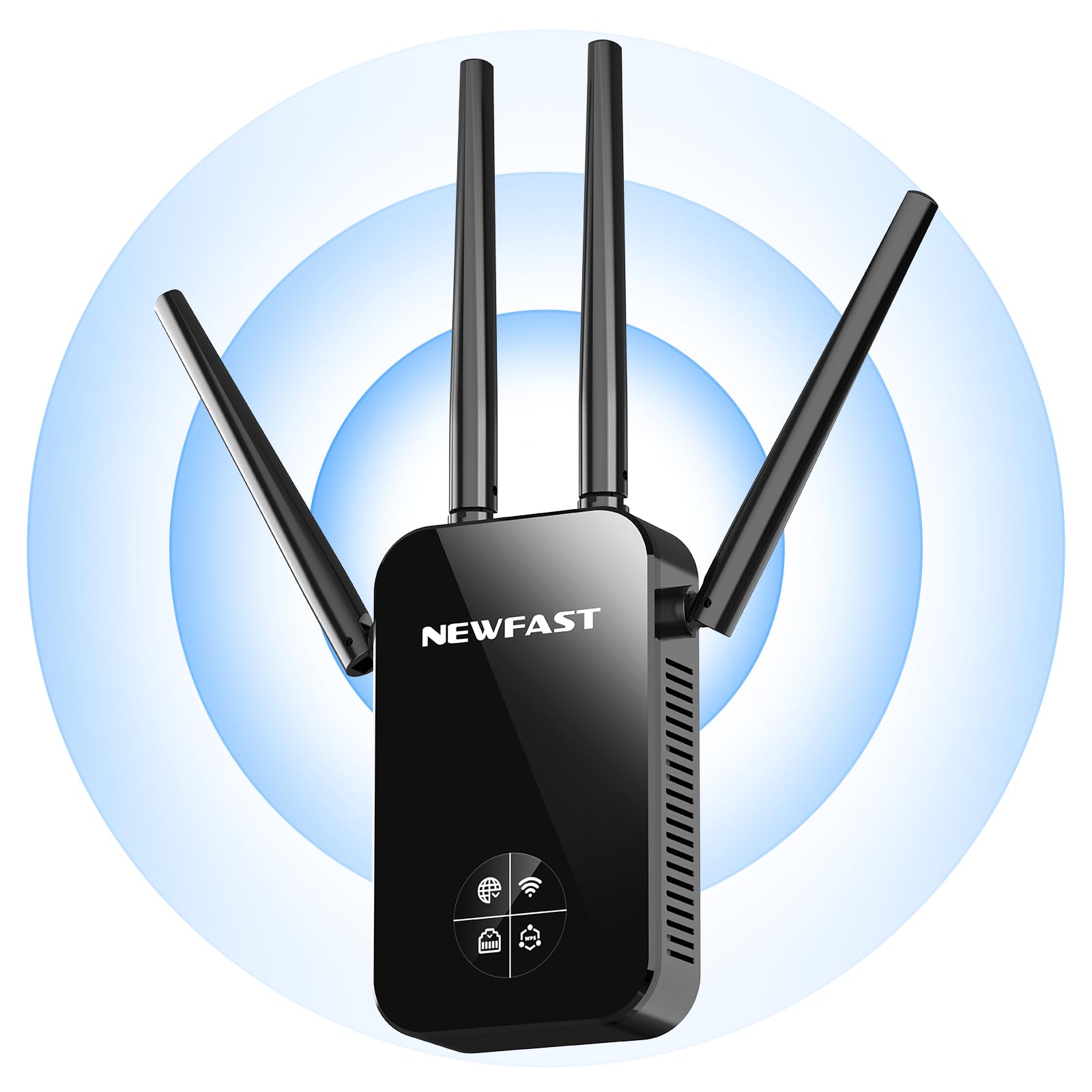
Přední view of the NEWFAST AC1200 WiFi Repeater, showing its compact design and indicator lights.
The device typically features indicator LEDs for power, Wi-Fi signal strength, and connection status. It also includes an Ethernet port for wired connections and a WPS button for quick setup.
Nastavení
Follow these steps for initial setup of your NEWFAST AC1200 WiFi Repeater:
- Zapnutí: Plug the repeater into an electrical outlet near your existing router. Wait for the power indicator light to turn on.
- Připojení k opakovači: On your computer or mobile device, connect to the repeater's default Wi-Fi network (e.g., "NEWFAST_Repeater" or similar, usually found on a label on the device). No password is required for the initial connection.
- Stránka nastavení přístupu: Otevřete a web browser and enter the default IP address (e.g., 192.168.10.1) or web address (e.g., repeater.net) provided in the device's label or quick start guide.
- Přihlášení: Zadejte výchozí uživatelské jméno a heslo (např. admin/admin).
- Vyberte režim: Choose the desired operating mode (Repeater Mode or Access Point Mode).
- Konfigurace sítě:
- Režim opakovače: Select your existing Wi-Fi network from the list, enter its password, and choose whether to keep the same SSID or create a new one for the extended network.
- Režim přístupového bodu: Connect the repeater to your router via an Ethernet cable. Configure a new Wi-Fi network name (SSID) and password for the repeater.
- Použít nastavení: Save the settings and wait for the repeater to restart. The indicator lights will show the connection status.
Alternatively, you can use the WPS (Wi-Fi Protected Setup) button for a quicker setup if your router supports it. Press the WPS button on your router, then within two minutes, press the WPS button on the repeater. The devices will automatically connect.
Provozní režimy
The NEWFAST AC1200 WiFi Repeater supports multiple operating modes:
- Repeater Mode (Range Extender): This is the primary mode, extending the range of your existing Wi-Fi network. The repeater connects wirelessly to your router and re-broadcasts the signal.
- Režim přístupového bodu (AP): In this mode, the repeater connects to your router via an Ethernet cable and creates a new wireless network. This is useful for adding Wi-Fi capability to a wired network or creating a separate Wi-Fi network.
Návod k obsluze
Once set up, the repeater operates automatically. To ensure optimal performance:
- Umístění: Position the repeater halfway between your router and the area with poor Wi-Fi coverage. Ensure it receives a good signal from the router.
- Spojení: Connect your wireless devices (smartphones, tablets, laptops) to the extended Wi-Fi network created by the repeater.
- Drátová zařízení: If in Repeater Mode, you can connect a wired device (e.g., a desktop computer or gaming console) to the repeater's Ethernet port for a stable connection.
Údržba
To maintain the performance and longevity of your device:
- Čištění: Jemně otřete zařízení suchým, měkkým hadříkem. Nepoužívejte tekuté čisticí prostředky ani aerosoly.
- Aktualizace firmwaru: Pravidelně kontrolujte informace od výrobce webweb s aktualizacemi firmwaru. Aktualizace firmwaru může zlepšit výkon, přidat nové funkce a opravit chyby. Pečlivě dodržujte pokyny dodané s aktualizací firmwaru.
- Restartování: Pokud se vyskytnou problémy se sítí, zkuste opakovač restartovat tak, že jej na 10 sekund odpojíte od elektrické zásuvky a poté jej znovu zapojíte.
Odstraňování problémů
If you encounter problems with your NEWFAST AC1200 WiFi Repeater, refer to the following common issues and solutions:
- Bez napájení: Ensure the repeater is securely plugged into a working electrical outlet. Check the power indicator light.
- Nelze přistupovat na stránku nastavení: Verify that your device is connected to the repeater's Wi-Fi network. Try clearing your browser's cache or using a different browser. Ensure you are using the correct IP address or web adresa.
- Slabá síla signálu: Relocate the repeater closer to your main router. Ensure there are no major obstructions (thick walls, metal objects) between the router and the repeater.
- Žádný přístup k internetu: Check if your main router has internet access. Ensure the repeater is correctly configured and connected to your router's Wi-Fi network with the correct password.
- Nastavení WPS selhalo: Ensure your router supports WPS and that you are pressing the buttons within the specified time frame. If it continues to fail, try manual setup via the web rozhraní.
- Zapomenuté heslo: If you forget the repeater's login password or Wi-Fi password, you may need to perform a factory reset. Locate the reset button (usually a small pinhole) on the device, press and hold it for 5-10 seconds until the lights flash, then release. This will restore the device to its factory default settings.
Specifikace
Key technical specifications for the NEWFAST AC1200 WiFi Repeater:
| Značka | NEWFAST |
| Výrobce | NEWFAST |
| Rozměry produktu | 8.6 x 4.5 x 19.7 cm; 120 g |
| Kompatibilní zařízení | Internet Box, Computer, Access Point, Router |
| Speciální funkce | 360 degrees, 1-touch setup, 1-click setup, MU-MIMO, Access Point Mode, LCD Display |
| Zahrnuté komponenty | 1 RJ-45 Ethernet Cable, 1 User Manual, 1 AC1200 WiFi Repeater |
| Počet produktů | 1 |
| Jsou vyžadovány baterie | Žádný |
| Rychlost přenosu dat | 1200 megabitů za sekundu |
| Typ bezdrátového připojení | 802.11a/b/g/n/ac |
| Frekvence | 5.8 GHz |
| Hmotnost produktu | 120 g |
| Standard bezdrátové komunikace | 802.11a/b/g/n/ac |
| Třída frekvenčního pásma | Dual Band |
| Barva | Černý |
Záruka a podpora
This NEWFAST AC1200 WiFi Repeater comes with a standard manufacturer's warranty. Please refer to the warranty card included in your package or visit the official NEWFAST webpodrobné záruční podmínky naleznete na webu.
For technical support, troubleshooting assistance, or to inquire about product information, please contact NEWFAST customer service through their official webwebu nebo kontaktních informací uvedených v dokumentaci k produktu.