
1. Úvod
This manual provides instructions for the Adesso WKB-7010 Bluetooth Keyboard Case, designed for use with iPad Pro 11-inch and iPad Air 10.9-inch models. This product combines a protective case with a detachable wireless keyboard and integrated touchpad, transforming your tablet into a portable workstation.

Image 1.1: The Adesso WKB-7010 Bluetooth Keyboard Case with an iPad in use.
2. Obsah balení
Prosím, ověřte, zda jsou v balení přítomny všechny položky:
- Adesso WKB-7010 Bluetooth Keyboard Case
- Nabíjecí kabel USB-C
- Uživatelská příručka (tento dokument)
3. Kompatibilita
The Adesso WKB-7010 Bluetooth Keyboard Case is compatible with the following Apple iPad models:
- iPad Pro 11-inch: 1st generation (2018), 2nd generation (2020), 3rd generation (2021), 4th generation (2022)
- iPad Air 10.9-inch: 4th generation (2020), 5th generation (2022), 6th generation (2024 M2 models)
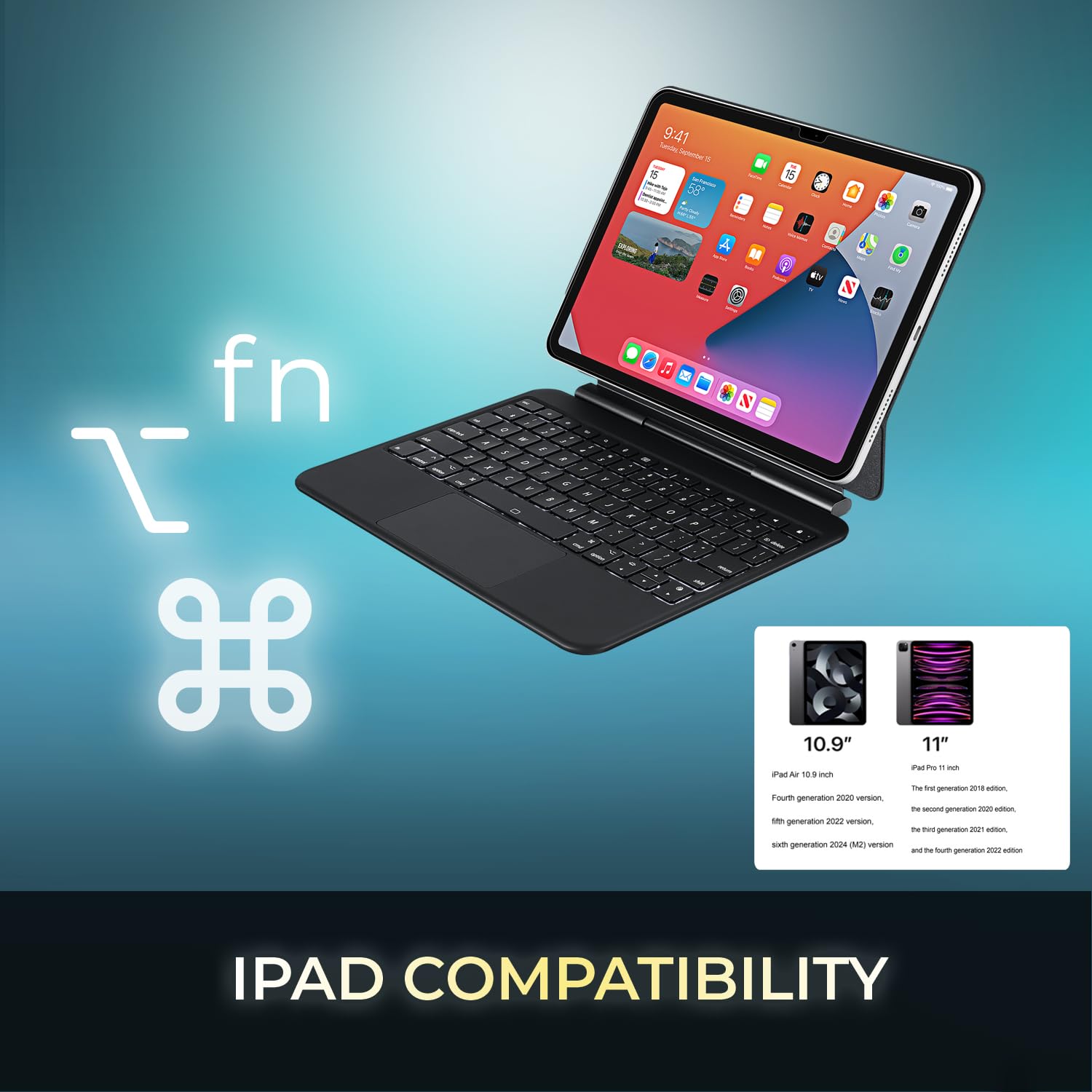
Image 3.1: Visual representation of compatible iPad models (10.9" and 11").
4. Vlastnosti
- Odnímatelný design: The keyboard can be separated from the case for flexible use.
- Nastavitelný stojan: The case converts into a stand with multiple viewing úhly.
- Integrovaný touchpad: Provides precise navigation and multi-touch gesture support.
- Připojení Bluetooth 5.1: Offers stable wireless connection up to 30 feet with low power consumption.
- Dobíjecí baterie: Built-in 450 mAh lithium polymer battery for extended use.
- Klávesy s nůžkovým přepínačem: Low-profile keys designed for comfortable and responsive typing.
- Odolná konstrukce: Ultra-slim aluminum design for portability and protection.

Image 4.1: The case allows for various adjustable viewing angles for the iPad.

Image 4.2: The keyboard case features an ultra-slim and compact design, as shown with a ruler for scale.
5. Nastavení
5.1. Nabíjení klávesnice
Before initial use, fully charge the keyboard. Connect the included USB-C cable to the keyboard's charging port and the other end to a USB power source (e.g., computer, wall adapter). The charging indicator light will illuminate during charging and turn off when fully charged.

Image 5.1: The keyboard features a built-in rechargeable battery and charges via USB-C.
5.2. Vložení iPadu
Carefully place your iPad into the protective case, ensuring it is securely seated. The magnetic closure will help secure the tablet and keyboard when closed.
5.3. Párování Bluetooth
- Ujistěte se, že je klávesnice zapnutá a plně nabitá.
- Turn on the keyboard by sliding the power switch to the "ON" position.
- Stiskněte tlačítko Fn+C keys simultaneously to activate Bluetooth pairing mode. The Bluetooth indicator light will flash.
- Na iPadu přejděte na Nastavení > Bluetooth.
- Zapněte Bluetooth.
- Locate "Adesso WKB-7010" (or similar) in the list of available devices and tap to connect.
- Po připojení přestane kontrolka Bluetooth na klávesnici blikat.

Image 5.2: The keyboard utilizes Bluetooth 5.1 wireless technology for connection.
6. Návod k obsluze
6.1. Funkce klávesnice
The keyboard features standard QWERTY layout keys and dedicated function keys for iPad control. Use the Fn key in combination with other keys for special functions (e.g., media control, volume, screen brightness).
6.2. Použití touchpadu
The integrated touchpad supports various gestures for navigation and interaction with your iPad. Ensure that "AssistiveTouch" or "Trackpad & Mouse" settings are configured on your iPad for optimal performance.
- Klepnutí jedním prstem: Levé kliknutí.
- Klepnutí dvěma prsty: Klikněte pravým tlačítkem myši (kontextová nabídka).
- Posouvání dvěma prsty: Posunout nahoru/dolů nebo doleva/doprava.
- Stažením prstů přiblížíte: Pro přiblížení nebo oddálení použijte dva prsty.
- Přejetí třemi prsty nahoru: Přejděte na domovskou obrazovku.
- Přejetí třemi prsty doleva/doprava: Přepínání mezi otevřenými aplikacemi.
7. Nabíjení klávesnice
The keyboard is equipped with a 450 mAh rechargeable lithium polymer battery. A full charge takes approximately 3 hours using the provided USB-C cable.
- Continuous Use (backlight off): Až 150 hodin
- Continuous Use (backlight on): Až 2.5 hodin
- Pohotovostní doba: Až 90 dní
When the battery is low, the power indicator light may flash or turn red. Connect the keyboard to a power source to recharge.
8. Údržba
- Keep the keyboard and case clean by wiping with a soft, dry cloth.
- Nevystavujte zařízení extrémním teplotám, vlhkosti nebo přímému slunečnímu záření.
- Nepoužívejte drsné chemikálie ani abrazivní čisticí prostředky.
- Pokud zařízení delší dobu nepoužíváte, skladujte jej na chladném a suchém místě.
9. Řešení problémů
9.1. Klávesnice se nepřipojuje
- Ujistěte se, že je klávesnice zapnutá a plně nabitá.
- Ověřte, zda je na vašem iPadu povoleno Bluetooth.
- Put the keyboard into pairing mode (Fn + C).
- Forget the device on your iPad's Bluetooth settings and attempt to re-pair.
- Restartujte iPad i klávesnici.
9.2. Touchpad nereaguje
- Ujistěte se, že je klávesnice připojena přes Bluetooth.
- Check iPad settings for "Trackpad & Mouse" or "AssistiveTouch" to ensure external input devices are enabled.
- Restartujte klávesnici a iPad.
9.3. Keys Not Working
- Ujistěte se, že je klávesnice plně nabitá.
- Verify a stable Bluetooth connection.
- Vyčistěte okolí postižených kláves, abyste odstranili veškeré nečistoty.
10. Specifikace
| Číslo modelu | WKB-7010 |
| Technologie připojení | Bluetooth 5.1 |
| Kompatibilní zařízení | iPad Pro 11-inch, iPad Air 10.9-inch |
| Typ baterie | Dobíjecí lithiový polymer |
| Kapacita baterie | 450 XNUMX mAh |
| Nabíjecí port | USB-C |
| Provozní vzdálenost | Až 30 stop (10 metrů) |
| Typ přepínače kláves | Nůžkový spínač |
| Materiál | Aluminum, Leather (case exterior) |
| Rozměry (D x Š x V) | 10 x 7.8 x 0.55 palce |
| Hmotnost | 1.2 libry |
11. Záruka a podpora
This Adesso product comes with a 1letá omezená záruka výrobce. For warranty claims or technical support, please contact Adesso customer service. You can find contact information on the official Adesso webmísto: www.adesso.com
Uschovejte si prosím doklad o koupi pro případ záručního servisu.