
Zavedení
Thank you for choosing the Devoko Electric Height Adjustable Desk. This desk is designed to provide a versatile and ergonomic workspace, allowing you to switch between sitting and standing positions effortlessly. This manual provides essential information for the safe assembly, operation, and maintenance of your new desk. Please read it thoroughly before use and retain it for future reference.
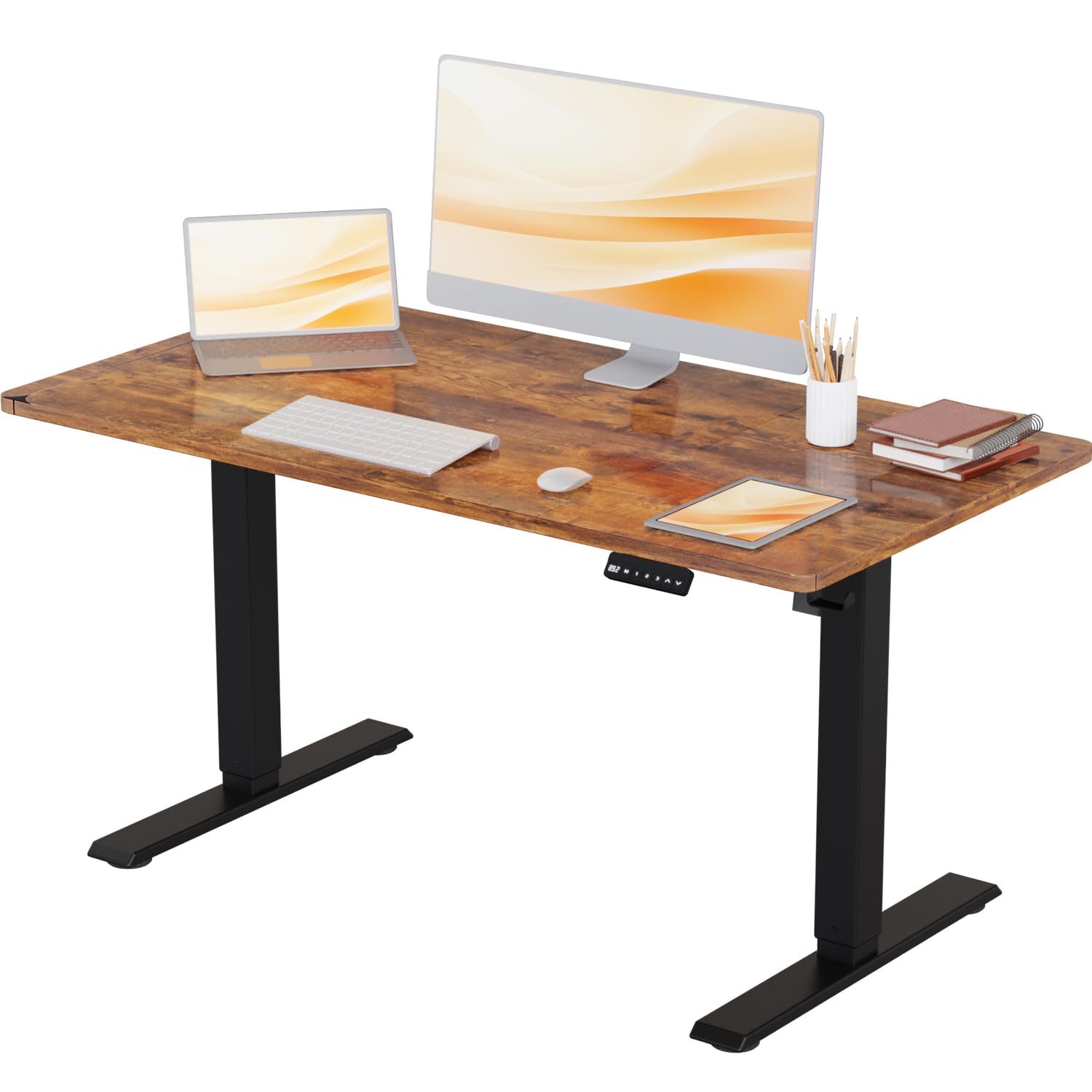
Image: The Devoko Electric Height Adjustable Desk in a typical office environment, showcasinjeho design a funkčnost.
Bezpečnostní pokyny
- Před montáží se ujistěte, že jsou všechny součásti přítomny a nepoškozené. Nepoužívejte, pokud některé součásti chybí nebo jsou poškozené.
- Během práce držte děti a domácí zvířata v dostatečné vzdálenosti od stolu, abyste předešli zranění.
- Do not overload the desk. The maximum weight capacity is 80 kg (176 lbs).
- Ensure there are no obstructions in the desk's path during height adjustment to avoid damage or injury. The desk features anti-collision technology to help prevent this.
- Používejte pouze dodaný napájecí adaptér.
- Do not disassemble or modify the desk's electrical components. Contact customer support for repairs.
- Udržujte kapaliny v dostatečné vzdálenosti od elektrických součástí.
Obsah balení
Zkontrolujte prosím, zda jsou ve vašem balení obsaženy všechny následující komponenty:
- Desktop (1 piece)
- Leg Columns (2 pieces)
- Nohy (2 kusy)
- Control Panel (1 piece)
- Napájecí adaptér a kabel (1 sada)
- Cable Management Tray/Hooks (1 set)
- Hardware Kit (screws, Allen keys, etc.)
- Návod k použití (tento dokument)
Nastavení (montáž)
Assembly of the Devoko Electric Height Adjustable Desk is designed to be straightforward, typically taking less than 30 minutes with the provided clear instructions and pre-drilled holes.
- Rozbalte komponenty: Opatrně vyjměte všechny díly z obalu a položte je na čistý, měkký povrch, abyste zabránili poškrábání.
- Attach Feet to Leg Columns: Secure the feet to the bottom of each leg column using the provided screws.
- Sestavte rám: Connect the leg columns to the crossbar/frame components. Ensure all connections are tight.
- Připojit plochu: Carefully place the desktop upside down on a soft surface. Position the assembled frame onto the desktop, aligning the pre-drilled holes. Secure the frame to the desktop using the provided screws.
- Instalace ovládacího panelu: Mount the control panel to the underside of the desktop in the desired location using the small screws.
- Připojit kabely: Connect the motor cables from the leg columns to the control box, and then connect the control panel cable to the control box. Finally, connect the power adapter to the control box.
- Správa kabelů: Use the included cable management accessories (e.g., hooks) to organize and secure cables neatly.
- Počáteční zapnutí: Carefully flip the desk upright. Plug the power adapter into a wall outlet.

Image: This illustration highlights the desk's robust stability, its anti-collision technology for safety, and a convenient hook for headphones or bags.
Návod k obsluze
Your Devoko Electric Height Adjustable Desk offers easy and quiet height adjustments with memory presets.
Funkce ovládacího panelu:

Obrázek: Podrobný view of the control panel, featuring an LED display, three memory preset buttons, and up/down adjustment arrows.
- Šipky nahoru/dolů (▲ / ▼): Press and hold these buttons to manually adjust the desk height. Release to stop at your desired position.
- Předvolby paměti (1, 2, 3): Your desk has three programmable memory settings.
- Nastavte stůl do požadované výšky pomocí šipek nahoru/dolů.
- Stiskněte tlačítko „M“. Na displeji se zobrazí „S-“.
- Within 3 seconds, press the desired memory button (1, 2, or 3). The display will show 'S-1', 'S-2', or 'S-3' to confirm the setting is saved.
- To recall a saved height, simply press the corresponding memory button (1, 2, or 3). The desk will automatically move to that height.
- Funkce proti kolizi: The desk is equipped with an anti-collision system. If the desk encounters an obstruction during adjustment, it will stop and reverse slightly to prevent damage.
Height Range and Noise Level:
The desk offers a height adjustment range from 71 cm to 119 cm. The lifting mechanism operates quietly, typically below 50 decibels, ensuring a peaceful work environment.
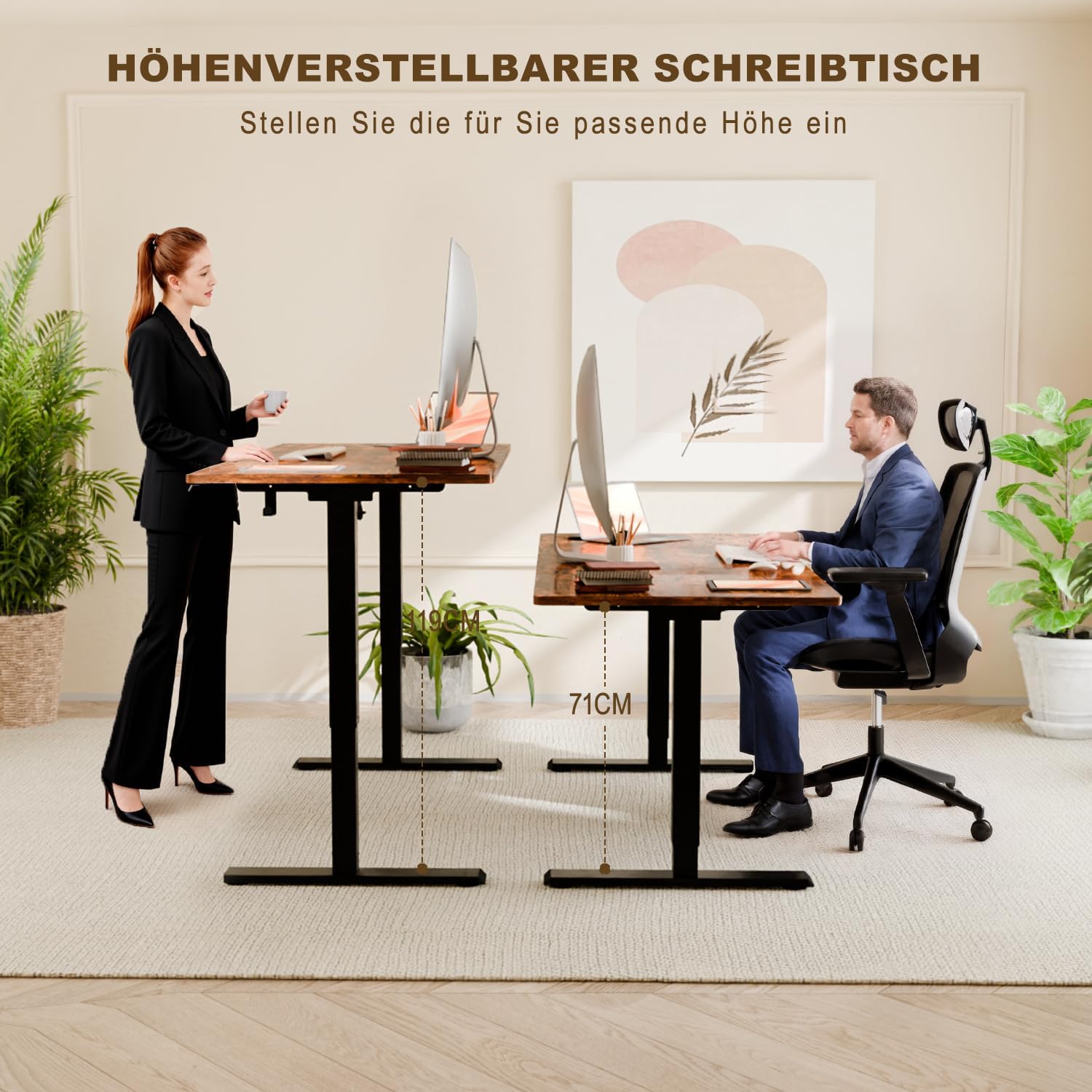
Image: This image illustrates the ergonomic benefits, showing users comfortably working at both the minimum (71 cm) and maximum (108 cm) adjustable heights.
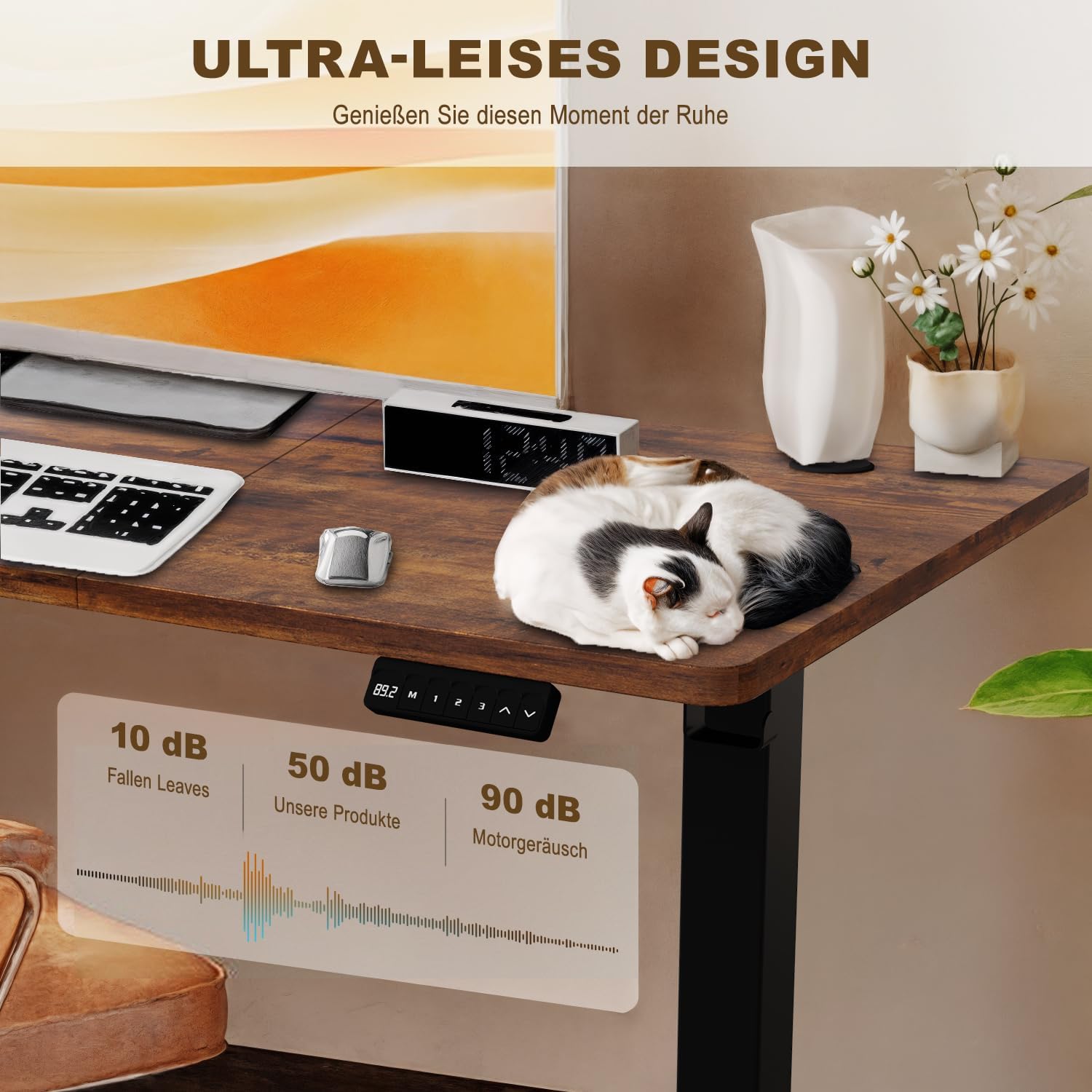
Image: A visual representation of the desk's ultra-quiet operation, indicating a noise level of approximately 50 dB, significantly lower than typical motor noise.
Údržba
- Čištění: Otřete pracovní plochu a rám měkkým hadříkemamp hadříkem. Nepoužívejte agresivní chemikálie ani abrazivní čisticí prostředky.
- Správa kabelů: Pravidelně kontrolujte, zda jsou všechny kabely bezpečně připojeny a zda nejsou skřípnuté nebo zamotané.
- Spojovací materiál: Occasionally check and tighten any loose screws or bolts to ensure stability.
- Péče o motor: The electric motor is maintenance-free. Do not attempt to lubricate or open it.
Odstraňování problémů
| Problém | Možná příčina | Řešení |
|---|---|---|
| Stůl se nehýbe. | Odpojený napájecí kabel; Přetížení; Chyba motoru. | Check power connection. Reduce weight on desk. Unplug for 10 seconds, then plug back in to reset. |
| Stůl se pohybuje nerovnoměrně. | Uneven weight distribution; Loose connections. | Rovnoměrně rozložte hmotnost. Zkontrolujte a utáhněte všechny montážní šrouby. |
| Displej zobrazuje chybový kód (např. E01, E02). | Specific motor or sensor error. | Refer to the full manual for specific error codes or contact customer support. Often, a power cycle (unplug, wait 10s, plug in) can resolve temporary errors. |
| Anti-collision feature is too sensitive/not sensitive enough. | Sensor sensitivity setting. | Consult the full manual for instructions on adjusting anti-collision sensitivity, if available. |
Specifikace
- Model: Devoko Electric Height Adjustable Desk
- Rozměry pracovní plochy: 110 cm (délka) x 60 cm (šířka)
- Rozsah nastavení výšky: 71 cm - 119 cm
- Maximální nosnost: 80 kg (176 lb)
- Materiál: Steel frame, Wood desktop
- Hladina hluku: < 50 dB
- Speciální vlastnosti: Electric height adjustment, 3 memory presets, Anti-collision technology, Headphone/bag hooks

Image: A clear diagram illustrating the desk's key dimensions, including desktop size (110x60 cm), height range (71-119 cm), and maximum load capacity (80 kg).
Informace o záruce
Devoko products are manufactured to high-quality standards. For specific warranty details, including coverage period and terms, please refer to the warranty card included with your purchase or visit the official Devoko webstránky. Uschovejte si prosím doklad o koupi pro případ reklamace.
Zákaznická podpora
If you have any questions, require assistance with assembly, or encounter any issues not covered in this manual, please do not hesitate to contact Devoko customer support. Our team is available to help you.
Kontaktní údaje:
- Webmísto: Navštivte obchod Devoko na Amazonu
- E-mail: [Please refer to your product packaging or warranty card for specific email address]
- Telefon: [Please refer to your product packaging or warranty card for specific phone number]