
1. Úvod
Welcome to the NIMO N15A 15.6" Laptop User Manual. This guide provides essential information for setting up, operating, maintaining, and troubleshooting your new laptop. Please read this manual thoroughly to ensure optimal performance and longevity of your device.
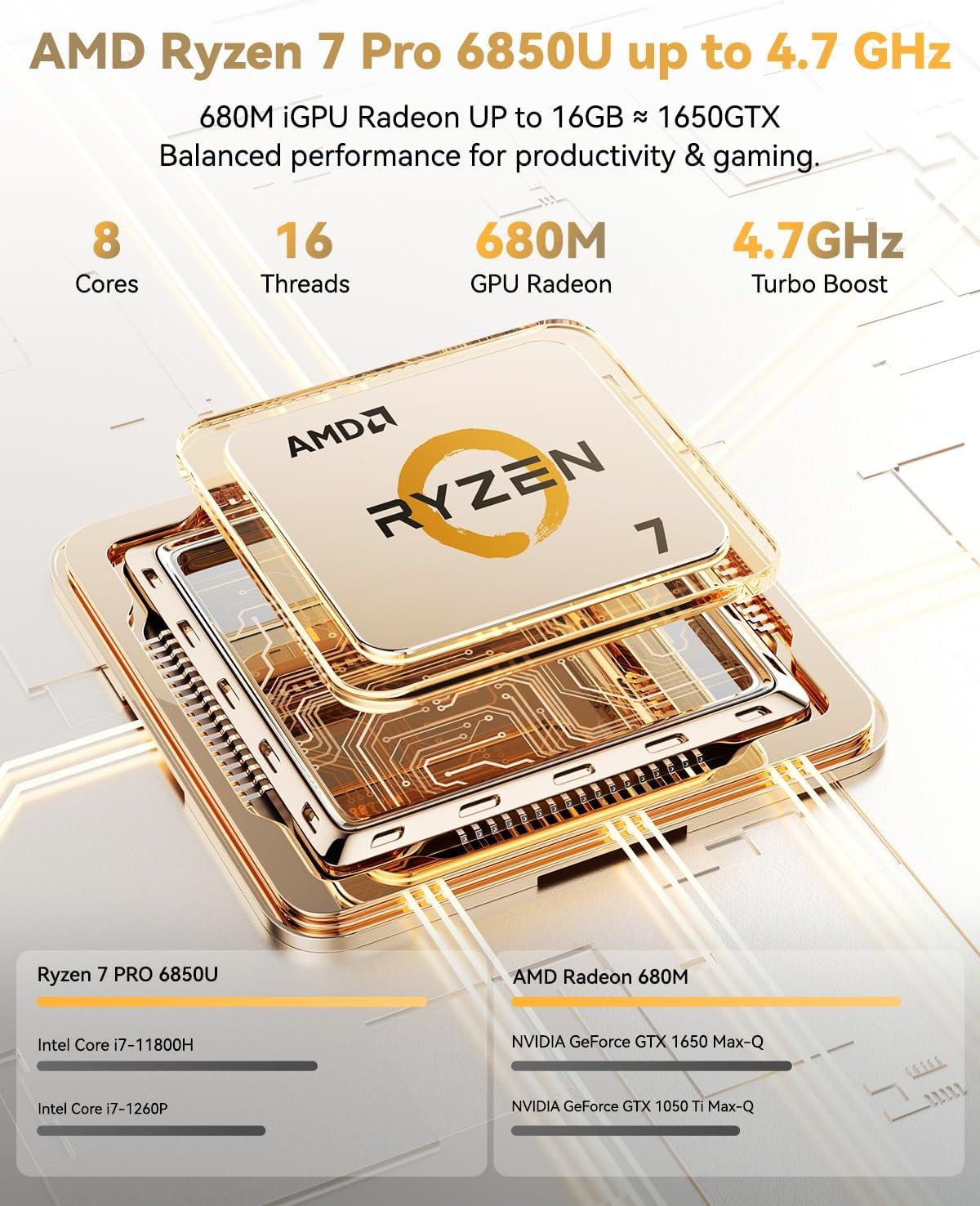
Figure 1: NIMO N15A 15.6" Laptop
2. Bezpečnostní informace
To prevent damage to your NIMO N15A laptop and ensure your safety, please observe the following guidelines:
- Use only original chargers and regularly inspect cables for any signs of damage.
- Handle the laptop by its base and consider using a protective case to prevent physical damage.
- Nepokládejte na notebook těžké předměty.
- Ensure the laptop is placed on a hard, flat surface to allow for proper ventilation and prevent overheating.
- Chraňte zařízení před extrémními teplotami a vlhkostí.
- Do not overcharge the battery. Discontinue use immediately if the battery shows signs of swelling or damage.
- Set strong passwords, keep your software updated, use antivirus protection, and regularly back up your data.
- In case of liquid spills, immediately unplug the laptop and allow it to dry completely before attempting to power it on.
- For any issues, consult qualified professionals. Do not attempt to disassemble or repair the laptop yourself, as this may void the warranty and cause further damage.
3. Co je v krabici
Your NIMO N15A laptop package includes the following items:
- 1 x NIMO N15A Laptop
- 1 x Type-C 100W PD Fast Charger
- 1 x Uživatelská příručka (tento dokument)
- Windows 11 Home (předinstalovaný)
- Warranty Information (2 Years Warranty, 90 Days Return)
Video 1: Unboxing and Initial Setup of the NIMO 15.6" Laptop. This video demonstrates the contents of the package and the first steps to power on the device.
4. Konec produktuview
4.1. Fyzikální vlastnosti
The NIMO N15A laptop features a durable metal shell, combining a sleek aesthetic with robust protection. Its slim profile and lightweight design (3.75 lbs) make it highly portable.
4.2. Porty a konektivita
The laptop is equipped with a variety of ports for versatile connectivity:
- Čtečka karet Micro SD
- Port USB 2.0
- USB 3.2 Ports (multiple)
- Jack pro sluchátka
- Slot pro zámek Kensington
- Port HDMI
- Type-C (Multifunction) Ports (multiple, supporting 100W PD fast charging)
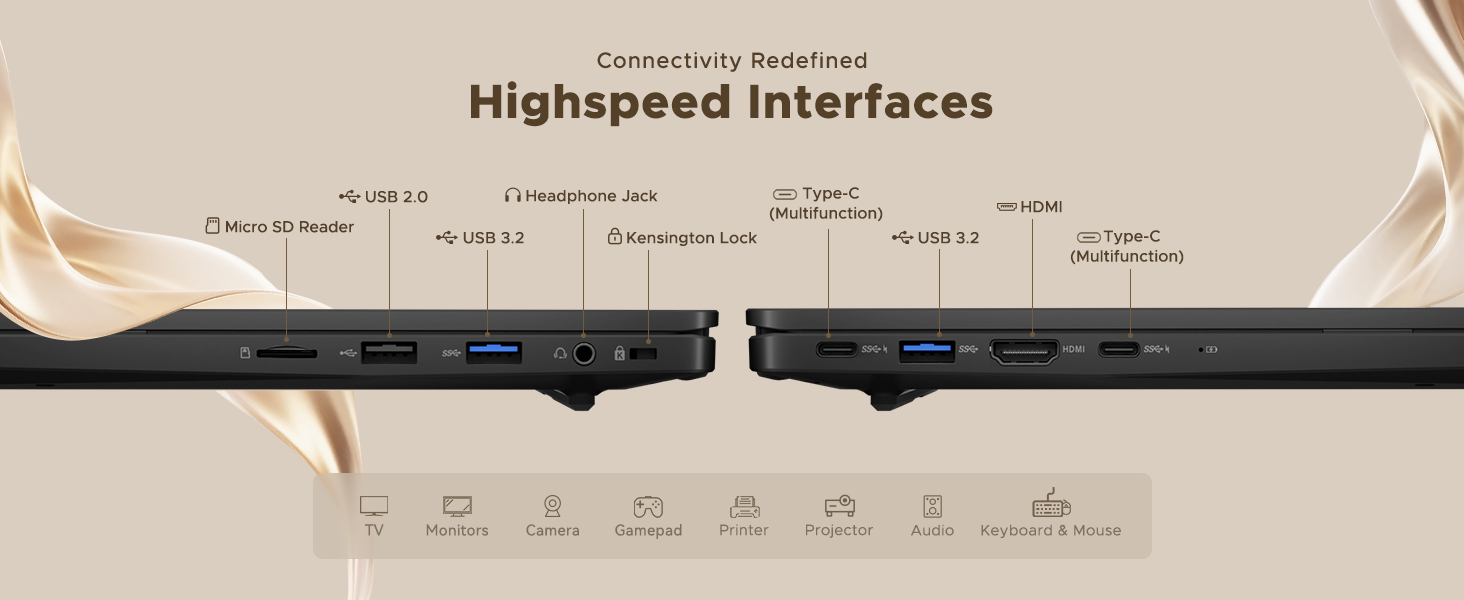
Figure 2: High-Speed Interfaces and Ports
Video 2: NIMO Laptop Overview. This video highlights the laptop's design, display, camera, keyboard, and various ports.
5. Nastavení
5.1. Počáteční zapnutí
- Unpack your NIMO N15A laptop and all accessories from the box.
- Connect the 100W Type-C PD Fast Charger to the laptop's Type-C port and a power outlet.
- Otevřete víko notebooku. Notebook se může zapnout automaticky nebo může být nutné stisknout tlačítko napájení.
- Postupujte podle pokynů na obrazovce a dokončete nastavení systému Windows 11 Home, včetně jazyka, regionu, síťového připojení a vytvoření uživatelského účtu.
5.2. Připojení k Wi-Fi
During the initial setup or at any time, you can connect to a Wi-Fi network:
- Click the Wi-Fi icon in the taskbar (bottom right corner of the screen).
- Vyberte ze seznamu požadovanou síť Wi-Fi.
- Pokud se zobrazí výzva, zadejte heslo k síti a klikněte na tlačítko „Připojit“.
6. Ovládání notebooku
6.1. Displej
The NIMO N15A features a 15.6" Full HD (1920x1080) IPS anti-glare display with an 85% screen-to-body ratio, providing clear and vibrant visuals for work, entertainment, and light gaming.
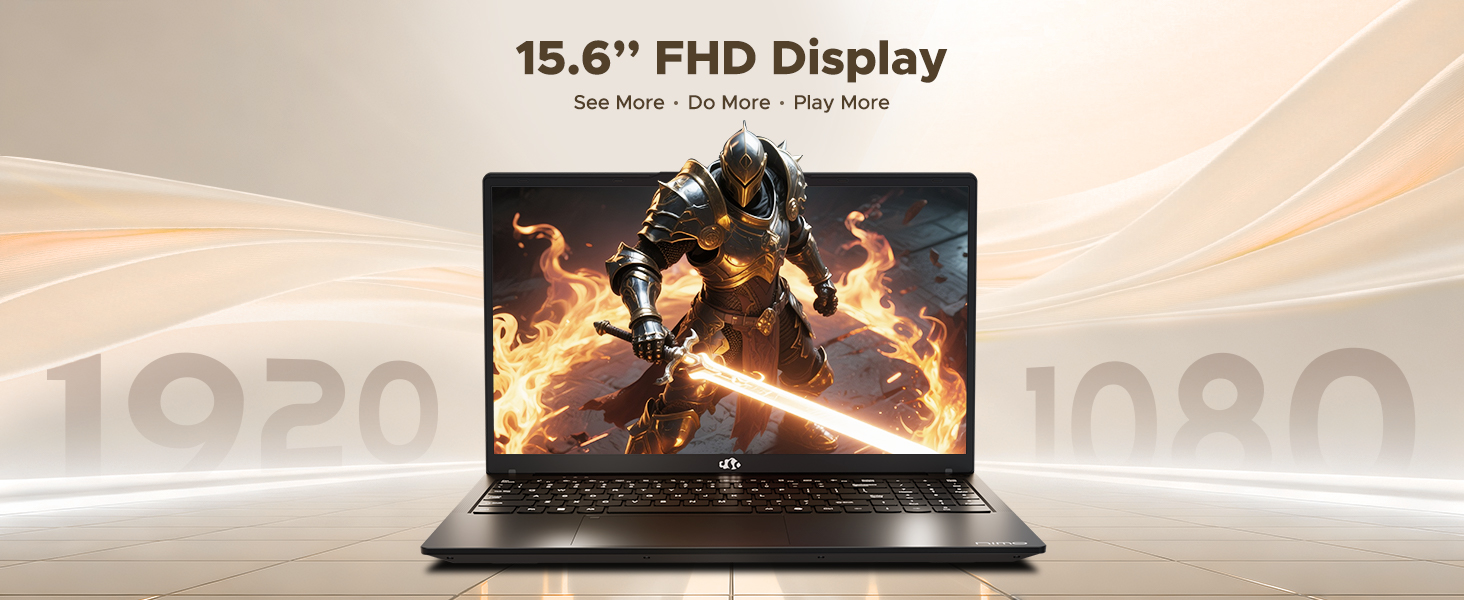
Figure 3: 15.6" FHD IPS Display
6.2. Klávesnice a touchpad
The laptop includes an ergonomic backlit keyboard for comfortable typing in various lighting conditions and a precision gesture touchpad for smooth navigation.
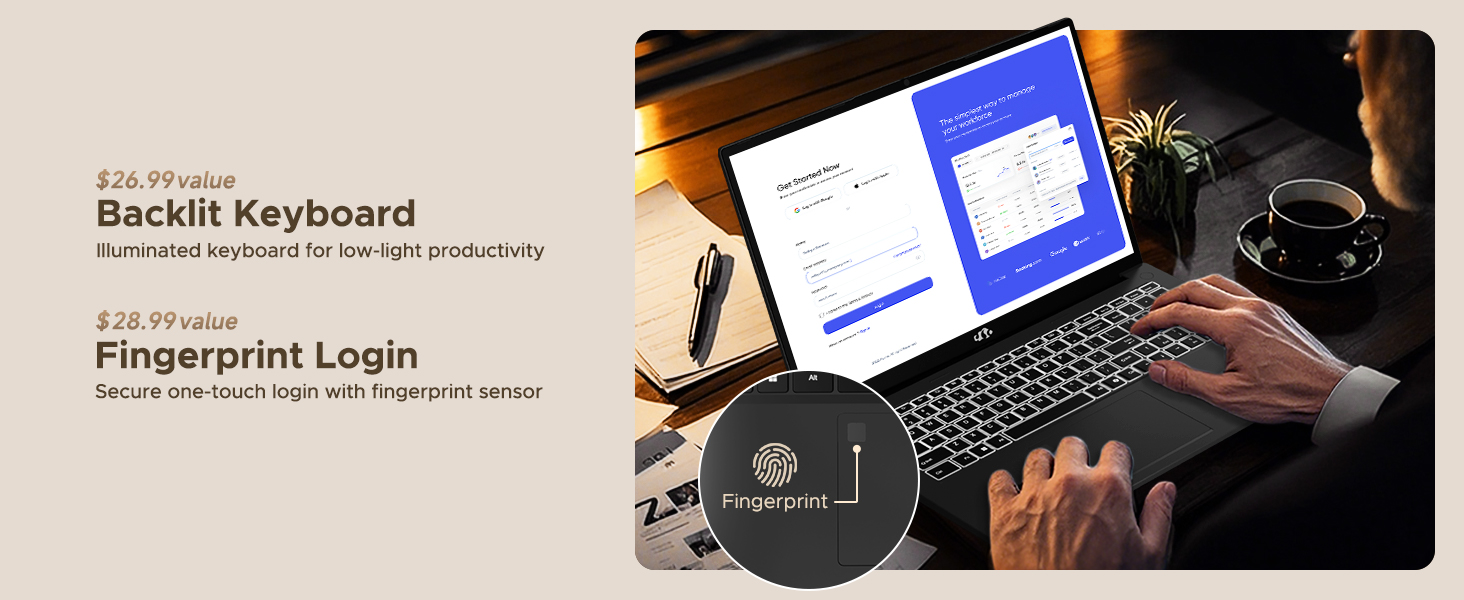
Figure 4: Backlit Keyboard and Fingerprint Sensor
6.3. Fingerprint Login
For enhanced security and convenience, the laptop features a fingerprint reader integrated into the touchpad. You can set up fingerprint login through Windows Settings for quick and secure access.
6.4. Fotoaparát
The integrated 2MP front camera is suitable for video calls and online meetings. It includes a privacy shutter for when the camera is not in use.

Figure 5: Privacy-Focused Camera Convenience
6.5. Výkon
Powered by the AMD Ryzen 7 Pro 6850U processor (8 cores, 16 threads, up to 4.7GHz) and AMD Radeon 680M GPU, the NIMO N15A delivers balanced performance for productivity, content creation, and light gaming.
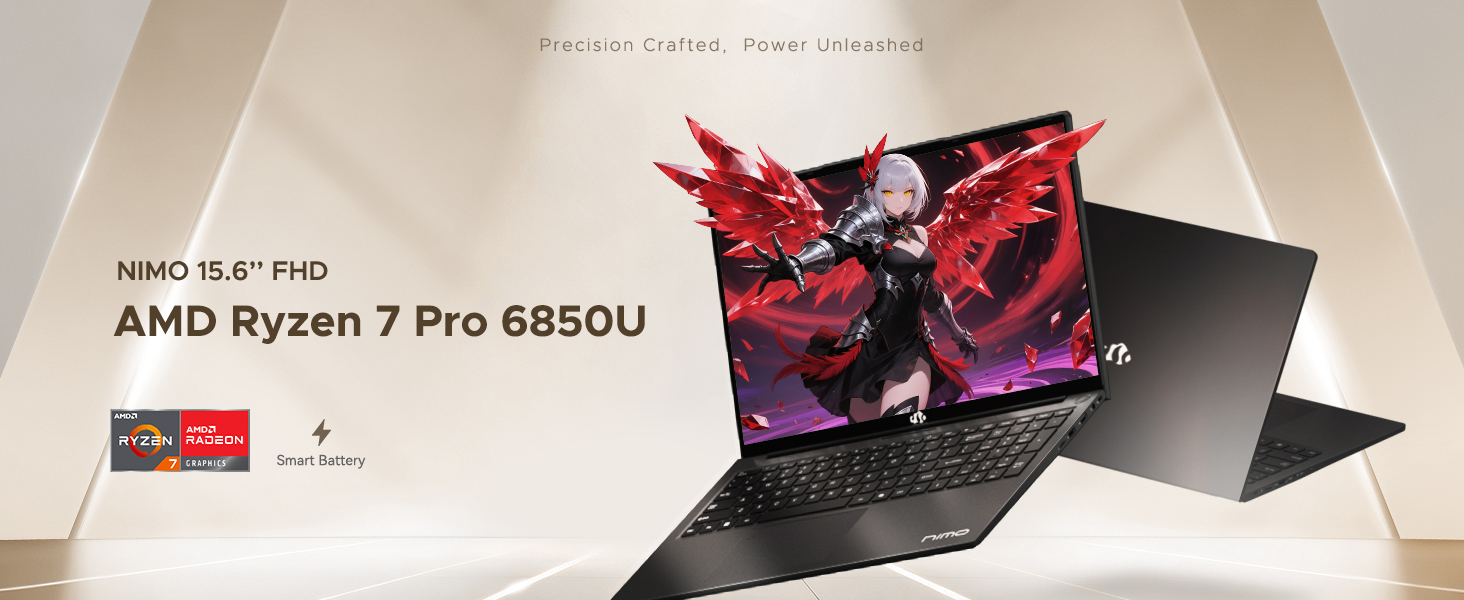
Figure 6: AMD Ryzen 7 Pro 6850U Processor Details
Video 3: NIMO Gaming Laptop Demonstration. This video showcases the laptop's performance in gaming and creative applications.
7. Nabíjení a baterie
The NIMO N15A is equipped with a 53.58 Watt-Hour Lithium Polymer battery, offering up to 9 hours of typical use and 12.75 hours of standby time. It supports 100W USB-C PD fast charging, allowing for approximately 2 hours of use from just a 15-minute charge.
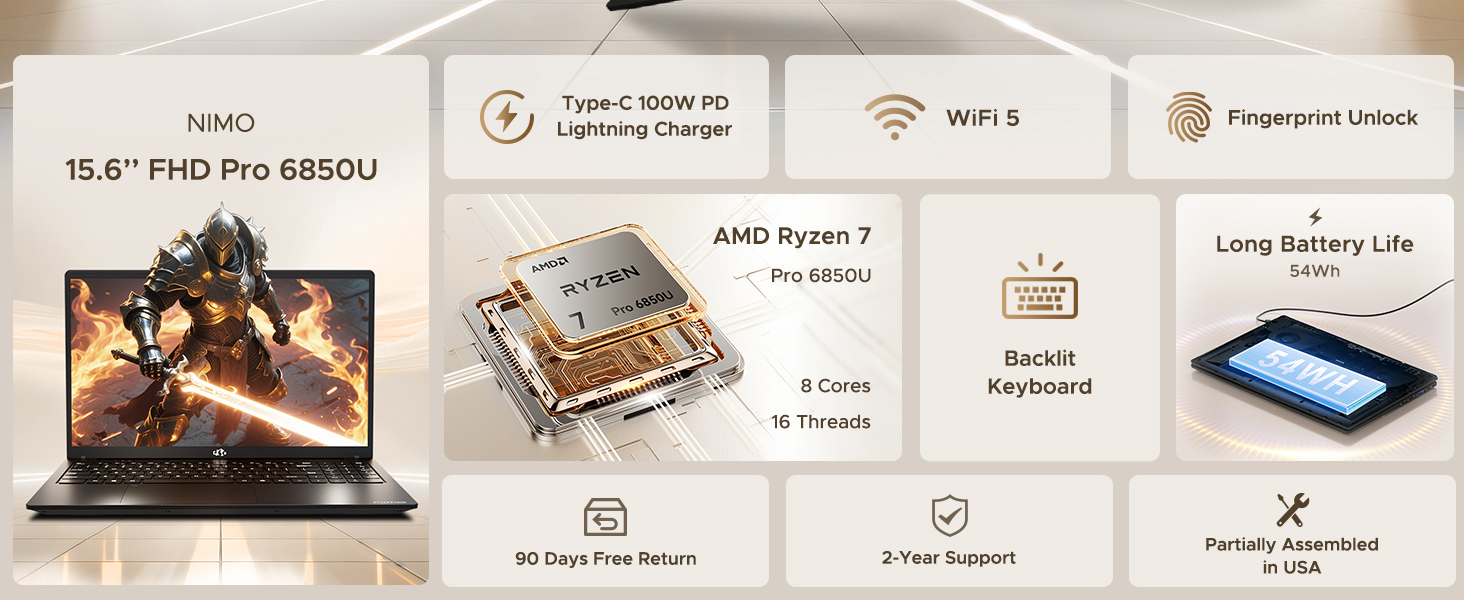
Figure 7: 100W USB-C Fast Charging
8. Úložiště a paměť
The laptop features 16GB of lightning-fast LPDDR5 RAM (6400 MHz) for seamless multitasking and a pre-installed 1TB PCIe 4.0 SSD for rapid boot times and file převody.
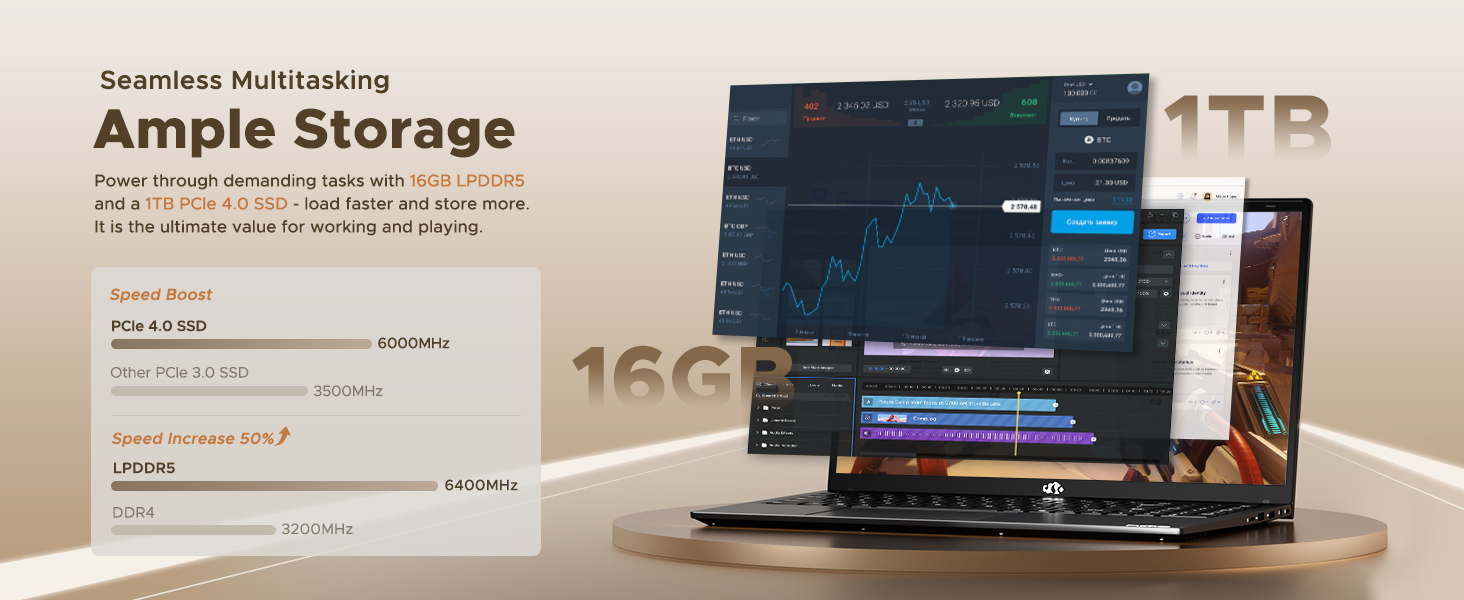
Figure 8: 16GB LPDDR5 RAM and 1TB PCIe 4.0 SSD
9. Údržba
Regular maintenance helps ensure the longevity and optimal performance of your NIMO N15A laptop:
- Čištění: K čištění obrazovky a vnějšího povrchu použijte měkký hadřík, který nepouští vlákna. V případě odolných šmouh lehceampOtřete hadřík vodou nebo čisticím prostředkem na obrazovky. Vyhněte se agresivním chemikáliím.
- Aktualizace softwaru: Regularly install operating system and driver updates to ensure security and performance improvements.
- Větrání: Keep the ventilation openings clear of obstructions to prevent overheating. Avoid using the laptop on soft surfaces like beds or couches for extended periods.
- Péče o baterie: To prolong battery life, avoid fully discharging the battery frequently. If storing the laptop for a long time, charge it to about 50-60%.
- Záloha dat: Periodically back up your important filena externí disk nebo do cloudového úložiště, aby se zabránilo ztrátě dat.
10. Řešení problémů
If you encounter issues with your NIMO N15A laptop, try the following basic troubleshooting steps:
- Notebook se nezapíná: Ensure the charger is securely connected and the power outlet is functional. Try a different outlet or charger if available.
- Obrazovka je prázdná: Connect an external monitor to check if the display is the issue. If the external monitor works, the laptop's screen may require service.
- Pomalý výkon: Zavřete nepotřebné aplikace, zkontrolujte, zda se neobjevuje malware, zajistěte dostatek volného místa v úložišti a aktualizujte ovladače.
- Problémy s připojením k Wi-Fi: Restart your router and modem. Ensure Wi-Fi is enabled on your laptop and try reconnecting to the network.
- Klávesnice nebo touchpad nereaguje: Restart the laptop. If the issue persists, check for driver updates.
For more complex issues, please refer to the support section or contact NIMO customer service.
11. Specifikace
Below are the detailed specifications for the NIMO N15A laptop:
| Funkce | Specifikace |
|---|---|
| Značka | NIMO |
| Název modelu | NIMO N15A |
| Velikost obrazovky | 15.6 palce |
| Rezoluce | 1920x1080 pixelů (FHD IPS) |
| Barva | Černý |
| Model CPU | AMD Ryzen 7 Pro 6850U (8 Cores, 16 Threads, up to 4.7 GHz) |
| Grafický koprocesor | AMD Radeon 680M (integrovaná) |
| Velikost nainstalované paměti RAM | 16 GB LPDDR5 (6400 MHz) |
| Velikost pevného disku | 1024 GB (1TB PCIe 4.0 SSD) |
| Operační systém | Windows 11 Home |
| Speciální funkce | Podsvícená klávesnice, čtečka otisků prstů, HD zvuk, numerická klávesnice |
| Technologie připojení | Bluetooth, Wi-Fi (802.11a/b/g/n/ac) |
| Celkový počet portů USB | 5 |
| Celkový počet portů HDMI | 1 |
| Životnost baterie | 9 Hours (typical use), 12.75 Hours (standby) |
| Energetický obsah baterie | 53.58 W hodin |
| Webcam Capability | Yes (2 MP Front Camera) |
| Hmotnost položky | 3.75 libry |
| Rozměry položky D x Š x Tloušťka | 14.07"D x 8.98"Š x 0.76"V |
12. Záruka a podpora
12.1. Informace o záruce
Your NIMO N15A laptop comes with a 2letá záruka výrobce from NIMO Direct Inc. This warranty covers manufacturing defects and ensures peace of mind for your purchase.
12.2. Zásady vrácení
A 90denní bezproblémová lhůta pro vrácení zboží is provided, allowing you to return the product if you are not completely satisfied.
12.3. Zákaznická podpora
For any technical assistance, warranty claims, or support inquiries, please contact NIMO customer service. Our dedicated support team is ready to provide quick and effective assistance.
Please visit the official NIMO website or refer to the contact information provided with your product for the most up-to-date support details.