
1. Úvod
The LAMTTO 2-in-1 Wireless CarPlay and Android Auto Adapter converts your vehicle's wired CarPlay or Android Auto system into a wireless solution. This device allows for convenient access to navigation, music, phone calls, and voice assistants like Siri or Google Assistant without the need for a physical cable connection to your smartphone.
Obsah balení:
- 1 x 2-in-1 Wireless CarPlay and Android Auto Adapter
- 1 x adaptér USB-A na USB-C
- 1 x Uživatelská příručka
2. Bezpečnostní informace
Důležité bezpečnostní pokyny:
- When operating this wireless adapter, interference with other nearby wireless devices may occur.
- Ensure compliance with battery handling instructions (if applicable to connected devices).
- Nevystavujte zařízení extrémním teplotám nebo vlhkosti.
3. Konec produktuview
The LAMTTO 2-in-1 adapter features a high-performance 5.8 GHz chip for faster processing and a stable connection. Its compact design allows for discreet installation, maintaining a tidy vehicle interior. The device supports both USB-A and USB-C ports for flexible connectivity.

Figure 3.1: Compact design of the LAMTTO adapter.

Figure 3.2: Internal components and connection speed.
4. Průvodce nastavením
The adapter offers a simple Plug & Play setup process. No applications or drivers are required.
- Připojte adaptér: Plug the adapter into your car's USB data port (either USB-A or USB-C, using the provided adapter if necessary).
- Activate Bluetooth and Wi-Fi: Na smartphonu povolte Wi-Fi i Bluetooth.
- Spárovat s Bluetooth: Open your smartphone's Bluetooth interface, search for the adapter's Bluetooth name, and select "Connect."
- Automatické opětovné připojení: After the initial connection, the device will automatically connect to your vehicle each time you start the car.
Poznámka: The connection method for both CarPlay and Android Auto is identical.

Figure 4.1: Step-by-step setup and control methods.
5. Návod k obsluze
Once connected, the adapter enables wireless access to your smartphone's features through your car's infotainment system. You can control functions using the car's original controls.
- Hlasové ovládání: Pro ovládání bez použití rukou použijte Siri nebo Google Assistant.
- Navigace: Access map applications like Waze or Apple Maps.
- Přehrávání hudby: Stream music from apps like Spotify.
- Telefonní hovory: Make and receive calls directly through the car's system.
- Ovládací prvky vozidla: The adapter integrates seamlessly with your car's steering wheel buttons, touchscreen, and factory knobs.
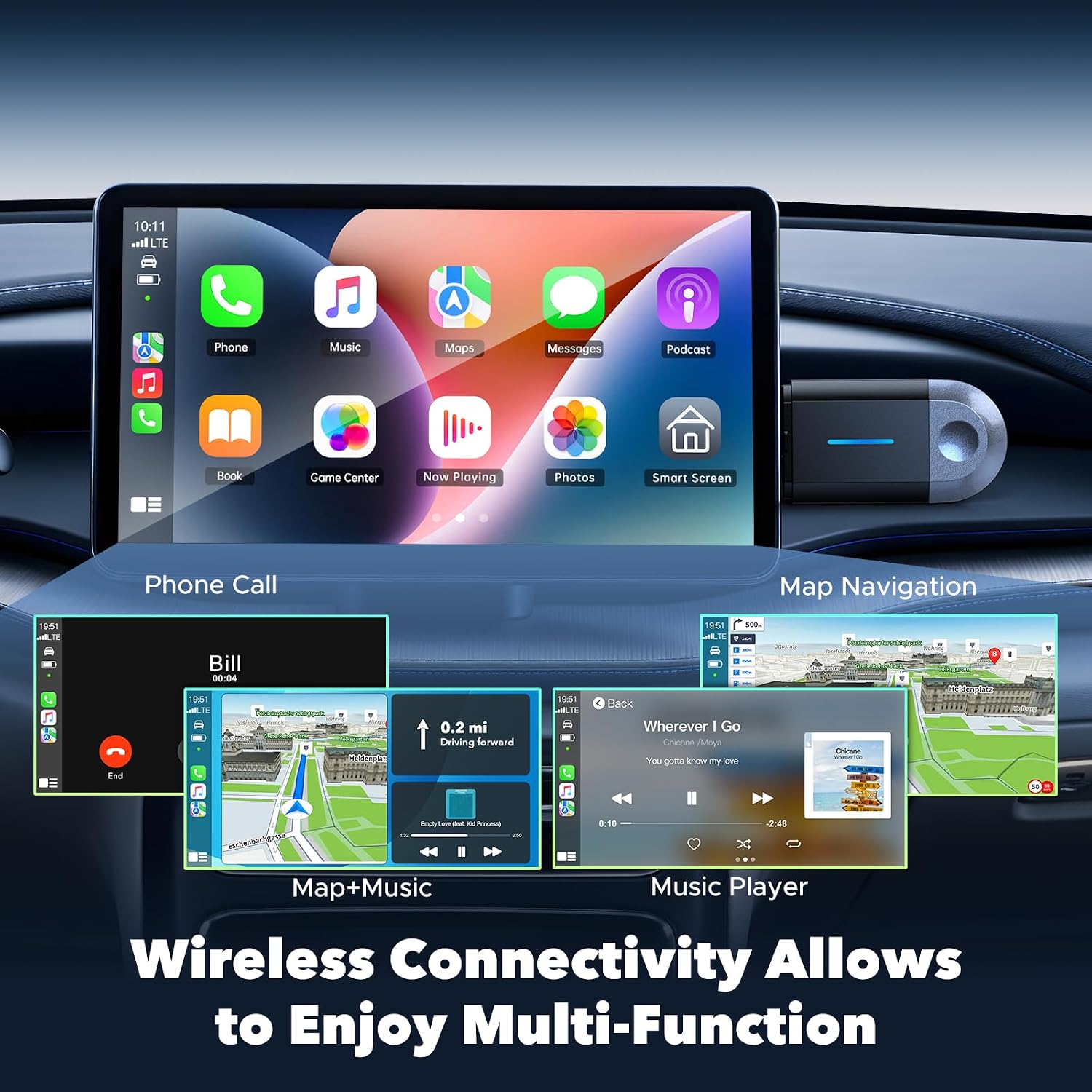
Figure 5.1: Wireless multi-function display on car screen.
6. Firmware Update (OTA)
The adapter supports Over-The-Air (OTA) firmware updates to ensure optimal performance and compatibility. To update the firmware:
- Connect your smartphone to the adapter's Wi-Fi network.
- Open a mobile browser on your smartphone.
- Zadejte adresu 192.168.1.101 in the browser's address bar.
- Postupujte podle pokynů na obrazovce a zkontrolujte a nainstalujte všechny dostupné aktualizace.

Figure 6.1: OTA firmware update interface.
7. Kompatibilita
The LAMTTO 2-in-1 Wireless CarPlay and Android Auto Adapter is designed for wide compatibility.
- Kompatibilita se smartphony: Supports iPhone 8 or newer (iOS 11+) and Android phones with Android 11+.
- Kompatibilita vozidla: Compatible with over 98% of vehicles equipped with factory-wired Apple CarPlay and Android Auto from the year 2016 onwards. This includes brands such as Ford, Audi, Toyota, VW, and more.
- Nekompatibilní vozidla: Not compatible with BM-W, Ben-z, or Tes-la vehicles. Not compatible with Huawei phones.

Figure 7.1: Device and vehicle compatibility overview.
8. Řešení problémů
If the device experiences abnormal operation:
- Perform a restart by unplugging the adapter and then reinserting it into the car's USB port.
- Ensure your smartphone's Wi-Fi and Bluetooth are active and properly paired.
- Check for any available firmware updates as described in Section 6.
9. Specifikace
| Funkce | Specifikace |
|---|---|
| Značka | LAMTTO |
| Název modelu | carplay wireless adapter |
| Technologie připojení | Bluetooth, 802.11ac (5.8 GHz WLAN) |
| Zdroj napájení | Corded Electric (via car's USB port) |
| Materiál | Plast |
| Hmotnost produktu | 20 gramů |
| Barva | Černý |
| Kompatibilní zařízení | Smartphones with iOS 10+ and Android 11+ |
| Typ montáže | Wall Mount (refers to compact, discreet placement) |
| Typ instalace | Bezdrátový |
| Typ konektoru | USB Type C (with included USB-A adapter) |
| Kontrolní metoda | Hlas |
| Typ zvukového výstupu | Bluetooth, Auxiliary |
| Režim zvukového výstupu | Stereo |
| Podporované formáty | Bluetooth 5.3, IEEE 802.11ac |
| Podporované aplikace | Spotify, Waze, Apple Maps, other CarPlay/Android Auto compatible audio apps |
10. Záruka a podpora
The LAMTTO 2-in-1 Wireless CarPlay and Android Auto Adapter comes with a 24-month warranty. For any product inquiries or technical assistance, please contact customer support. Support is available 24/7.