
1. Úvod
Thank you for choosing the HUANUO Gas Spring Laptop and Monitor Arm. This versatile arm is designed to optimize your workspace by providing flexible positioning for both your laptop and an external monitor. Featuring a gas spring mechanism, it allows for smooth, effortless adjustments to achieve an ergonomic setup, reducing strain and improving productivity. This manual provides detailed instructions for safe installation, operation, and maintenance of your new arm.

Image: The HUANUO 2-in-1 arm configured for a laptop (left) and a monitor (right).
2. Bezpečnostní informace
- Před montáží a použitím si pečlivě přečtěte všechny pokyny.
- Do not exceed the maximum load capacity of 9kg (for monitor) or 7.7kg (for laptop).
- Ensure the mounting surface (desk) is stable and strong enough to support the arm and attached devices.
- Během instalace držte děti a domácí zvířata mimo dosah.
- Všechny šrouby pevně utáhněte, ale nepřetahujte je, abyste zabránili stržení závitů nebo poškození součástí.
- Adjust the gas spring tension carefully to match the weight of your device. Improper tension can cause the arm to move unexpectedly.
3. Požadavky na kompatibilitu
- notebook: Up to 17 inches, weighing up to 7.7kg.
- Monitor: 13 to 34 inches, weighing up to 9kg. Must have VESA mounting patterns of 75x75mm or 100x100mm.
- Tloušťka stolu:
- C-Clamp: 10 mm až 65 mm
- Grommet Mount: 10mm to 75mm

Image: Detailed compatibility specifications for laptop, monitor, and VESA standards.
4. Instalační příručka
4.1 Možnosti montáže
The arm supports two installation methods: C-clamp and Grommet mount. Choose the method suitable for your desk.

Image: C-clamp and Grommet mounting methods with compatible desk thickness ranges.
4.2 Montážní kroky
- Připojte Clamp/Grommet Base: Secure the chosen mounting base to your desk. Ensure it is tightly fastened to prevent wobbling.
- Nainstalujte rameno: Slide the arm onto the pole of the base.
- Attach the VESA Plate or Laptop Tray: Secure the VESA plate to your monitor using the provided screws, or attach the laptop tray to the arm.
- Montážní zařízení: If using a monitor, slide the VESA plate with the monitor onto the arm. If using a laptop, place your laptop on the tray.

Image: Step-by-step visual guide for assembling the arm components.
4.3 Nastavení napětí plynové pružiny
The gas spring tension must be adjusted to match the weight of your monitor or laptop. This ensures the arm holds its position securely and allows for smooth movement.
- Krok 1: Push the upper arm horizontally downwards.
- Krok 2: Use the provided Allen key to adjust the gas spring tension. Turn towards "+" to increase tension (for heavier devices) or towards "-" to decrease tension (for lighter devices). Adjust until the arm can hold its position freely.

Image: Instructions for adjusting the gas spring tension.
5. Obsluha a seřízení
Once installed, the HUANUO arm offers extensive adjustability to customize your viewzkušenosti.
- Nastavení výšky: The gas spring allows for smooth vertical movement. Gently push or pull the arm to your desired height.
- Náklon: Adjust the screen tilt from +80° to -50° to reduce glare and find the optimal viewúhel.
- Otočný: Rotate the arm ±90° left or right to share your screen or change your viewsměr.
- Otáčení: The VESA plate allows for 360° rotation, enabling you to switch between landscape and portrait orientations.
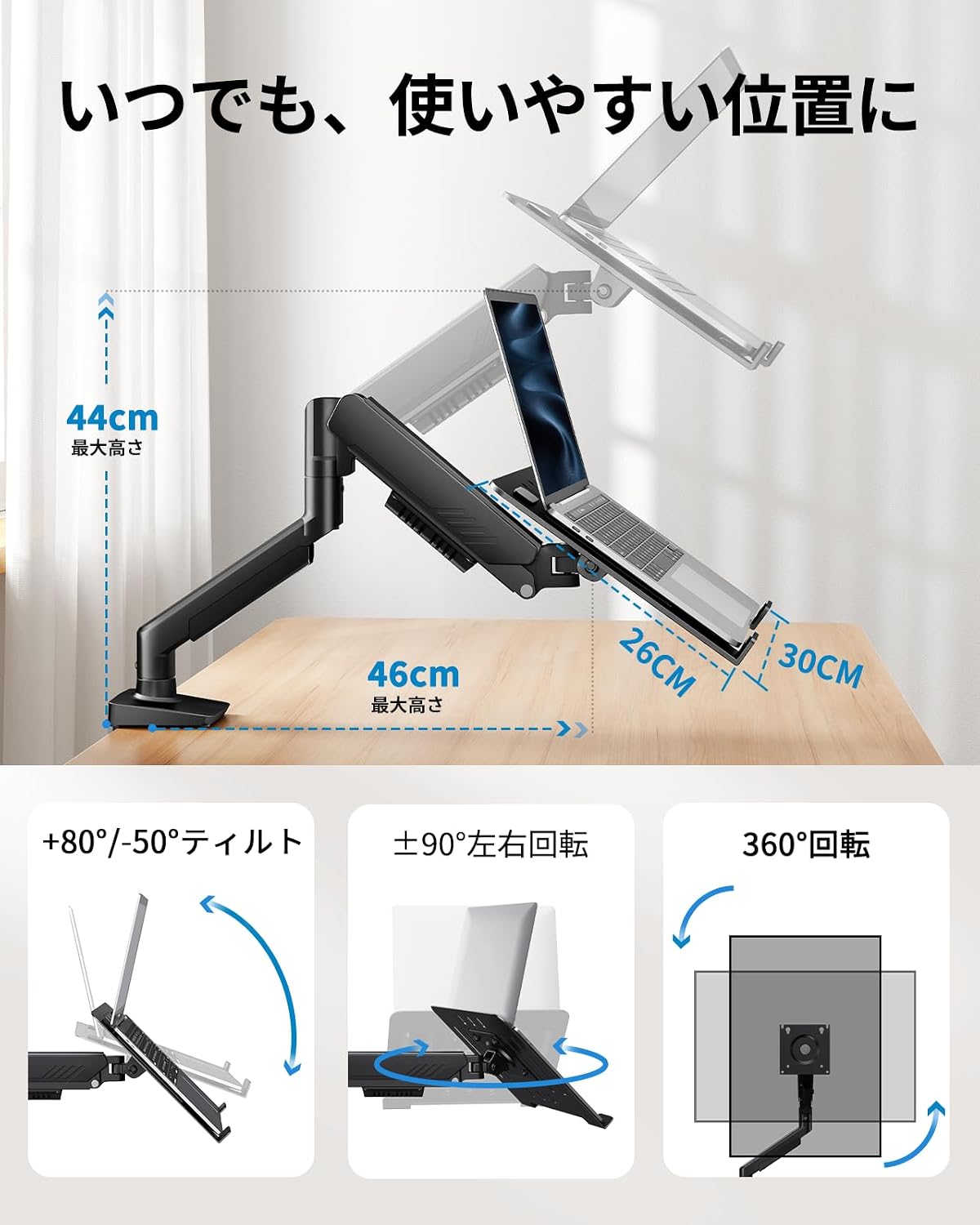
Image: Demonstrating the arm's tilt, swivel, and rotation features.
5.1 Správa kabelů
Integrated cable management clips along the arm help keep your workspace tidy and organized. Route your cables through these clips to prevent clutter and ensure a clean setup.
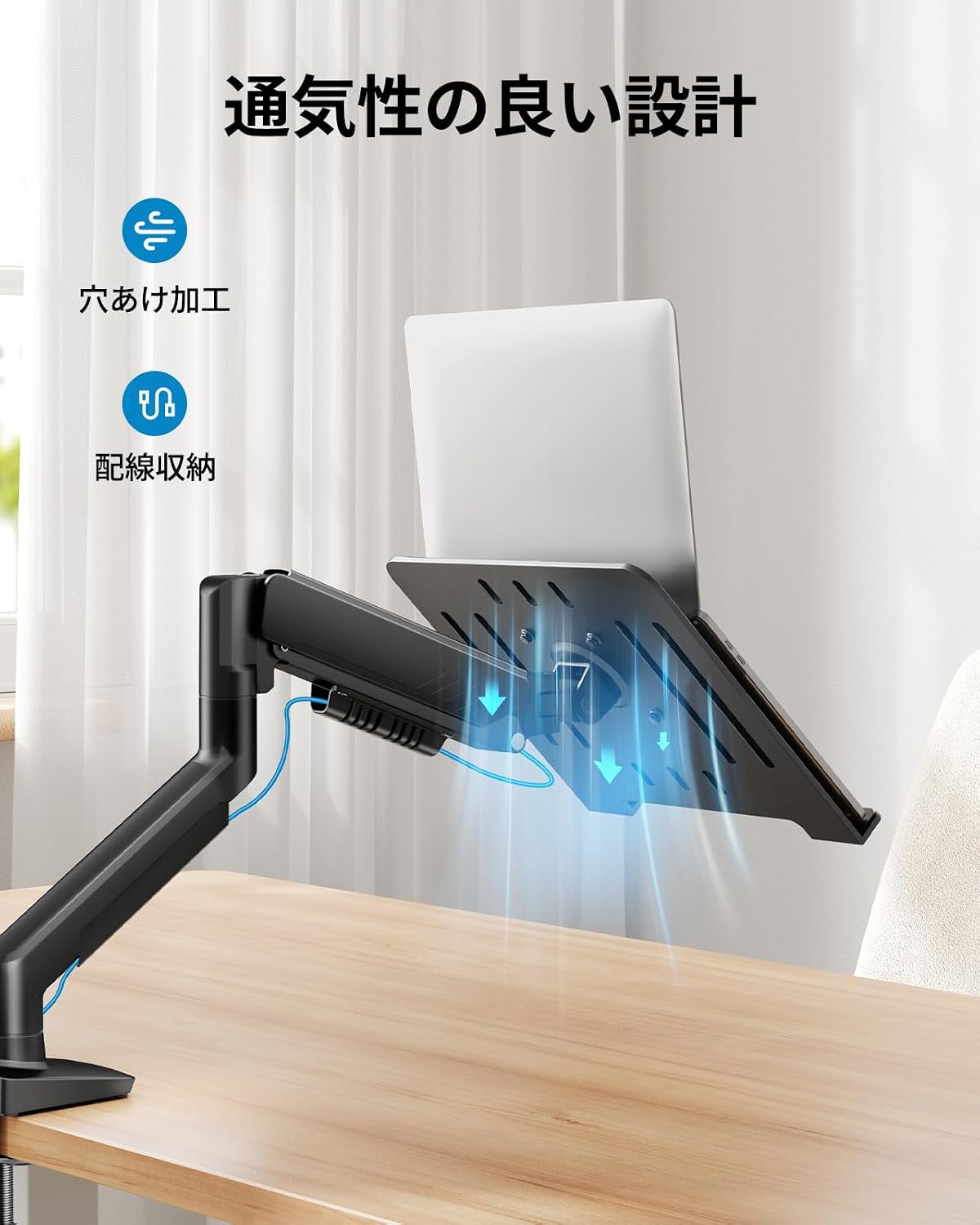
Obrázek: Přample of cable routing using the arm's integrated cable management.
6. Údržba
Pravidelná údržba zajišťuje dlouhou životnost a optimální výkon ramene vašeho monitoru.
- Čištění: Wipe the arm and tray with a soft, damp hadříkem. Nepoužívejte abrazivní čisticí prostředky ani rozpouštědla.
- Zkontrolujte připojení: Pravidelně kontrolujte všechny šrouby a vruty, zda jsou pevně utažené. V případě potřeby je dotáhněte.
- Plynová pružina: Pokud se pohyb ramene časem stane tuhým nebo volným, upravte napětí plynové pružiny podle popisu v části 4.3.
7. Řešení problémů
| Problém | Možná příčina | Řešení |
|---|---|---|
| Arm does not hold position / Sags | Gas spring tension is too low for the device weight. | Increase gas spring tension (turn towards '+') using the Allen key. Refer to Section 4.3. |
| Arm is difficult to move / Stays too high | Gas spring tension is too high for the device weight. | Decrease gas spring tension (turn towards '-') using the Allen key. Refer to Section 4.3. |
| Arm wobbles or feels unstable | Montážní třamp/grommet is not tight enough, or desk is unstable. | Ujistěte se, že třamp or grommet mount is securely tightened to the desk. Verify desk stability. |
| Monitor/Laptop not level | Tilt adjustment is loose or uneven. | Tighten the tilt mechanism screws. Adjust the tilt evenly. |
8. Specifikace
- Značka: HUANUO
- Model: B0FVSCTWDZ
- Typ montáže: Tabletop Mount (C-Clamp a průchodka)
- Typ pohybu: Rotational, Gas Spring
- Materiál: Kov
- Barva: Černý
- Kompatibilní zařízení: Laptops, Monitors
- Kompatibilita s notebooky: Up to 17 inches, Max Load 7.7kg
- Kompatibilita monitoru: 13-34 inches, Max Load 9kg
- Kompatibilita VESA: 75x75mm, 100x100mm
- Tloušťka desky (C-Clamp): 10 mm - 65 mm
- Tloušťka desky (průchodka): 10 mm - 75 mm
- Rozsah náklonu: +80° / -50°
- Rozsah otáčení: ±90°
- Otáčení: 360°
9. Záruka a podpora
This HUANUO product comes with a 5-year manufacturer's warranty, covering defects in materials and workmanship under normal use. Please retain your proof of purchase for warranty claims.
For technical support, troubleshooting assistance, or warranty inquiries, please contact HUANUO customer service through the retailer where you purchased the product or visit the official HUANUO webstránky pro kontaktní informace.
Webmísto: www.huanuo.com (Poznámka: Toto je zástupný symbol URL. Please refer to your product packaging or official HUANUO documentation for the correct support webmísto.)