
1. Úvod
Thank you for choosing the CINMOORE CM-C2U 3K Indoor Security Camera. This manual provides essential information for setting up, operating, and maintaining your camera to ensure optimal performance and security. This camera is designed for indoor use, offering advanced features such as 3K UHD video, AI-powered detection, pan-tilt-zoom functionality, and dual-band Wi-Fi connectivity.
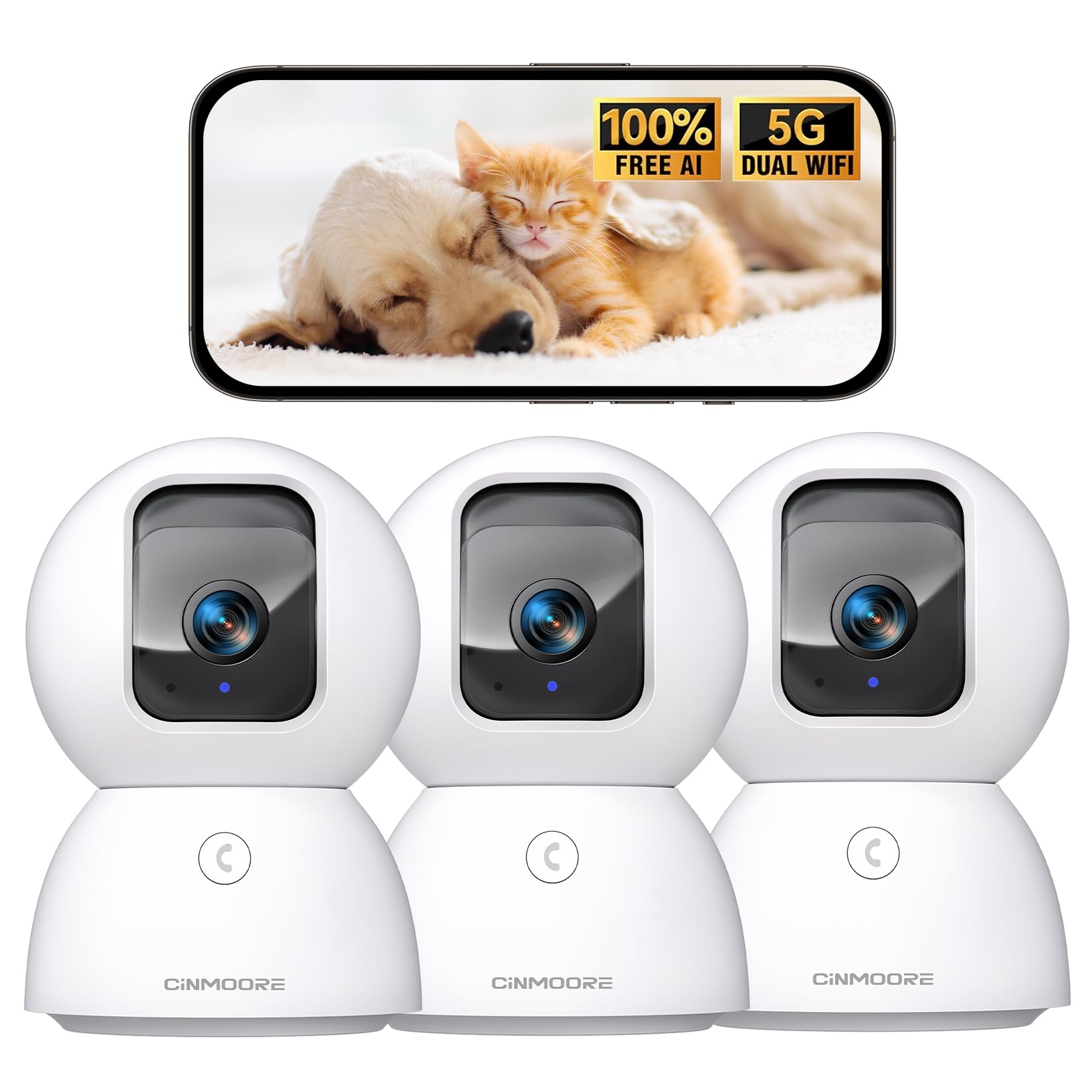
Figure 1: CINMOORE CM-C2U 3K Indoor Security Camera
2. Co je v krabici
- CINMOORE Security Camera (x3)
- Mounting Bracket Base (x3)
- Napájecí adaptér (x3)
- Datový kabel (x3)
- Šroubové kotvy (x3)
- Uživatelská příručka (x1)
3. Pokyny k nastavení
3.1 Počáteční zapnutí
- Připojte datový kabel k napájecímu portu fotoaparátu.
- Zapojte napájecí adaptér do standardní elektrické zásuvky.
- The camera will power on, and an indicator light will blink, signaling it's ready for setup.
3.2 Stažení aplikace a připojení
- Stáhněte si oficiální aplikaci CINMOORE z obchodu s aplikacemi pro váš chytrý telefon (iOS nebo Android).
- Vytvořte si účet nebo se přihlaste, pokud jej již máte.
- Follow the in-app instructions to add your new camera. This typically involves scanning a QR code located on the camera's base.
- Connect the camera to your home Wi-Fi network. The camera supports Dual-Band 2.4GHz/5GHz Wi-Fi 6 for a stable connection.
Video: C2U Indoor Camera 1-minute Setup. This video demonstrates the quick and easy setup process for the CINMOORE C2U Indoor Camera, guiding users through connecting the device to the power supply and linking it to the mobile application.
4. Návod k obsluze
4.1 Živé video monitorování
Access the live feed from your camera anytime, anywhere via the CINMOORE app. The 3K UHD resolution provides clear and detailed visuals.

Figure 2: Demonstrates the superior 3K clarity of the camera's video feed compared to 2K resolution, highlighting vivid detail for monitoring.
4.2 Ovládání otáčení, naklánění a přiblížení (PTZ)
Use the virtual joystick in the app to remotely control the camera's movement. Enjoy a 360° horizontal pan and a 109° vertical tilt to cover every corner of your room. The camera also features AI auto-tracking to follow detected movement.

Figure 3: Illustrates the camera's comprehensive 360° pan and tilt capabilities, along with other key features like 3K Ultra HD, sound/crying alerts, and local facial recognition.
4.3 Obousměrný zvuk
Engage in real-time conversations using the full-duplex two-way audio feature. Speak through the app and hear responses from the camera's location. A one-click call button can trigger family alerts.
4.4 Detekce a sledování pomocí umělé inteligence
The camera offers free AI detections for facial recognition (stores up to 5 faces locally), person detection, pet detection, baby crying detection, and smoke/gas alarm recognition. Receive instant alerts on your smartphone when activity is detected. Customize detection zones to focus on specific areas.

Figure 4: Highlights the camera's no-subscription local AI detection features, including recognition of up to 5 faces and 6 types of detections (person, pet, motion, noise, loitering, facial) while ensuring 100% privacy.
4.5 Noční vidění
The 0-Glow Night Vision 2.0 provides clear monitoring in low-light conditions without emitting a visible red glow, ensuring undisturbed sleep for babies and pets. The night vision range is up to 33 feet.

Figure 5: Compares the CINMOORE camera's 0-Glow Night Vision with a traditional camera's red glow, emphasizing safe and undisturbed monitoring for infants and pets.
4.6 Možnosti úložiště
Choose between local storage via an SD card (up to 512GB, not included) for 24/7 recording, or optional AWS Cloud storage with bank-level security (30-day free trial available). SD card encryption ensures footage is only viewable within the CINMOORE App.

Figure 6: Details the camera's encrypted and secure storage options, including SD card support (up to 512GB, not included) and optional AWS Cloud Storage with a 30-day free trial.
4.7 Režim soukromí
Activate the one-tap privacy mode, which physically covers the camera lens, ensuring your privacy when you are home.
5. Možnosti montáže
The CINMOORE CM-C2U camera offers flexible mounting options to suit your needs:
- Držák na stůl: Simply place the camera on any flat surface like a table, shelf, or desk.
- Montáž na stěnu: Use the included mounting bracket base and screw anchors to securely attach the camera to a wall.
- Držák na strop: The camera can also be mounted to the ceiling using the provided bracket for an overhead view.
Ensure the camera is positioned to provide the optimal viewing angle for your desired monitoring area.
Video: Setup Guide for IMILAB indoor camera. This video provides a step-by-step guide on how to set up an IMILAB indoor camera, including unboxing, connecting to power, app setup, and mounting options.
6. Specifikace
| Název modelu | CM-C2U |
| Vnitřní/venkovní použití | Krytý |
| Rozlišení záznamu videa | 3K/4MP |
| Protokol připojení | Wi-Fi (Dual-Band 2.4GHz/5GHz Wi-Fi 6) |
| Zdroj napájení | Elektrický kabel |
| Typ ovladače | Amazon Alexa |
| Typ montáže | Ceiling Mount / Tabletop Mount / Wall Mount |
| Rozsah nočního vidění | 33 Feet (0-Glow) |
| Místní úložiště | SD card (up to 512GB, not included) |
| Rozměry | 3 x 4.5 x 3 palce |
| Hmotnost položky | 2.33 libry |
7. Údržba
- Čištění: Jemně otřete objektiv a tělo fotoaparátu měkkým, suchým hadříkem. Nepoužívejte agresivní chemikálie ani abrazivní materiály.
- Aktualizace firmwaru: Regularly check the CINMOORE app for available firmware updates to ensure your camera has the latest features and security enhancements.
- Cyklus napájení: Pokud má fotoaparát problémy s připojením, zkuste jej na 10 sekund odpojit od zdroje napájení a poté jej znovu zapojit.
- Správa SD karet: Pokud používáte SD kartu, pravidelně jiview a spravovat nahrané footage, aby se karta nezaplnila.
8. Řešení problémů
- Kamera se nepřipojuje k Wi-Fi:
- Ujistěte se, že vaše Wi-Fi síť je 2.4 GHz nebo 5 GHz.
- Zkontrolujte, zda je heslo k Wi-Fi zadáno správně.
- Přesuňte kameru blíže k Wi-Fi routeru.
- Restartujte router a kameru.
- Špatná kvalita videa:
- Zkontrolujte rychlost svého internetového připojení.
- Ujistěte se, že je čočka fotoaparátu čistá.
- Upravte nastavení kvality videa v aplikaci, pokud je k dispozici.
- Žádné upozornění na detekci pohybu:
- Ověřte, zda je v nastavení aplikace povolena detekce pohybu.
- Adjust motion sensitivity levels.
- Zkontrolujte nastavení oznámení aplikací ve vašem smartphonu.
- Problémy s obousměrným zvukem:
- Ensure your phone's microphone is enabled for the app.
- Check the volume settings in the app.
- Minimalizujte šum v pozadí pro jasnější komunikaci.
9. Záruka a podpora
The CINMOORE CM-C2U camera comes with a 24-month warranty. For any issues or inquiries, please contact CINMOORE customer support. We offer free replacement for eligible issues, extended warranty options, and professional support to ensure your satisfaction.
For further assistance, refer to the help section within the CINMOORE app or visit our official webmísto.