
1. Úvod
The TIMMKOO Q8 is an 80GB Kids MP3 Player designed for audio and video entertainment with integrated parental controls. It features Bluetooth and Wi-Fi connectivity, a 4-inch full-touch LCD screen, and comes with popular streaming applications pre-installed. This manual provides detailed instructions for setting up, operating, maintaining, and troubleshooting your device.

Image: The TIMMKOO Q8 MP3 Player displaying its user interface with various application icons.
2. Co je v krabici
Ověřte, zda jsou v balení přítomny všechny položky:
- Digital MP3 Player (TIMMKOO Q8) x 1
- Kabel USB-C x 1
- Wired Headphones x 1
- Návod k použití x 1
3. Nastavení
3.1 Nabíjení zařízení
Before first use, fully charge the MP3 player. Connect the provided USB-C cable to the device's charging port and the other end to a USB power adapter (not included) or a computer's USB port.
3.2 Zapnutí/vypnutí
- Zapnutí: Stiskněte a podržte tlačítko napájení na boku zařízení, dokud se nerozsvítí obrazovka.
- Vypnutí: Stiskněte a podržte tlačítko napájení a poté z možností zobrazených na obrazovce vyberte „Vypnout“.
3.3 Počáteční nastavení
Upon first power-on, follow the on-screen prompts to select your preferred language, time zone, and connect to a Wi-Fi network. A stable Wi-Fi connection is required for downloading apps, streaming content, and software updates.
3.4 Vložení Micro SD karty
The device supports Micro SD, Micro SDHC, and Micro SDXC cards for expanded storage. Locate the Micro SD card slot on the device, insert the card gently until it clicks into place. Ensure the card is inserted in the correct orientation.
3.5 Převod Files
- Přes kabel USB-C: Connect the device to a computer using the USB-C cable. The device will appear as a removable storage drive. Drag and drop music, video, or e-book files do příslušných složek v zařízení.
- Via Wi-Fi/Bluetooth: Utilize the built-in Wi-Fi or Bluetooth functionality to transfer files from compatible devices. Refer to the "Operating Instructions" section for more details on Bluetooth and Wi-Fi connectivity.
4. Návod k obsluze
4.1 Základní navigace
The TIMMKOO Q8 features a 4-inch full-touch LCD screen. Navigate by tapping icons, swiping left/right for different screens, and swiping down from the top for quick settings and notifications.
4.2 Přehrávání hudby
The device comes with pre-installed music streaming apps such as Spotify, Spotify Kids, Amazon Music, and Deezer. Tap on the desired app icon to launch it. Log in with your account credentials to access an extensive library of songs, create playlists, and enjoy personalized recommendations.

Image: The TIMMKOO Q8 MP3 Player screen showing the Spotify application interface.
4.3 Přehrávání videa
The Q8 supports 720p and 1080p HD video playback without requiring format conversion. Access your video files through the device's video player application. Ensure video files are stored in a compatible format for optimal performance.
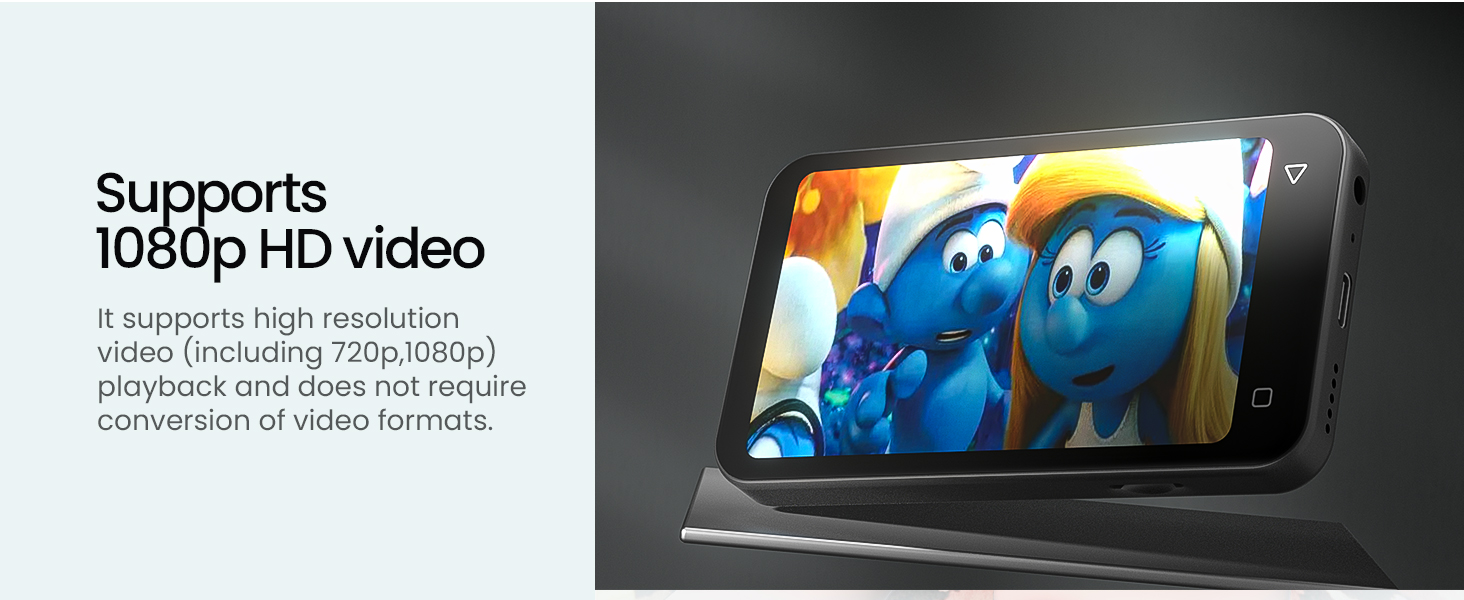
Image: The TIMMKOO Q8 MP3 Player displaying a video, highlighting its video playback capability.
4.4 E-reader Functionality
With pre-installed Audible and Kindle apps, the Q8 functions as a portable e-reader. Listen to audiobooks or read e-books without distractions from phone calls or messages. Launch the respective app and log in to access your library.
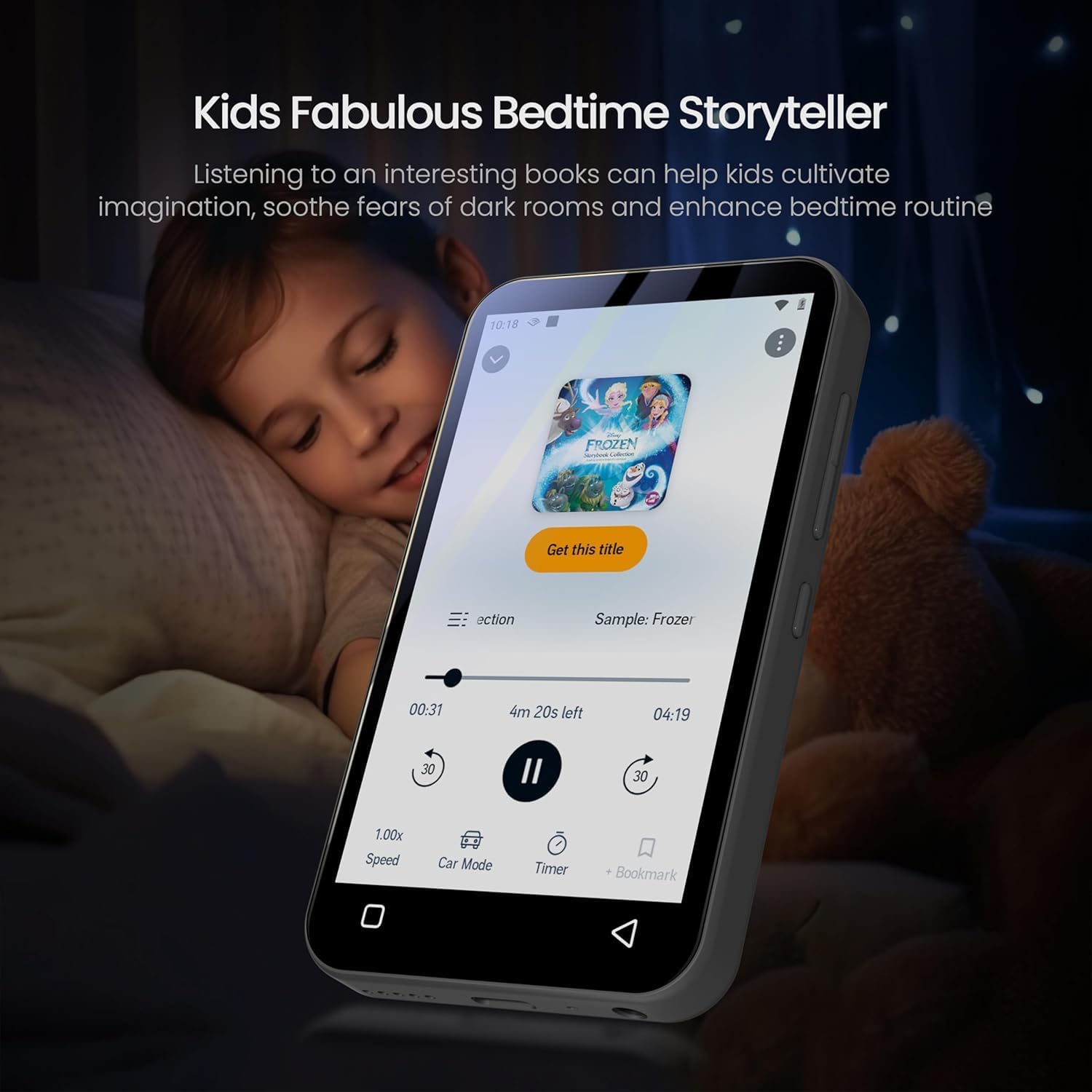
Image: The TIMMKOO Q8 MP3 Player displaying an audiobook, with a child sleeping in the background, illustrating its e-reader function.
4.5 Připojení Bluetooth
The Q8 supports Bluetooth for connecting to wireless headphones, speakers, or car stereos. To pair a Bluetooth device:
- Přejděte do Nastavení > Bluetooth.
- Zapněte Bluetooth.
- Ujistěte se, že je vaše Bluetooth příslušenství v režimu párování.
- Select your accessory from the list of available devices to pair.
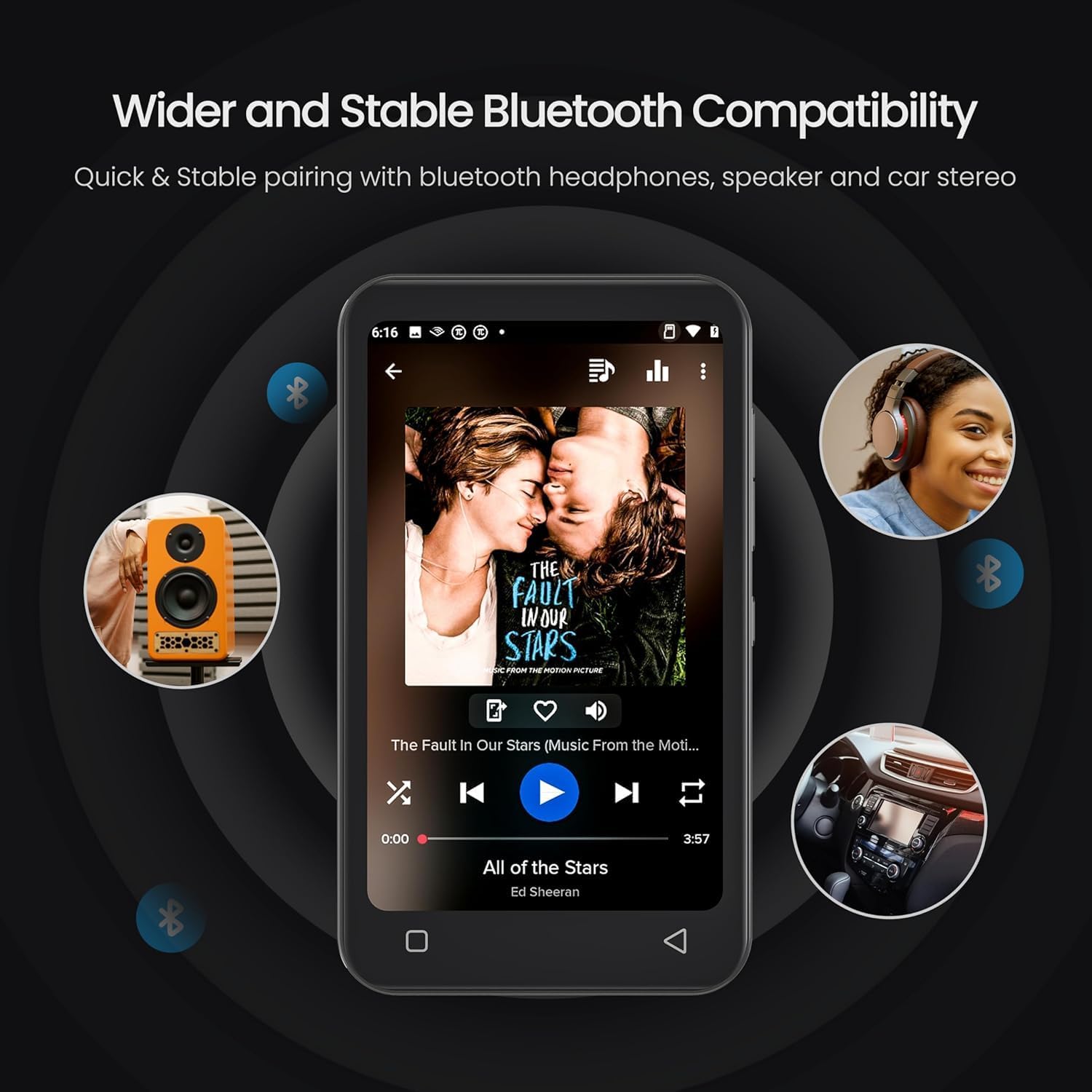
Image: The TIMMKOO Q8 MP3 Player demonstrating its Bluetooth connectivity with various audio devices.
4.6 Připojení k Wi-Fi
Connect to Wi-Fi for internet access, app downloads, and streaming. To connect:
- Přejděte do Nastavení > Wi-Fi.
- Zapněte Wi-Fi.
- Vyberte požadovanou síť ze seznamu a v případě potřeby zadejte heslo.
4.7 Rodičovská kontrola
The Q8 includes parental control features to manage usage and content. These controls prevent the installation of additional apps and allow you to uninstall pre-installed apps. You can also set a reset lock to prevent unauthorized restoration and define internet usage duration.

Image: The TIMMKOO Q8 MP3 Player screen showing the parental control interface, including options for setting timers.
4.8 Správa aplikací
You can uninstall pre-installed applications that are not desired. Additionally, existing apps can be upgraded to their latest versions to optimize performance, enhance efficiency, and reduce bugs.
4.9 FM rádio
The device features a built-in FM radio with channel capture capability. Access the FM Radio app to listen to news, sports, and music stations.

Image: The TIMMKOO Q8 MP3 Player screen showing the FM radio interface with frequency display.
4.10 Hlasový záznamník
Use the portable voice recorder function to record meetings, lectures, interviews, or personal notes. Access the Voice Recorder app to start and manage recordings.
5. Údržba
5.1 Čištění zařízení
Use a soft, dry, lint-free cloth to clean the screen and body of the MP3 player. Avoid using abrasive cleaners or solvents that may damage the surface.
5.2 Péče o baterii
The device has a built-in 1800mAh lithium battery. To prolong battery life:
- Vyhněte se extrémním teplotám.
- Nedovolte, aby se baterie často úplně vybila.
- Zařízení pravidelně nabíjejte, i když jej delší dobu nepoužíváte.

Image: The TIMMKOO Q8 MP3 Player screen illustrating its battery life for video (5 hours) and music (35 hours).
5.3 Aktualizace softwaru
Regularly check for and install software updates to ensure optimal performance, security, and access to new features. Updates can be found in the device's settings menu under "System Updates" or similar.
5.4 Správa úložiště
Pravidelně znovuview a smažte nepotřebné files or applications to free up internal storage. Utilize a Micro SD card for additional storage capacity for media files.
6. Řešení problémů
6.1 Zařízení se nezapne
- Ujistěte se, že je zařízení plně nabité. Připojte jej ke zdroji napájení alespoň na 30 minut.
- Zkuste provést měkký reset stisknutím a podržením tlačítka napájení po dobu 10-15 sekund.
6.2 Cannot Connect to Wi-Fi/Bluetooth
- Verify that Wi-Fi/Bluetooth is enabled in the device settings.
- Ensure the network password is correct for Wi-Fi.
- V případě Bluetooth se ujistěte, že je příslušenství v režimu párování a v dosahu.
- Restart both the MP3 player and the Wi-Fi router/Bluetooth accessory.
6.3 Apps Not Functioning Correctly
- Check for app updates in the device settings or within the app itself.
- Clear the app's cache and data via Settings > Apps > [App Name] > Storage.
- If issues persist, uninstall and reinstall the app (if applicable).
6.4 Poor Audio/Video Quality
- Zajistěte média filejsou dobré kvality.
- Check headphone connections or Bluetooth pairing.
- Adjust equalizer settings if available.
6.5 Obnovení továrního nastavení
Pokud se problémy vyskytnou přetrvávající, může je vyřešit obnovení továrního nastavení. Varování: This will erase all data on the device. Back up important files before proceeding. Go to Settings > System > Reset options > Erase all data (factory reset).
7. Specifikace
| Značka | TIMMKOO |
| Číslo modelu | Q8 |
| Kapacita paměti | 80 GB (interní) |
| Rozšiřitelné úložiště | Micro SD, Micro SDHC, Micro SDXC (up to 1TB) |
| Velikost obrazovky | 4 palce |
| Technologie displeje | LCD, Full-Touch |
| Technologie připojení | Bluetooth, WiFi |
| Podporované standardy | MP3, 720p/1080p HD Video |
| Speciální funkce | Built-In Speaker, Equalizer, FM Radio, Touch Screen, Video Playback, Parental Controls |
| Kapacita baterie | Lithiová baterie 1800mAh |
| Výdrž baterie (přibližně) | 35 hours (music), 5 hours (video) |
| Hmotnost položky | 108 gramů |
| Rozměry položky (D x Š x V) | 0.5"H x 2.4"Š x 4.2"V |
8. Záruka a podpora
8.1 Informace o záruce
The TIMMKOO Q8 MP3 Player comes with a 1-year warranty from the date of purchase. This warranty covers manufacturing defects and malfunctions under normal use. It does not cover damage caused by misuse, accidents, unauthorized repairs, or normal wear and tear. Please retain your proof of purchase for warranty claims.
8.2 Zákaznická podpora
For technical assistance, warranty claims, or any questions regarding your TIMMKOO Q8 MP3 Player, please contact TIMMKOO customer support. Refer to the contact information provided on the product packaging or the official TIMMKOO webmísto.