
Zavedení
Thank you for choosing the TOZO NC9 Bluetooth 5.3 Hybrid ANC Wireless Earbuds. These earbuds are designed to provide a superior audio experience with advanced features such as Hybrid Active Noise Cancellation, clear call quality, and extended battery life. This manual will guide you through the setup, operation, and maintenance of your new earbuds.
Obsah balení
Ujistěte se prosím, že máte v balení všechny položky:
- TOZO NC9 Wireless Earbuds (Left and Right)
- Nabíjecí pouzdro
- Ear Tips (Multiple Sizes)
- Nabíjecí kabel USB-C
- Uživatelská příručka (tento dokument)
Konec produktuview
Familiarize yourself with the components of your TOZO NC9 earbuds and charging case.
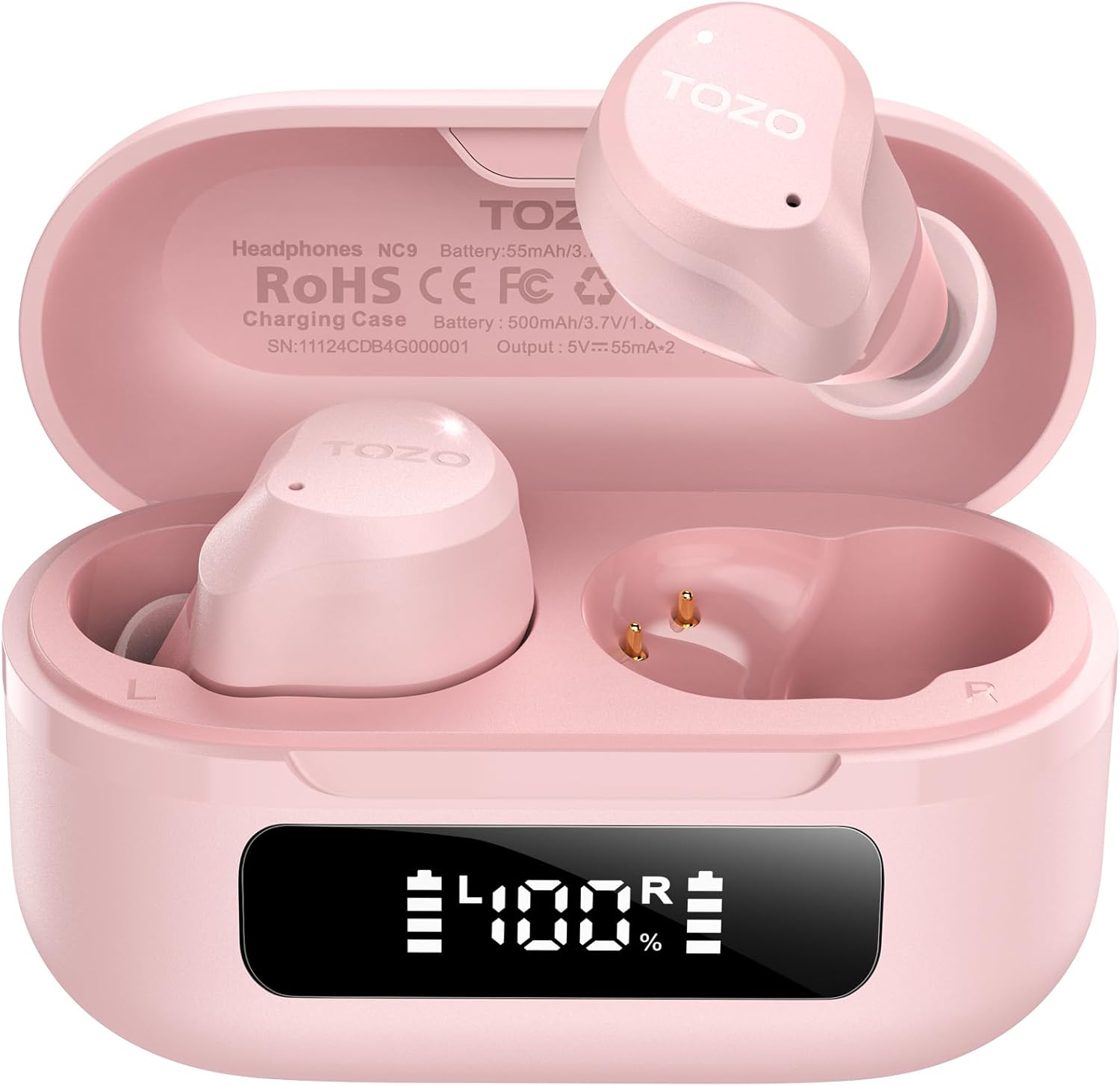
Image: The TOZO NC9 earbuds shown with their charging case. The earbuds are pink and feature an in-ear design. The charging case is also pink with a smooth, compact form factor. This image provides a general view z komponentů produktu.

Image: The TOZO NC9 earbuds are placed inside their open charging case, revealing an LED display on the front of the case that shows battery percentage. This illustrates how the earbuds are stored and charged within the case.

Image: A detailed diagram illustrating the internal driver components of the TOZO NC9 earbud, highlighting the OrigX Acoustics Technology. This visual explains the audio engineering behind the sound quality.
Nastavení
1. Nabíjení sluchátek a pouzdra
Před prvním použitím sluchátka a nabíjecí pouzdro plně nabijte.
- Vložte sluchátka do nabíjecího pouzdra. Ujistěte se, že jsou správně usazena.
- Připojte nabíjecí kabel USB-C k nabíjecímu portu na pouzdře a ke zdroji napájení.
- The LED display on the charging case will indicate the charging status. A full charge may take approximately 5 hours if completely depleted.

Image: The TOZO NC9 charging case with earbuds, displaying "60 hrs" to indicate the total playtime. This image emphasizes the extended battery life of the product.

Image: A close-up of the TOZO NC9 charging case's LED display showing "100%" battery charge, with the "SmartPow Power Management" logo. This highlights the intelligent battery optimization feature.
2. Párování s vaším zařízením
The TOZO NC9 earbuds use Bluetooth 5.3 for a stable connection.
- Otevřete nabíjecí pouzdro. Sluchátka se automaticky přepnou do režimu párování.
- Na svém zařízení (chytrý telefon, tablet, počítač) přejděte do nastavení Bluetooth.
- Hledat "TOZO NC9" in the list of available devices and select it to connect.
- Po připojení uslyšíte zvukový signál a sluchátka budou připravena k použití.

Image: A visual representation of the TOZO App interface on a smartphone, showing various settings like ANC modes, EQ adjustments, and white noise tracks. This demonstrates the app's capabilities for customizing the earbud experience.
Návod k obsluze
Dotykové ovládání
Sluchátka TOZO NC9 se vyznačují intuitivním dotykovým ovládáním. Konkrétní funkce lze přizpůsobit pomocí aplikace TOZO.
| Akce | Funkce |
|---|---|
| Jednoduché klepnutí (L/R) | Přehrát/pozastavit, přijmout hovor |
| Dvojité klepnutí (L) | Předchozí stopa |
| Dvojité klepnutí (R) | Další stopa |
| Trojité klepnutí (L/R) | Aktivujte hlasového asistenta |
| Dlouhé stisknutí (L/P) | Switch ANC/Transparency/Normal Mode, Reject Call |
Režimy aktivního potlačení hluku (ANC)
The TOZO NC9 offers Hybrid ANC to reduce ambient noise by up to 45dB, along with a Transparency Mode.
- Režim aktivního potlačení hluku (ANC): Snižuje vnější hluk, ideální pro cestování nebo hlučné prostředí.
- Režim průhlednosti: Allows you to hear your surroundings without removing the earbuds, useful for conversations or awareness.
- Normální režim: Standardní zvukový zážitek bez potlačení šumu nebo transparentnosti.
Cycle through these modes by long-pressing either earbud (customizable via app).

Image: A person wearing TOZO NC9 earbuds on an airplane, illustrating the effectiveness of the up to 45dB advanced noise cancellation feature for a peaceful listening experience.
Křišťálově čistá volání
Equipped with 6 ENC (Environmental Noise Cancellation) microphones, the NC9 ensures your voice is clear during calls, even in noisy environments.

Image: A person wearing TOZO NC9 earbuds while walking in a city environment, making a phone call. This image highlights the crystal-clear call quality provided by the six ENC microphones, minimizing background noise.
Integrace aplikací TOZO
Download the TOZO App for enhanced control and customization:
- Adjustable Noise Control Modes (6 options)
- 32 Preset EQ Modes and access to over 2000 user-shared EQs
- 100+ White Noise Tracks
- Aktualizace firmwaru
The app allows for a personalized audio experience.
Údržba
Čištění
- Pravidelně čistěte sluchátka, zejména nástavce do uší a nabíjecí kontakty, měkkým, suchým hadříkem, který nepouští vlákna.
- Nepoužívejte abrazivní čisticí prostředky nebo rozpouštědla.
Skladování
- Pokud sluchátka nepoužíváte, uložte je do nabíjecího pouzdra, aby byla chráněna a zůstávala nabitá.
- Skladujte na chladném a suchém místě mimo dosah extrémních teplot.
Voděodolnost (IPX8)
The TOZO NC9 earbuds are IPX8 waterproof, meaning they are protected against immersion in water up to 1 meter for up to 30 minutes. This makes them suitable for workouts and light rain, but they are not designed for swimming or prolonged submersion.

Image: A person wearing TOZO NC9 earbuds while reading, demonstrating the ergonomic design for all-day comfort and a secure fit. This image emphasizes the comfort aspect of the earbuds.
Odstraňování problémů
| Problém | Možné řešení |
|---|---|
| Sluchátka se nenabíjejí | Ensure earbuds are correctly seated in the case. Check charging cable and power source. Clean charging contacts. |
| Nelze spárovat se zařízením | Ensure Bluetooth is enabled on your device. Place earbuds in case, close, then open to re-enter pairing mode. Forget "TOZO NC9" from your device's Bluetooth list and try pairing again. |
| Žádný zvuk z jednoho sluchátka | Place both earbuds back in the case, close it, then open again. Ensure both earbuds are charged. Perform a factory reset (refer to TOZO App or online support for specific steps). |
| ANC nefunguje efektivně | Ensure ear tips provide a good seal. Try different sized ear tips. Ensure ANC mode is activated. |
| Špatná kvalita hovoru | Ensure microphones are not obstructed. Check network signal. |
For further assistance, please refer to the TOZO App or contact TOZO customer support.
Specifikace
| Název modelu | NC9 |
| Verze Bluetooth | 5.3 |
| Kontrola hluku | Hybrid Noise Reduction (up to 45dB ANC) |
| Mikrofony | 6 ENC Microphones |
| Typ zvukového ovladače | Dynamic (10mm drivers) |
| Frekvenční rozsah | 15 Hz - 20,000 XNUMX Hz |
| Výdrž baterie (sluchátka) | Přibližně 14 hodin (na jedno nabití) |
| Celková doba přehrávání (s pouzdrem) | Až 60 hodin |
| Hodnocení odolnosti proti vodě | IPX8 (vodotěsný) |
| Typ ovládání | Dotykové ovládání, ovládání aplikací |
| Kompatibilní zařízení | Phones, Laptops, Tablets, Smart Speakers |
| GTIN / UPC | 810102982537 |
Záruka a podpora
TOZO products come with a standard warranty. For detailed warranty information, product registration, or technical support, please visit the official TOZO webnebo se obraťte na jejich zákaznický servis. Uschovejte si doklad o koupi pro případ reklamace.
Zásady vrácení: The product has a return policy duration of 30 days for refund/replacement.