
1. Konec produktuview
This manual provides essential information for setting up, operating, and maintaining your CRUA 34-inch UWQHD 3440x1440P IPS Ultrawide Gaming Monitor. Please read it thoroughly before use.
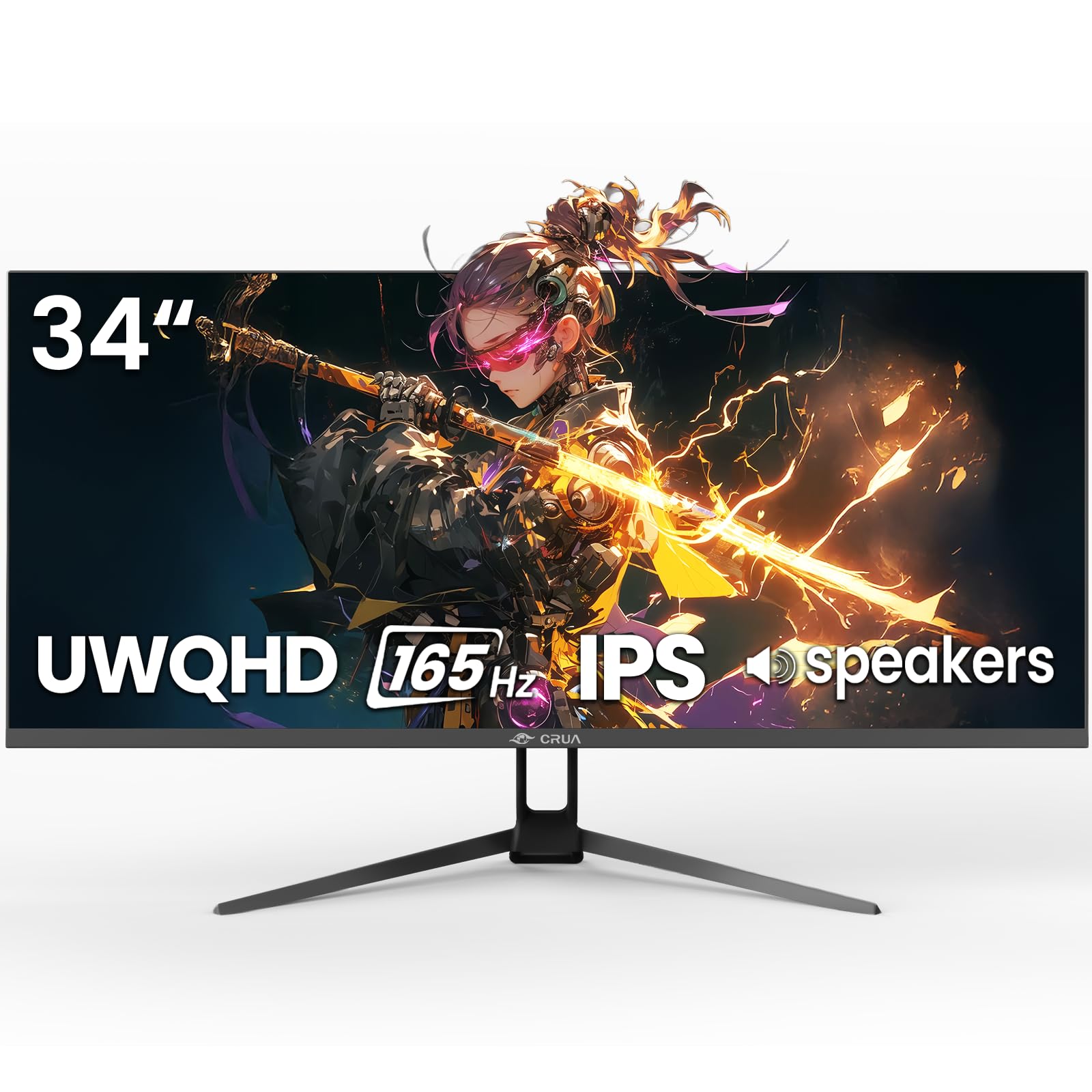
Obrázek 1: Přední strana view of the CRUA 34-inch Ultrawide Gaming Monitor.
2. Obsah balení
Ověřte, zda jsou v balení přítomny všechny položky:
- 34-inch Ultrawide Monitor
- Základna a stojan
- Uživatelská příručka
- DP Cable x1 (4.92 ft)
- Power Adapter x1 (4.92 ft)
3. Pokyny k nastavení
3.1 Sestavení stojanu
- Opatrně vyjměte monitor z obalu a položte jej displejem dolů na měkký, čistý povrch, abyste zabránili poškrábání.
- Připevněte základnu stojanu k krku stojanu pomocí dodaných šroubů.
- Zarovnejte sestavený stojan s montážními body na zadní straně monitoru a pevně jej upevněte.
3.2 Montáž na stěnu (volitelné)
The monitor supports VESA wall mounting (75x75mm). Use appropriate wall mount hardware (not included) and follow the wall mount manufacturer's instructions. Ensure the stand is removed before mounting.
3.3 Připojení k zařízení
Připojte monitor k počítači nebo jiným zařízením pomocí příslušných kabelů.
- DisplayPort (DP 1.4): For optimal performance, including 165Hz refresh rate and FreeSync, use the supplied DP cable.
- HDMI (HDMI 2.0): Podporuje obnovovací frekvenci až 100 Hz.
- Audio výstup (3.5 mm): Připojte externí reproduktory nebo sluchátka.

Obrázek 2: Zadní view of the monitor displaying available ports and wall mount area.
3.4 Připojení napájení
Connect the power adapter to the monitor's DC input port, then plug the power adapter into a power outlet.
4. Návod k obsluze
4.1 Zapnutí/vypnutí
Press the power button located on the monitor to turn it on or off. The monitor will typically detect an active input signal automatically.
4.2 Nabídka na obrazovce (OSD)
Use the control buttons (often a joystick or set of buttons) on the monitor to navigate the OSD menu. This menu allows you to adjust various display settings.
Nastavení klíče:
- Jas/kontrast: Upravte jas a rozlišení obrazu.
- Nastavení barev: Fine-tune color temperature, gamma, and saturation. The monitor features 120% sRGB, 8-bit color depth, and 16.7 million colors for vivid visuals.
- Vstupní zdroj: Ručně vyberte mezi vstupy HDMI a DisplayPort.
- Obnovovací frekvence: Ensure your device is configured to output at 165Hz (via DP) or 100Hz (via HDMI) for the smoothest experience.
- FreeSync: Enable AMD FreeSync for tear-free gaming. This feature synchronizes the monitor's refresh rate with your GPU's frame rate.

Figure 3: Visual representation of 165Hz refresh rate and FreeSync in action.
4.3 PIP/PBP Functions
The monitor supports Picture-in-Picture (PIP) and Picture-by-Picture (PBP) modes, allowing you to display content from multiple input sources simultaneously.
- Režim PIP: Displays a smaller window from a second source over the main display.
- Režim PBP: Rozdělí obrazovku na několik částí, z nichž každá zobrazuje vedle sebe jiný vstupní zdroj.

Figure 4: Illustration of PIP and PBP modes for multitasking.
4.4 Vestavěné reproduktory
The monitor includes built-in speakers for audio output. You can also connect external speakers or headphones via the 3.5mm audio port for enhanced sound.
5. Údržba
5.1 Čištění monitoru
- Před čištěním monitor vždy odpojte.
- Lehce používejte měkký hadřík, který nepouští vlákna dampvodou nebo jemným, neabrazivním čističem obrazovek.
- Nestříkejte čisticí prostředek přímo na obrazovku.
- Nepoužívejte alkohol, amoniak ani abrazivní čisticí prostředky, protože mohou poškodit povrch obrazovky.
5.2 Obecná péče
- Chraňte monitor před přímým slunečním zářením, zdroji tepla a nadměrným prachem.
- Zajistěte dostatečné větrání v okolí monitoru.
- Nepokládejte na monitor ani na jeho kabely těžké předměty.
6. Řešení problémů
Pokud narazíte na problémy s monitorem, podívejte se na následující běžná řešení:
- Bez napájení: Ensure the power cable is securely connected to both the monitor and the power outlet. Verify the power adapter is functioning.
- Bez signálu: Check that the video cable (DP or HDMI) is firmly connected to both the monitor and your computer. Select the correct input source in the OSD menu. If using HDMI, ensure your device's display settings are compatible with the monitor's capabilities (e.g., set to 60Hz if experiencing issues at higher refresh rates).
- Image Flickering/Distortion: Check cable connections. Ensure your graphics card drivers are up to date. Try a different video cable. If FreeSync is enabled, try disabling it to see if the issue persists.
- Špatná kvalita obrazu: Adjust brightness, contrast, and color settings in the OSD menu. Ensure the display resolution is set to 3440x1440P on your connected device.
- Žádný zvuk: Verify that the audio cable (if using external speakers) is connected correctly. Check the volume settings on both the monitor and your computer. Ensure the correct audio output device is selected in your computer's sound settings.
Pokud problém přetrvává i po vyzkoušení těchto kroků, kontaktujte prosím zákaznickou podporu.
7. Specifikace
| Funkce | Specifikace |
|---|---|
| Značka | CRUA |
| Číslo modelu | CR340G |
| Velikost obrazovky | 34 palce |
| Rezoluce | UWQHD 3440 x 1440 Pixels |
| Poměr stran | 21:9 |
| Technologie displeje | IPS |
| Obnovovací frekvence | 165 Hz |
| Doba odezvy | 1 milisekunda |
| Jas | 380 cd/m² |
| Kontrastní poměr | 1000:1 |
| Barevný gamut | 120% sRGB |
| Viewúhel | 178 stupňů |
| Konektivita | 2x HDMI 2.0, 1x DisplayPort 1.4, 1x 3.5mm Audio |
| Adaptivní synchronizace | AMD FreeSync |
| Další funkce | Built-In Speakers, PIP & PBP function, Tilt Adjustment |
| Typ montáže | Desk Mount/Wall Mount (75x75mm VESA) |
| Rozměry položky (D x Š x V) | 9"H x 32"Š x 17"V |
8. Záruka a podpora
8.1 Informace o záruce
This CRUA monitor comes with a 1-letá záruka. Additionally, a 30-day free return and exchange policy is provided from the date of purchase. Please retain your proof of purchase for warranty claims.
8.2 Zákaznická podpora
For technical assistance, warranty claims, or any questions regarding your CRUA monitor, please contact CRUA customer support through the retailer where the product was purchased or visit the official CRUA webstránky pro kontaktní údaje.