
Zavedení
Thank you for choosing the ProtoArc KM310 Wireless Mechanical Keyboard and Mouse. This combo offers a responsive typing experience with low-profile linear red switches and versatile multi-device connectivity. The ergonomic mouse is designed for comfort and precision. This manual provides detailed instructions for setup, operation, maintenance, and troubleshooting to ensure optimal performance.
Co je v krabici

Image: Contents of the ProtoArc KM310 package, including the keyboard, mouse, charging cable, and user manual.
- ProtoArc KM310 Wireless Mechanical Keyboard
- ProtoArc Wireless Mouse
- Nabíjecí kabel USB-C
- Uživatelská příručka
Konec produktuview
Funkce klávesnice

Obrázek: Detailní záběr view of the ProtoArc KM310 keyboard, highlighting its low-profile keys and linear red switches.
- Low-Profile Mechanické klíče: Equipped with linear red switches for a smooth, quiet, and responsive typing experience.
- Aluminum Top Case: Provides durability and a sleek, modern aesthetic.
- Nastavitelné sklopné nohy: Ergonomically designed with 2-stage foot mats offering 6° and 9° tilt options for comfortable typing.
- Rozložení v plné velikosti: A 108-key layout suitable for office and business use.
Funkce myši

Image: The ProtoArc KM310 mouse being held, showcasing its ergonomic design for a natural grip.
- 63G Ultra-Lightweight: Reduces hand fatigue during extended use and enhances portability.
- Ergonomický design: Contoured shape for a comfortable and natural grip.
- Nastavitelné DPI: Three DPI levels (1000/1600/2400) for tailored control and precision.
- Tiché kliknutí: Navrženo pro tichý provoz.
- Tlačítka vpřed/vzad: Integrated for seamless browsing.
Konektivita a napájení
- Připojení více zařízení: Connects up to 3 devices via 2.4G USB receiver or Dual Bluetooth (BT1, BT2).
- Nabíjecí: Both keyboard and mouse feature Type-C charging. The mouse's USB receiver is stored on its bottom.
- Dlouhá výdrž baterie: Up to 150-200 days standby time; 2-3 hours for a full charge.
Pokyny pro nastavení
1. Nabíjení zařízení

Image: The keyboard and mouse are shown connected to power sources via USB-C cables for charging.
- Připojte dodaný nabíjecí kabel USB-C k nabíjecímu portu na klávesnici (umístěném na horní hraně) a myši (umístěném na přední hraně).
- Druhý konec kabelu zapojte do USB portu (např. do USB portu počítače, do USB adaptéru do zásuvky).
- The indicator lights will show charging status. Allow 2-3 hours for a full charge.
2. Připojení k zařízením

Image: A desk setup showing the ProtoArc KM310 keyboard and mouse connected to a laptop, monitor, and tablet, illustrating multi-device capability.
The KM310 combo supports three connection modes: 2.4G wireless via USB receiver, Bluetooth 1 (BT1), and Bluetooth 2 (BT2).
2.1. Bezdrátové připojení 2.4G
- Vyhledejte USB přijímač uložený v přihrádce na spodní straně myši.
- Zapojte USB přijímač do volného USB portu na vašem počítači.
- Zapněte klávesnici a myš pomocí příslušných vypínačů.
- The devices should connect automatically.
2.2. Připojení Bluetooth (BT1 / BT2)
- Zapněte klávesnici a myš.
- Na klávesnici stiskněte tlačítko BT1 or BT2 key (usually located on the number pad, indicated by orange keycaps) to select the desired Bluetooth channel. The indicator light will flash.
- On your device (computer, tablet, etc.), go to Bluetooth settings and search for "ProtoArc KM310 Keyboard" and "ProtoArc KM310 Mouse".
- Select the devices to pair. The indicator light will stop flashing once connected.
- Opakujte pro druhé zařízení Bluetooth s použitím druhého kanálu BT.
2.3. Přepínání mezi zařízeními
To switch between connected devices, simply press the corresponding connection key on the keyboard (2.4G, BT1, or BT2) and the channel switch button on the bottom of the mouse.
Návod k obsluze
Použití klávesnice
- psaní: Nízký profíkfile linear red switches provide a responsive and quiet typing experience.
- Kompatibilita operačního systému: The keyboard is compatible with Windows and Mac OS. Keys like 'Win' and 'Alt' also show 'Option' and 'Cmd' for Mac users.
- Nastavení sklonu: Use the adjustable tilt legs on the underside of the keyboard to set your preferred typing angle (6° or 9°).
Použití myši
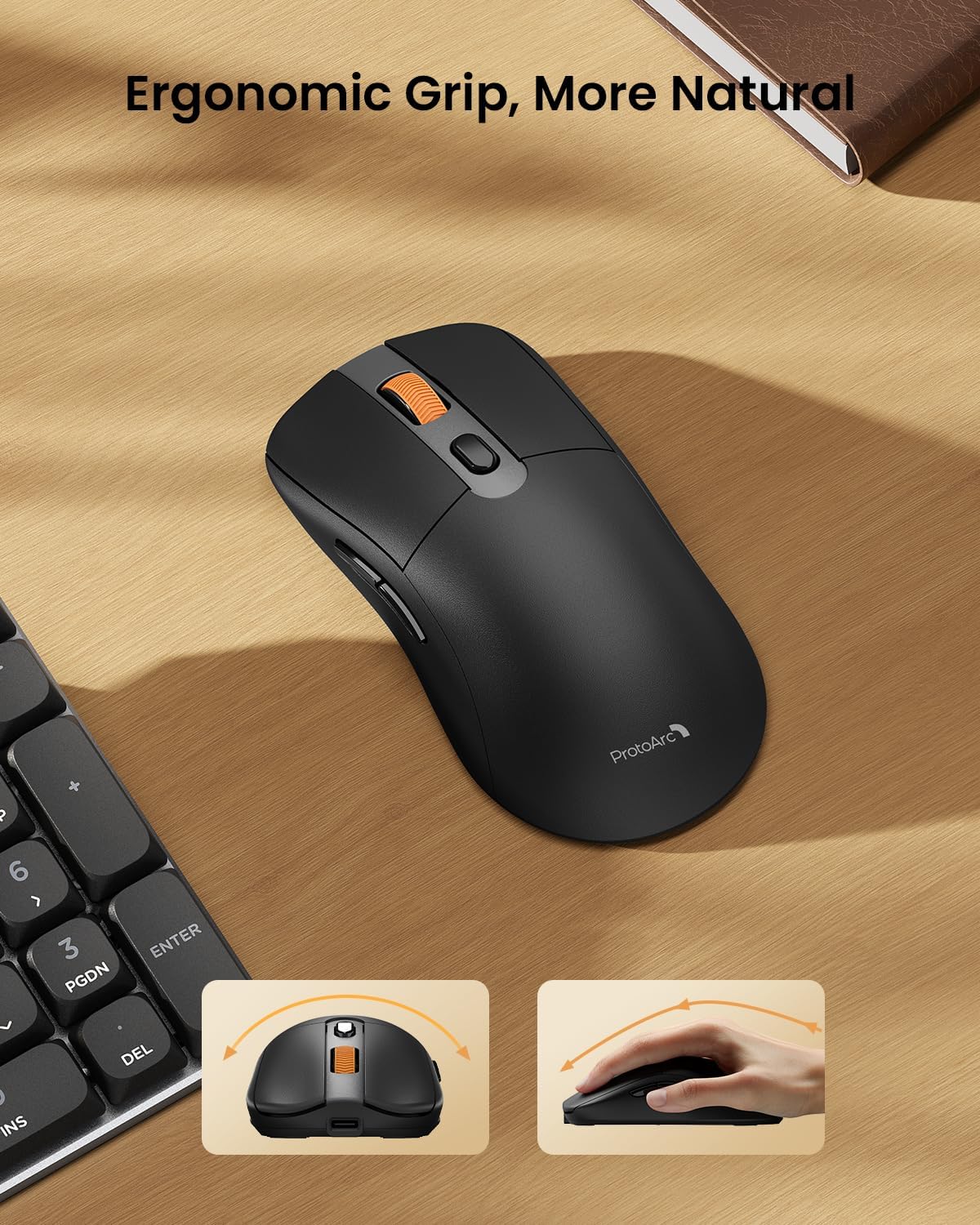
Image: A close-up of the ProtoArc KM310 mouse, illustrating the three adjustable DPI settings (1000, 1600, 2400).
- Nastavení DPI: Press the DPI switch button (usually located near the scroll wheel) to cycle through the 3 DPI levels (1000/1600/2400) to match your preference for cursor speed and precision.
- Navigační tlačítka: Use the forward and backward buttons on the side of the mouse for quick navigation in web prohlížeče popř file průzkumníci.
- Tiché kliknutí: The mouse features silent click buttons for a quiet working environment.
Údržba
- Čištění: K otření klávesnice a myši použijte měkký, suchý hadřík. V případě odolné nečistoty použijte lehceamp Lze použít hadřík s jemným mýdlem, ale dbejte na to, aby se do zařízení nedostala žádná tekutina.
- Péče o baterie: Recharge the devices when the battery indicator is low. Avoid prolonged exposure to extreme temperatures.
- Skladování: When not in use for extended periods, turn off the devices to conserve battery life. Store the USB receiver inside the mouse to prevent loss.
Odstraňování problémů
Keyboard/Mouse Not Turning On or Stopping Working
- Zkontrolujte baterii: Ensure both the keyboard and mouse are sufficiently charged. Connect them to a power source using the USB-C cable.
- Oprava párování zařízení:
- For 2.4G connection, ensure the USB receiver is securely plugged in and the devices are set to 2.4G mode.
- For Bluetooth connection, ensure the devices are set to the correct BT channel (BT1 or BT2) and re-pair them through your device's Bluetooth settings.
- Zkuste jiný kabel: If charging issues persist, try using a different USB-C cable to rule out a faulty cable.
- Rušení: Move the devices closer to your computer or away from other wireless devices that might cause interference.
- Kontaktujte podporu: If the issue persists, please contact ProtoArc customer support for further assistance.
Specifikace
| Číslo modelu | KM310 |
| Značka | ProtoArc |
| Barva | Vesmírně šedá |
| Technologie připojení | Bluetooth, USB (2.4G Wireless) |
| Speciální funkce | Low Profile Keys, Linear Red Switches, Ergonomic Design, Ultra-Light Mouse, Ergonomic Mouse |
| Kompatibilní zařízení | Laptop, Personal Computer, Tablet (Windows 7/8/10, Mac OS X 10.12, Android 4.3 or higher) |
| Hmotnost položky | 2.31 libry |
| Rozměry balení | 17.68 x 8.07 x 2.05 palce |
Záruka a podpora
The ProtoArc KM310 Mechanical Keyboard and Mouse combo comes with a 2-letá záruka.
For any questions, technical support, or warranty claims, please contact ProtoArc customer service:
- E-mail: podpora@protoarc.com
- Telefon: +1 866-287-8188
Oficiální video produktu
Video: Oficiální video s produktemasing the features and design of the ProtoArc KM310 Aluminum Mechanical Keyboard and Mouse.