
Zavedení
This manual provides essential information for setting up, operating, and maintaining your Roku 32-Inch Select Series 1080p Full HD Smart TV. Designed for a delightful streaming experience, this TV offers excellent picture quality, clear sound, and automatic updates. Please read this manual thoroughly before using your television.
Co je v krabici
Ověřte, zda jsou v balení přítomny všechny součásti:
- Roku 32-Inch Select Series 1080p Full HD Smart TV
- Dálkové ovládání
- Stojan (2 kusy)
- Šrouby stojanu (4 kusy)
- Napájecí kabel
- Uživatelská příručka (tento dokument)

Image: Contents of the Roku TV box, showing the television, remote control, two stand pieces, and four screws.
Pokyny pro nastavení
1. Připevnění televizního stojanu
- Carefully place your TV face-down on a soft, clean surface to prevent damage to the screen.
- Zarovnejte díly stojanu s otvory pro šrouby na spodní straně televizoru.
- Secure each stand piece with two screws using a Phillips head screwdriver. Do not overtighten.
2. Připojení napájení a zařízení
- Připojte napájecí kabel k napájecímu vstupu televizoru a poté do zásuvky ve zdi.
- Connect your external devices (e.g., cable box, gaming console, Blu-ray player) to the available HDMI ports on the back of the TV. This model features 3 HDMI ports.
- For older devices, use the AV input ports (yellow, white, red).
- An optical audio output is available for connecting to soundbars or home theater systems.
- A USB port is provided for media playback.

Obrázek: Zadní view of the Roku TV displaying HDMI, AV, Antenna, USB, Optical, and Headphone ports.
3. První zapnutí a připojení k síti
- Stiskněte tlačítko napájení na dálkovém ovladači nebo na televizoru.
- Follow the on-screen instructions to select your language and connect to your Wi-Fi network.
- Activate your Roku account or create a new one. This is required to access streaming channels and features.
Návod k obsluze
1. Roku OS Interface
The Roku OS provides a simple and intuitive home screen for accessing all your entertainment. Easily navigate between streaming apps, live TV, and connected devices.

Image: The Roku TV home screen with a menu on the left and app icons on the right, including Netflix, Disney+, Apple TV, and Roku Channel.
2. Hlasové dálkové ovládání
Your Roku TV comes with a voice remote for convenient control. Use your voice to search for content, launch apps, and control playback.
- Hlasové vyhledávání: Press the voice button and speak your command (e.g., "Find comedies," "Open Netflix").
- Zkratky aplikací: Vyhrazená tlačítka poskytují rychlý přístup k oblíbeným streamovacím službám.
- Ovládání hlasitosti: Hlasitost upravte pomocí bočních tlačítek.
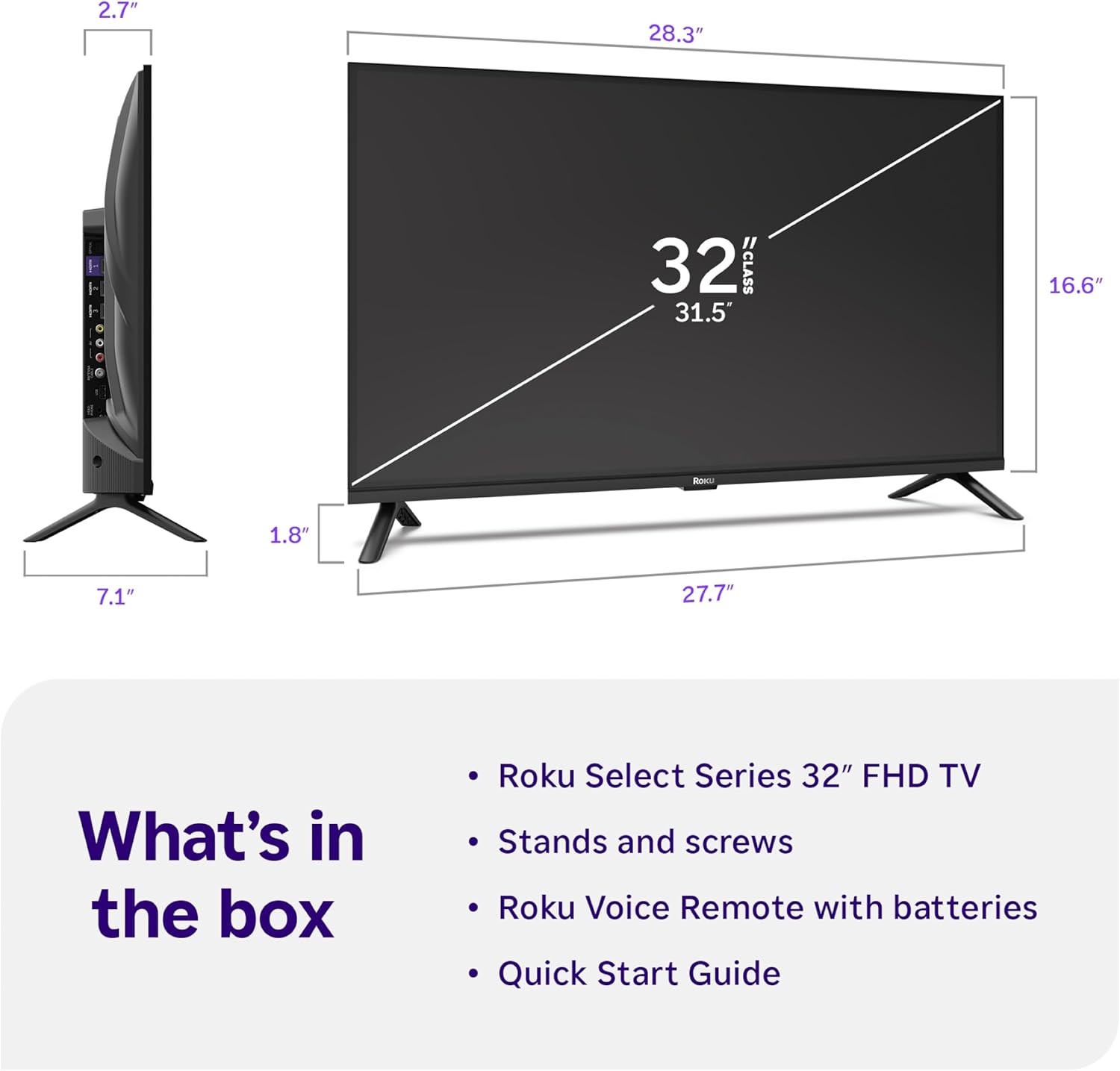
Image: Close-up of the Roku Voice Remote, highlighting buttons for TV power, volume, mute, voice search, instant replay, options, and dedicated app shortcuts.
3. Streaming Apps and Live TV
Access thousands of streaming channels, including Netflix, Disney+, Hulu, Prime Video, and Apple TV+. The Roku Channel also offers free live TV and on-demand content.

Image: A vibrant Roku TV home screen displaying a selection of popular streaming applications and recommended shows.
4. Nastavení obrazu
Optimalizujte své viewzkušenosti s různými nastaveními obrazu:
- Roku Smart Picture: Automatically adjusts picture mode for optimal viewIng.
- Obrazové režimy: Choose from presets like Movie, Sports, Vivid, Standard, or Low Power.
- Přizpůsobení: Adjust brightness, contrast, sharpness, color, and tint for a personalized picture.
5. Nastavení zvuku
Vylepšete si zvukový zážitek:
- Dolby Audio: Enjoy clear speech and louder sound.
- Zvukové režimy: Select from Standard, Dialogue, Movie, Music, or Night mode.
- Bluetooth Headphone Mode: Connect your wireless headphones to listen without disturbing others.

Image: A child wearing wireless headphones while watching the Roku TV, demonstrating the Bluetooth Headphone Mode.
6. Integrace chytré domácnosti
Your Roku TV is compatible with various smart home ecosystems:
- Hlasové ovládání: Use Roku Voice, Siri, Alexa, or Google Assistant for hands-free control.
- Apple AirPlay: Effortlessly share videos, photos, and music from your Apple devices.
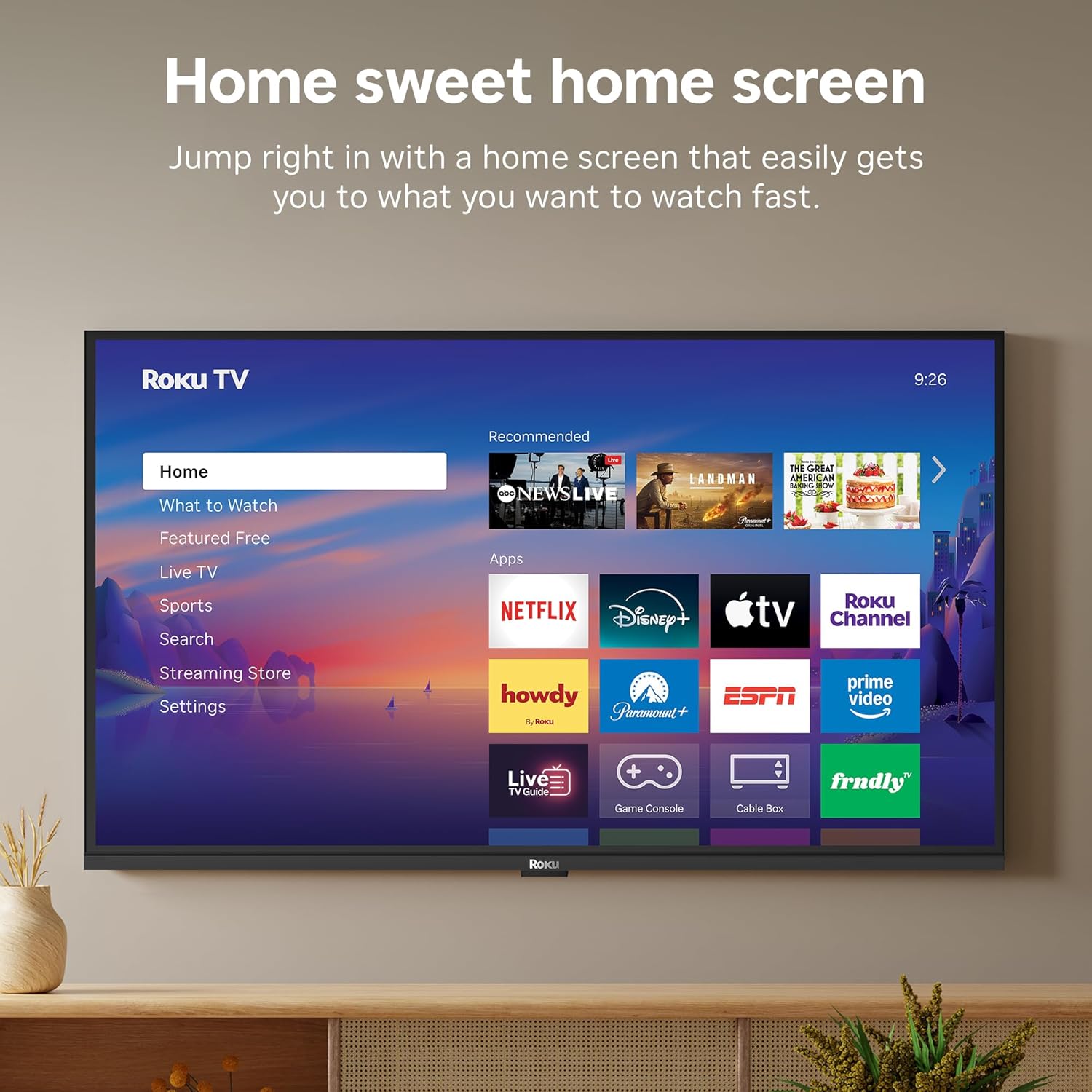
Image: The Roku TV screen displaying smart home compatibility logos for Roku Smart Home, Apple AirPlay, Apple Home, Alexa, and Google Home, with a smart speaker nearby.
7. Rodičovská kontrola
Manage content access with built-in parental controls, including V-Chip technology, to ensure a safe viewprostředí pro děti.
Oficiální video produktu
Video: Overview of the Roku TV OS, demonstrating its user-friendly interface, app selection, and smart features. This video is provided by Roku, Inc.
Specifikace
- Velikost obrazovky:
- 32 palce
- Rezoluce:
- 1080p Full HD
- Technologie displeje:
- LED
- Obnovovací frekvence:
- 60 Hz
- Speciální vlastnosti:
- Bluetooth Headphone Mode, Dolby Audio, Voice Remote, Roku Smart Picture
- Technologie připojení:
- Bluetooth, WiFi
- Hardwarové rozhraní:
- 3 HDMI Ports, 1 USB Port, S/PDIF (Optical Audio Out)
- Operační systém:
- OS Roku
- Rozměry produktu (H x Š x V):
- 7.1"H x 28.3"Š x 18.4"V
- Hmotnost položky:
- 7.7 liber (se stojanem)
- Standardní držák VESA:
- 200 x 200 mm
- Číslo modelu:
- 32R3E5
- UPC:
- 829610009469
Odstraňování problémů
If you encounter issues with your Roku TV, please refer to the following common solutions:
- Bez napájení: Ujistěte se, že je napájecí kabel bezpečně připojen k televizoru i k funkční elektrické zásuvce. Zkuste jinou zásuvku.
- Žádný obraz/zvuk: Verify that the correct input source is selected on your TV. Check all cable connections (HDMI, AV, etc.) for looseness.
- Dálkové ovládání nereaguje: Replace the batteries in your remote control. Ensure there are no obstructions between the remote and the TV.
- Problémy s připojením k síti: Restart your Wi-Fi router and modem. Go to the TV's Settings > Network > Check connection to diagnose and reconnect.
- App Not Loading: Restart the app. If the issue persists, try removing and reinstalling the app from the Roku Channel Store.
For more detailed troubleshooting, visit the official Roku support webmísto.
Údržba
To ensure the longevity and optimal performance of your Roku TV, follow these maintenance guidelines:
- Čištění obrazovky: Jemně otřete obrazovku měkkým, suchým hadříkem z mikrovlákna. V případě odolných šmouh lehceampOmyjte hadřík vodou nebo roztokem na čištění obrazovek určeným speciálně pro elektroniku. Nestříkejte tekutinu přímo na obrazovku.
- Čištění těla televizoru: Use a soft, dry cloth to wipe the exterior of the TV. Avoid abrasive cleaners or solvents.
- Větrání: Abyste zabránili přehřátí, ujistěte se, že ventilační otvory televizoru nejsou zablokované. Kolem televizoru ponechte dostatečný prostor pro cirkulaci vzduchu.
- Aktualizace softwaru: Your Roku TV automatically receives software updates. Ensure your TV is connected to the internet to receive the latest features and performance improvements.
- Řízení spotřeby: Odpojte televizor ze zásuvky během bouřky nebo pokud bude delší dobu bez dozoru.
Záruka a podpora
Informace o záruce
Roku warrants the hardware of this device against defects in materials and workmanship under normal use for a period of one (1) year from the date of purchase ("Warranty Period"). If Roku determines that the device’s hardware is defective during the Warranty Period, Roku’s sole obligation, and your exclusive remedy, will be to either repair or replace the unit with either a new or rebuilt device, at its option. This warranty applies if the device is used in accordance with the provided documentation.
Important information about warranty returns and replacements is available on the Roku support site. You may also return a device for any reason, subject to the terms of the applicable return policy: 1) Within thirty (30) days from the date of purchase from Roku; or 2) within the applicable return period if purchased from an authorized reseller or distributor. Additional details regarding product returns can be found on the Roku support site.
Zákaznická podpora
For further assistance, technical support, or to access the full range of support resources, please visit the official Roku support webweb. Najdete zde nejčastější dotazy, průvodce řešením problémů a kontaktní informace na zákaznický servis.