
1. Úvod
The XTOOL D6 is an advanced OBD2 diagnostic scanner designed for comprehensive vehicle system analysis. It offers full system diagnostics, 15 essential service functions, and supports modern vehicle protocols like FCA AutoAuth and CAN FD. This manual provides detailed instructions for setting up, operating, and maintaining your XTOOL D6 device.

Image 1.1: XTOOL D6 main screen overview, illustrating its diagnostic capabilities and supported features.
2. Obsah balení
Ověřte, zda jsou v balení přítomny všechny položky:
- XTOOL D6 Diagnostic Tablet
- Main OBD2 Diagnostic Cable
- USB Cable for PC Connection/Charging
- Napájecí adaptér
- Customized Carrying Case
- Uživatelská příručka (tento dokument)
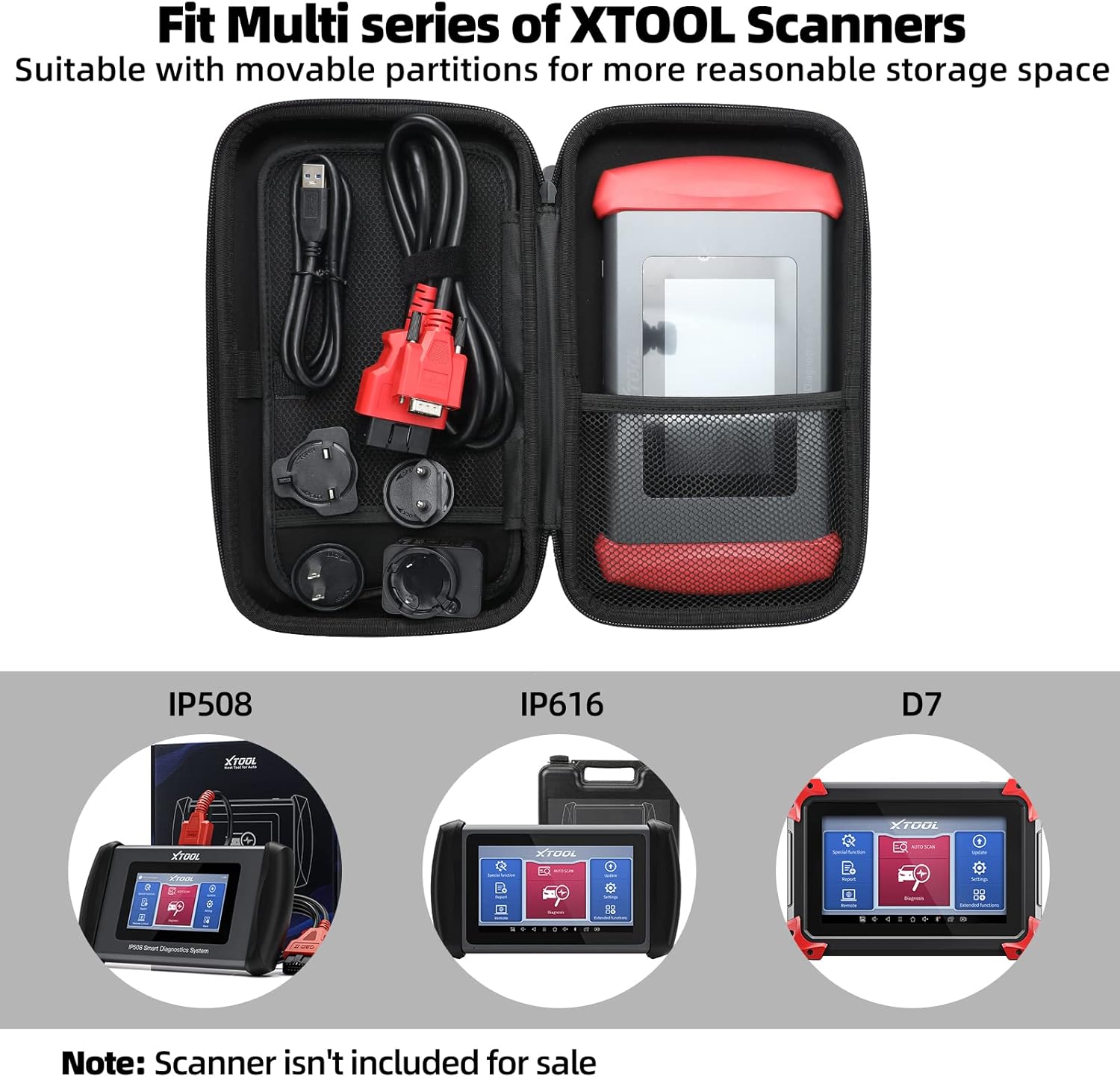
Image 2.1: The XTOOL D6 scanner and its accessories stored within the customized carrying case.
3. Nastavení
3.1 Initial Power On and Registration
- Stisknutím a podržením tlačítka napájení zapněte zařízení.
- Postupujte podle pokynů na obrazovce a vyberte jazyk a region.
- Connect the device to a Wi-Fi network for internet access.
- Register your device by creating an XTOOL account or logging in if you already have one. This is essential for software updates and warranty activation.
3.2 Aktualizace softwaru
The XTOOL D6 offers free lifetime software updates. Regularly updating your device ensures access to the latest vehicle coverage, diagnostic functions, and performance enhancements.
- From the main menu, tap on the Aktualizace ikona.
- Systém zkontroluje dostupné aktualizace.
- Select the desired updates and tap Stáhnout or Instalovat. Ensure a stable internet connection during this process.
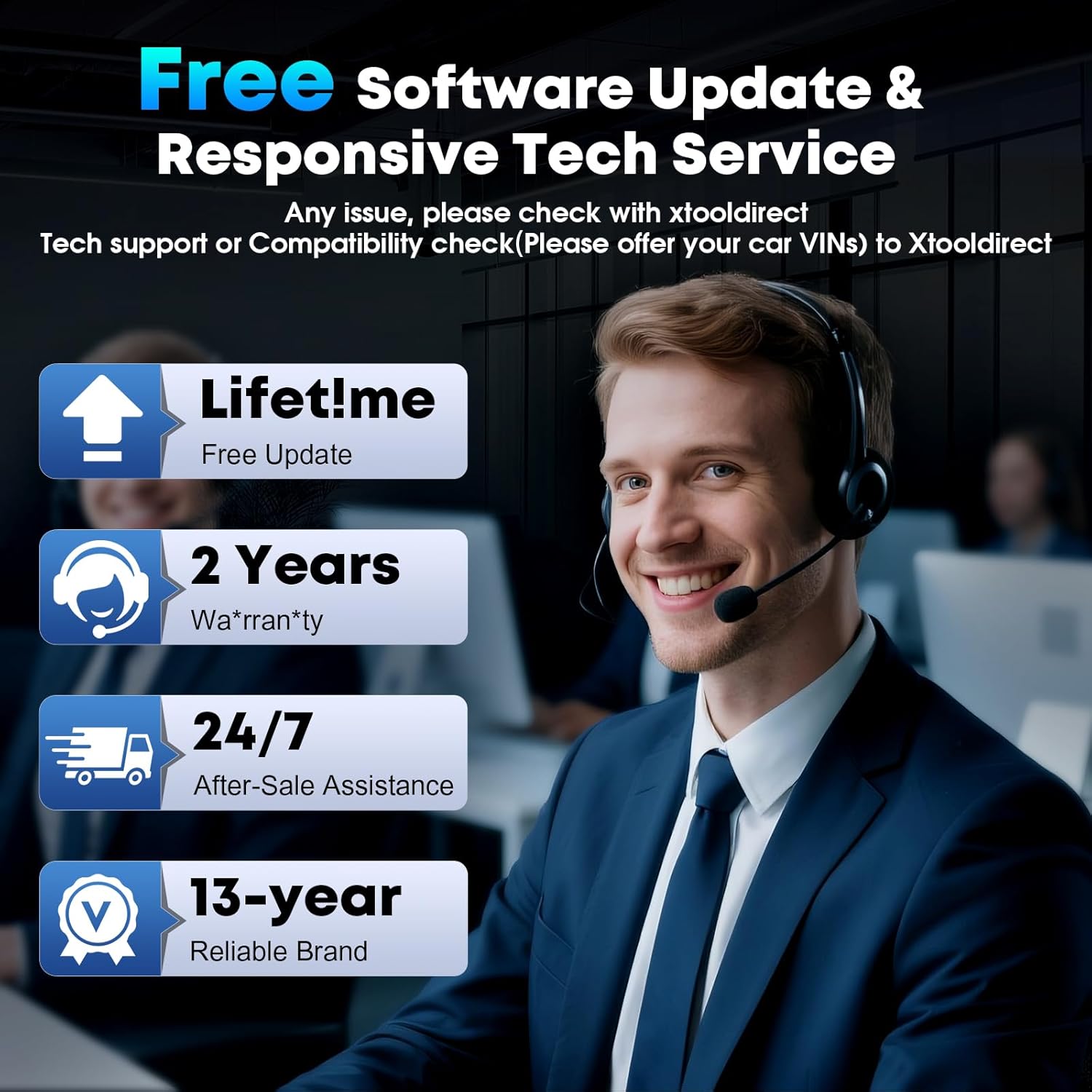
Image 3.1: The XTOOL D6 offers free lifetime software updates and dedicated technical support.
4. Návod k obsluze
4.1 Připojení k vozidlu
- Vyhledejte port OBD2 vozidla, obvykle pod palubní deskou na straně řidiče.
- Connect the main diagnostic cable to the XTOOL D6 device.
- Zapojte druhý konec diagnostického kabelu do portu OBD2 ve vozidle.
- Otočte zapalování vozidla do polohy ON poloha (motor vypnutý).
4.2 Úplná diagnostika systému
The XTOOL D6 can perform comprehensive diagnostics on all available electronic control units (ECUs) in a vehicle, including Engine (ECM), Transmission (TCM), ABS, SRS, TPMS, HVAC, and more.
- Z hlavní nabídky vyberte Diagnóza or Automatické skenování.
- Pro Automatické skenování, the device will automatically identify the vehicle's VIN and scan all systems.
- Pro Diagnóza, you may need to manually select the vehicle make, model, and year.
- Po připojení můžete:
- Čtení diagnostických chybových kódů (DTC)
- Vymazat DTC
- View Live Data Stream (graphical or numerical)
- Proveďte testy ovládání
- View Zmrazit data snímku
4.3 Special Functions (15+ Relearns)
The D6 offers over 15 essential service functions for common maintenance tasks:
- Resetování oleje
- Resetování elektronické parkovací brzdy (EPB)
- Reset systému správy baterií (BMS)
- Cam Crank Position/Crankshaft Sensor Relearn (CKP Relearn)
- Throttle Body Relearn
- Tire Pressure Monitoring System (TPMS) Relearn
- ABS Auto Bleed
- Kódování vstřikovače
- Kalibrace odpružení
- Přeučení převodovky
- A další.
To access these functions, select Speciální funkce from the main menu and choose the desired service.
4.4 AutoVIN and Live Data
The AutoVIN feature automatically identifies vehicle information for faster diagnostics. The device also displays real-time live data streams, allowing you to monitor up to 4 parameters simultaneously for detailed analysis.
4.5 FCA AutoAuth and CAN FD Support
The XTOOL D6 supports FCA AutoAuth for secure access to 2018+ Chrysler, Jeep, Dodge, and 2017+ Fiat vehicles. It also supports the CAN FD protocol for modern vehicles, including GM 2020+ models. Poznámka: FCA AutoAuth requires account registration via AutoAuth's website, not through XTOOL.
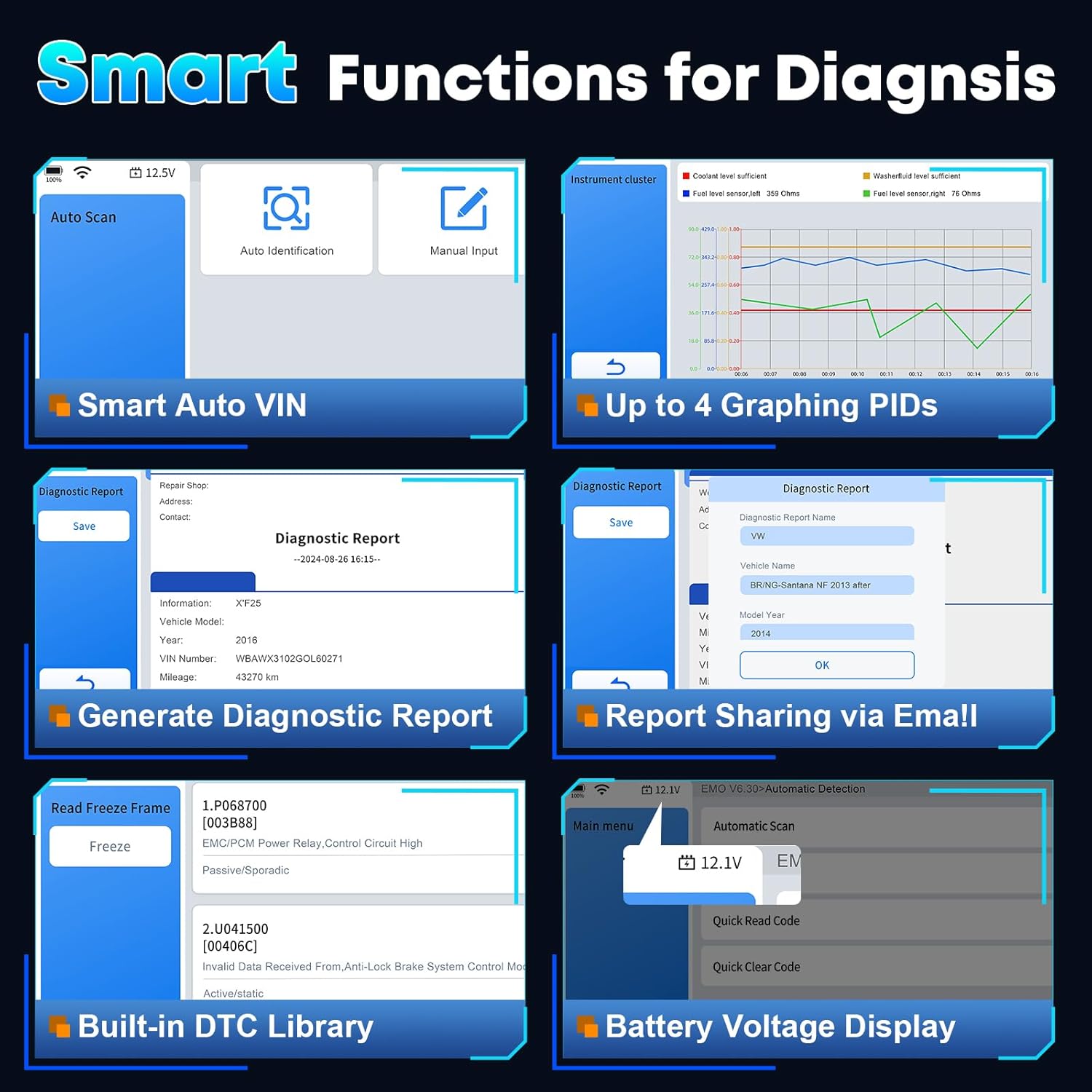
Obrázek 4.1: Konecview of smart diagnostic functions available on the XTOOL D6.

Image 4.2: XTOOL D6 extensive vehicle coverage, language support, and protocol compatibility.
5. Údržba
5.1 Péče o zařízení
- Udržujte zařízení čisté měkkým, suchým hadříkem. Nepoužívejte abrazivní čisticí prostředky.
- Store the device in its customized carrying case when not in use to protect it from drops, scratches, and dust. The case is designed to be waterproof and oilproof.
- Nevystavujte zařízení po delší dobu extrémním teplotám nebo přímému slunečnímu záření.
- Ensure all cables are properly connected and disconnected to prevent damage to ports.
5.2 Správa softwaru
- Regularly perform software updates as described in Section 3.2.
- Periodically clear diagnostic reports and unnecessary data to free up storage space. The device has 32GB internal storage, expandable via microSD.
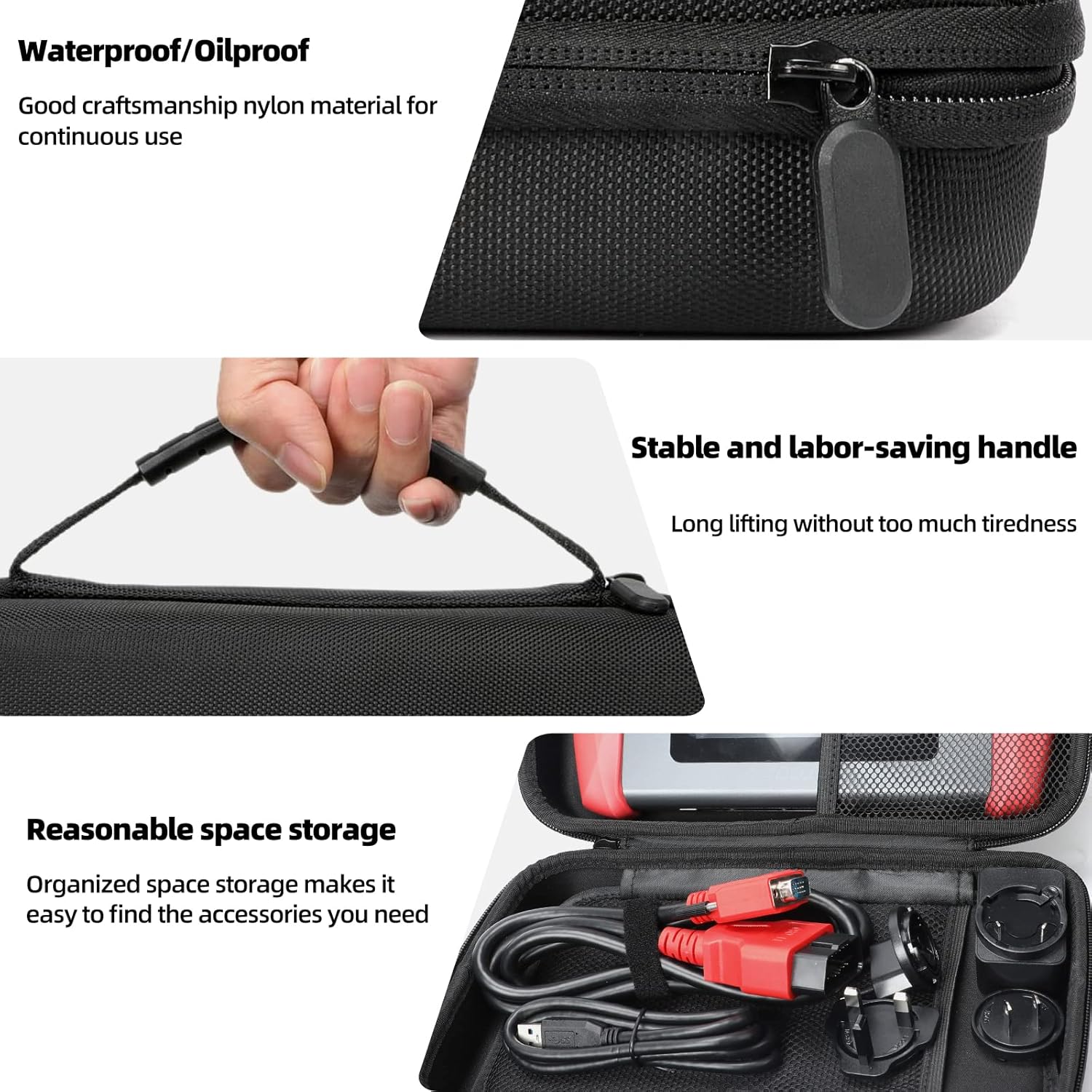
Image 5.1: Features of the XTOOL D6 carrying case, designed for protection and portability.
6. Řešení problémů
If you encounter issues with your XTOOL D6, refer to the following common troubleshooting steps:
- Zařízení se nezapíná: Ensure the battery is charged. Connect the device to a power source using the provided USB cable and adapter.
- Žádná komunikace s vozidlem: Verify that the diagnostic cable is securely connected to both the D6 and the vehicle's OBD2 port. Ensure the vehicle's ignition is in the ON position. Check for any blown fuses in the vehicle's OBD2 circuit.
- Zamrzávání softwaru nebo pomalý výkon: Restart the device. Ensure you have the latest software updates installed. Clear unnecessary diagnostic reports to free up storage.
- Problémy s připojením Wi-Fi: Check your Wi-Fi router and network settings. Ensure the device is within range of the Wi-Fi signal.
- FCA AutoAuth access issues: Confirm that you have registered and activated your account on the AutoAuth website. Ensure your device is connected to the internet.
For persistent issues, please contact XTOOL customer support.
7. Specifikace
| Funkce | Specifikace |
|---|---|
| Značka | XTOOL |
| Model | D6 |
| Operační systém | Linux |
| Velikost obrazovky | 5.45palcový dotykový HD displej |
| Baterie | Vestavěná baterie 40 000 mAh |
| Skladování | 32 GB (rozšiřitelné pomocí microSD) |
| Konektivita | Wi-Fi, USB |
| Podporované protokoly | CAN FD, FCA AutoAuth, OBD2 standard protocols |
| Pokrytí vozidla | 90+ brands, 10,000+ vehicles (1996+ US, 2003+ EU, 2008+ Asian) |
8. Záruka a podpora
The XTOOL D6 diagnostic scanner comes with a 2-year warranty, ensuring coverage against manufacturing defects and malfunctions under normal use.
8.1 Technická podpora
XTOOL provides responsive technical support. If you have any questions regarding the device's operation, compatibility, or require assistance with diagnostics, please contact XTOOL Direct support.
- For support, please visit the official XTOOL webwebu nebo se podívejte na kontaktní informace uvedené na obalu produktu.
- When contacting support, please provide your device's serial number (SN) and a detailed description of the issue.