
1. Konec produktuview
The HP 17.3" Laptop PC is designed for performance and comfort, featuring a large display and efficient processing power. This manual provides essential information for setting up, operating, and maintaining your device.
Mezi klíčové vlastnosti patří:
- Procesor: AMD Ryzen 5 7430U (6 cores, 12 threads, up to 4.3GHz burst frequency)
- Zobrazit: 17.3" Full HD (1920x1080) IPS display with narrow bezels and flicker-free technology
- Grafika: Integrovaná grafika AMD Radeon
- Operační systém: Windows 11 Pro
- Paměť: 32 GB RAM
- Skladování: 1TB Solid State Drive (SSD)
- Design: Lift-hinge keyboard for comfortable typing
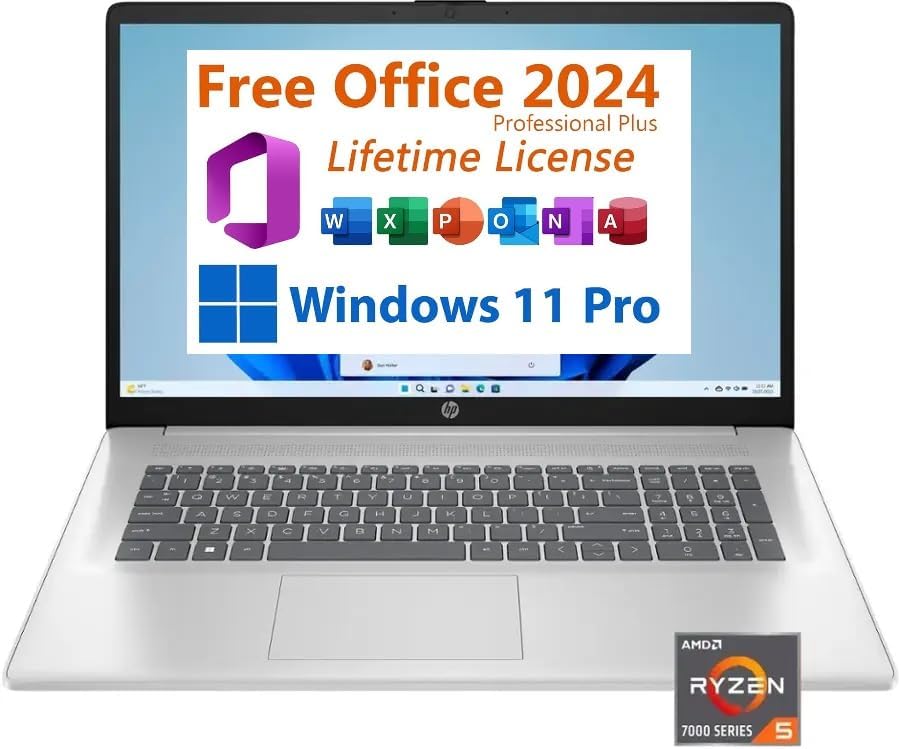
Obrázek 1: Přední strana view of the HP 17.3" Laptop PC.
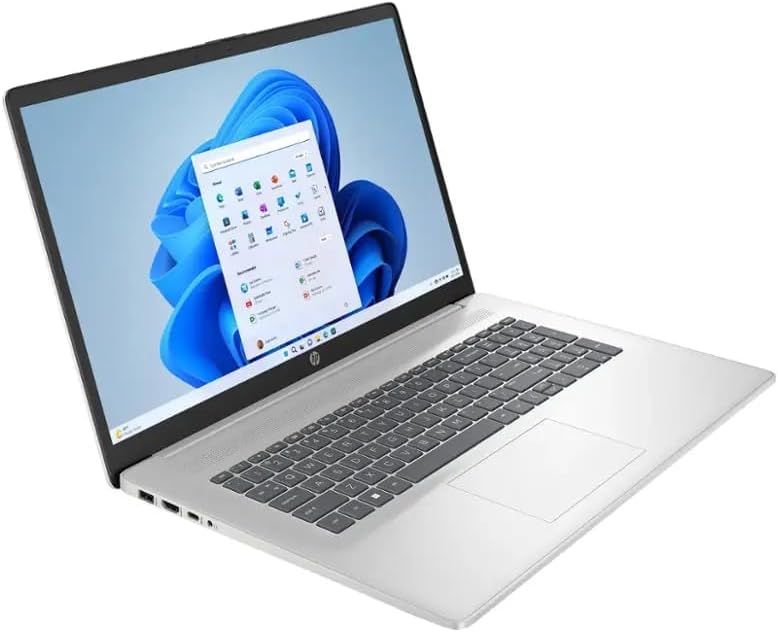
Obrázek 2: Úhlové view of the HP 17.3" Laptop PC.
2. Co je v krabici
Upon opening your HP 17.3" Laptop PC package, you should find the following items:
- HP 17.3" Laptop PC
- 45W Smart AC Power Adapter

Figure 3: Contents of the HP 17.3" Laptop PC package.
3. Nastavení
Follow these steps to set up your new HP 17.3" Laptop PC:
- Připojte napájení: Plug the 45W Smart AC Power Adapter into the AC Smart Pin port on your laptop and then into a power outlet.
- Zapnutí: Otevřete víko notebooku a stiskněte tlačítko napájení.
- Počáteční konfigurace: Postupujte podle pokynů na obrazovce a dokončete nastavení systému Windows 11 Pro, včetně výběru jazyka, síťového připojení a vytvoření uživatelského účtu.
4. Návod k obsluze
4.1 Klávesnice a touchpad
Your HP laptop features a full-size keyboard with a dedicated numeric keypad for efficient data entry. The integrated touchpad supports multi-touch gestures for navigation.
4.2 Porty a konektivita
Notebook nabízí různé porty pro připojení externích zařízení:
- 2x USB Type-A 3.0 ports
- 1x port USB typu C
- 1x kombinovaný konektor pro sluchátka/mikrofon
- 1x HDMI port (for external displays)
- 1x AC Smart Pin (for power adapter)
Wireless connectivity includes Wi-Fi 6 for fast internet access and Bluetooth 5.0 for connecting peripherals like headphones or mice.
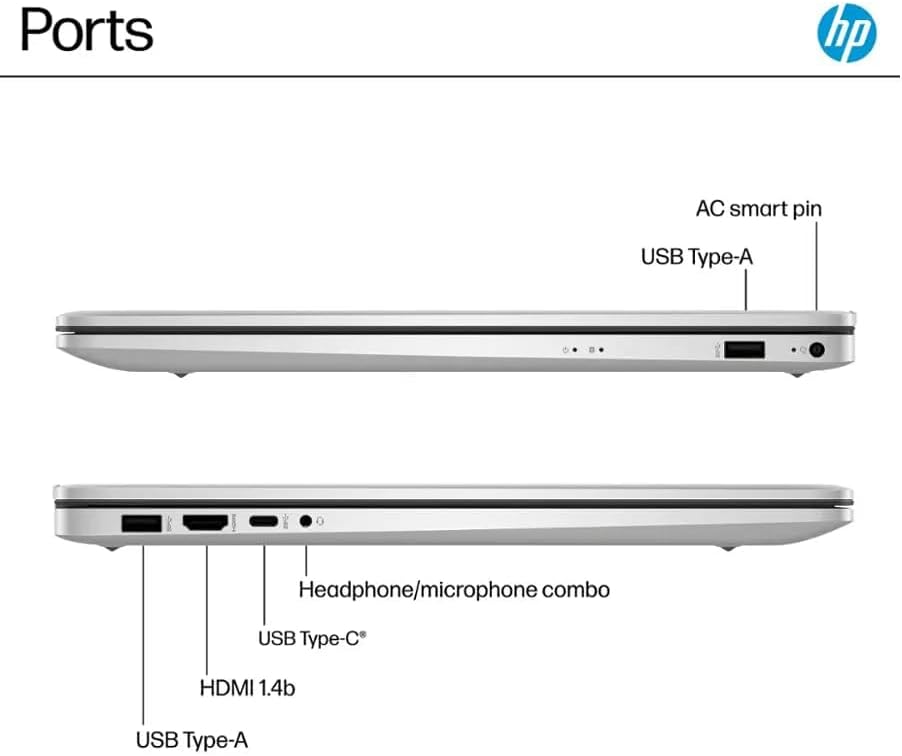
Figure 4: Available ports on the HP 17.3" Laptop PC.
4.3 Webkamera a zvuk
Integrovaný webcam is located above the display, suitable for video calls and conferences. The laptop features HD Audio with stereo speakers and an integrated microphone for clear sound input and output.
5. Údržba
To ensure the longevity and optimal performance of your HP laptop, consider the following maintenance tips:
- Čištění: Regularly clean the screen with a soft, lint-free cloth and the keyboard with compressed air. Avoid harsh chemicals.
- Aktualizace softwaru: Keep your Windows 11 Pro operating system and drivers updated to ensure security and performance.
- Péče o baterie: While the laptop offers up to 9 hours of battery life, avoid consistently draining the battery to 0% or keeping it plugged in at 100% for extended periods.
- Fyzická ochrana: Notebook přepravujte v ochranném pouzdře nebo tašce, abyste zabránili poškrábání a nárazům.
6. Řešení problémů
If you encounter issues with your HP laptop, try these basic troubleshooting steps:
- Bez napájení: Ujistěte se, že je napájecí adaptér bezpečně připojen k notebooku i k funkční zásuvce. Pokud je k dispozici, zkuste jinou zásuvku.
- Systém nereaguje: Press and hold the power button for 10-15 seconds to perform a hard shutdown, then restart the laptop.
- Problémy s připojením: For Wi-Fi, ensure your router is working and try reconnecting. For Bluetooth, ensure the device is paired correctly and within range.
- Problémy se zobrazením: If the screen is blank, try connecting an external monitor via HDMI to check if the issue is with the laptop's display or graphics output.
For persistent issues, refer to the HP support webnebo kontaktujte zákaznický servis.
7. Specifikace
| Funkce | Specifikace |
|---|---|
| Značka | HP |
| Název modelu | HP Laptop 17 |
| Model CPU | AMD Ryzen 5 7430U |
| Rychlost procesoru | Až 4.3 GHz |
| Paměť RAM | 32 GB DDR4 |
| Velikost pevného disku | 1 TB SSD |
| Operační systém | Windows 11 Pro |
| Velikost obrazovky | 17.3 palce |
| Rozlišení displeje | 1920 x 1080 (Full HD) |
| Grafický koprocesor | Grafika AMD Radeon |
| Bezdrátová technologie | Wi-Fi 6, Bluetooth 5.0 |
| Porty | 2x USB Type-A 3.0, 1x USB Type-C, 1x HDMI, 1x Headphone/microphone combo, 1x AC Smart Pin |
| Životnost baterie | Až 9 hodin |
| Hmotnost položky | 4.6 libry |
| Rozměry (D x Š x V) | 15.78 cm x 10.15 cm x 0.78 cm |
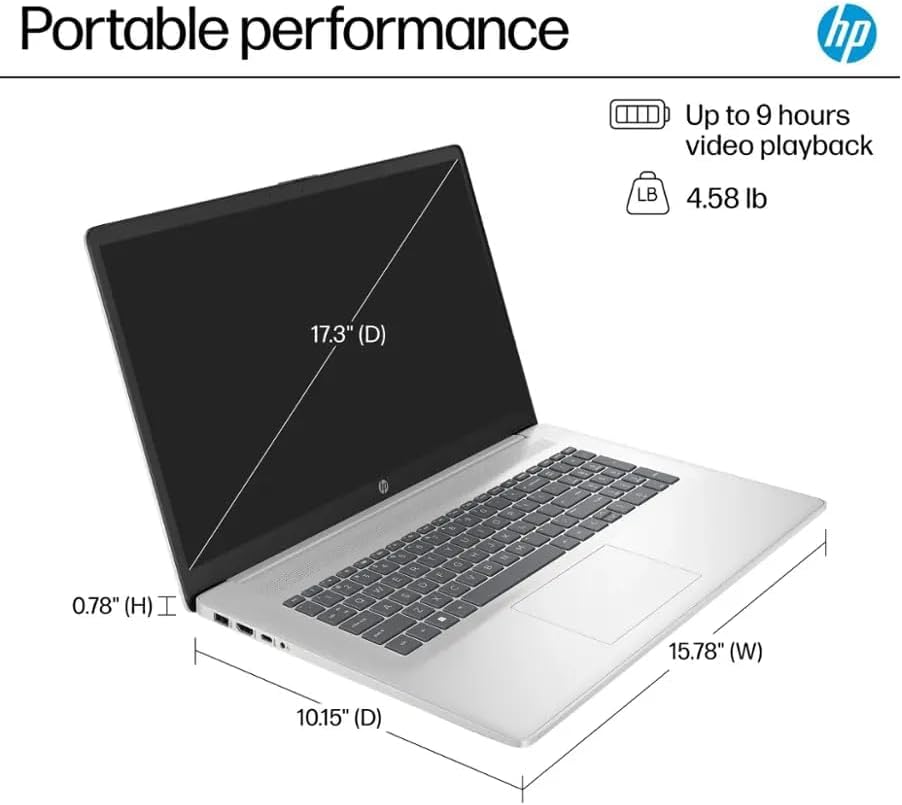
Figure 5: Physical dimensions and weight of the HP 17.3" Laptop PC.
8. Záruka a podpora
Your HP 17.3" Laptop PC comes with a warranty to protect against manufacturing defects. Please note the following details:
- A 1-year warranty on the upgraded RAM/SSD is provided by the seller.
- Remaining components are covered by the original 1-year manufacturer's warranty from HP.
For warranty claims or technical assistance, please contact the seller for RAM/SSD related issues or HP customer support for other hardware components. Keep your purchase receipt and product serial number readily available.