
Zavedení
The ONIKUMA X22 Wired Gaming Headset is designed to provide an immersive audio experience for gamers. It features dynamic RGB lighting, a comfortable design, and a clear communication microphone. This manual provides essential information for the proper setup, operation, maintenance, and troubleshooting of your headset.
Klíčové vlastnosti:
- Stunning RGB lighting effects to enhance the gaming atmosphere.
- 50mm dynamic drivers deliver impressive stereo sound.
- Features a 360-degree omnidirectional microphone with active noise reduction for clear sound.
- Convenient inline controls for RGB lighting, microphone mute, and volume adjustment.
- Designed with an adjustable suspended headband and well-ventilated ear cups for comfortable wear.
Pokyny pro nastavení
Follow these steps to set up your ONIKUMA X22 Gaming Headset:
- Připojení audio kabelu: Plug the 3.5mm audio jack of the headset into the corresponding audio port on your gaming device (PC, console controller, etc.). Ensure the connection is secure.
- Connect the USB Cable (for RGB Lighting): Plug the USB-A connector into an available USB port on your device. This connection powers the RGB lighting feature. The headset will function for audio and microphone without the USB connection, but RGB lighting requires it.
- Upravit čelenku: Place the headset on your head and adjust the suspended headband for a comfortable fit. The headband is designed to adapt to various head sizes.
- Pozice mikrofonu: Adjust the flexible microphone boom to position the microphone near your mouth for optimal voice pickup. Ensure it is not obstructing your vision.
- Úvodní zvuková zkouška: Play some audio or initiate a voice chat to confirm sound output and microphone input are working correctly. Adjust system volume settings as needed.
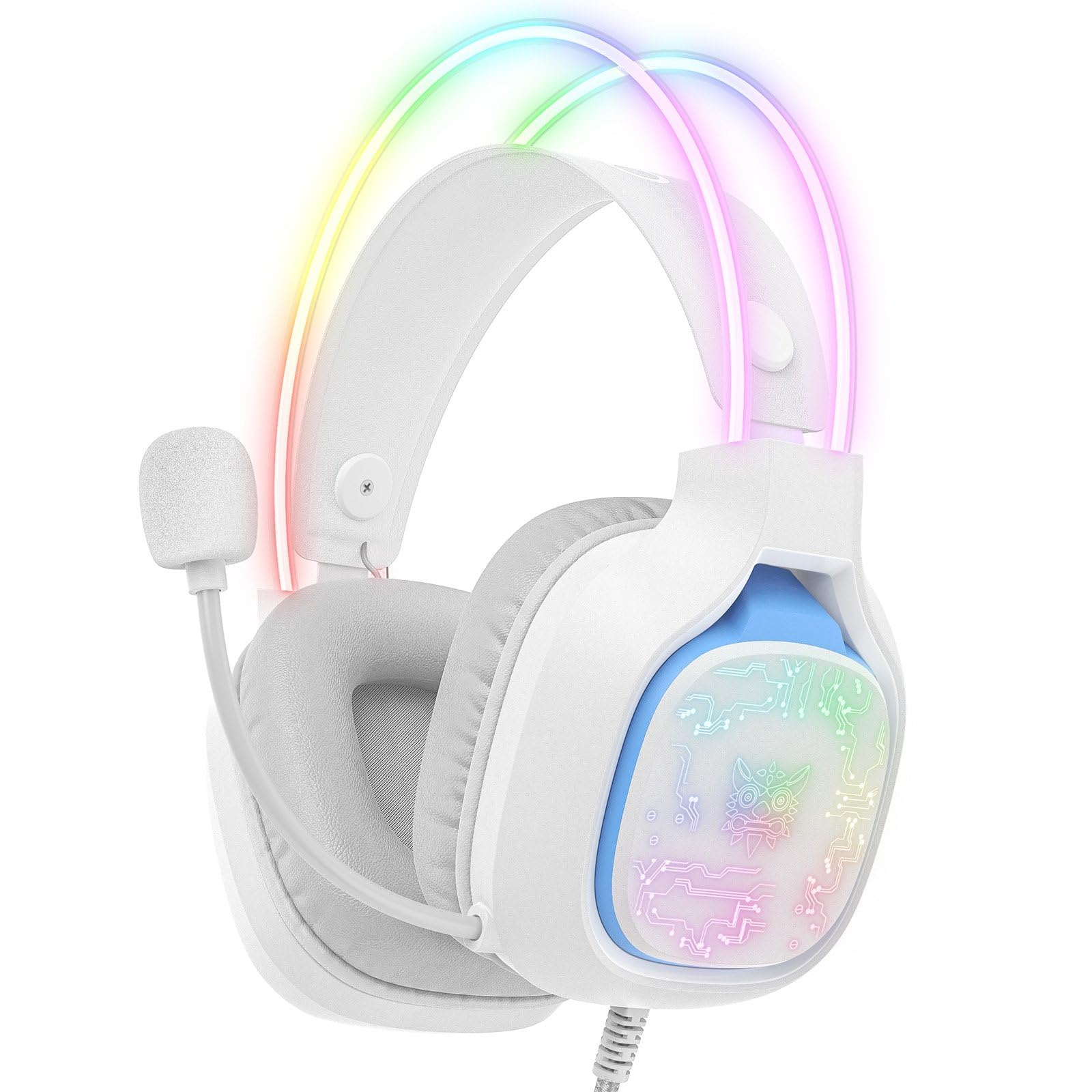
Image: The ONIKUMA X22 Gaming Headset with its 3.5mm audio jack and USB connector, ready for connection to a gaming device. The adjustable headband and microphone are visible.
Návod k obsluze
The ONIKUMA X22 features convenient inline controls for easy management during use:
- Ovládání hlasitosti: Locate the volume roller on the inline control unit. Roll it up to increase volume and down to decrease volume.
- Ztlumení mikrofonu: A switch on the inline control unit allows you to quickly mute or unmute the microphone. Slide the switch to the 'Mute' position to disable the microphone, and to the 'Unmute' position to enable it.
- Ovládání RGB osvětlení: If connected via USB, the RGB lighting will activate automatically. Some models may include a button on the inline control to cycle through lighting modes or turn the RGB off/on. Refer to the specific product packaging for detailed RGB control options if available.
For optimal performance, ensure your device's audio settings are configured to use the ONIKUMA X22 as the default playback and recording device.
Údržba
Správná údržba zajišťuje dlouhou životnost a výkon vaší náhlavní soupravy:
- Čištění: Use a soft, dry cloth to wipe down the ear cups and headband. For stubborn dirt, a slightly damp Lze použít hadřík s jemným mýdlem, ale dbejte na to, aby se do mřížek reproduktoru nebo mikrofonu nedostala žádná tekutina. Nepoužívejte agresivní chemikálie ani abrazivní čisticí prostředky.
- Skladování: Pokud sluchátka nepoužíváte, skladujte je na čistém a suchém místě mimo dosah přímého slunečního záření a extrémních teplot. Nepokládejte na ně těžké předměty.
- Péče o kabely: Vyhněte se ostrým ohybům nebo nadměrnému tahání za kabely. Při odpojování vždy uchopte zástrčku, nikoli kabel.
- Ear Cup Replacement: If the ear cushions become worn, they may be replaceable. Check the manufacturer's website or contact support for replacement parts.
Odstraňování problémů
Pokud narazíte na problémy s náhlavní soupravou, podívejte se na následující běžná řešení:
- Žádný zvuk:
- Ujistěte se, že je 3.5mm audio konektor zcela zasunut do audio portu zařízení.
- Check the inline volume control and increase the volume.
- Ověřte, zda není hlasitost systému vašeho zařízení ztlumená nebo nastavená na příliš nízkou úroveň.
- Ověřte, zda jsou v nastavení zvuku operačního systému vybrána sluchátka s mikrofonem jako výchozí výstupní zvukové zařízení.
- Vyzkoušejte sluchátka s mikrofonem na jiném zařízení, abyste vyloučili problém s konkrétním zařízením.
- Mikrofon nefunguje:
- Ensure the microphone mute switch on the inline control is in the 'Unmute' position.
- Check that the microphone is properly positioned near your mouth.
- Verify the headset microphone is selected as the default input device in your operating system's sound settings and communication applications.
- Adjust the microphone input level in your device's sound settings.
- Vyzkoušejte mikrofon na jiném zařízení.
- Nefunkční RGB osvětlení:
- Ensure the USB-A connector is securely plugged into a powered USB port.
- Vyzkoušejte jiný port USB.
- If there is an RGB control button on the inline unit, press it to cycle through modes or activate the lighting.
- Nepohodlný střih:
- Adjust the suspended headband to find the most comfortable position.
- Ensure the ear cups are fully covering your ears without excessive pressure.
Specifikace
| Funkce | Detail |
|---|---|
| Číslo modelu | X22 |
| Průměr ovladače | 50 mm |
| Frekvenční rozsah | 20 Hz - 20 kHz |
| Typ mikrofonu | 360-degree Omnidirectional with Active Noise Reduction |
| Konektivita | 3.5mm Audio Jack + USB-A (for RGB) |
| Délka kabelu | 1.8 metrů |
| Hmotnost | 364 gramů |
| Přepravní rozměry | 23.5 x 19.4 x 11.4 cm |
| Datum vydání | 26. září 2025 |
Informace o záruce
The ONIKUMA X22 Gaming Headset is covered by a standard manufacturer's warranty. The duration and terms of the warranty may vary by region and retailer. Please retain your proof of purchase for warranty claims. For specific details regarding your warranty coverage, refer to the documentation included with your product or visit the official ONIKUMA webmísto.
Zákaznická podpora
For technical assistance, product inquiries, or customer service, please contact ONIKUMA customer support. You can typically find contact information, including email addresses, phone numbers, or support portals, on the official ONIKUMA website. Please have your product model (X22) and purchase details ready when contacting support.
Oficiální Webmísto: www.onikuma.net (Poznámka: Toto je zástupný symbol URL. Refer to your product packaging for the correct official webmísto.)