
1. Úvod
This manual provides essential instructions for the setup, operation, and maintenance of your ILIFE A30 Pro Robot Vacuum and Mop Combo. Please read this manual thoroughly before using the product to ensure proper function and safety.
2. Obsah balení
Ověřte, zda jsou v balení přítomny všechny položky:
- ILIFE A30 Pro Self-Emptying Robot Vacuum Cleaner (x1)
- Samovyprazdňovací stanice (x1)
- Dust Bags (5x 2.5L capacity)
- Replacement Side Brushes (4 Pcs)
- Dálkové ovládání (x1)
- 2-in-1 Integrated Water Tank (200ml dustbin, 200ml water tank)
- Držák mopu (x1)
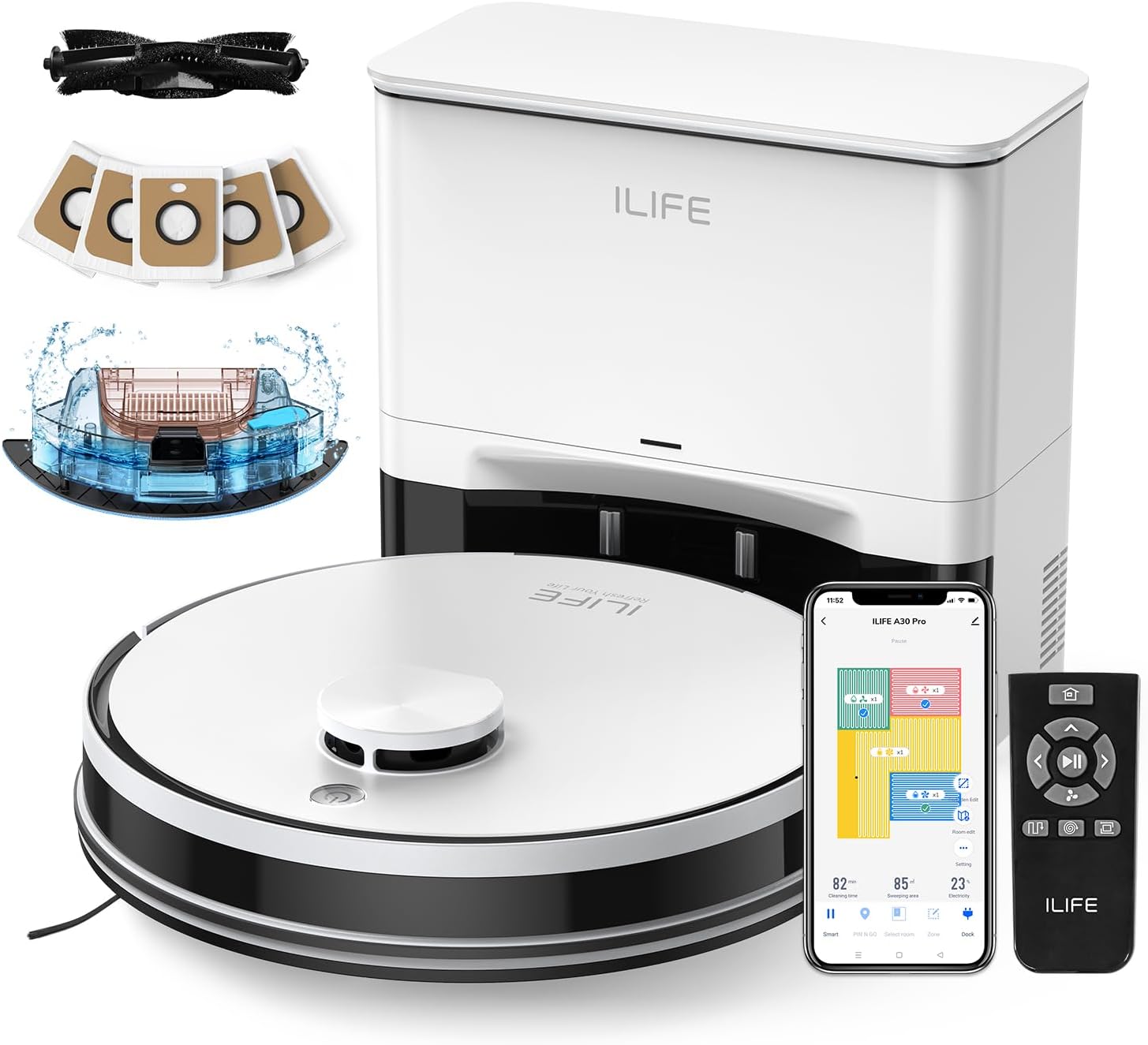
Image: The ILIFE A30 Pro robot vacuum, self-empty station, remote control, app interface, and various accessories including dust bags and side brushes.
3. Nastavení
3.1 Počáteční nabíjení
- Place the self-empty station against a wall in an open area, ensuring there are no obstacles within 1 meter (3 feet) to the front and 0.5 meters (1.5 feet) to the sides.
- Připojte napájecí adaptér k samovyprazdňovací stanici a zapojte jej do zásuvky ve zdi.
- Place the ILIFE A30 Pro robot vacuum onto the charging contacts of the self-empty station. Ensure the charging pins align. The robot will begin charging automatically. Fully charge the robot before first use.
3.2 Instalace bočních kartáčů
- Otočte robotický vysavač dnem vzhůru.
- Align the side brushes with the corresponding posts on the robot (L for left, R for right).
- Press the brushes down until they click into place.

Image: A pack of four replacement side brushes, showing their design for easy installation onto the robot vacuum.
3.3 Připojení k aplikaci (aplikace ILIFEClean)
- Download the "ILIFEClean" app from your smartphone's app store.
- Ujistěte se, že je váš chytrý telefon připojen k 2.4GHz Wi-Fi síť. The robot does not support 5GHz networks.
- Open the app and follow the on-screen instructions to add your ILIFE A30 Pro robot vacuum. This typically involves resetting the robot's WiFi and connecting to its temporary hotspot before returning to your home network.
4. Návod k obsluze
4.1 Spuštění čisticího cyklu
- Ruční spuštění: Stiskněte tlačítko napájení na robotu nebo tlačítko „Clean“ na dálkovém ovladači.
- Spuštění aplikace: Open the ILIFEClean app and select the desired cleaning mode or schedule.
4.2 Režimy čištění a sací výkon
The A30 Pro offers four suction modes, adjustable via the ILIFEClean app or remote control:
- Klid: 500Pa (for light cleaning, reduced noise)
- Norma: 1000Pa (default cleaning)
- Silný: 1800Pa (for moderate dirt)
- Max: 5000Pa (for deep cleaning, pet hair)
4.3 Vacuum and Mop Function (3-in-1)
The A30 Pro features a 2-in-1 integrated water tank (200ml dustbin, 200ml water tank) allowing simultaneous vacuuming and mopping.
- Fill the water tank with clean water. Do not use cleaning solutions that may clog the nozzles.
- Attach the mop cloth to the mop holder and then attach the mop holder to the robot.
- Adjust the water level in the ILIFEClean app as needed.
- To use only the vacuum function, simply remove the mop holder.
4.4 Smart Navigation and App Features
The robot uses LIDAR navigation for smart home mapping, creating detailed maps for optimal cleaning routes.

Image: Illustration showing the robot vacuum using LIDAR navigation to create home maps, plan paths, and achieve efficient cleaning.
Using the ILIFEClean App, you can:
- Nastavit No-Go zóny to restrict the robot from entering specific areas.
- Definovat Virtuální stěny to create invisible barriers.
- Create cleaning schedules.
- Vyberte konkrétní místnosti nebo oblasti k úklidu.
- Adjust water level and suction power.

Image: An illustration demonstrating how to set up No-Go Zones and Virtual Walls within the app to prevent the robot from entering certain areas.
5. Údržba
Pravidelná údržba zajišťuje optimální výkon a prodlužuje životnost vašeho ILIFE A30 Pro.
5.1 Self-Empty Station Dust Bag Replacement
The self-empty station uses 2.5L dust bags, each capable of holding debris for up to 8 weeks. Replace the dust bag when the indicator light on the station or the app notifies you.
- Open the lid of the self-empty station.
- Opatrně vyjměte plný prachový sáček a ujistěte se, že je otvor utěsněn, aby nedošlo k úniku prachu.
- Insert a new dust bag into the slot, ensuring it is properly seated.
- Zavřete víko.

Image: The ILIFE A30 Pro robot vacuum next to its self-empty station, highlighting the 5x 2.5L dust bags that provide up to 8 weeks of hands-free cleaning per bag.
5.2 Čištění hlavního kartáče a bočních kartáčů
- Hlavní kartáč: Regularly remove hair and debris tangled around the main brush using the cleaning tool provided.
- Boční kartáče: Check side brushes for wear or damage. Clean any tangled hair or debris. Replace them if they are worn out (replacement brushes are included).
5.3 Čištění senzorů
Wipe all sensors (cliff sensors, wall sensors, charging contacts) with a clean, dry cloth to ensure proper navigation and charging.
5.4 Údržba nádrže na vodu a mopu
- After each mopping cycle, empty any remaining water from the tank.
- Clean the mop cloth thoroughly and allow it to air dry before next use.
6. Řešení problémů
Pokud se u vašeho robotického vysavače vyskytne problém, podívejte se na následující běžná řešení:
- Robot se nenabíjí: Ensure the charging contacts on both the robot and the self-empty station are clean and free of debris. Verify the power adapter is securely plugged in.
- Robot se zasekl nebo se pohybuje nepravidelně: Clean all sensors. Remove any obstacles from the robot's path. Check for tangled hair in the main brush or side brushes.
- Problémy s připojením k aplikaci: Confirm your WiFi network is 2.4GHz. Restart your router and the robot. Try re-pairing the robot with the app.
- Špatný čisticí výkon: Empty the dustbin/dust bag. Clean the main brush and side brushes. Ensure the water tank is filled for mopping.
- Self-empty station not emptying: Check if the dust bag is full or improperly installed. Ensure the suction path is clear.
V případě přetrvávajících problémů se prosím obraťte na zákaznickou podporu ILIFE.
7. Specifikace
| Funkce | Specifikace |
|---|---|
| Model | ILIFE A30 Pro |
| Sací výkon | Up to 5000Pa (Quiet: 500Pa, Standard: 1000Pa, Strong: 1800Pa, Max: 5000Pa) |
| Kapacita prachového sáčku (samovyprazdňovací stanice) | 5 x 2.5L (up to 280 days hands-free cleaning) |
| Objem nádrže na vodu 2 v 1 | 200ml Dustbin, 200ml Water Tank |
| Typ navigace | LIDAR Navigation, Smart Home Mapping |
| Ovládání aplikací | ILIFEClean App (supports 2.4GHz WiFi only) |
8. Záruka a podpora
For warranty information, technical support, or service inquiries, please refer to the warranty card included with your product or visit the official ILIFE website. You can also contact ILIFE customer support through the ILIFEClean app or the contact information provided on the ILIFE official webmísto.
Note: Warranty terms and conditions may vary by region. Please retain your proof of purchase.