
Zavedení
Thank you for choosing the Surfans F20 Pro Android Hi-Res Music Player. This manual provides essential information for setting up, operating, and maintaining your device. Please read it thoroughly to ensure optimal performance and longevity of your music player.
1. Nastavení
1.1 Vybalení a obsah balení
Carefully unpack your Surfans F20 Pro. Ensure all components are present.
Balíček by měl obsahovat:
- 1 x Surfans F20 Pro Music Player
- (Other accessories like USB cable, protective case, etc., may be included depending on the specific package.)
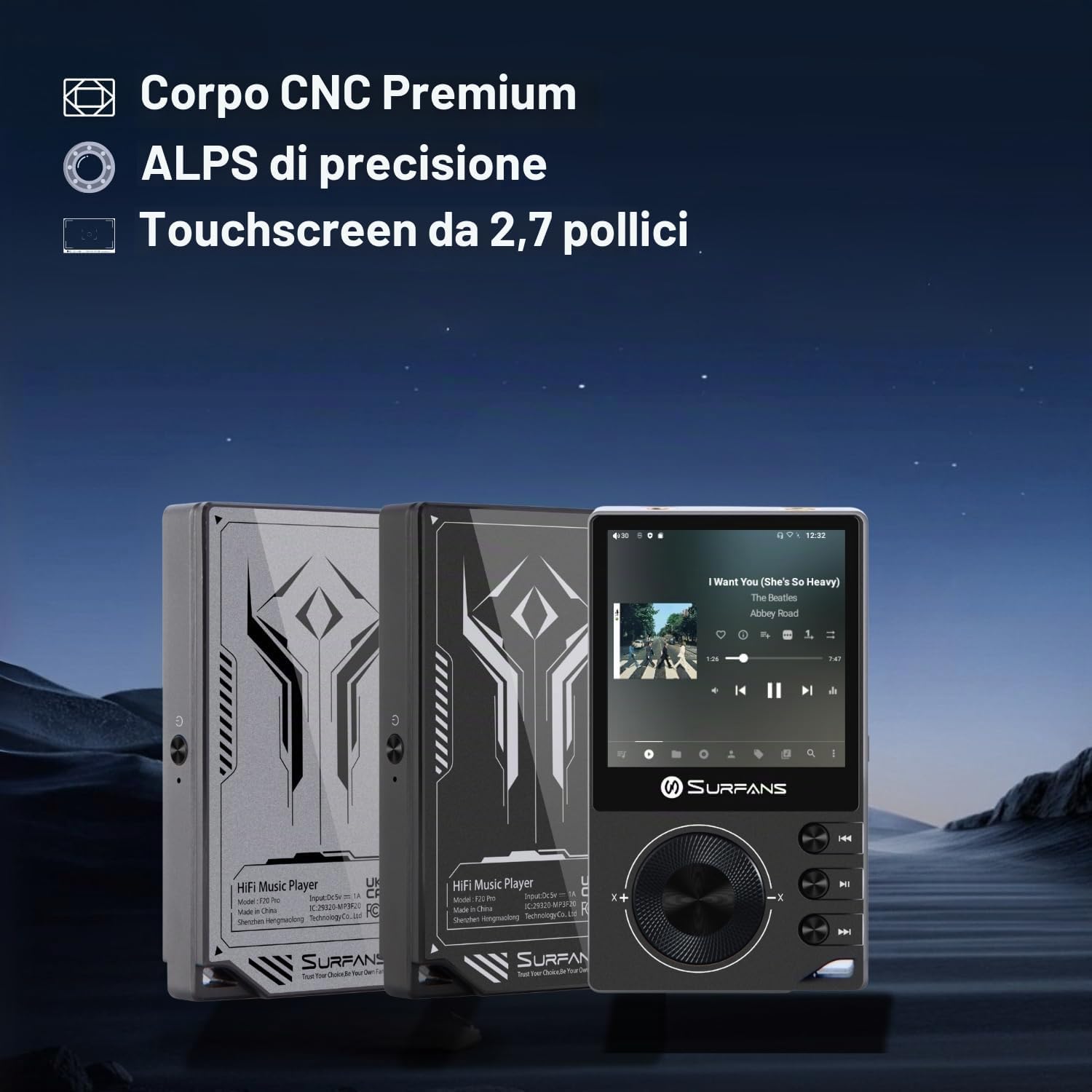
The Surfans F20 Pro features a premium CNC body for durability and aesthetics.
1.2 Nabíjení zařízení
Before first use, fully charge the device. Connect the included USB cable to the player's charging port and to a USB power adapter (not included) or a computer's USB port. The charging indicator will show the charging status. A full charge typically takes approximately 3 hours.
The Surfans F20 Pro features a 1450mAh rechargeable battery, providing up to 15 hours of music playback on a full charge.
1.3 Zapnutí/vypnutí
- Zapnutí: Press and hold the Power button located on the side of the device until the screen lights up.
- Vypnutí: Press and hold the Power button until a power-off menu appears on the screen. Select "Power Off" to shut down the device. A short press will turn the screen on/off.
1.4 Počáteční konfigurace
Upon first power-on, you may be guided through an initial setup process. This typically includes:
- Výběr jazyka: Vyberte preferovaný jazyk.
- Nastavení Wi-Fi: Connect to a Wi-Fi network to enable streaming services and software updates. Navigate to Settings > Network & Internet > Wi-Fi.
- Účet Google: Přihlaste se pomocí svého účtu Google a získejte přístup k Obchodu Google Play a dalším službám Google.
1.5 Rozšíření úložiště
The Surfans F20 Pro comes with 32GB of internal memory. You can expand the storage up to 1TB using a Micro SD card. Insert the Micro SD card into the designated slot on the device.
2. Návod k obsluze
2.1 Zařízení je u konceview a Navigace
The F20 Pro features a 2.73-inch touchscreen for primary interaction and physical buttons for quick control.

The Surfans F20 Pro features a touchscreen interface for easy navigation and access to various applications.
- Dotyková obrazovka: Tap, swipe, and pinch to navigate menus, select options, and control playback.
- Fyzická tlačítka: Use the side buttons for power, volume control, and playback (play/pause, skip tracks). The scroll wheel provides tactile navigation.
2.2 Přehrávání hudby
The F20 Pro supports various audio formats including MP3, AAC, FLAC, WAV, and DSD. You can play music stored on the device's internal memory or Micro SD card, or stream from online services.
- Místní přehrávání: Use the pre-installed music player app to browse and play your local audio files.
- Streamování: Install and use streaming applications like Spotify, Apple Music, Tidal, or YouTube from the Google Play Store.
2.3 Připojení audio zařízení
The player offers both wired and wireless audio output options.

The F20 Pro features both 3.5mm single-ended and 4.4mm balanced audio output ports for versatile headphone connectivity.
- Drátová sluchátka:
- 3.5mm jednostranný: Connect standard headphones to the 3.5mm port.
- 4.4mm vyvážený: For enhanced audio quality and power, connect compatible balanced headphones to the 4.4mm port. This port provides 500mW of power.
- Bluetooth sluchátka/reproduktory:
- The F20 Pro supports Bluetooth 5.0 with LDAC for high-fidelity wireless audio.
- To pair: Go to Settings > Connected devices > Pair new device. Ensure your Bluetooth device is in pairing mode.

The F20 Pro supports Bluetooth 5.0 with LDAC for high-quality wireless audio streaming.
This video demonstrates the process of pairing a Bluetooth device with a music player. The steps shown are generally applicable to the Surfans F20 Pro.
2.4 Připojení k Wi-Fi
The device supports dual-band Wi-Fi (2.4GHz and 5GHz) for fast downloads and smooth streaming.

The Surfans F20 Pro supports dual-band Wi-Fi for reliable internet connection and streaming.
- To connect: Go to Settings > Network & Internet > Wi-Fi. Select your network and enter the password.
- Once connected, you can use pre-installed or downloaded streaming apps.
2.5 Připojení k počítači
You can connect the F20 Pro to a computer via USB to transfer files or use it as a USB DAC.
This video illustrates how to easily connect a music player to a PC for file transfer or other functions. The process is similar for the Surfans F20 Pro.
- Připojte přehrávač k počítači pomocí kabelu USB.
- On the player, swipe down from the top of the screen to access notifications. Tap on the USB connection notification and select "File transfer" or "USB DAC" mode as needed.
3. Údržba
3.1 Čištění zařízení
To keep your F20 Pro in optimal condition:
- K otření obrazovky a těla použijte měkký, suchý hadřík, který nepouští vlákna.
- Avoid using abrasive cleaners, solvents, or aerosol sprays, which can damage the finish.
- Nevystavujte zařízení nadměrné vlhkosti.
3.2 Péče o baterii
Pro maximalizaci výdrže a výkonu baterie:
- Vyhněte se extrémním teplotám.
- Nenechávejte zařízení delší dobu zcela vybité.
- Pro dlouhodobé skladování nabijte baterii přibližně na 50 % a skladujte ji na chladném a suchém místě.
3.3 Aktualizace softwaru
The F20 Pro runs on Android 12. Periodically check for software updates to ensure the best performance and access to new features. Connect to Wi-Fi and go to Settings > System > System update.
4. Řešení problémů
4.1 Zařízení se nezapne
- Ujistěte se, že je baterie nabitá. Připojte zařízení k nabíječce alespoň na 30 minut.
- Try pressing and holding the Power button for 10-15 seconds to force a restart.
4.2 Žádný zvukový výstup
- Check headphone connections (3.5mm or 4.4mm). Ensure they are fully inserted.
- Verify volume levels on the device and any connected Bluetooth audio devices.
- Pokud používáte Bluetooth, ujistěte se, že je zařízení správně spárované a připojené.
- Test with different headphones or speakers to rule out a faulty audio accessory.
4.3 Wi-Fi or Bluetooth Connection Issues
- Ensure Wi-Fi or Bluetooth is enabled in the settings.
- Restart the F20 Pro and your router/Bluetooth device.
- Zapomeňte na síť/zařízení v nastavení a zkuste se znovu připojit.
- Ujistěte se, že jste v dosahu sítě Wi-Fi nebo zařízení Bluetooth.
4.4 Pomalý výkon nebo pády aplikace
While the F20 Pro has an Octa-Core processor and 3GB RAM, some apps or heavy multitasking might affect performance.
- Zavřete nepoužívané aplikace na pozadí.
- Vymažte mezipaměť aplikací (Nastavení > Aplikace > [Název aplikace] > Úložiště a mezipaměť > Vymazat mezipaměť).
- Ujistěte se, že software zařízení je aktuální.
- If issues persist, consider a factory reset (Settings > System > Reset options > Erase all data), but back up your data first.
5. Specifikace
Below are the key technical specifications for the Surfans F20 Pro Music Player:
| Funkce | Detail |
|---|---|
| Název modelu | F20 Pro |
| Značka | Surfaři |
| Operační systém | Android 12 |
| Procesor | Octa-Core |
| BERAN | 3 GB |
| Interní úložiště | 32 GB |
| Rozšiřitelné úložiště | Až 1 TB přes Micro SD kartu |
| DAC | Dual ESS9018 |
| Podpora zvuku ve vysokém rozlišení | DSD512 |
| Konektivita | AUX, Bluetooth 5.0 (LDAC), USB, Dual-Band Wi-Fi (2.4GHz & 5GHz) |
| Velikost obrazovky | 2.73 palce |
| Technologie obrazovky | Dotyková obrazovka |
| Podporované zvukové formáty | MP3, AAC, FLAC, WAV, DSD |
| Vyvážený výstup | 4.4mm (500mW) |
| Kapacita baterie | 1450 XNUMX mAh |
| Životnost baterie | Až 15 hodin přehrávání hudby |

The Surfans F20 Pro features dual ESS9018 DACs for superior audio decoding.

Internal audio architecture showing dual DACs and multi-stage amplifier design for both single-ended and balanced outputs.
6. Záruka a podpora
For warranty information and technical support, please refer to the documentation provided with your purchase or contact the seller directly. The seller for this product is SurfansAudio.
Uschovejte si doklad o koupi pro případné reklamace.