
1. Úvod
This manual provides detailed instructions for the ANBERNIC RG476H handheld game console. Please read this manual thoroughly before using the device to ensure proper operation and to maximize your gaming experience.

Obrázek 1.1: Konecview of the ANBERNIC RG476H handheld game console, showcasing its full-screen design and available colors.
2. Konec produktuview
2.1 Klíčové vlastnosti
- Operační systém: Android 13 with built-in game frontend.
- Procesor: Dimensity T820 (6nm EUV 5G SoC chip, 8-core: 1*A76@2.7GHz + 3*A76@2.3GHz + 4*A55@2.1GHz).
- Zobrazit: 4.7-inch LTPS in-cell OCA full lamination touchscreen, 1280x960 resolution, up to 120Hz refresh rate.
- Paměť a úložiště: 8GB LPDDR4X RAM, 128GB UFS2.2 ROM, expandable up to 2TB via TF card.
- Konektivita: WiFi (2.4G/5G 802.11a/b/g/n/ac), Bluetooth 5.0.
- Ovládání: Dual Hall joysticks, 6-axis gyroscope, Hall triggers, vibration motor.
- Baterie: 5000mAh Lithium-ion battery, providing up to 7 hours of continuous use.
- Chlazení: Active cooling system with high-speed fan and heat pipe.
- výstup: HDMI output, USB Type-C with 1080p DisplayPort output (supports dual-screen display for NDS/3DS games).
- Další vlastnosti: RGB joystick lighting with multiple effects, FOTA wireless upgrades, online multiplayer, streaming, wireless screen projection, 3.5mm stereo headphone jack, power-saving settings.
2.2 Součásti a ovládací prvky
Familiarize yourself with the physical components and controls of your RG476H console.

Image 2.1: Technical diagram illustrating the layout of buttons, ports, and internal components of the RG476H.
- Levý joystick: For directional control in games.
- Pravý joystick: For camera control or other directional inputs.
- D-Pad: Pro přesné směrové zadávání.
- Tlačítka A/B/X/Y: Standardní akční tlačítka.
- Tlačítka L1/L2/R1/R2: Ramenní a spoušťová tlačítka.
- Tlačítka Start/Vybrat: Game control functions.
- Funkční klíč: For system-specific actions.
- Tlačítko návratu: For navigating back in menus.
- Slot na kartu TF: Pro rozšíření externího úložiště.
- Port USB Type-C: For charging, data transfer, and DisplayPort output.
- 3.5mm konektor pro sluchátka: Pro audio výstup.
- Mikrofon: Pro hlasový vstup.
- Řečníci: Dual stereo speakers located at the bottom.
- Vypínač: Zapnutí/vypnutí zařízení nebo jeho přepnutí do režimu spánku.
- Zvýšení/Snížení hlasitosti: Pro nastavení úrovní zvuku.
3. Nastavení
3.1 Počáteční nabíjení
Before first use, fully charge your RG476H console.
- Connect the provided USB Type-C cable to the console's charging port.
- Connect the other end of the cable to a compatible 5V/2A power adapter (not included) or a USB port on a computer.
- Rozsvítí se kontrolka nabíjení. Úplné nabití obvykle trvá přibližně 3 hodiny.
3.2 Zapnutí/vypnutí
- Zapnutí: Stiskněte a podržte tlačítko Napájení, dokud se nerozsvítí obrazovka.
- Vypnutí: Press and hold the Power button, then select "Power Off" from the on-screen options.
- Spánek/probuzení: Briefly press the Power button to put the device into sleep mode or wake it up.
3.3 Instalace TF karty (volitelné)
To expand storage for games and media, you can install a TF (microSD) card. The device supports up to 2TB.

Image 3.1: The TF card slot for storage expansion, shown alongside other features.
- Vyhledejte slot pro kartu TF na zařízení.
- Insert the TF card gently into the slot until it clicks into place.
- To remove, push the TF card inward until it clicks, then release. It will spring out.
4. Návod k obsluze
4.1 Navigace a uživatelské rozhraní
The RG476H runs on Android 13, providing a familiar and intuitive interface.
- Use the joysticks or D-pad to navigate through menus and select options.
- The touchscreen allows for direct interaction with the Android interface.
- The built-in game frontend organizes your games for easy access.
4.2 Hraní her
The console supports a wide range of Android games and up to 30 types of simulator games.
- Access the game frontend from the main menu.
- Select your desired game from the list.
- Use the physical controls (joysticks, D-pad, A/B/X/Y, L/R buttons) for gameplay.
- For simulator games, you may need to configure controls within the emulator settings.
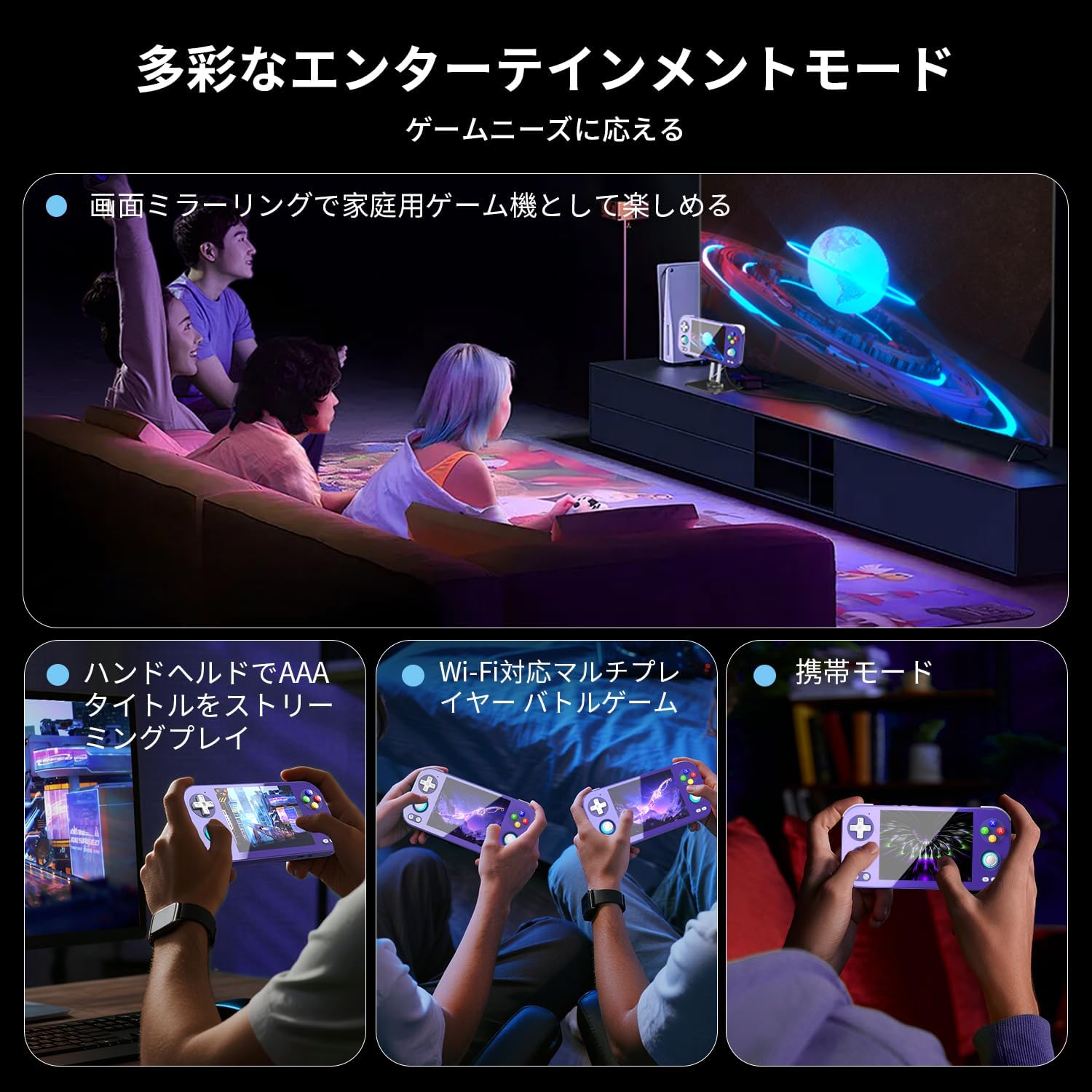
Image 4.1: The RG476H supports various entertainment modes, including handheld play, Wi-Fi multiplayer, and screen mirroring to a TV.
4.3 Pokročilé funkce
- Streamování Měsíčního svitu: Supports Moonlight Streaming for playing PC games on your console. Refer to Moonlight documentation for setup.
- HDMI výstup: Connect the console to a TV or monitor via HDMI for a larger display.
- USB Type-C DisplayPort: Use a compatible USB-C to DisplayPort cable for 1080p video output. This feature also supports dual-screen display for NDS/3DS games.
- Wi-Fi a Bluetooth: Connect to Wi-Fi networks for online gaming, updates, and browsing. Pair Bluetooth accessories like headphones or controllers.
- RGB Joystick Lighting: Customize the RGB lighting effects of the joysticks (e.g., constant light, breathing, rainbow, marquee, chase, gaming mode) and adjust brightness through system settings.
- ANBERNIC AI Assistant: Utilize the built-in AI features for real-time translation, game assistance, and other smart functions.

Image 4.2: The ANBERNIC AI Assistant offers features like AI Square, real-time translation, game assistance, and image processing.
5. Údržba
5.1 Čištění
- K čištění vnější strany konzole použijte měkký, suchý hadřík.
- For the screen, use a microfiber cloth specifically designed for electronics. Do not use abrasive cleaners or solvents.
- Udržujte porty bez prachu a nečistot.
5.2 Aktualizace softwaru
The RG476H supports FOTA (Firmware Over-The-Air) wireless upgrades.
- Ujistěte se, že je vaše zařízení připojeno k Wi-Fi.
- Navigate to System Settings and check for available updates.
- Follow the on-screen prompts to download and install updates. Ensure the device has sufficient battery life or is connected to power during updates.
6. Řešení problémů
6.1 Běžné problémy a řešení
| Problém | Možná příčina / řešení |
|---|---|
| Zařízení se nezapne. | Battery may be depleted. Connect to charger and try again. Ensure power button is pressed and held sufficiently. |
| Obrazovka nereaguje. | Perform a soft reset by holding the power button for 10-15 seconds. If issue persists, ensure the screen is clean and free of obstructions. |
| Hry se zaostávají nebo fungují špatně. |
|
| Wi-Fi or Bluetooth not connecting. |
|
| Žádný zvuk z reproduktorů. | Check volume settings. Ensure headphones are not connected if you expect sound from speakers. |
7. Specifikace
| Funkce | Detail |
|---|---|
| Model | RG476H |
| Procesor | Unisoc T820, 6nm EUV 5G SoC |
| GPU | Čtyřjádrový Mali-G57, 850 MHz |
| BERAN | 8GB LPDDR4X |
| Skladování | 128GB UFS2.2 (Expandable via TF card up to 2TB) |
| Zobrazit | 4.7-inch LTPS in-cell OCA full lamination touchscreen, 1280x960 resolution, up to 120Hz refresh rate |
| Operační systém | Android 13 |
| Konektivita | 2.4G/5G WiFi 802.11a/b/g/n/ac, Bluetooth 5.0 |
| Baterie | 5000mAh Lithium-ion, up to 7 hours usage |
| Zvuk | High-quality dual stereo speakers, 3.5mm stereo headphone jack |
| Senzory | 6-axis gyroscope, Hall joysticks, Hall triggers, Vibration motor |
| Porty | USB Type-C (charging, data, 1080p DisplayPort output), TF card slot |
| Rozměry | 21.1 x 11.1 x 4.2 cm |
| Hmotnost | 470 g |
8. Záruka a podpora
For warranty information and technical support, please refer to the official ANBERNIC webnebo se obraťte na prodejce. Uschovejte si doklad o koupi pro případ reklamace.
Výrobce: ANBERNIC
Webmísto: www.anbernic.com (Napřampodkaz, skutečný odkaz se může lišit)