
1. Úvod
The Fenvi FU-AX300 is a compact Wi-Fi 6 USB adapter designed to provide wireless connectivity to your desktop or laptop computer. It offers AX300 speeds on the 2.4 GHz band, making it suitable for everyday internet activities such as browsing, online classes, and HD streaming. Featuring OFDMA technology, it enhances efficiency in crowded network environments, and WPA3 security provides improved protection for your wireless connection. Its nano form factor allows it to remain plugged into a USB port without obstructing adjacent ports.
- AX300 Class Speed: Up to 287 Mbps on 2.4 GHz for reliable performance.
- Wi-Fi 6 Efficiency: OFDMA technology reduces network congestion.
- Vylepšené zabezpečení: Supports WPA3 encryption (requires compatible router).
- Ultra kompaktní design: Nano form factor for discreet use.
- Snadná instalace: Driver installation for Windows 11/10.
2. Obsah balení
Ověřte prosím, zda váš balíček obsahuje následující položky:
- Fenvi FU-AX300 Wireless USB Adapter
Note: Drivers are typically included on the device itself for easy installation or can be downloaded from the manufacturer's webmísto.
3. Pokyny k nastavení
Follow these steps to install and set up your Fenvi FU-AX300 Wi-Fi 6 USB Adapter:
- Vložte adaptér: Locate an available USB port on your desktop or laptop computer. Carefully insert the Fenvi FU-AX300 USB adapter into the USB port. Ensure it is fully seated.
- Driver Installation (Windows 11/10):
- For most Windows 11/10 systems, the operating system may automatically detect and install the necessary drivers. Wait a few moments for this process to complete.
- If automatic installation does not occur, or if prompted, you may need to run the driver installer. The FU-AX300 is often "driver-free" meaning the driver is stored on the device itself and can be accessed like a USB drive.
- Open "This PC" or "My Computer" and look for a new drive labeled "FENVI" or similar. Double-click to open it and run the setup executable (e.g., "setup.exe" or "install.exe").
- Dokončete instalaci ovladače podle pokynů na obrazovce.
- Alternatively, download the latest drivers from the official Fenvi support website if you encounter issues.
- Ověřte instalaci: After driver installation, check your computer's Device Manager (search for "Device Manager" in Windows search) under "Network adapters" to confirm that the Fenvi FU-AX300 adapter is listed and functioning correctly.
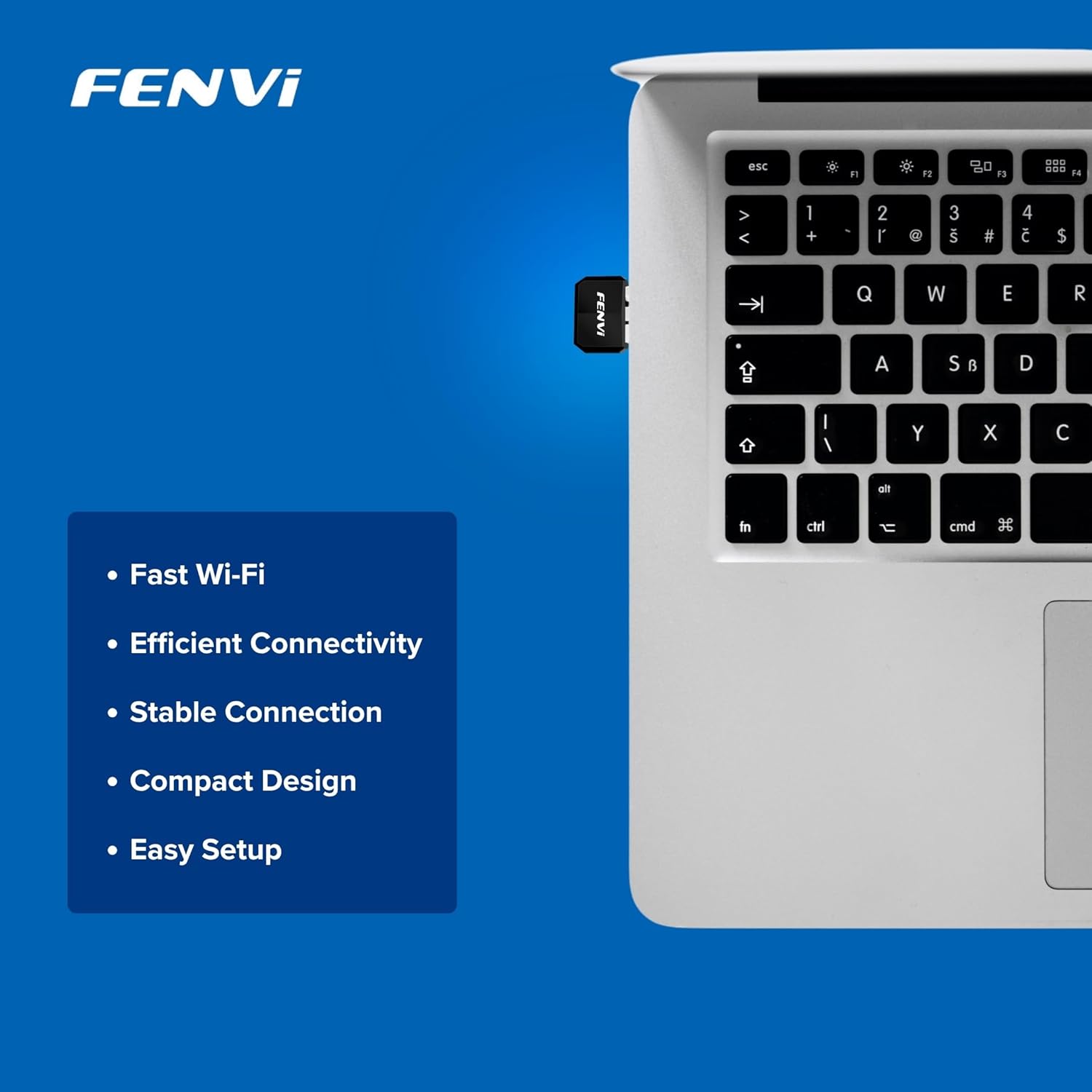
Image: The Fenvi FU-AX300 adapter shown plugged into a laptop, demonstrating its small size. Key features such as Fast Wi-Fi, Efficient Connectivity, Stable Connection, Compact Design, and Easy Setup are listed alongside.
4. Návod k obsluze
Once the drivers are successfully installed, you can connect to a wireless network:
- Přístup k nastavení Wi-Fi: Click on the Wi-Fi icon in the system tray (usually in the bottom-right corner of your screen) or navigate to Nastavení > Síť a internet > Wi-Fi.
- Vyberte síť: Zobrazí se seznam dostupných sítí Wi-Fi. Vyberte požadovanou síť (SSID).
- Připojit: Click "Connect" and enter the network security key (Wi-Fi password) if prompted.
- Potvrdit připojení: Once connected, the Wi-Fi icon will indicate an active connection, and you should have internet access.

Image: This diagram illustrates the benefits of Wi-Fi 6 technology, specifically OFDMA and MU-MIMO, in improving network efficiency compared to older Wi-Fi 4 standards, especially in scenarios with multiple connected devices.
5. Údržba
To ensure optimal performance and longevity of your Fenvi FU-AX300 adapter, consider the following maintenance tips:
- Udržujte ovladače aktualizované: Periodically check the Fenvi official website for the latest driver updates. Updated drivers can improve performance, stability, and security.
- Jemně čistěte: If necessary, gently clean the adapter with a soft, dry cloth. Avoid using liquid cleaners or solvents.
- Vyhněte se fyzickému poškození: While compact, avoid bending or applying excessive force to the adapter when it is plugged in or stored.
- Optimální umístění: For best signal strength, ensure the adapter is not obstructed by other objects or placed in an enclosed space.
6. Řešení problémů
If you encounter issues with your Fenvi FU-AX300 adapter, refer to the following troubleshooting steps:
- Nebyly nalezeny žádné sítě Wi-Fi:
- Ujistěte se, že je adaptér bezpečně zapojený do portu USB.
- Ověřte ve Správci zařízení, zda jsou ovladače správně nainstalovány. V případě potřeby ovladače znovu nainstalujte.
- Check if your computer's Wi-Fi is enabled (e.g., via a physical switch or keyboard shortcut).
- Restartujte počítač a Wi-Fi router.
- Pomalá rychlost připojení:
- Ujistěte se, že jste v dosahu vašeho Wi-Fi routeru.
- Minimalizujte rušení od jiných elektronických zařízení (např. mikrovlnných trub, bezdrátových telefonů).
- Aktualizujte ovladače adaptéru na nejnovější verzi.
- Zkontrolujte rychlost připojení u svého poskytovatele internetových služeb.
- "Driver not compatible with Windows 11" (as per some user feedback):
- While the product is advertised for Windows 11/10, if you face compatibility issues, ensure you have downloaded the absolute latest drivers directly from the Fenvi official webmísto.
- Try installing the driver in compatibility mode for an earlier Windows version if available.
- Contact Fenvi technical support for specific Windows 11 driver assistance.
- Časté výpadky:
- Move closer to your Wi-Fi router.
- Ujistěte se, že firmware vašeho routeru je aktuální.
- Disable power-saving features for the USB port in Device Manager (under USB Root Hub properties, Power Management tab, uncheck "Allow the computer to turn off this device to save power").
7. Specifikace

Image: This image displays the compact dimensions of the Fenvi FU-AX300 USB adapter, measuring 24mm in length, 16mm in width, and 7mm in thickness. It also highlights the 3-year warranty.
| Funkce | Detail |
|---|---|
| Značka | Fenvi |
| Číslo modelu | FU-AX300 |
| Hardwarové rozhraní | USB 2.0 |
| Data Link Protocol | IEEE 802.11a (Wi-Fi 6 / 802.11ax compatible) |
| Rychlost přenosu dat | Až 300 Mb/s (2.4 GHz) |
| Zabezpečení | WPA3 (router support required) |
| Vlastnosti | MU-MIMO, OFDMA |
| Kompatibilní operační systémy | Windows 11, Windows 10 |
| Rozměry produktu (D x Š x V) | 40 x 20 x 15 milimetrů |
| Hmotnost položky | 25 gramů |
| Barva | Černý |
| Země původu | Čína |

Image: This image provides a summary of the Fenvi FU-AX300's key specifications, such as its brand (Fenvi), model (FU-AX300), Wi-Fi standard (IEEE 802.11ax), USB 2.0 interface, WPA3 security, 2.4GHz data rate, MU-MIMO/OFDMA features, Windows 7/10/11 compatibility, and 3-year warranty.
8. Záruka a podpora
Informace o záruce: The Fenvi FU-AX300 Wi-Fi 6 USB Adapter comes with a 3-letá záruka výrobceUschovejte si prosím doklad o koupi pro případ reklamace.
Technická podpora: For further assistance, driver downloads, or troubleshooting not covered in this manual, please visit the official Fenvi support website or contact their customer service. Contact details are typically available on the manufacturer's webmísto nebo obal produktu.
Výrobce: Fenvi
Kontaktní informace dovozce: Compassco No 98 1st Floor Digital Park Road Yeshwanthpur Industrial Suburb Bangalore Karnataka 560022 India
Packer Contact Information: Shenzhen fenvi Technology Co., Ltd 401C West Area,North Block, High tech Industrial Park,Beier Road,Bantian Community, Bantian Street, Longgang District, Shenzhen China