
1. Úvod
This manual provides comprehensive instructions for the safe and efficient installation, operation, and maintenance of your ErGear Single Monitor Arm, Model EGDMA69B. Please read this manual thoroughly before installation and retain it for future reference.

Image 1.1: ErGear Single Monitor Arm, Model EGDMA69B.
2. Bezpečnostní informace
Vždy dodržujte tyto bezpečnostní pokyny, abyste předešli zranění nebo poškození produktu:
- Nepřekračujte maximální nosnost 9 kg (19.8 liber).
- Ujistěte se, že je váš monitor kompatibilní se standardem VESA (75x75 mm nebo 100x100 mm).
- Ověřte, zda je tloušťka vašeho stolu v rozsahu specifikovaném pro C-clamp (0.99 cm – 6.5 cm) or grommet base (0.99 cm – 7.5 cm).
- Perform installation with care, preferably with assistance for heavier monitors.
- Během instalace držte děti a domácí zvířata mimo dosah.
- Tighten all screws securely, but do not overtighten to avoid stripping threads.
3. Obsah balení
Before installation, ensure all parts are present and undamaged. Refer to the included parts list in your product packaging for detailed component identification.
4. Specifikace
| Funkce | Specifikace |
|---|---|
| Číslo modelu | EGDMA69B |
| Kompatibilní velikost obrazovky | 13 - 34 palce |
| Maximální nosnost | 9 kg (19.8 lb) |
| Kompatibilita VESA | 75x75mm, 100x100mm |
| Rozsah náklonu | +80° / -50° |
| Otočný rozsah | ±90° |
| Otáčení | 360° |
| Maximální nastavení výšky | Až 445 mm (17.5 palce) |
| Maximální prodloužení | Až 460 mm (18.1 palce) |
| Tloušťka desky (C-clamp) | 0.99 cm – 6.5 cm |
| Tloušťka desky (průchodka) | 0.99 cm – 7.5 cm |
| Materiál | Hliník |

Obrázek 4.1: Kompatibilita nadview for monitor size, VESA patterns, and maximum load.
5. Nastavení a instalace
5.1 Desk Compatibility Check
Before installation, ensure your desk is compatible with the chosen mounting method. The arm supports both C-clamp and grommet hole mounting.
- C-třamp: Suitable for desk thickness between 0.99 cm and 6.5 cm.
- Grommet Hole: Suitable for desk thickness between 0.99 cm and 7.5 cm.
- Ensure there is sufficient space and a flat surface under your table for secure attachment.

Image 5.1: Two mounting options: C-clamp and Grommet Hole, with specified desk thickness ranges.

Image 5.2: Detailed desk compatibility check, including contact surface width, height, and overall width requirements.
5.2 Mounting the Arm to the Desk
Choose either the C-clamp or grommet base method based on your desk type and preference.
- Pro C-clamp montáž: Připojte C-clamp to the edge of your desk and tighten the knob until secure.
- For Grommet Hole mounting: Insert the grommet base through an existing hole in your desk and secure it from underneath with the provided hardware.

Image 5.3: The three-step fast setup process, showing desk clamp, arm attachment, and VESA plate mounting.
5.3 Připevnění desky VESA k monitoru
The ErGear monitor arm features a tool-free VESA mounting plate for quick attachment.
- Ensure your monitor has VESA holes (75x75mm or 100x100mm). If your monitor has a stand, remove it first.
- Zarovnejte desku VESA s montážními otvory na zadní straně monitoru.
- Secure the VESA plate to the monitor using the provided screws. The design allows for tool-free attachment to the arm.

Image 5.4: Illustration of tool-free VESA mounting, highlighting ease of installation compared to traditional methods.

Image 5.5: Guidance on identifying VESA holes on your monitor and options for monitors without VESA compatibility.
5.4 Připevnění monitoru k rameni
Once the VESA plate is secured to your monitor, slide the monitor onto the arm's VESA head until it clicks into place. Ensure it is firmly seated.
6. Obsluha a seřízení
6.1 Full Motion Flexibility
The monitor arm offers extensive adjustability to achieve your ideal viewing angle and ergonomic position. It supports:
- Nastavení výšky: Up to 17.5 inches (445mm).
- Dosah: Up to 18.1 inches (460mm).
- Náklon: +80° / -50° for optimal vertical angle.
- Otočný: ±90° for horizontal screen orientation.
- Otáčení: 360° for landscape or portrait mode.

Image 6.1: Visual representation of the arm's maximum height, extension, tilt, swivel, and rotation capabilities.

Image 6.2: Illustration of how the monitor arm's extension changes based on monitor size (24", 27", 32").
6.2 Tension Adjustment
The gas spring mechanism requires tension adjustment to properly support your monitor's weight. Use the provided Allen key to adjust the tension screw on the arm.
- Držte paži ve vodorovné poloze.
- Otočte šroubem clockwise (+) if the monitor drops down.
- Otočte šroubem counter-clockwise (-) if the monitor rises up or is difficult to push down.
- Adjust until the monitor stays in place at any desired height.

Image 6.3: Step-by-step guide for adjusting the arm's tension to match your monitor's weight.
6.3 Správa kabelů
Integrated cable clips help keep your workspace tidy. Route your monitor and power cables through the clips along the arm for a clean setup.
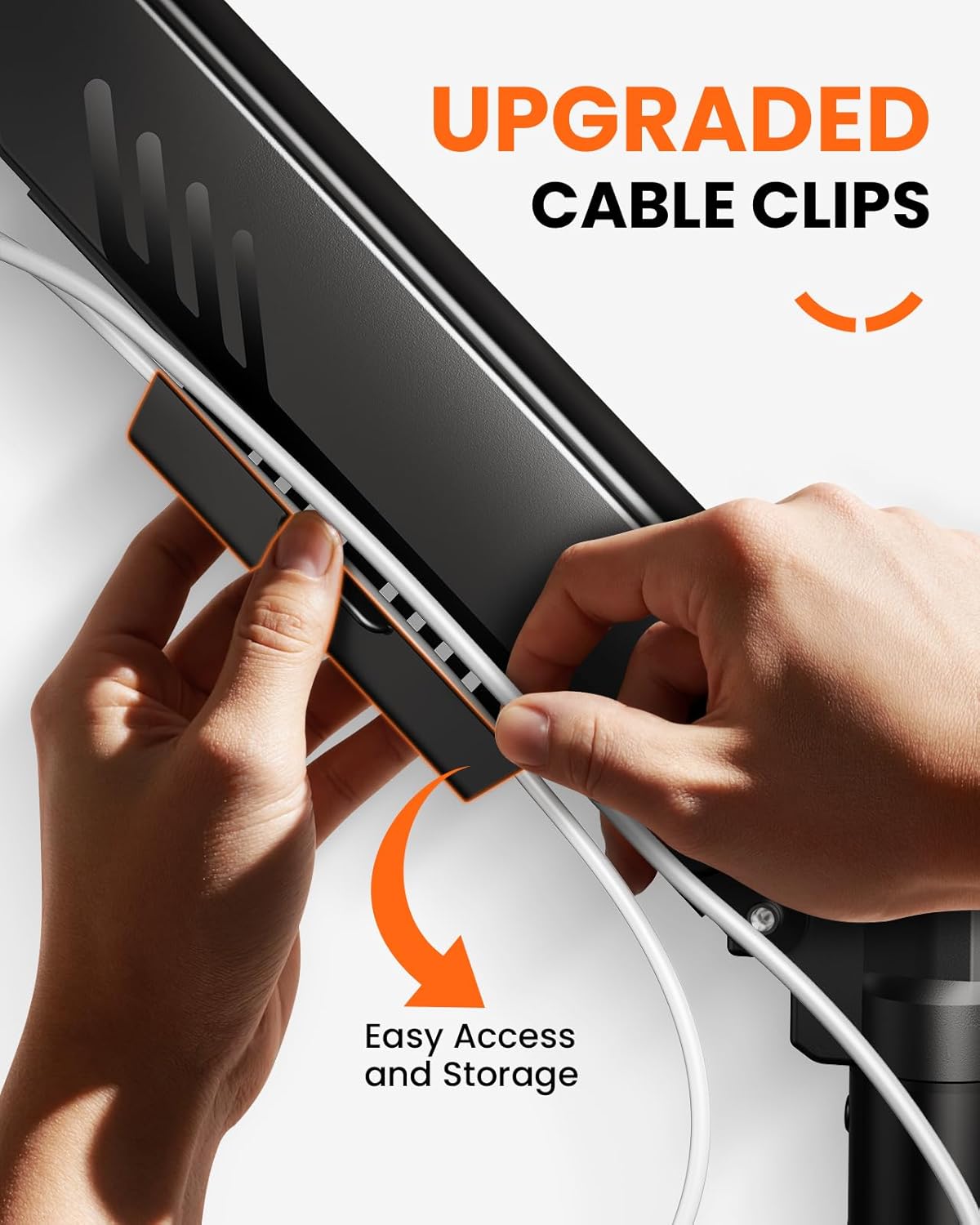
Image 6.4: Demonstration of the upgraded cable clips for easy cable organization.
7. Údržba
To ensure the longevity and optimal performance of your ErGear Single Monitor Arm:
- Regularly check all screws and connections for tightness. Retighten if necessary.
- Clean the arm with a soft, damp hadříkem. Nepoužívejte abrazivní čisticí prostředky ani rozpouštědla.
- Do not lubricate the gas spring mechanism unless specifically instructed by customer support.
8. Řešení problémů
Pokud narazíte na problémy s ramenem monitoru, podívejte se na následující běžné problémy a jejich řešení:
- Monitor sags or does not stay at desired height: The gas spring tension needs adjustment. Refer to Section 6.2 (Tension Adjustment) and use the provided Allen key to increase tension (turn clockwise).
- Monitor rises too easily or is difficult to push down: The gas spring tension is too high. Refer to Section 6.2 (Tension Adjustment) and use the provided Allen key to decrease tension (turn counter-clockwise).
- Arm feels wobbly: Ensure all mounting screws (desk clamp/grommet base and VESA plate) are securely tightened. Check desk stability.
- Cannot attach monitor to VESA plate: Verify your monitor's VESA pattern matches the arm's compatibility (75x75mm or 100x100mm). Ensure no obstructions are present on the monitor's back.
9. Záruka a podpora
ErGear products are designed for durability and performance. For warranty information, technical support, or replacement parts, please contact ErGear customer service through the retailer where you purchased the product or visit the official ErGear website. Please have your model number (EGDMA69B) and purchase details ready.