

Zavedení
This manual provides essential information for the setup, operation, and maintenance of your Hyperkin The Competitor Wired Controller. Designed for precision and performance, this controller is compatible with Xbox Series X|S, Xbox One, and Windows PC. Please read this manual thoroughly before use to ensure optimal performance and longevity of your device.
Obsah balení
Ověřte, zda jsou v balení přítomny všechny položky:
- Hyperkin The Competitor Wired Controller
- Odnímatelný USB-C kabel
- Rychlý průvodce
- Swappable Stick Caps (Domed & Concave)

Image: Contents of the Hyperkin The Competitor package, including the controller, cable, and documentation.
Nastavení
The Hyperkin The Competitor Wired Controller offers plug-and-play functionality for supported platforms.
Připojení k Xboxu Series X|S nebo Xboxu One:
- Ujistěte se, že je konzole Xbox zapnutá.
- Connect the detachable USB-C cable to the USB-C port on the top of the controller.
- Plug the USB-A end of the cable into an available USB port on your Xbox console.
- Ovladač se automaticky připojí a bude připraven k použití.
Connecting to PC (Windows):
- Ujistěte se, že je váš počítač zapnutý.
- Connect the detachable USB-C cable to the USB-C port on the top of the controller.
- Plug the USB-A end of the cable into an available USB port on your PC.
- Windows will automatically detect and install the necessary drivers. The controller will be ready for use once the installation is complete.
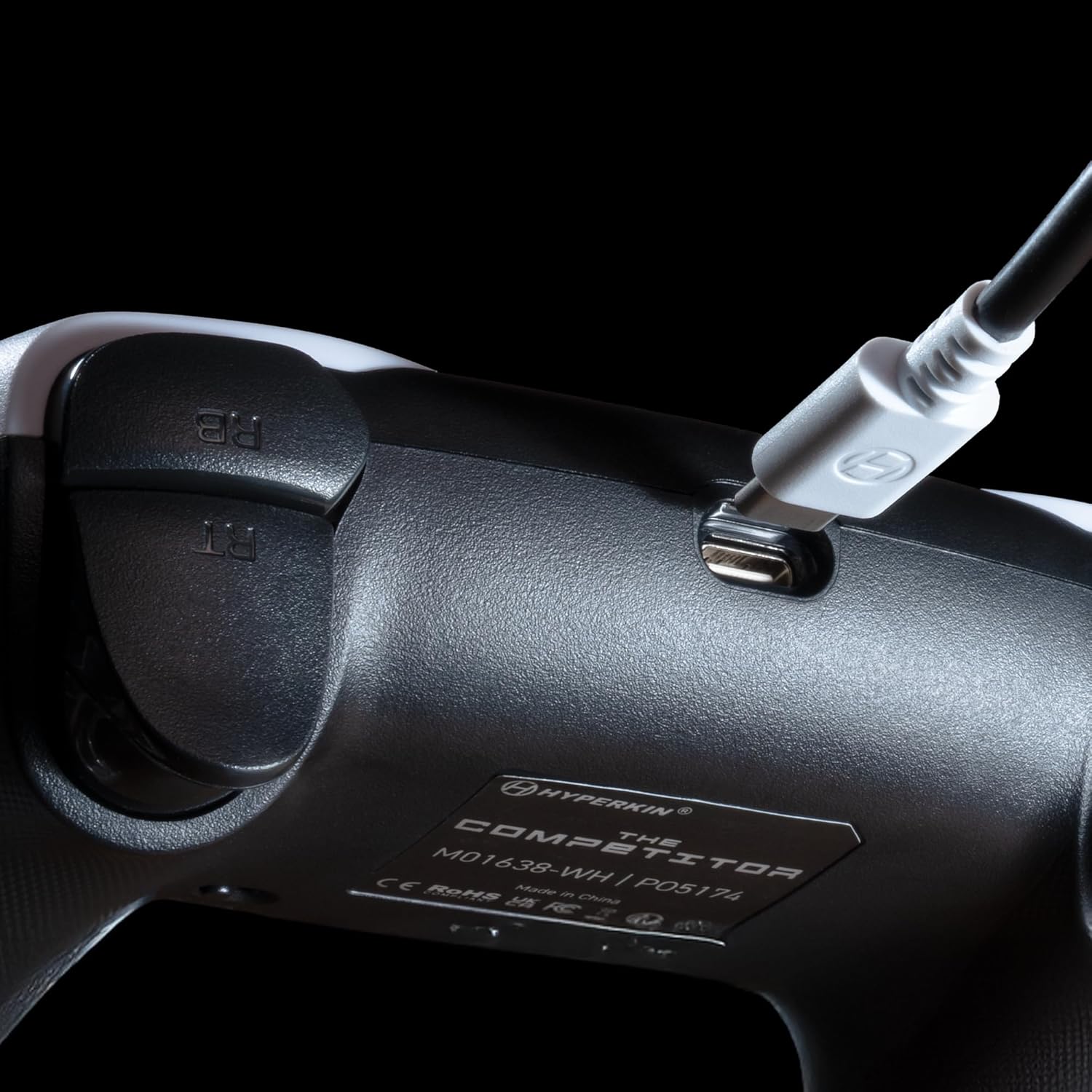
Obrázek: Detail view of the USB-C port on the Hyperkin The Competitor controller, illustrating the connection point for the detachable cable.
Obsluha ovladače
Familiarize yourself with the key features and controls of your Hyperkin The Competitor controller.
Klíčové vlastnosti:
- Joysticky s Hallovým efektem: Experience drift-free accuracy and magnetic precision for ultra-smooth movement and long-lasting durability.
- Impulsní spouštěče: Provides immersive and reliable haptic feedback for enhanced gameplay.
- Symmetrical Analog Stick Layout: Offers a balanced and comfortable design, supporting precision play.
- Segmented Traditional D-pad: Delivers ultra-responsive control and satisfying feedback for pinpoint accuracy.
- Programovatelná tlačítka zpět: Two customizable rear buttons for on-the-fly remapping to suit your playstyle.
- Dedicated Mute Button: Quickly mute your microphone during gameplay.
- Swappable Stick Caps: Customize your feel with included Domed and Concave stick caps.
- Anti-Friction Gates & Metal Glide Rings: Engineered for ultra-smooth control and reduced wear.

Image: Diagram highlighting the Hall Effect Sticks and the Symmetrical Twin Stick Layout of the controller.

Image: Diagram illustrating the Hall Effect Impulse Triggers and the location of the programmable Back Buttons.

Obrázek: Podrobný views of the Traditional Segmented D-Pad, the interchangeable Dome and Concave stick caps, and the Metal Glide Rings.
Programming Back Buttons:
Specific instructions for programming the back buttons are typically found in the Quick Start Guide included with your product or on the Hyperkin official support website. Generally, this involves a combination of holding a program button and pressing the desired back button and the button you wish to map.
Údržba
Pro zajištění dlouhé životnosti a optimálního výkonu vašeho regulátoru dodržujte tyto pokyny pro údržbu:
- Čištění: K otření ovladače použijte měkký, suchý hadřík. V případě odolné nečistoty lehceamphadřík vodou. Nepoužívejte agresivní chemikálie ani abrazivní čisticí prostředky.
- Skladování: Regulátor skladujte na chladném a suchém místě mimo dosah přímého slunečního záření a extrémních teplot.
- Péče o kabely: Neohýbejte ani nekruťte kabel USB-C. Při zapojování a odpojování vždy uchopte konektor, nikoli kabel.
- Vyhněte se kapkám: Chraňte ovladač před pády a nárazy, které by mohly poškodit vnitřní součásti.
Odstraňování problémů
If you encounter issues with your Hyperkin The Competitor controller, try the following steps:
- Ovladač nereaguje:
- Ujistěte se, že je kabel USB-C bezpečně připojen k ovladači i konzoli/počítači.
- Zkuste zapojit ovladač do jiného USB portu.
- Restartujte konzoli nebo počítač.
- Pokud je to možné, otestujte ovladač na jiném kompatibilním zařízení.
- Buttons/Joysticks Not Working Correctly:
- Ujistěte se, že se kolem tlačítek nebo joysticků nenacházejí žádné nečistoty.
- Perform a system update on your console or PC to ensure the latest drivers are installed.
- If using on PC, check controller calibration settings in your operating system.
- Audio Issues (Mic Mute Button):
- Ensure the dedicated mute button is not activated.
- Check your in-game or system audio settings.
If problems persist after attempting these steps, please contact Hyperkin customer support for further assistance.
Specifikace
| Číslo modelu | M01638-WH |
| Kompatibilita | Xbox Series X|S, Xbox One, PC (Windows) |
| Konektivita | Wired (Detachable USB-C to USB-A cable) |
| Joysticky | Hallův efekt |
| Spouštěče | Impulsní spouštěče |
| Rozložení | Symmetrical Analog Sticks |
| D-Pad | Segmented Traditional D-pad |
| Tlačítka | ABXY, Menu, View, Share, Xbox Guide, 2 Programmable Back Buttons, Dedicated Mic Mute Button |
| Přizpůsobení | Swappable Stick Caps (Domed & Concave) |
| Rozměry | 6.25 x 2.5 x 5 palce |
| Hmotnost | 15.6 unce |
Záruka a podpora
Informace o záruce:
Warranty details for the Hyperkin The Competitor Wired Controller are typically provided with your product packaging or can be found on the official Hyperkin webstránky. Uschovejte si prosím doklad o koupi pro případné reklamace.
Zákaznická podpora:
For technical assistance, troubleshooting, or further inquiries, please visit the official Hyperkin support page or contact their customer service directly. Refer to the contact information provided in your product's Quick Start Guide or on the Hyperkin webmísto.