
Zavedení
Thank you for choosing the Grandder 55x28 Inch Electric Standing Desk. This manual provides detailed instructions for assembly, operation, and maintenance to ensure optimal performance and longevity of your desk. Please read this manual thoroughly before assembly and use, and retain it for future reference.
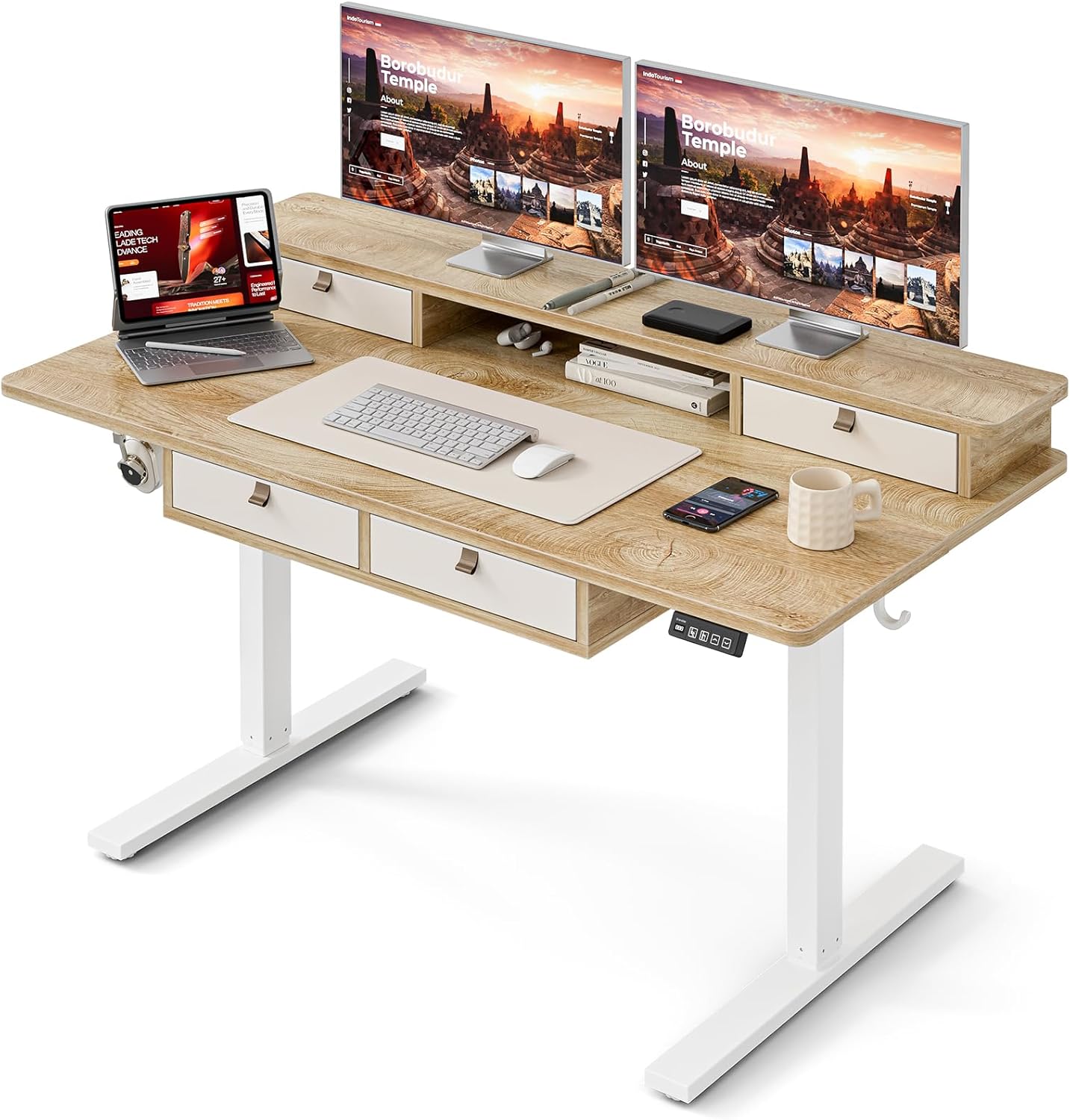
Image: The Grandder electric standing desk, showcasing its spacious desktop, integrated storage, and monitor stand.
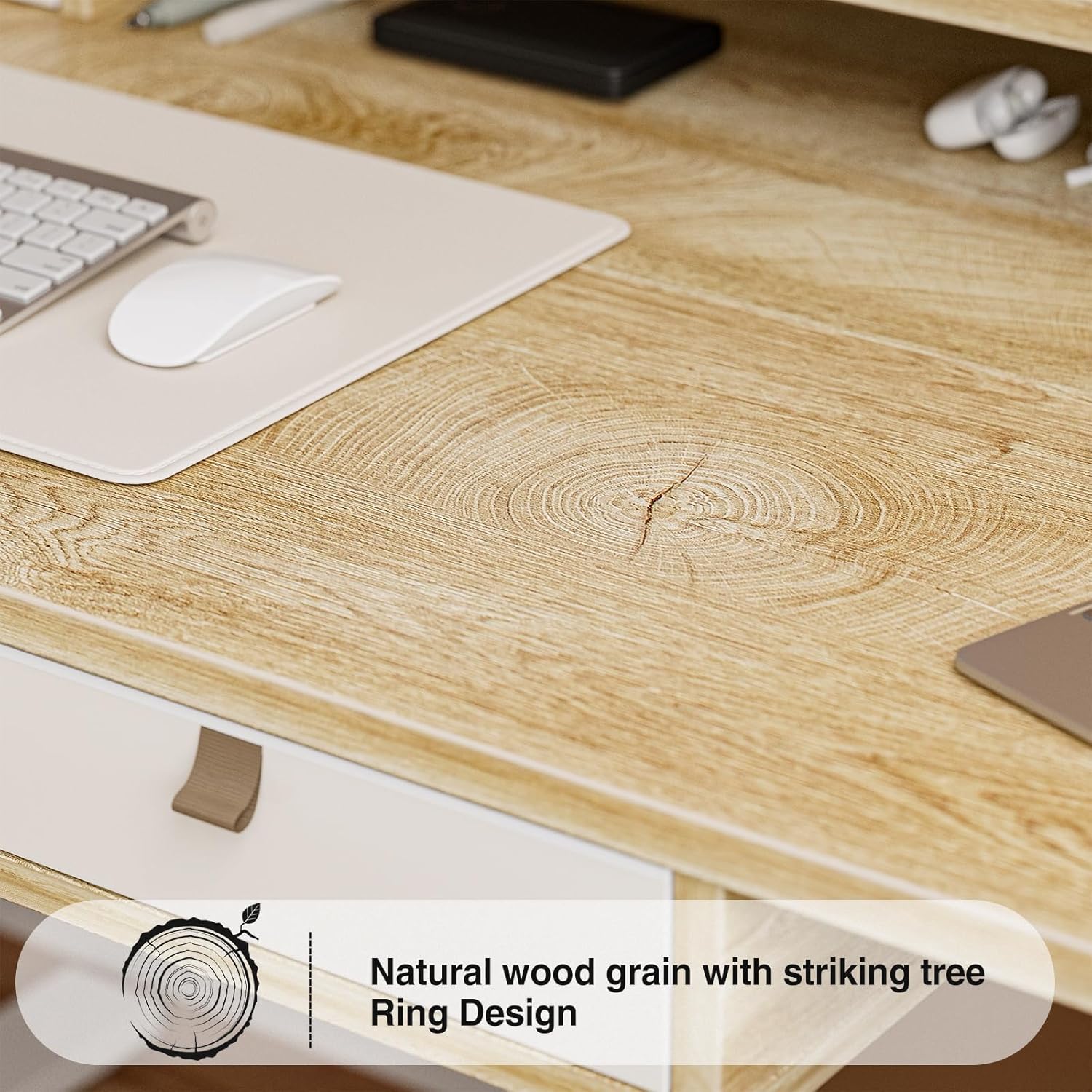
Image: Detail of the natural wood grain desktop finish.

Image: The desk's robust construction, tested for over 50,000 lifts, ensuring stability and durability.
Bezpečnostní informace
Abyste předešli zranění nebo poškození vašeho stolu, dodržujte prosím následující bezpečnostní opatření:
- Před použitím se ujistěte, že jsou všechny součásti bezpečně upevněny.
- Během provozu držte děti a domácí zvířata v dostatečné vzdálenosti od stolu.
- Nepřetěžujte stůl. Maximální nosnost naleznete ve specifikacích.
- Zabraňte přímému kontaktu tekutin s ovládacím panelem nebo součástmi motoru.
- Před čištěním nebo údržbou odpojte napájení.
- Do not attempt to modify the desk's electrical components.
- Ensure there are no obstructions in the desk's path during height adjustment.
Obsah balení
Před zahájením montáže zkontrolujte, zda jsou všechny díly přítomny. Pokud některé díly chybí nebo jsou poškozené, kontaktujte zákaznickou podporu.
- Stolní počítač (spojovací deska)
- Rám stolu (nohy a příčka)
- Electric Lifting Mechanism (Motor and Control Box)
- Ovládací panel
- 4 úložných zásuvek
- Monitor Stand/Upper Shelf
- Kabelové průchodky
- Háček na sluchátka
- Montážní materiál (šrouby, imbusové klíče atd.)
- Napájecí adaptér
- Uživatelská příručka
Montážní návod
Assembly typically requires two people. Follow the steps below carefully. An estimated assembly time is 50-60 minutes.
- Rozbalte komponenty: Opatrně vyjměte všechny díly z obalu a položte je na čistý, měkký povrch, abyste zabránili poškrábání. Zkontrolujte všechny díly podle obsahu balení.
- Sestavení rámu stolu: Attach the desk legs to the crossbar using the provided hardware. Ensure all connections are secure.
- Připojit plochu: Carefully place the desktop onto the assembled frame. Align the pre-drilled holes and secure the desktop to the frame with screws.
- Install Electric Mechanism: Mount the motor and control box to the designated areas under the desktop. Connect all necessary cables according to the wiring diagram (refer to specific diagrams in the full manual, if available).
- Instalace ovládacího panelu: Attach the control panel to the underside of the desktop, typically on the right side, and connect its cable to the control box.
- Assemble Storage Elements: Install the four storage drawers into their respective slots. Attach the monitor stand/upper shelf to the desktop.
- Připojit příslušenství: Install cable grommets and the headphone hook as desired.
- Připojte napájení: Zapojte napájecí adaptér do ovládací jednotky a poté do zásuvky ve zdi.
- Počáteční test: Perform an initial test of the height adjustment function to ensure smooth operation.

Image: Desk dimensions for reference during assembly and placement.
Návod k obsluze
Your Grandder electric standing desk features an intuitive control panel for easy height adjustment and memory presets.
Funkce ovládacího panelu

Image: The hand controller for the electric standing desk, showing the digital display and control buttons.
- Šipky nahoru/dolů (▲ / ▼): Press and hold to manually adjust the desk height. Release to stop at the desired position.
- Digitální displej: Zobrazuje aktuální výšku stolu v palcích nebo centimetrech.
- Preset Buttons (Icons): Your desk features preset buttons to save and recall preferred sitting and standing heights.
- Uložení předvolby: Adjust the desk to your desired height using the up/down arrows. Press and hold one of the preset icon buttons (e.g., sitting person icon) until the display flashes or beeps, indicating the height is saved.
- Vyvolání předvolby: Briefly press the corresponding preset icon button. The desk will automatically move to the saved height.
Nastavení výšky
The desk allows for smooth electric height adjustment, enabling you to switch between sitting and standing positions. The height range is approximately 28 inches to 45.6 inches.
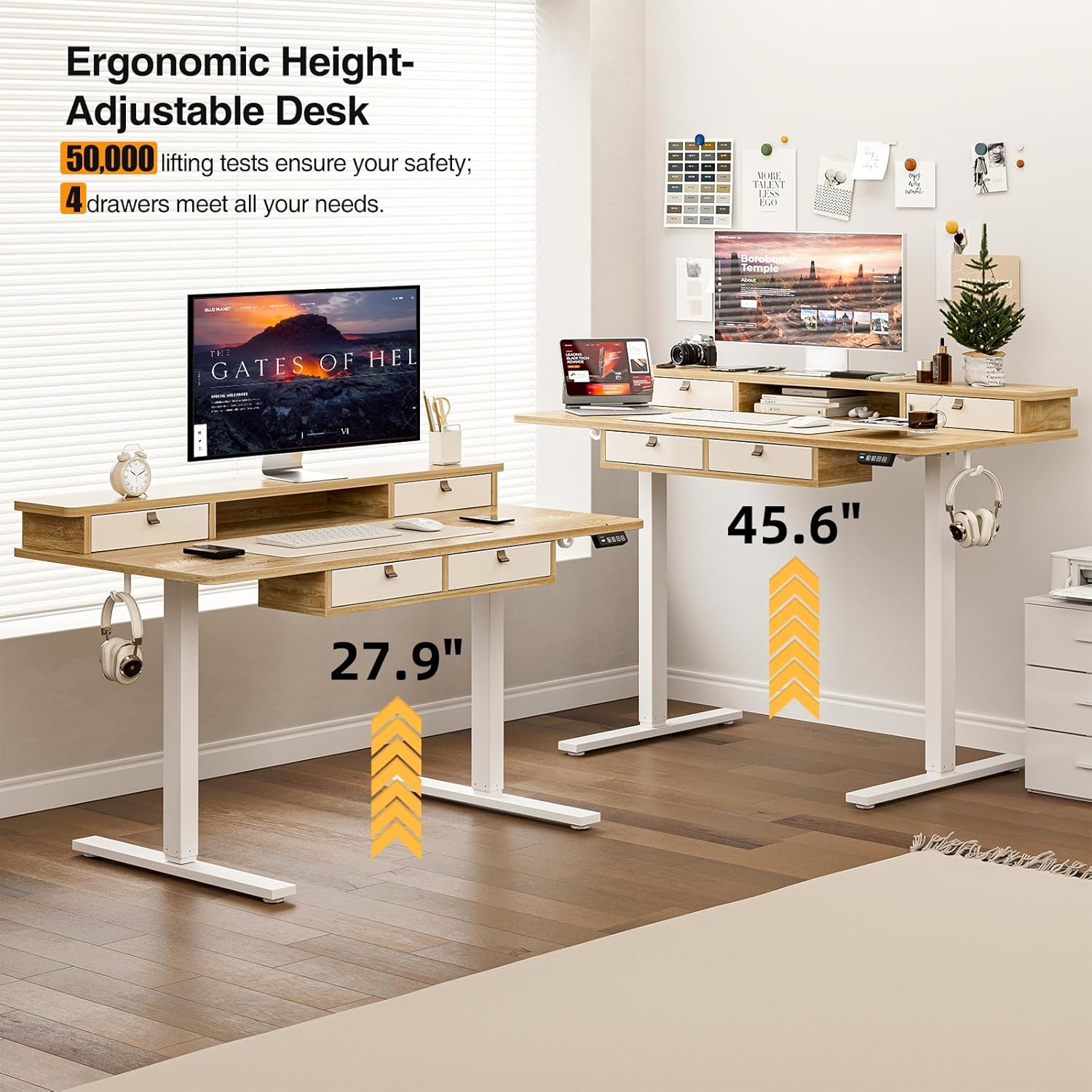
Obrázek: Vizuální znázornění nastavitelné výšky stolu, od polohy vsedě po polohu ve stoje.
Funkce úložiště
The desk includes four integrated drawers and an upper shelf for organized storage of office essentials, helping to maintain a tidy workspace.

Image: The four storage drawers providing ampprostor pro organizaci.

Image: Comparison illustrating the enhanced storage capabilities of the Grandder desk.
Další funkce
- Protikolizní design: The desk is equipped with an anti-collision system that automatically stops movement if an obstruction is detected, preventing damage or injury.
- Nastavitelné nožičky: The desk features adjustable foot pads to ensure stability on uneven floors.
- Háček na sluchátka: A convenient hook is included for hanging headphones or other accessories.

Image: Details of the control panel, adjustable foot pads, and anti-collision feature.
Údržba
Regular maintenance ensures the longevity and smooth operation of your desk.
- Čištění: Otřete pracovní plochu a rám měkkým hadříkemamp hadříkem. Nepoužívejte abrazivní čisticí prostředky ani agresivní chemikálie, které by mohly poškodit povrchovou úpravu.
- Správa kabelů: Periodically check and organize cables to prevent tangles and ensure they do not interfere with the desk's movement.
- Kontrola upevňovacích prvků: Every few months, check all screws and fasteners to ensure they are tight. Retighten if necessary.
- Péče o motor: The electric motor is designed for maintenance-free operation. Do not attempt to lubricate or disassemble it.
Odstraňování problémů
| Problém | Možná příčina | Řešení |
|---|---|---|
| Stůl se nehýbe. | Odpojený napájecí kabel; přetížení motoru; problém s ovládacím panelem. | Check power connections. Unplug and replug the power cable. Reduce weight on the desk. Contact customer support if the issue persists. |
| Nerovnoměrné nastavení výšky. | Uneven load; loose fasteners. | Distribute weight evenly on the desktop. Check and tighten all assembly fasteners. |
| Stůl se zastaví uprostřed pohybu. | Aktivována ochrana proti přetížení; spuštěn systém proti kolizi. | Reduce weight on the desk. Check for obstructions under or around the desk. Wait a few moments before attempting to adjust again. |
| Control panel display not working. | Power issue; loose cable connection. | Ensure the power cable is securely connected. Check the connection between the control panel and the control box. |
Specifikace
| Značka | Grander |
| Číslo modelu | A205-55DX |
| Rozměry produktu (D x Š x V) | 27.6"D x 55"W x 37"H (at lowest point, approximate) |
| Nastavitelný rozsah výšky | Approx. 28" - 45.6" |
| Materiál pro stolní počítače | Dřevěné konstrukce s laminovanou povrchovou úpravou |
| Materiál rámu | Kov |
| Barva | Dub |
| Hmotnost položky | 59 libry |
| Hmotnostní kapacita | Až 220 liber |
| Speciální funkce | Ergonomic, 4 Storage Drawers, Monitor Stand, Cable Grommets, Headphone Hook |

Image: The desk's capacity to hold various office items, up to 220 lbs.
Záruka a podpora
Grandder products are designed for quality and durability. For warranty information, technical support, or assistance with missing/damaged parts, please contact Grandder customer service through the retailer's platform or the official Grandder website. Please have your model number (A205-55DX) and purchase date ready when contacting support.