
Zavedení
Děkuji za nákupasing the Generic Portable Bluetooth CD Player. This device offers versatile audio playback options, including CDs, USB drives, and Bluetooth connectivity, all in a compact and portable design. Please read this manual carefully to ensure proper use and to maximize your listening experience.
Obsah balení
Ujistěte se, že v balení jsou přítomny všechny položky:
- Přenosný přehrávač CD
- Uživatelská příručka
- Nabíjecí kabel typu C.
- Sluchátka
- Earmuffs (for earphones)
Konec produktuview
Seznamte se s komponenty a ovládacími prvky vašeho CD přehrávače.

Obraz: Přední a boční view of the CD player, highlighting the USB port, HOLD switch, and control buttons. The display shows "04:31".

Obraz: Detailní strana view of the CD player, labeling the Type-C charging port, USB interface, 3.5mm headphone/speaker jack, and the On/Off/Key Lock switch.
Ovládací prvky a porty:
- Nabíjecí port typu C: Pro připojení nabíjecího kabelu.
- USB rozhraní: Pro připojení USB flash disku pro přehrávání MP3.
- 3.5mm Headphone/Speaker Jack: Pro připojení kabelových sluchátek nebo externích reproduktorů.
- On/Off/Key Lock Switch (HOLD): Slides to power on/off the device or to lock/unlock buttons.
- Ovládací tlačítka přehrávání: Play/Pause, Skip Forward, Skip Backward, Stop.
- Tlačítko režimu (M): To switch between CD, USB, and Bluetooth modes.
- LCD displej: Zobrazuje číslo skladby, čas a režim.
Nastavení
1. Nabíjení zařízení
Before first use, fully charge the CD player. Connect the provided Type-C charging cable to the charging port on the device and to a 5V-2A USB power adapter (not included). The charging indicator will show the charging status. A full charge provides approximately 2 hours of playback with external release or 5-6 hours with headphones.
Obraz: Strana view of the CD player with labels for Type-C charging port and estimated battery life for different usage scenarios.
2. Zapnutí/vypnutí
Posuňte On/Off/Key Lock switch to the "ON" position to power on the device. To power off, slide it to the "OFF" position.
Návod k obsluze
1. Přehrávání CD
- Otevřete kryt přihrádky na CD.
- Insert a CD (CD/CD-R/CD-RW/MP3 format) with the label side facing up.
- Zavřete kryt prostoru pro CD.
- Pokud ještě nejste v režimu CD, stiskněte režim (M) tlačítko, dokud se na displeji nezobrazí „CD“.
- The player will automatically read the disc and begin playback.
- Use the Play/Pause, Skip Forward, Skip Backward, and Stop buttons to control playback.
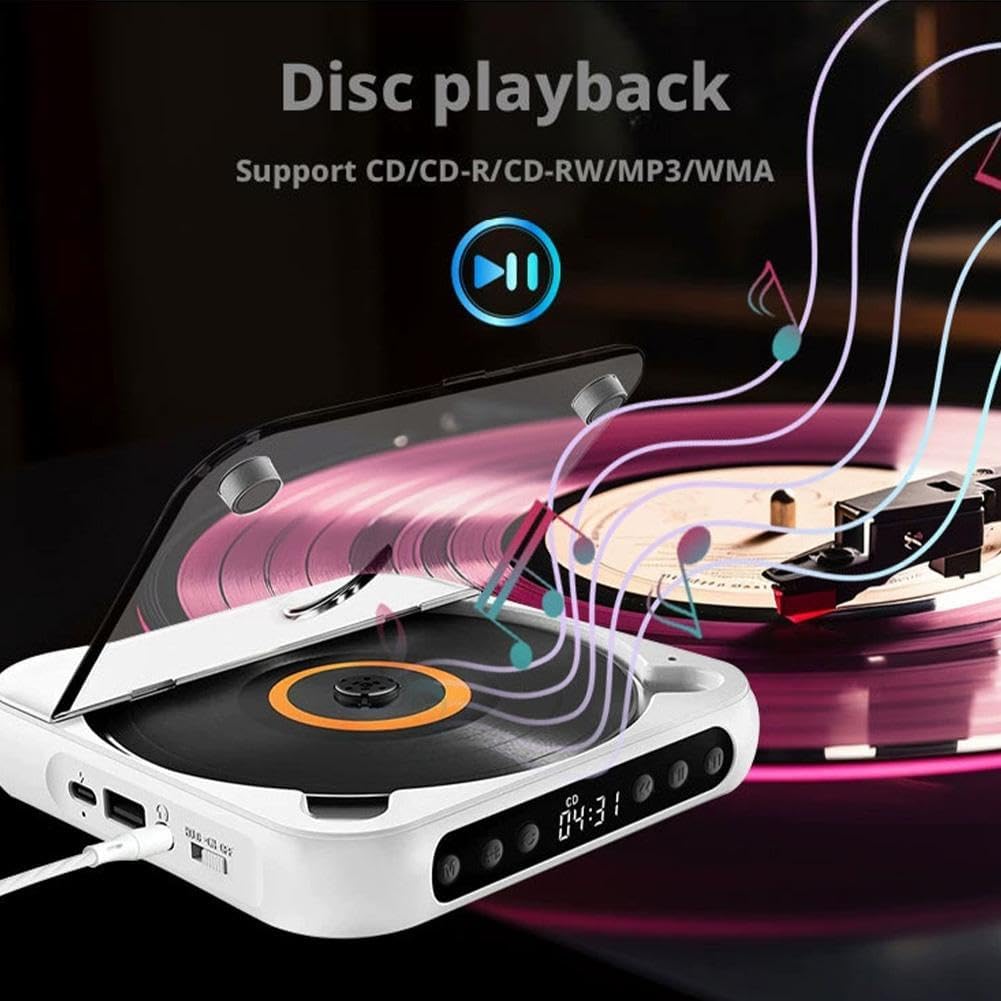
Obraz: The CD player with a disc spinning, illustrating the disc playback function. Supports CD/CD-R/CD-RW/MP3 formats.
2. Přehrávání z USB
- Vložte USB flash disk s audio soubory ve formátu MP3 files do rozhraní USB.
- Stiskněte tlačítko režim (M) tlačítko, dokud se na displeji nezobrazí „USB“.
- The player will automatically read the USB drive and begin playback of MP3 files.
- Use the Play/Pause, Skip Forward, Skip Backward, and Stop buttons to control playback.

Obraz: A USB flash drive inserted into the USB port of the CD player, demonstrating USB playback capability for MP3 files.
3. Připojení Bluetooth
The CD player can connect wirelessly to Bluetooth speakers or headphones.
- Ujistěte se, že je přehrávač CD zapnutý.
- Stiskněte tlačítko režim (M) button until "BT" or "Bluetooth" appears on the display. The player will enter pairing mode.
- Turn on your Bluetooth speaker or headphones and set them to pairing mode.
- The CD player will automatically search for and connect to nearby Bluetooth devices. Once connected, the display will indicate a successful connection.
- You can now play audio from the CD player through your connected Bluetooth device.

Obraz: Illustrations of the CD player connecting to a Bluetooth speaker, Bluetooth headset, external speakers via 3.5mm auxiliary cable, and wired headphones.
4. AUX Connection (Wired Output)
Connect wired headphones or external speakers using the 3.5mm audio jack.
- Plug your 3.5mm wired headphones or an AUX cable connected to external speakers into the 3.5mm headphone/speaker jack on the side of the CD player.
- The audio will automatically output through the connected device.
5. HOLD Key Lock Function
The HOLD function prevents accidental button presses during transport or when the device is in a bag.
- To activate: Slide the On/Off/Key Lock switch to the "HOLD" position. All buttons will be locked.
- To deactivate: Slide the switch back to the "ON" or "OFF" position.
Obraz: Detail of the HOLD switch, indicating "HOLD" and "ON" positions for locking and unlocking the player's functions.
6. Opakujte funkci
The repeat function allows you to repeat a single track or the entire disc/playlist.
- Během přehrávání stiskněte tlačítko Opakovat button (often labeled with a loop icon or "REP") to cycle through repeat modes (e.g., repeat one, repeat all, random play). Refer to the display for the current repeat mode.

Obraz: The CD player with a highlighted repeat button, indicating its use for repeating tracks or entire discs.
Údržba
- Udržujte zařízení čisté a bez prachu. K čištění používejte měkký, suchý hadřík.
- Nevystavujte zařízení extrémním teplotám, přímému slunečnímu záření nebo vysoké vlhkosti.
- Do not disassemble the device. Repairs should only be performed by qualified personnel.
- Handle CDs and USB drives carefully to prevent scratches or damage.
Odstraňování problémů
| Problém | Možná příčina | Řešení |
|---|---|---|
| Zařízení se nezapne. | Low battery or power switch in OFF position. | Charge the device. Ensure the On/Off switch is in the "ON" position. |
| Ze sluchátek/reproduktorů není slyšet žádný zvuk. | Headphones/speakers not connected properly, volume too low, or incorrect mode. | Check connections. Increase volume. Ensure correct mode (CD, USB, BT) is selected. |
| CD přeskakuje nebo se nepřehrává. | Scratched or dirty CD, incorrect CD format, or device moved during playback. | Clean the CD. Ensure it is a supported format (CD/CD-R/CD-RW/MP3). Avoid moving the player during playback. |
| Zařízení Bluetooth se nespáruje. | Bluetooth device not in pairing mode, too far away, or already connected to another device. | Ensure both devices are in pairing mode and within range. Disconnect from other devices if necessary. |
| USB disk nebyl rozpoznán. | USB drive not formatted correctly, no supported files, or drive damaged. | Ensure USB drive contains MP3 files. Zkuste jiný USB disk. |
Specifikace
| Číslo modelu | Generic672160 |
| Playback Disc Formats | CD, CD-R, CD-RW, MP3 |
| Podporovaný zvukový formát (USB) | MP3 |
| Kapacita baterie | Dobíjecí 2000mAh |
| Nabíjecí svtage | 5V-2A (typ C) |
| Verze Bluetooth | 5.3 |
| Výstupní výkon | 2W |
| Odstup signálu od šumu | 70 dB |
| Frekvenční rozsah | 50Hz-20kHz |
| Rozměry (D x Š x V) | 13.5 x 13.5 x 2.5 cm (5.3 x 5.3 x 1.0 palce) |
| Čistá hmotnost | 280 g (0.62 lb) |
Záruka a podpora
Tento produkt je dodáván s a Doživotní záruka as per manufacturer specifications. For technical support, troubleshooting assistance, or warranty claims, please contact the seller or manufacturer directly through your purchase platform.
Manufacturer Contact Information: CAD-XX-CD-Player (as listed in product specifications).