
1. Úvod
Welcome to the user manual for your SGIN Android Tablet 10.1 Inch, Model GE8300. This manual provides essential information for setting up, operating, maintaining, and troubleshooting your new tablet. Designed with children in mind, this tablet features a durable case, parental controls, and pre-installed educational content through Kidoz software. Please read this manual thoroughly to ensure proper use and to maximize your tablet's potential.
2. Konec produktuview
The SGIN Android Tablet 10.1 Inch is equipped with a 10.1-inch HD IPS display, a quad-core processor, 4GB RAM, and 64GB of internal storage. It runs on Android 13 and includes a protective case with an adjustable bracket.
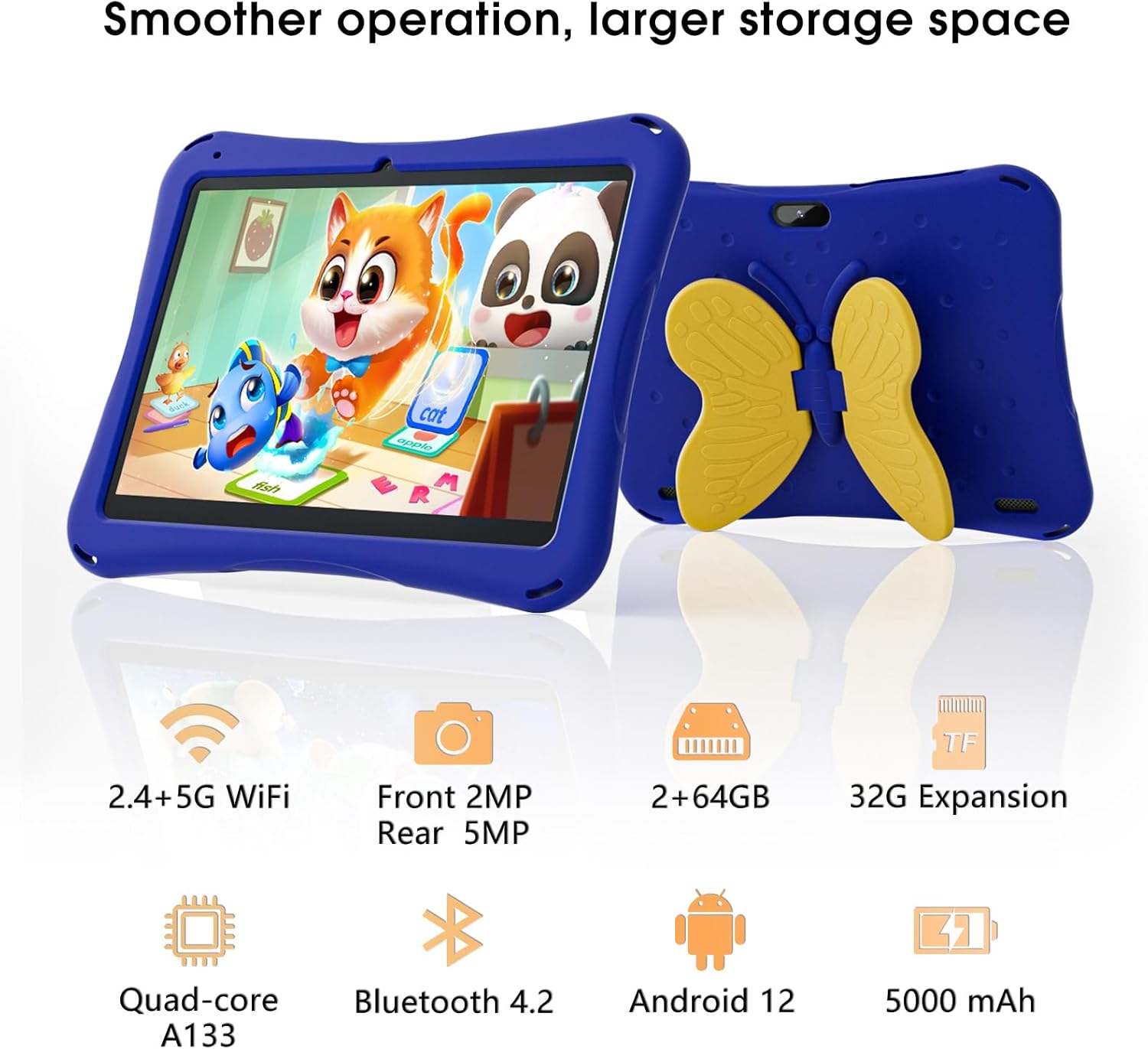
Image: SGIN Android Tablet 10.1 Inch with its protective blue case and yellow butterfly stand.
Součásti tabletu

Image: Detailed diagram illustrating the various components and ports of the SGIN Android Tablet.
- Přední kamera: Pro videohovory a selfie.
- Zadní kamera: Pro pořizování fotografií a videí.
- Řečníci: Pro audio výstup.
- Port typu C: Pro nabíjení a přenos dat.
- Slot na kartu TF: Pro rozšiřitelné úložiště.
- Sluchátkový jack: Pro připojení drátových sluchátek.
- Zvýšení hlasitosti: Button to raise the audio level.
- Snížit hlasitost: Button to lower the audio level.
- Konzola: Adjustable stand integrated into the protective case.
3. Nastavení
3.1 Nabíjení tabletu
Before first use, fully charge the tablet using the provided Type-C cable and power adapter. The 5000mAh battery provides approximately 6-8 hours of usage on a full charge. A charging indicator will typically appear on the screen.
3.2 Zapnutí/vypnutí
- Zapnutí: Press and hold the power button (usually located on the side) until the SGIN logo appears.
- Vypnutí: Stiskněte a podržte tlačítko napájení a poté z možností na obrazovce vyberte možnost „Vypnout“.
- Restartovat: Stiskněte a podržte tlačítko napájení a poté z možností vyberte „Restartovat“.
3.3 Počáteční nastavení a připojení k Wi-Fi
Upon first power-on, follow the on-screen prompts to complete the initial Android 13 setup. This includes selecting your language, region, and connecting to a Wi-Fi network. The tablet supports both 2.4G and 5G Wi-Fi for stable internet connectivity.
- Přejít na Nastavení > Síť a internet > Wi-Fi.
- Přepnout Wi-Fi On.
- Vyberte požadovanou síť ze seznamu.
- Pokud se zobrazí výzva, zadejte heslo a poté klepněte na Připojit.
4. Návod k obsluze
4.1 Základní navigace
The tablet uses a touch-sensitive screen for navigation. Common gestures include tapping to select, swiping to scroll, pinching to zoom, and long-pressing for additional options.
4.2 Použití kamery
The tablet features a 2MP front-facing camera and a 5MP rear camera. To use the camera:
- Otevřete Fotoaparát aplikace.
- Select between front and rear cameras using the switch icon.
- Klepnutím na tlačítko spouště pořídíte fotografii nebo spustíte/zastavíte nahrávání videa.
4.3 Správa úložiště
The tablet comes with 64GB of internal storage. If more space is needed, you can expand it by inserting a TF (microSD) card into the TF card slot. The tablet supports expansion up to 34GB.
4.4 Připojení Bluetooth
The tablet supports Bluetooth 4.2 for connecting to wireless accessories such as headphones or speakers.
- Přejít na Nastavení > Připojená zařízení > Předvolby připojení > Bluetooth.
- Přepnout Bluetooth On.
- Vyberte zařízení ze seznamu dostupných zařízení, která chcete spárovat.
5. Parental Control Features
The SGIN tablet includes a built-in parental control security system to manage your child's usage and content access.
- Nastavit hesla: Create a password to secure parental control settings.
- Limity času stráveného u obrazovky: Define daily usage limits for the tablet.
- Filtrování obsahu: Eliminate unwanted ads and create specific media files or approved websites for your children.
- Více účtů: Set up individual accounts for each child, allowing personalized settings and content access.
6. Kidoz Kids Software
The tablet comes with the Kidoz Kid's software pre-installed, offering a safe and engaging environment for children.
- Accessing Kidoz: Launch the Kidoz app from the home screen.
- Kids Store: Explore thousands of free games and educational apps available for download within the Kidoz environment.
- Vzdělávací obsah: Kidoz provides content that supports learning in subjects like math, language, music, and painting.
7. Údržba
7.1 Čištění
Use a soft, lint-free cloth to clean the screen and the tablet's body. For stubborn smudges, slightly damphadřík vodou. Vyhněte se agresivním chemikáliím nebo abrazivním materiálům.
7.2 Péče o baterii
To prolong battery life, avoid exposing the tablet to extreme temperatures. Charge the tablet regularly and avoid letting the battery completely drain frequently.
7.3 Aktualizace softwaru
Pravidelně kontrolujte aktualizace systému, abyste zajistili optimální výkon a zabezpečení. Přejděte na Nastavení > Systém > Aktualizace systému.
7.4 Ochranné pouzdro
The included kid-proof case is designed to protect the tablet from dust, bumps, and drops. It also features a hollow design for heat dissipation. Ensure the tablet is properly seated within the case for maximum protection.

Image: The durable anti-drop protective case with its adjustable bracket.
8. Řešení problémů
If you encounter issues with your SGIN tablet, refer to the following common solutions:
- Tablet se nezapíná: Ujistěte se, že je tablet nabitý. Připojte jej k nabíječce a před opětovným zapnutím počkejte několik minut.
- Nereagující obrazovka: If the screen becomes unresponsive, try restarting the tablet by holding down the power button for approximately 10-15 seconds until it powers off, then power it on normally.
- Problémy s připojením Wi-Fi: Check if other devices can connect to the Wi-Fi network. Restart your Wi-Fi router. On the tablet, forget the network and reconnect.
- Pomalý výkon: Close unused applications running in the background. Clear cache data for apps. Consider performing a factory reset if performance issues persist (back up important data first).
- Pády aplikací: Ensure apps are updated to their latest versions. Clear the app's cache and data via Nastavení > Aplikace > [Název aplikace] > Úložiště a mezipaměť.
V případě problémů, které se vám nepodaří vyřešit pomocí těchto kroků, kontaktujte prosím zákaznickou podporu.
9. Specifikace
Key technical specifications for the SGIN Android Tablet 10.1 Inch Model GE8300:
| Funkce | Specifikace |
|---|---|
| Číslo modelu | GE8300 |
| Velikost obrazovky | 10.1 palce |
| Rozlišení displeje | 1280 x 800 pixelů (HD IPS) |
| Procesor | 1.6 GHz čtyřjádrový (Allwinner A133) |
| BERAN | 4 GB (2 GB fyzická + 2 GB rozšiřitelná) |
| Interní úložiště | 64GB ROM |
| Rozšiřitelné úložiště | Up to 34GB via TF Card |
| Operační systém | Android 13 |
| Kapacita baterie | 5000 XNUMX mAh |
| Přední kamera | 2 MP |
| Zadní kamera | 5 MP |
| Bezdrátové připojení | 2.4G/5G Wi-Fi, Bluetooth 4.2 |
| Barva | Tmavě modrá |
| Rozměry balíku | 32.2 x 20.4 x 4.7 cm; 1.04 kg |
10. Záruka a podpora
10.1 Záruka na produkt
The SGIN Android Tablet 10.1 Inch Model GE8300 comes with a 1-letá záruka od data nákupu. Tato záruka se vztahuje na výrobní vady vzniklé běžným používáním. Pro případné reklamace si prosím uschovejte doklad o koupi.
10.2 Zákaznická podpora
If you require further assistance or have questions not covered in this manual, please contact SGIN customer support. Refer to the product packaging or the official SGIN webstránky s nejaktuálnějšími kontaktními informacemi.