
Zavedení
Thank you for choosing the HUANUO Ergonomic Office Chair. This manual provides essential information for the safe assembly, operation, and maintenance of your chair. Please read these instructions carefully before use and retain them for future reference.
Bezpečnostní informace
- Do not exceed the maximum recommended weight capacity of 136 kg (300 lb).
- Read and follow all assembly instructions carefully to prevent injuries.
- Ensure all screws and bolts are securely tightened before using the chair. Periodically check and re-tighten as necessary.
- Během montáže držte děti a domácí zvířata mimo dosah.
- Židli používejte na rovném povrchu, aby se nepřevrhla.
- Nestávejte na židli ani ji nepoužívejte jako schůdky.
- Nepoužívejte židli, pokud jsou některé díly poškozené nebo chybí. Pro náhradní díly kontaktujte zákaznickou podporu.
Obsah balení
Před montáží zkontrolujte, zda jsou všechny součásti přítomny a nepoškozené. Podrobný seznam dílů a hardwaru naleznete v přiloženém návodu k montáži.
- Backrest with mesh
- Sedací polštář
- Opěrka hlavy
- Područky (2)
- plynový zvedací válec
- Základna s kolečky
- Mechanická deska
- Montážní hardware a nástroje
Nastavení a montáž
Assembly is required for this chair. For detailed, step-by-step instructions, please refer to the separate assembly manual included in your package. Ensure you have adequate space and follow the instructions carefully to ensure proper and safe assembly.
Postup generálního shromáždění:
- Připevněte kolečka k základně židle.
- Vložte plynový zvedací válec do středu základny.
- Připevněte desku mechanismu ke spodní straně sedáku.
- Connect the backrest to the seat cushion.
- Attach the armrests to the seat and backrest.
- Namontujte sestavené sedadlo a opěradlo na plynový zvedací válec.
- Nainstalujte opěrku hlavy na opěradlo.
Provoz a seřízení
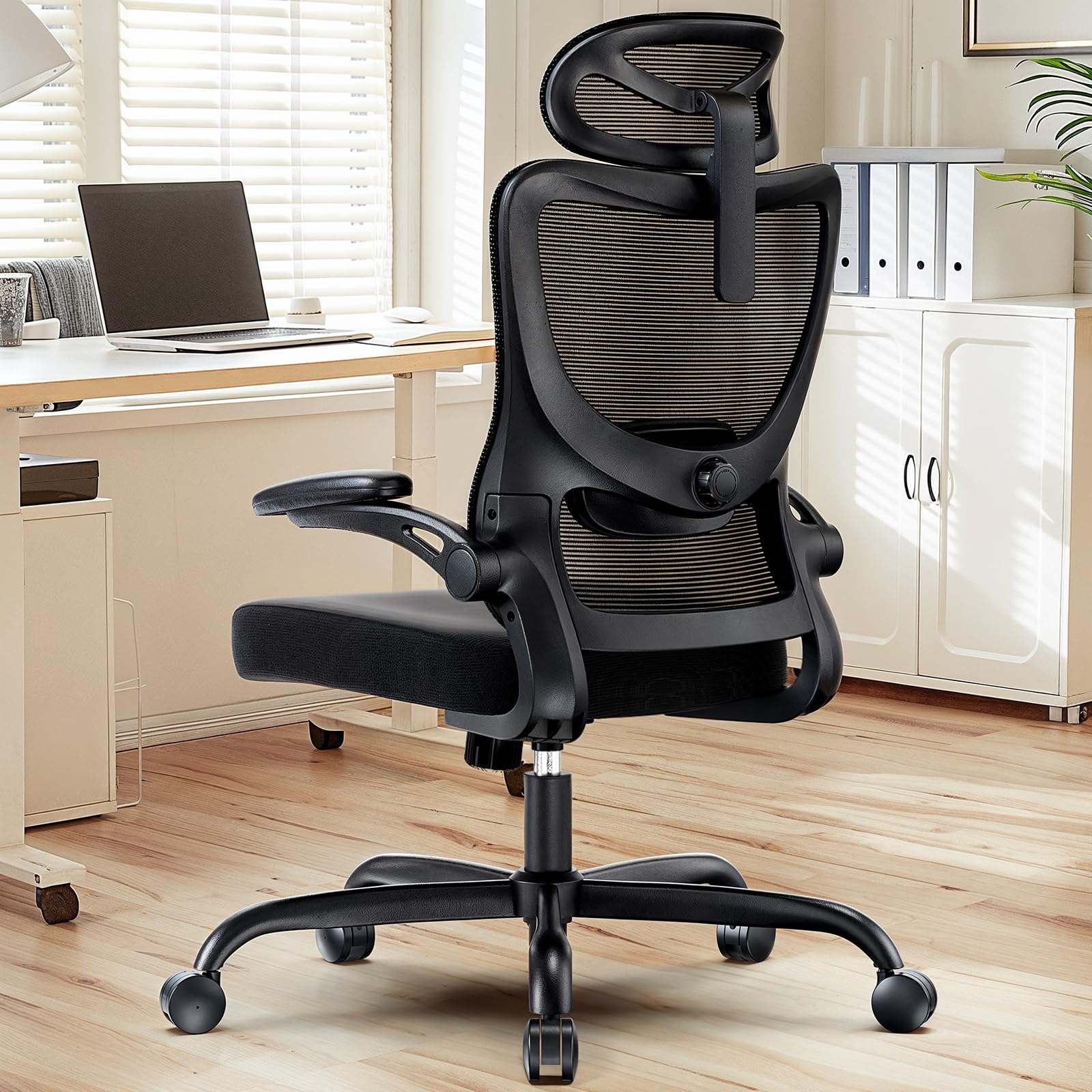
The HUANUO Ergonomic Office Chair offers multiple adjustment options to customize your seating experience for optimal comfort and support.

Obraz: Nadview of the chair's adjustable components, highlighting the 2D headrest, 2D lumbar support, and 3D armrests.
1. Nastavení opěrky hlavy
The 2D adjustable headrest allows you to position it for optimal neck and head support.
- Nastavení výšky: Grasp the headrest and slide it up or down to your desired height. It offers approximately 10.1 inches of vertical adjustment.
- Nastavení úhlu: Tilt the headrest forward or backward to find the most comfortable angle for your head and neck.

Obraz: Visual guide for adjusting the 2D headrest, demonstrating its range of motion.
2. Backrest Recline and Tilt
The backrest can recline and tilt to suit various working or resting postures.
- Úhel sklonu: The backrest can be reclined between 90° and 120°. Use the lever located on the right side under the seat to adjust and lock the recline angle.
- Napětí náklonu: Adjust the round knob under the seat to increase or decrease the tension required to recline the backrest. Turn clockwise to increase tension, counter-clockwise to decrease.

Obraz: Instructions for adjusting backrest recline and tilt, including the tilt tension knob and lock lever.
3. Nastavení bederní opěrky
The flexible lumbar support system adapts to your body shape, promoting optimal posture.
- Nastavení hloubky: The lumbar support can move 3 cm (1.2 inches) forward and backward. Use the knob on the side of the lumbar support to adjust its depth.
- Nastavení výšky: The lumbar support can move 5.5 cm (2.2 inches) up and down. Grasp the lumbar support and slide it vertically to align with the natural curve of your lower back.

Obraz: Detailní view of the flexible 2D lumbar support, illustrating how to adjust its depth and height.
4. Nastavení loketní opěrky
The 3D armrests provide versatile support for your arms and can be folded away for convenience.
- Nastavení výšky: Press the button on the side of the armrest and slide it up or down. It offers approximately 10.1 inches of vertical adjustment.
- Nastavení hloubky: Slide the armrest pad forward or backward by up to 5 cm (1.96 inches).
- Nastavení otáčení: Rotate the armrest pad left or right by up to 15°.
- Funkce vyklopení: The armrests can be folded up 90° to allow the chair to slide closer to a desk or for more freedom of movement.

Obraz: Visual guide for adjusting the 3D armrests, demonstrating flip-up, depth, and swivel functions.

Obraz: The armrests folded up 90 degrees, illustrating how they can be moved out of the way.
5. Nastavení výšky sedadla
Adjust the seat height to ensure your feet are flat on the floor and your knees are at a 90-degree angle.
- Raise Seat: While seated, pull the lever on the left side of the seat upwards. The seat will rise. Release the lever at the desired height.
- Lower Seat: While seated, pull the lever on the left side of the seat upwards and apply weight to the seat. The seat will lower. Release the lever at the desired height.

Obraz: Detail of the seat cushion, showing its 3.14-inch thickness for comfort and support.
Údržba
Regular maintenance will help prolong the life and appearance of your HUANUO office chair.
- Čištění: Otřete židli měkkým, damp cloth. For mesh areas, use a mild soap solution if necessary, and allow to air dry. Avoid harsh chemicals or abrasive cleaners.
- Inspekce: Periodically check all bolts and screws to ensure they are tight. Re-tighten as needed to maintain stability and safety.
- Kolečka: Clean casters regularly to remove dust and debris that may hinder smooth movement.
Odstraňování problémů
Pokud narazíte na jakékoli problémy s vaší židlí, podívejte se na následující běžná řešení:
- Židle se kymácí: Check all assembly bolts and screws. Ensure they are fully tightened. Verify the chair is on a flat, even surface.
- Gas lift not working: Ensure the height adjustment lever is fully engaged or disengaged. If the issue persists, the gas lift cylinder may need replacement. Contact customer support.
- Kolečka se neotáčejí hladce: Clean any hair or debris from the caster wheels. Lubricate with a silicone-based spray if necessary.
- Opěradlo se nedá sklopit/zablokovat: Check the recline lock lever and tilt tension knob. Ensure they are correctly positioned.
Specifikace
Obraz: Detailed product dimensions and maximum load capacity.
| Funkce | Detail |
|---|---|
| Číslo modelu | MSOC10B-US |
| Značka | HUANUO |
| Barva | Černý |
| Materiál | Metal and Plastic (Frame), Foam (Seat), Mesh (Backrest) |
| Maximální nosnost | 136 kg (300 lb) |
| Headrest Width | 13.2 palců |
| Nastavení výšky opěrky hlavy | 10.1 palců |
| Výška opěradla | 24.1 palců |
| Šířka sedadla | 20.1 palců |
| Hloubka sedu | 20.1 palců |
| Tloušťka sedadla | 3.14 palců |
| Rozsah nastavení výšky sedadla | 14.5 palců až 18.5 palců |
| Nastavení loketní opěrky | 3D (Height, Depth, Swivel), 90° Flip-up |
| Nastavení bederní opěrky | 2D (Height, Depth) |
| Sklopení opěradla | 90° až 120° |
| Montáž Vyžadována | Ano |
| UPC | 840478843729 |
Záruka a podpora
For warranty information, technical support, or to order replacement parts, please refer to the warranty card included with your product or visit the official HUANUO website. Please have your model number (MSOC10B-US) and purchase date available when contacting support.