
Zavedení
Thank you for choosing the SKAPENDY VK81 Wireless Gaming Headset. This manual provides essential information for setting up, operating, and maintaining your headset to ensure an optimal gaming and audio experience. Please read this manual thoroughly before use and retain it for future reference.
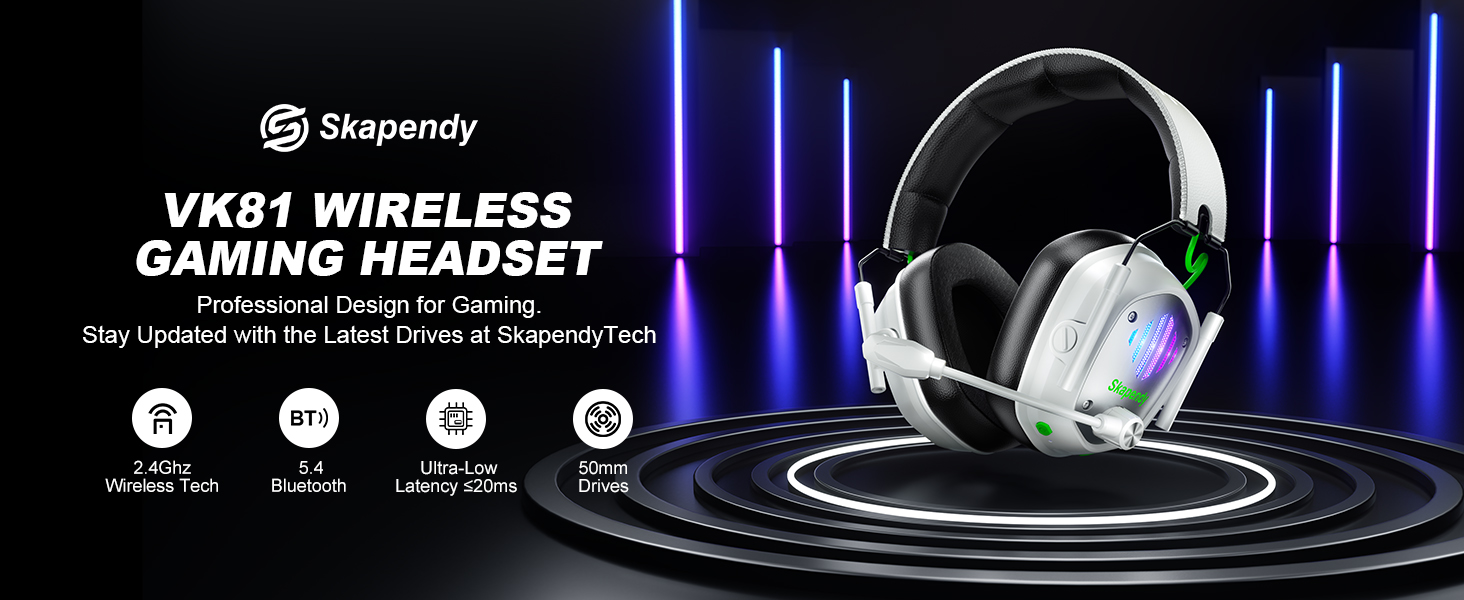
Image: SKAPENDY VK81 Wireless Gaming Headset overview.
Co je v krabici
- Herní sluchátka
- USB dongle
- Kabel typu C
- Uživatelská příručka
Nastavení
Nabíjení náhlavní soupravy
Before first use, fully charge your headset using the provided Type-C cable. A full charge takes approximately 2.5 hours. The 1200mAh battery provides up to 50 hours of playtime without RGB lighting or 40 hours with RGB lighting enabled. A low battery alarm will notify you when charging is needed.

Image: Visual representation of headset charging and battery life.
Možnosti připojení
The VK81 headset offers versatile connectivity:
- Bezdrátový režim 2.4 GHz: For stable, low-latency audio on PC, PS5, PS4, Switch, Mac, and Laptops. Plug the 2-in-1 USB transmitter (dongle) into your device. The headset will automatically connect.
- Režim Bluetooth 5.4: For smartphones, tablets, iPads, and daily use. Switch to Bluetooth mode on the headset and pair with your device.
Důležité poznámky:
- Not compatible with any Xbox consoles.
- Microphone function is not supported on Nintendo Switch.
- Bluetooth mode is not compatible with PS4/PS5.
- The 2-in-1 USB transmitter must be used together to connect with PS, PS2, PS5, PS4, PC, Laptop, and Mac; it cannot be used separately.

Image: Diagram illustrating dual compatibility modes (2.4GHz and Bluetooth).
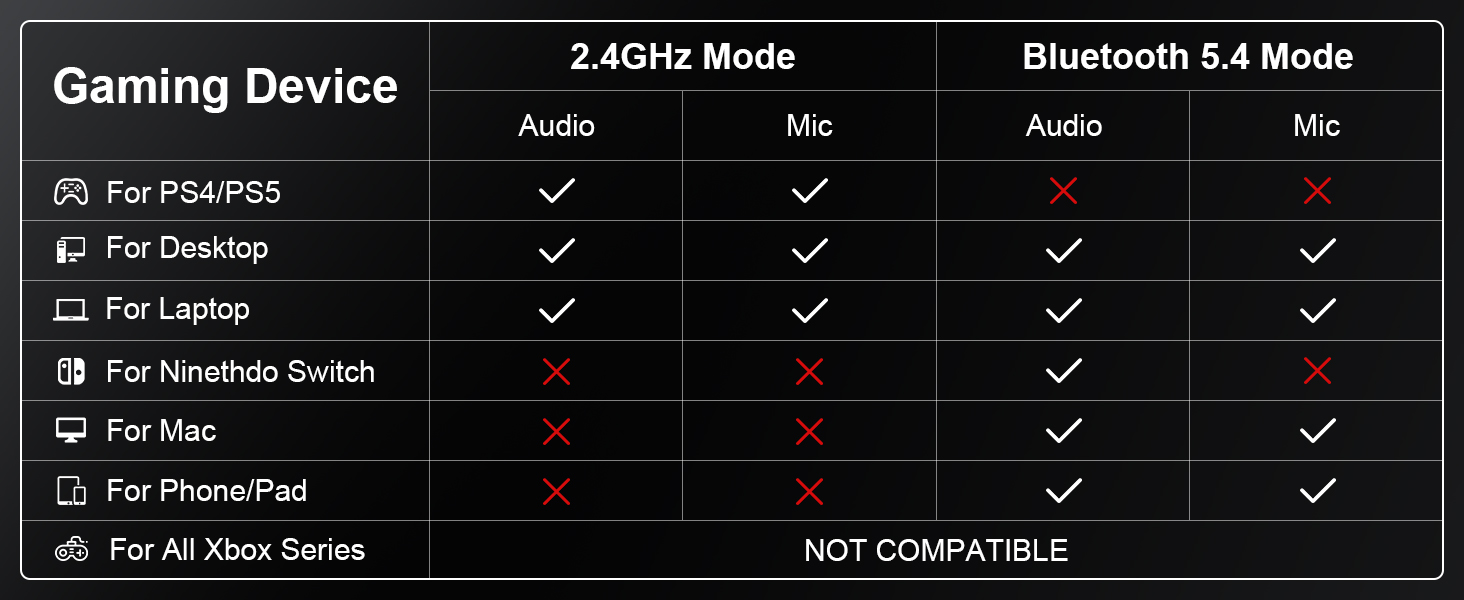
Image: Detailed compatibility table for various gaming devices and modes.
Video: An official video from SKAPENDY explaining the features and connectivity of the VK81 Wireless Gaming Headset.
Návod k obsluze
Ovládání je ukončenoview
The headset features intuitive controls for easy management of audio, microphone, and lighting:
- Vypínač: Long press 3s for Power On, Long press 4s for Power Off. Single click for Play/Pause, Answer Call, End Call.
- Zvýšení/Snížení hlasitosti: Single click for volume adjustment.
- Zapnutí/vypnutí mikrofonu: Single click to toggle mic. Long press 2s to switch between BT and 2.4G modes.
- Zapnutí/vypnutí RGB: Single click to toggle RGB lighting.
- Game/Music Mode (M Button): Double clicks to switch between game and music EQ modes. Long press 3s to re-pair (BT mode).
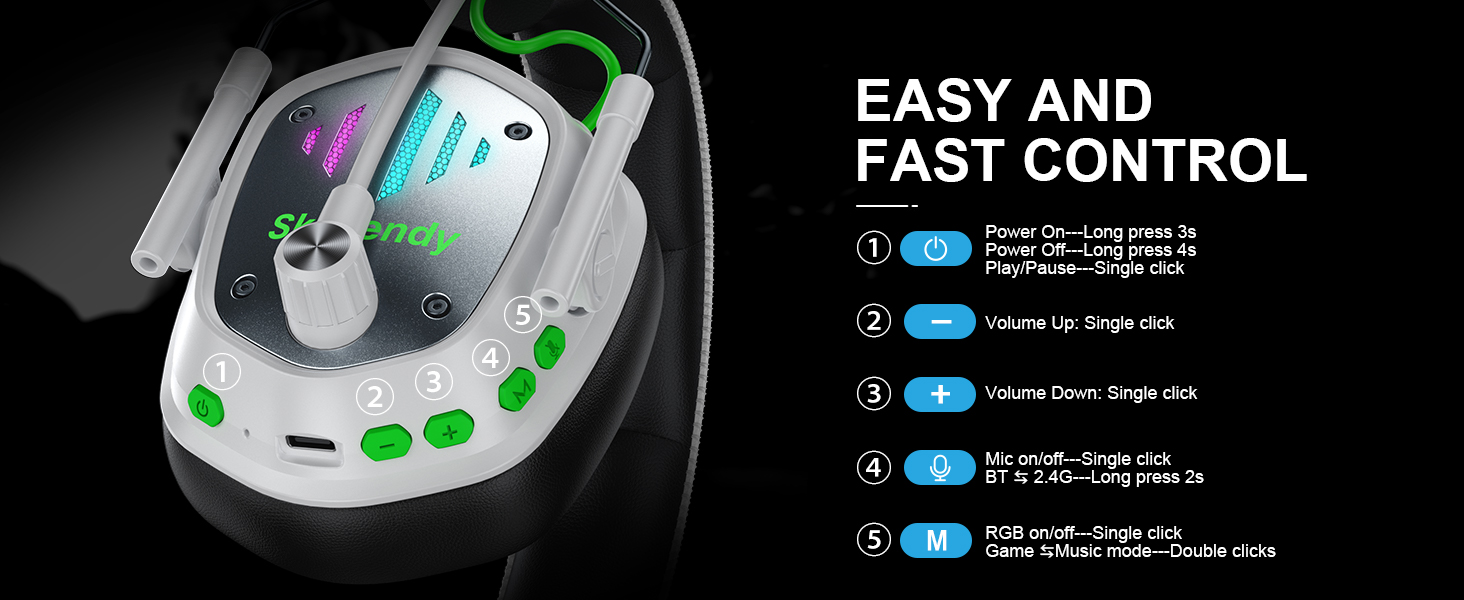
Image: Diagram detailing the control buttons and their functions on the headset.
Zvukový zážitek
Experience unparalleled 3D stereo sound with 50mm dynamic drivers. The headset delivers deep bass, crystal clear treble, and total immersion for every game. ENC Noise Cancelling Mic eliminates up to 95% of ambient noise for clear voice chats.
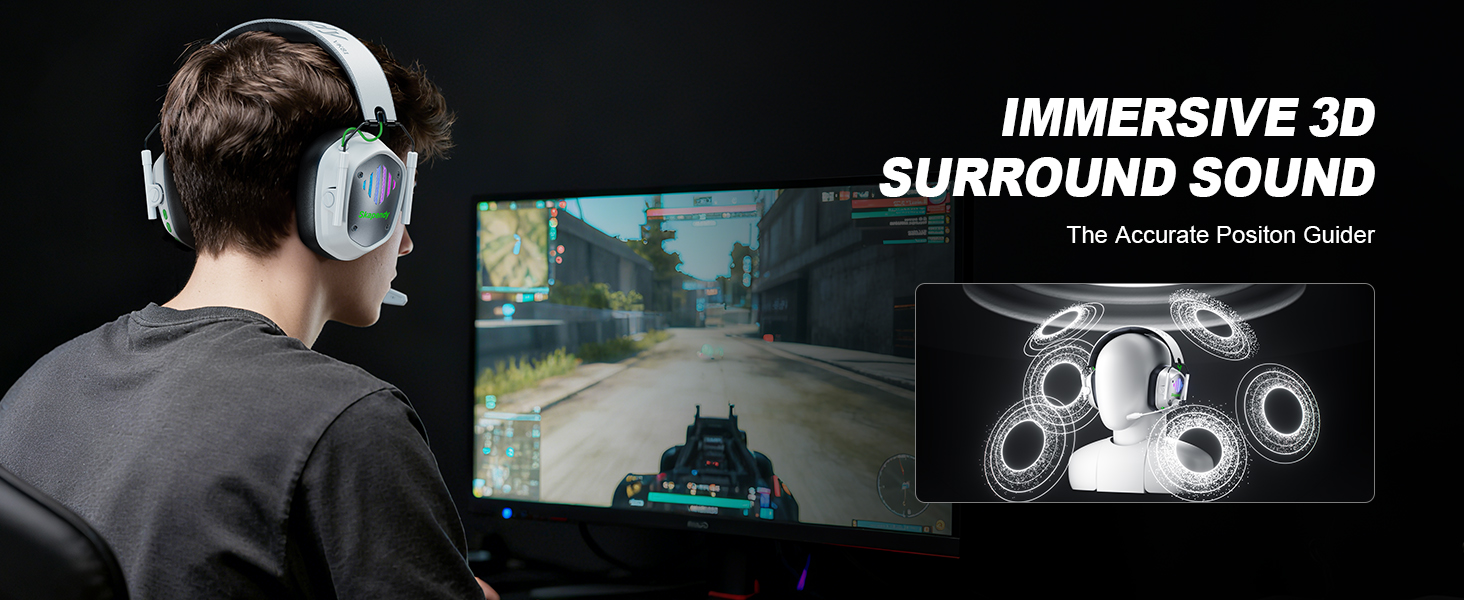
Image: Visual highlighting the immersive 3D surround sound feature.

Image: Illustration of the noise-cancelling microphone technology.
RGB osvětlení
The SKAPENDY VK81 features cool RGB lighting that changes dynamically. Activate or deactivate it with a single click of the RGB button to match your gaming setup or conserve battery.
Video: An official video from SKAPENDY demonstrating the wireless gaming headset in action.
Údržba
To ensure the longevity and performance of your SKAPENDY VK81 headset, follow these maintenance guidelines:
- Čištění: K čištění sluchátek s mikrofonem používejte měkký, suchý hadřík. Nepoužívejte agresivní chemikálie ani abrazivní materiály.
- Skladování: Store the headset in a cool, dry place away from direct sunlight and extreme temperatures. The foldable design makes it ideal for travel and compact storage.
- Péče o baterie: Nevystavujte baterii častému úplnému vybíjení. Pravidelně ji nabíjejte, abyste zachovali její dobrý stav.
- Péče o mikrofon: S flexibilním ramenem mikrofonu zacházejte opatrně. Vyhněte se nadměrnému ohýbání nebo kroucení.
Odstraňování problémů
If you encounter issues with your headset, please refer to the following common solutions:
- Žádný zvuk/nízká hlasitost:
- Ensure the headset is powered on and properly connected (2.4GHz dongle or Bluetooth).
- Zkontrolujte úroveň hlasitosti na sluchátkách i na připojeném zařízení.
- Ověřte, zda je v nastavení zvuku vašeho zařízení vybráno správné výstupní zvukové zařízení.
- Mikrofon nefunguje:
- Ensure the microphone is not muted on the headset.
- Check if the microphone is properly inserted into its port.
- Verify microphone settings on your connected device (e.g., input device selection, volume).
- Note: Microphone function is not supported on Nintendo Switch.
- Problémy s připojením:
- For 2.4GHz mode, ensure the USB dongle is securely plugged in. Try a different USB port.
- For Bluetooth mode, ensure Bluetooth is enabled on your device and the headset is in pairing mode (long press 'M' button for 3s).
- Pro snížení rušení se přibližte k zařízení.
- Restartujte sluchátka i připojené zařízení.
- RGB světla nefungují:
- Ujistěte se, že je baterie sluchátek dostatečně nabitá.
- Press the RGB button to toggle the lighting on/off.
Video: An official video from SKAPENDY showcasing the VK81 Wireless Gaming Headset.
Specifikace
| Název modelu | VK81 |
| Technologie připojení | Wireless (Bluetooth 5.4 / 2.4GHz) |
| Typ zvukového ovladače | 50mm dynamický ovladač |
| Kontrola hluku | Aktivní potlačení hluku (ENC Mic) |
| Životnost baterie | Up to 50 Hours (without RGB) |
| Doba nabíjení | 2.5 hodiny (USB-C) |
| Kompatibilní zařízení | PC, PS5, PS4, Switch, Mac, Smartphones, Tablets, Laptops |
| Typ ovládání | Volume Control, Mic On/Off, RGB On/Off, EQ Mode Switch |
| Speciální funkce | Lightweight, Foldable, RGB Lighting |
| Materiál | Leather, Plastic/Synthetic |
| Rozměry produktu | 3.5 x 5.5 x 5.7 palce |
| Hmotnost položky | 12.3 unce |
Záruka a podpora
For warranty information, technical support, or customer service inquiries, please refer to the contact details provided in the original product packaging or visit the official SKAPENDY webmísto. Uschovejte si doklad o koupi pro případ záručních reklamací.


