
Zavedení
This manual provides detailed instructions for the installation, operation, and maintenance of your GRAUGEAR USB4 M.2 SSD Enclosure, Model U4-40G01. This device is designed to convert an M.2 NVMe SSD into a portable external storage solution with high-speed data transfer capabilities.
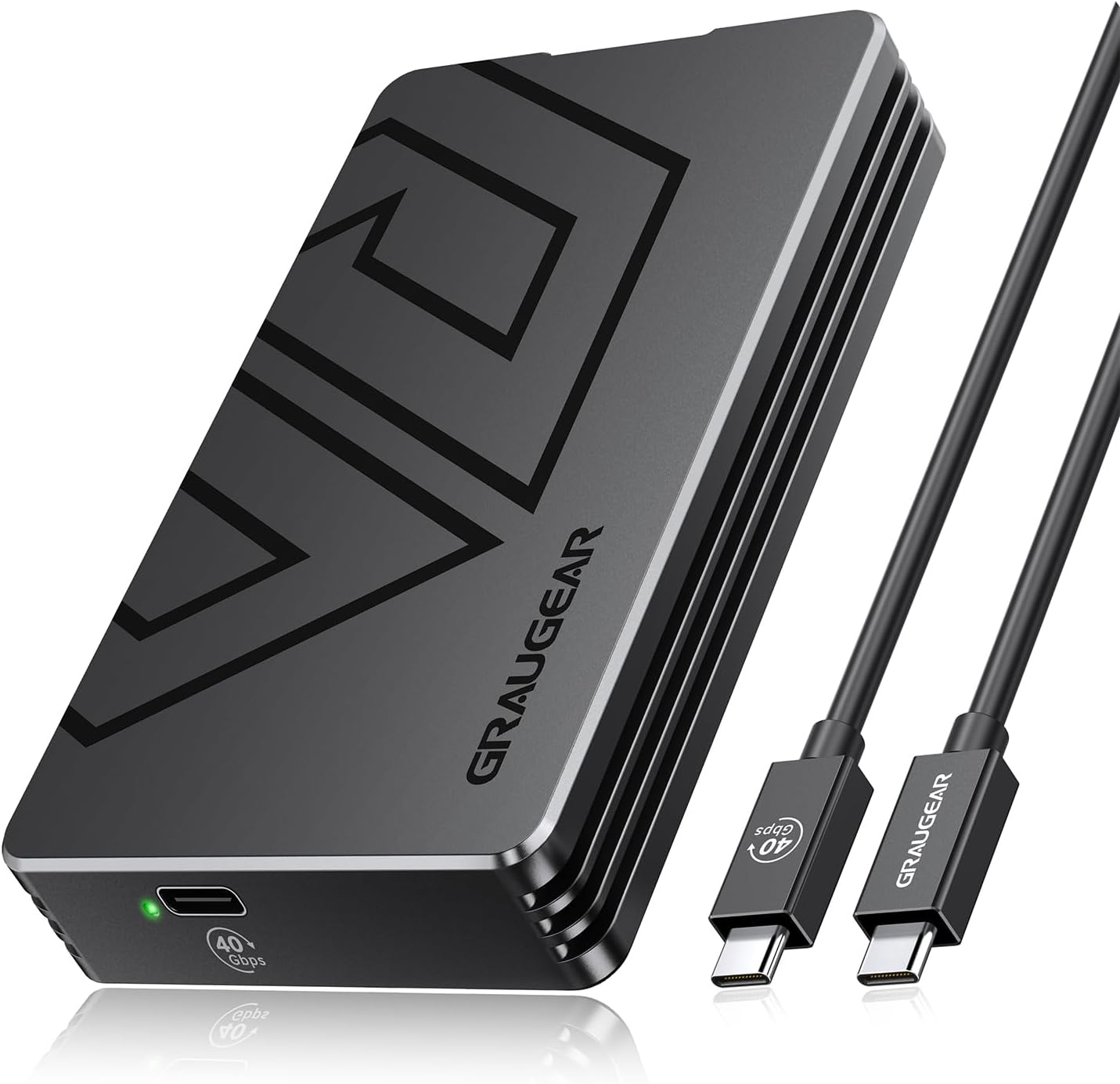
Image: The GRAUGEAR USB4 M.2 SSD Enclosure (U4-40G01) shown with its accompanying USB-C cables.
Obsah balení
Ověřte prosím, zda jsou ve vašem balení obsaženy všechny níže uvedené položky:
- GRAUGEAR USB4 M.2 NVMe SSD Enclosure (U4-40G01)
- USB Type-C to Type-C Cable (40Gbps)
- 2x SSD Fixed Rubber Stoppers
- 2x Thermal Pads (various thicknesses)
- 2x M.2 SSD Length Extend Adapters
- Uživatelská příručka
- Servisní karta
Nastavení
Installing the M.2 NVMe SSD
Pro instalaci disku M.2 NVMe SSD do skříně postupujte takto:
- Open the bottom cover: Gently slide the bottom cover of the enclosure in the direction indicated by the "OPEN" arrow until it detaches.
- Vložte disk M.2 SSD: Carefully align your M.2 NVMe SSD with the M-Key slot inside the enclosure and insert it firmly. Secure the SSD in place using one of the provided fixed rubber stoppers.
- Apply the thermal pad: Remove both protective films from a thermal pad. Place the thermal pad directly onto the installed M.2 SSD. This helps dissipate heat from the SSD to the aluminum enclosure.
- Close the bottom cover: Realign the bottom cover and slide it back into place until it clicks securely.

Image: Step-by-step visual guide for the tool-free installation of an M.2 SSD, including opening the cover, inserting the SSD, applying the thermal pad, and closing the cover.
SSD kompatibilita
The GRAUGEAR U4-40G01 enclosure is designed for M.2 NVMe SSDs with an M-Key interface. It supports various lengths including 2230, 2242, 2260, and 2280. The maximum supported capacity is 8TB.
Důležité: This enclosure is not compatible with SATA B-Key or B+M Key SSDs. Additionally, SSDs with pre-installed heatsinks are not supported due to space constraints and the enclosure's integrated cooling design.

Image: Visual representation of compatible M.2 NVMe SSD form factors (2230, 2242, 2260, 2280) and the required M-Key interface. It also highlights incompatible SATA SSDs and SSDs with heatsinks.
Instalační video průvodce
For a visual guide on the installation process, please watch the official GRAUGEAR video below:
Video: An official GRAUGEAR video demonstrating the unboxing and tool-free installation of an M.2 NVMe SSD into the enclosure, highlighting the components and steps involved.
Obsluha krytu
Připojení k hostitelskému zařízení
Connect the GRAUGEAR U4-40G01 enclosure to your computer or compatible device using the provided USB Type-C cable. For optimal performance, ensure your host device's port supports USB4 or Thunderbolt 4. The enclosure is plug-and-play, requiring no additional drivers for basic functionality.

Image: The GRAUGEAR enclosure connected to a laptop, demonstrating its use as an external storage device with high-speed capabilities.
Kompatibilita systému
The enclosure offers broad compatibility across various operating systems and devices:
- Zařízení: Desktop computers, laptops, smartphones, smart TVs, tablets, gaming consoles (e.g., PlayStation).
- Operační systémy: Windows, macOS, Linux.
- Kompatibilita rozhraní: USB4, Thunderbolt 5/4/3, and backward compatible with USB 3.2/USB 3.0.
For achieving the maximum 40Gbps transfer speeds, the host device must have a Thunderbolt 3, USB4, or higher port.

Image: A comprehensive chart detailing the wide range of devices and operating systems compatible with the GRAUGEAR USB4 M.2 SSD Enclosure, along with supported USB and Thunderbolt versions.
Recommended System Requirements for 40Gbps
| Operační systém | Processor/Controller | Recommended Minimum System Version |
|---|---|---|
| Zařízení Windows | AMD Ryzen 6000 or higher / Intel 12th Gen or higher | Windows 11 10.0.22621 |
| macOS device | Apple Silicon / Intel | macOS 15 nebo vyšší |
| iPad OS device | Apple Silicon / A-Series (USB-C port) | N/A |
| iOS zařízení | A-Series (USB-C port) | iPhone 15 nebo novější |
Note: For 40Gbps, the host device requires Thunderbolt 3, USB4 or higher.
Performance Benchmarks (Example with Samsung 9100PRO 1TB SSD)
| Zařízení | System-Version | Write (MB/s) | Read (MB/s) |
|---|---|---|---|
| ASUS TUF Gaming F15 | Windows 11 Professional 23H2 22631.4169 | 3117.56 | 3675.28 |
| ASUS Z890 PC | Windows 11 Professional 23H2 26100.5189 | 3575.52 | 3345.17 |
| Mac mini M4 | macOS 15.5 | 3285.19 | 3574.58 |
| MacBook Pro 2024 M4 | macOS 15.5 | 3512.24 | 3951.07 |
| MacBook Pro 2023 M4 | macOS 14.4.1 | 3427.55 | 3672.5 |
| Mac air M2 2022 | macOS 14.7.1 | 3267.82 | 3511.27 |
Note: Performance figures are based on internal testing with a Samsung 9100PRO 1TB SSD. Actual speeds may vary depending on the specific SSD, host system configuration, and other environmental factors.
Údržba
The GRAUGEAR U4-40G01 features a fanless all-aluminum design for efficient heat dissipation and silent operation. Minimal maintenance is required to ensure optimal performance and longevity:
- Čištění: Periodically wipe the exterior of the enclosure with a soft, dry cloth to remove dust and fingerprints. Avoid using liquid cleaners or abrasive materials.
- Tepelný management: Hliníkové casing acts as a heatsink. Ensure adequate airflow around the enclosure, especially during prolonged high-speed transfers, to facilitate heat dissipation.
- Podmínky prostředí: Avoid exposing the enclosure to extreme temperatures, direct sunlight, high humidity, or dusty environments.
- Zacházení: While durable, avoid dropping or subjecting the enclosure to strong impacts, which could damage the internal SSD or components.
Odstraňování problémů
Low Transfer Speeds
- Host Port Verification: Ensure your computer's USB port supports USB4 or Thunderbolt 4. Connecting to older USB standards (e.g., USB 3.2 Gen1/Gen2, USB 3.0) will limit speeds to their respective maximums (e.g., 5Gbps, 10Gbps, 20Gbps).
- SSD Performance: The actual speed is limited by the installed M.2 NVMe SSD. For speeds exceeding 3000MB/s, a high-performance PCIe Gen4 NVMe SSD is recommended.
- Kvalita kabelu: Use the provided high-quality USB Type-C cable. Lower quality or longer cables can degrade performance.
- Tepelné škrcení: Although designed for efficient cooling, prolonged heavy workloads can cause the SSD to heat up. Ensure the thermal pad is correctly installed and the enclosure has adequate ventilation.
Disk nebyl detekován
- Sedadla SSD: Re-open the enclosure and ensure the M.2 SSD is fully and correctly seated in its slot, secured by the rubber stopper.
- Kabelové připojení: Verify that the USB cable is securely connected to both the enclosure and the host device.
- Disk Initialization/Formatting: For new SSDs, the drive may need to be initialized and formatted in your operating system's Disk Management (Windows) or Disk Utility (macOS) before it appears in File Průzkumník/Vyhledávač.
- Test with Another Port/Device: Try connecting the enclosure to a different USB port on your computer or to another compatible device to determine if the issue is with the port or the enclosure itself.
Technické specifikace
- Model: U4-40G01
- Značka: GRAUGEAR
- Rozhraní: USB4 / Thunderbolt 4 (backward compatible with USB 3.2/3.0)
- Kompatibilita SSD: M.2 NVMe (M-Key) 2230/2242/2260/2280
- Max Digital Storage Capacity: 8 TB
- Přenosová rychlost: Up to 40Gbps (theoretical), 3000-3500MB/s (actual read/write with PCIe Gen4 NVMe)
- Materiál: Hliníková slitina
- Chlazení: Fanless design with double heat dissipation (aluminum housing and thermal pad)
- Speciální vlastnosti: Tool-free installation, UASP support, TRIM support
- Rozměry: 6.34 x 4.29 x 1.46 palce
- Hmotnost položky: 9 unce
- Typ instalace: Externí pevný disk
- Barva: Černý
- Výrobce: CHAB GmbH
- Datum první dostupnosti: 5. září 2025
Záruka a podpora
GRAUGEAR products are manufactured to high-quality standards and are designed for reliable performance. For specific warranty terms and conditions, please refer to the included Service Card or the official GRAUGEAR webmísto.
Should you encounter any issues or require technical assistance, please contact GRAUGEAR support using the information below:
- Telefon: +49 40 700 744 928
- E-mail: support@graugear.de
- Adresa: CHAB GmbH, Oststrasse 7, 22869 Schenefeld, Germany
- Webmísto: www.graugear.de