
Zavedení
The Zelaclock Sunrise Alarm Clock (Model YF01-C) is a versatile 4-in-1 device designed to enhance your sleep and wake-up experience. It functions as a sunrise alarm clock, white noise sound machine, night light, and Bluetooth speaker. This manual provides detailed instructions for setting up and operating your device, ensuring you can fully utilize its features for a peaceful morning and restful night.
Klíčové vlastnosti:
- Simulace východu slunce: Gradually brightens before your alarm, mimicking a natural sunrise.
- White Noise & Nature Sounds: Features 30 non-looping sounds for relaxation and sleep.
- RGB noční světlo: Offers 9 dynamic light themes and 20 adjustable brightness levels.
- Bluetooth 5.3 reproduktor: Connects seamlessly to your phone for music playback and automatic time synchronization.
- Smart Sleep Timer: Allows setting a fade-out timer for lights and sounds (10-480 minutes).
Bezpečnostní informace
- This device must be plugged into a power source to operate. It is not battery-operated.
- Nevystavujte zařízení vodě ani nadměrné vlhkosti.
- Nepokládejte zařízení do blízkosti zdrojů tepla nebo na delší dobu na přímém slunečním světle.
- Používejte pouze dodaný napájecí adaptér.
- Uchovávejte mimo dosah dětí a domácích zvířat.
- Nepokoušejte se zařízení sami rozebírat nebo opravovat. Požádejte o pomoc zákaznickou podporu.
Konec produktuview
Familiarize yourself with the components and controls of your Zelaclock Sunrise Alarm Clock.

Image: The Zelaclock Sunrise Alarm Clock, highlighting its functions as an alarm clock, wake-up light, white noise machine, and Bluetooth speaker. It is shown plugged into a wall outlet, emphasizing that it requires continuous power.
Video: An official Zelaclock video demonstrating the features and operation of the Sunrise Alarm Clock, including its light and sound functions.
The device features intuitive buttons and a scroll wheel for easy navigation and setting adjustments. The LED display shows the time and various indicators for active functions.

Obrázek: Detail view of the Zelaclock Sunrise Alarm Clock, illustrating the various buttons and their corresponding functions for light, sound, and alarm settings.
Nastavení
- Připojení napájení: Connect the provided USB cable to the device and plug the adapter into a standard wall outlet. The device will power on automatically.
- Nastavení času:
- Stiskněte a podržte Nastavení času button (often indicated by a clock icon) for 2 seconds to enter time setting mode.
- Rotate the scroll wheel to adjust the hour, then press the Nastavení času tlačítko pro potvrzení.
- Rotate the scroll wheel to adjust the minute, then press the Nastavení času tlačítko pro potvrzení.
- The time will be set.
- Bluetooth párování:
- Stiskněte a podržte Bluetooth button (often indicated by a Bluetooth icon) for 2 seconds to enable Bluetooth pairing mode. The Bluetooth indicator on the display will flash.
- On your smartphone or other Bluetooth-enabled device, search for "Zelaclock YF01-C" (or similar name) in the Bluetooth settings.
- Vyberte zařízení, které chcete spárovat. Po připojení přestane indikátor Bluetooth blikat a zůstane svítit nepřerušovaně.
Návod k obsluze
Setting the Alarm and Sunrise Simulation
- Nastavit čas alarmu:
- Stiskněte a podržte Poplach button (bell icon) for 2 seconds. The hour display will flash.
- Rotate the scroll wheel to set the desired hour, then press the Poplach tlačítko pro potvrzení.
- Rotate the scroll wheel to set the desired minute, then press the Poplach tlačítko pro potvrzení.
- Set Sunrise Duration:
- After setting the alarm time, the display will show the sunrise duration (e.g., "00").
- Rotate the scroll wheel to select a sunrise duration from 10 to 60 minutes. This determines how long the light will gradually brighten before your alarm time.
- Stiskněte tlačítko Poplach tlačítko pro potvrzení.
- Enable/Disable Alarm: Stiskněte tlačítko Poplach krátkým stisknutím tlačítka zapnete nebo vypnete budík. Na displeji se zobrazí/zmizí ikona budíku.
- Funkce odložení: When the alarm sounds, press the scroll wheel (or a dedicated snooze button if present) to activate snooze. The alarm will sound again after 5-20 minutes (duration may be configurable, refer to specific button diagram).
- Zastavit alarm: To stop the alarm completely, press and hold the Poplach tlačítko na 3 sekund.

Image: Illustration of the sunrise simulation feature, showing the alarm clock gradually increasing light intensity from dim to bright over a set period before the alarm time.
Using White Noise and Nature Sounds
- Vyberte zvuk: Stiskněte tlačítko Zvuk button (wave icon) to cycle through the 30 available white noise and nature sounds.
- Upravit hlasitost: Rotate the scroll wheel to increase or decrease the volume of the selected sound.
- Vypnout zvuk: Stiskněte a podržte Zvuk button for 3 seconds to turn off the sound.
Image: The Zelaclock Sunrise Alarm Clock displaying sound options, with a person sleeping peacefully in the background, illustrating the white noise feature.
Adjusting Light Themes and Brightness
- Zapnutí/vypnutí světla: Stiskněte tlačítko Světlo krátkým stisknutím tlačítka (ikona slunce) zapnete nebo vypnete světlo.
- Change Light Theme: S rozsvícenou kontrolkou stiskněte tlačítko Světlo button repeatedly to cycle through the 9 dynamic light themes, including music-reactive modes.
- Upravit jas: Rotate the scroll wheel to adjust the light brightness through 20 levels.

Image: The Zelaclock Sunrise Alarm Clock showcasing its 9 dynamic light themes, including gradient and solid color options.
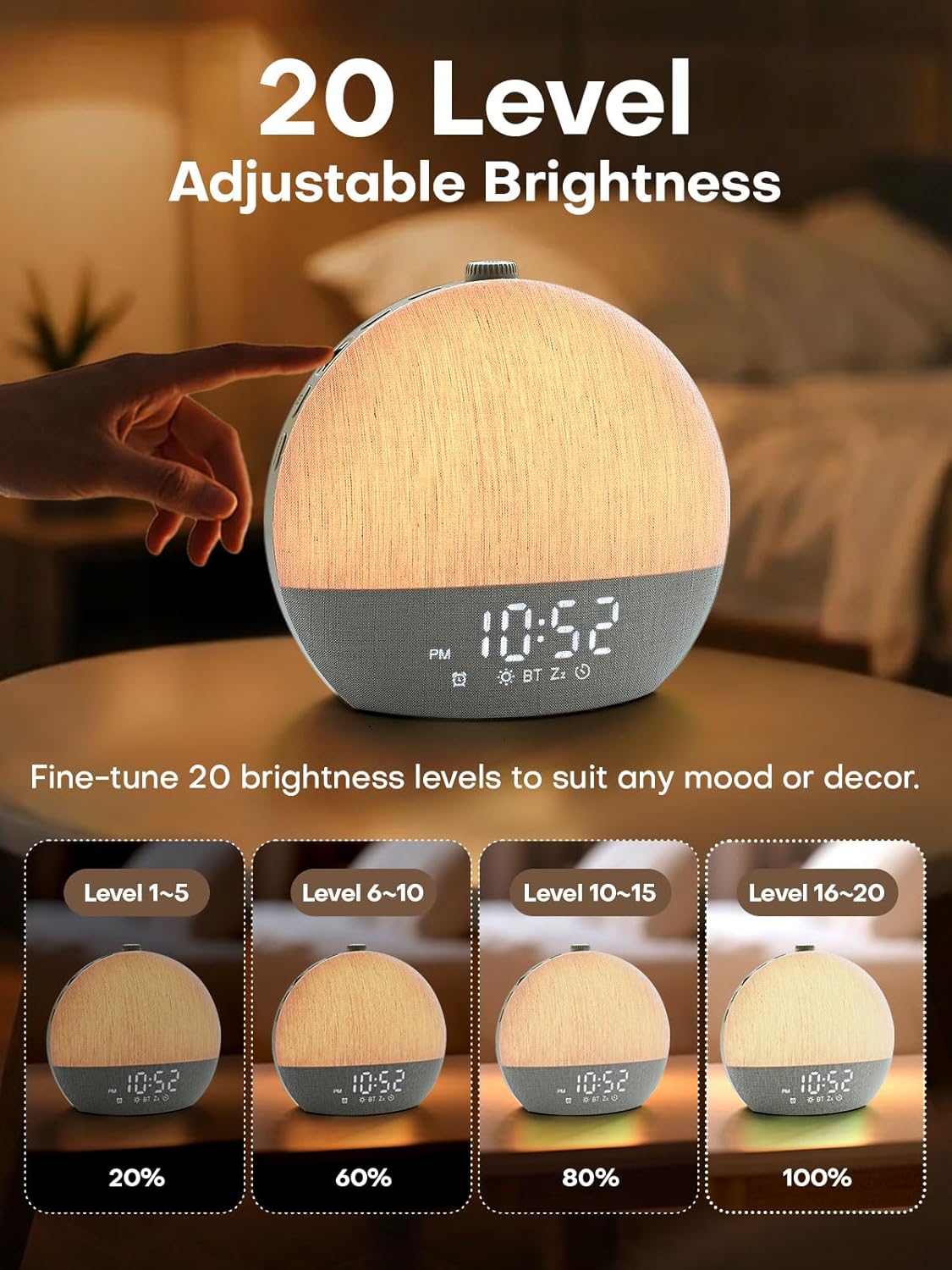
Image: Visual representation of the 20 adjustable brightness levels of the Zelaclock Sunrise Alarm Clock, from 20% to 100% illumination.
Using the Smart Sleep Timer
- Nastavit časovač vypnutí: Stiskněte tlačítko Časovač spánku button (moon icon) to activate the sleep timer.
- Adjust Duration: Rotate the scroll wheel to set the desired fade-out duration from 10 to 480 minutes. Both light and sound will gradually decrease and turn off after this period.
- Cancel Sleep Timer: Stiskněte a podržte Časovač spánku button for 3 seconds to cancel the active sleep timer.

Image: The Zelaclock Sunrise Alarm Clock in a bedroom setting, illustrating the gradual fade-out timer for both light and sound, with a person sleeping.
Funkce Bluetooth reproduktoru
Once paired with your device (see Setup section), you can use the Zelaclock as a Bluetooth speaker.
- Play music directly from your phone or tablet.
- Use the scroll wheel on the Zelaclock to adjust the playback volume.
- Chcete-li odpojit Bluetooth, stiskněte a podržte tlačítko Bluetooth tlačítko na 2 sekund.

Image: A couple relaxing on a couch, with the Zelaclock Sunrise Alarm Clock playing music via Bluetooth from a smartphone.
Údržba
- Čištění: Zařízení otřete měkkým, suchým hadříkem. Nepoužívejte abrazivní čisticí prostředky ani rozpouštědla.
- Skladování: Pokud zařízení delší dobu nepoužíváte, skladujte jej na chladném a suchém místě.
- Moc: Always ensure the device is unplugged before cleaning or moving.
Odstraňování problémů
| Problém | Možná příčina | Řešení |
|---|---|---|
| Zařízení se nezapne. | Not plugged in; power adapter faulty. | Ensure the device is properly plugged into a working power outlet. Check the power adapter and cable for damage. |
| Alarm se nespustí. | Alarm is disabled; volume is too low. | Check if the alarm is enabled (alarm icon on display). Increase the alarm volume using the scroll wheel. |
| Sunrise light does not work. | Sunrise feature not enabled for alarm; light brightness set too low. | Ensure sunrise duration is set during alarm setup. Adjust light brightness using the scroll wheel. |
| Nelze se připojit přes Bluetooth. | Bluetooth not in pairing mode; device too far; interference. | Ensure the device is in Bluetooth pairing mode (flashing icon). Move your phone closer to the alarm clock. Try restarting both devices. |
| Kvalita zvuku je nízká. | Low quality audio source; device placement. | Ensure the audio source (e.g., phone) is playing high-quality audio. Adjust device placement to avoid obstructions. |
Specifikace
| Funkce | Detail |
|---|---|
| Číslo modelu | YF01-C |
| Značka | Zelaclock |
| Typ zobrazení | LED |
| Zdroj napájení | Elektrický kabel |
| Rozměry produktu | 6 cm Š x 6 cm V |
| Konektivita | Bluetooth 5.3, USB |
| Vlastnosti světla | Sunrise Simulation, 9 Dynamic RGB Light Themes, 20 Brightness Levels |
| Zvukové vlastnosti | 30 Non-Looping Sleep Sounds (10 White Noise, 20 Nature Sounds/Melodies) |
| Funkce časovače | Alarm Clock, Smart Sleep Timer (10-480 minutes) |
| Materiál | Plast |
Záruka a podpora
For warranty information and customer support, please refer to the official Zelaclock website or contact their customer service directly. Details are typically provided on the product packaging or the manufacturer's official online channels.
Výrobce: Zelaclock
ASIN: B0FPRL993V
Pro další pomoc můžete navštívit Zelaclock Store on Amazon.