
Důležité bezpečnostní informace
Please read all instructions carefully before using this product. Failure to follow these instructions may result in electric shock, fire, or other hazards.
- Nevystavujte zařízení kapalinám, vlhkosti ani extrémním teplotám.
- Produkt nerozebírejte, neopravujte ani neupravujte.
- Uchovávejte mimo dosah dětí.
- Use only the provided 45W USB-C GaN Adapter and USB-C Charging Cable.
- Během používání zajistěte řádné větrání.
Obsah balení
Ověřte, zda jsou v balení přítomny všechny položky:
- X40 Turbo 3-in-1 Charging Station ×1
- 45W USB-C GaN Adapter ×1
- Nabíjecí kabel USB-C ×1
- Úložné pouzdro ×1
- Uživatelská příručka × 1
Konec produktuview
The KU XIU X40 Turbo is a versatile 3-in-1 magnetic wireless charging station designed for Apple devices. It features Qi2.2 fast charging for compatible iPhones, along with dedicated charging spots for Apple Watch and AirPods. Its foldable design enhances portability and allows for various viewing úhly.
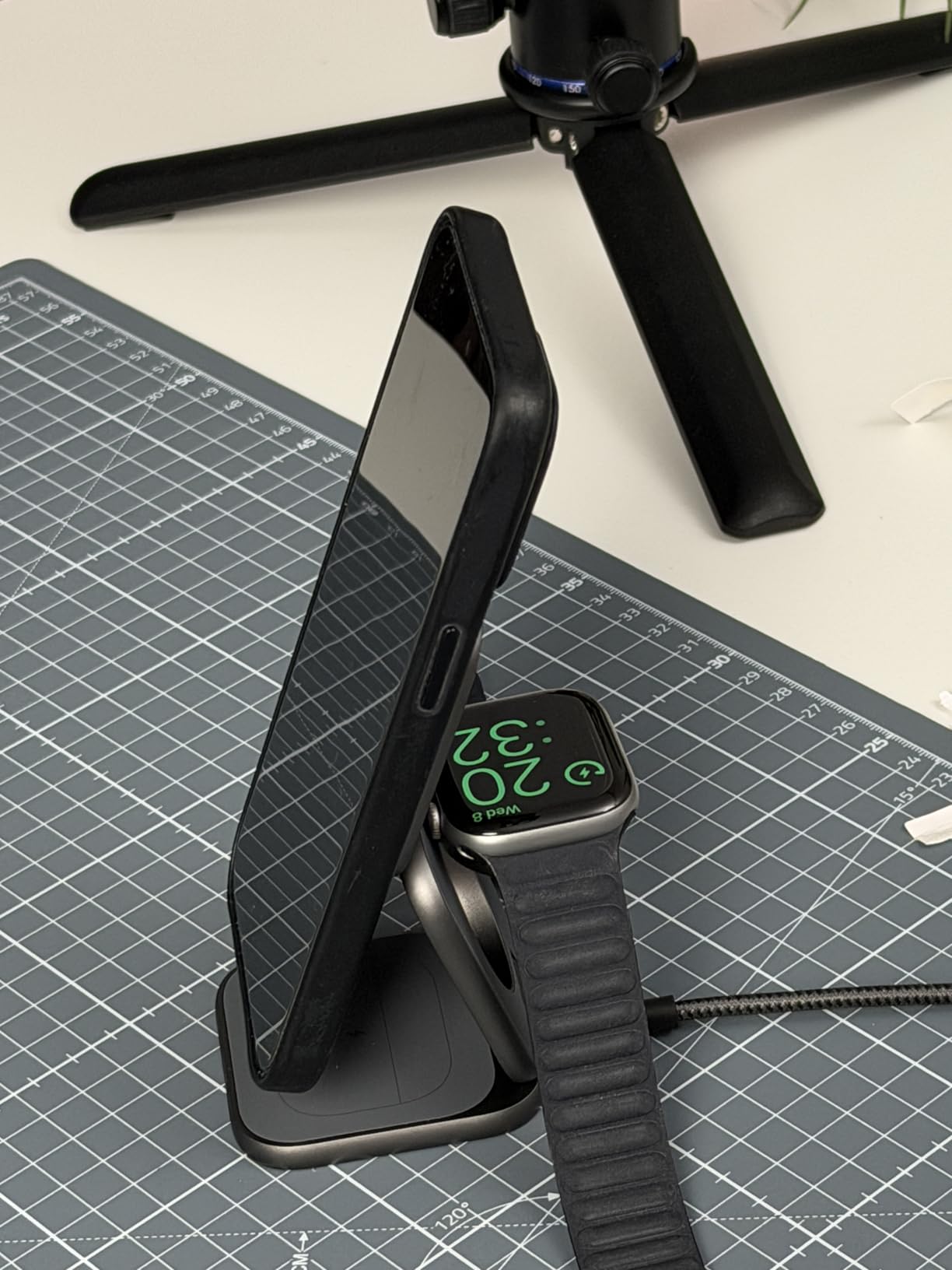
Image: The X40 Turbo charging station shown in both its compact, folded state and its expanded, upright charging configuration, highlighting its portability and versatility.
Pokyny pro nastavení
- Připojte napájecí adaptér: Insert the USB-C end of the provided charging cable into the USB-C port on the X40 Turbo charging station. Plug the other end of the cable into the provided 45W USB-C GaN Adapter, then plug the adapter into a wall outlet.
- Rozložte nabíječku: Gently unfold the charging station to your desired configuration. It can be used in a flat mode or an upright stand mode for optimal viewIng.
- Umístění: Umístěte nabíjecí stanici na stabilní, rovný povrch.
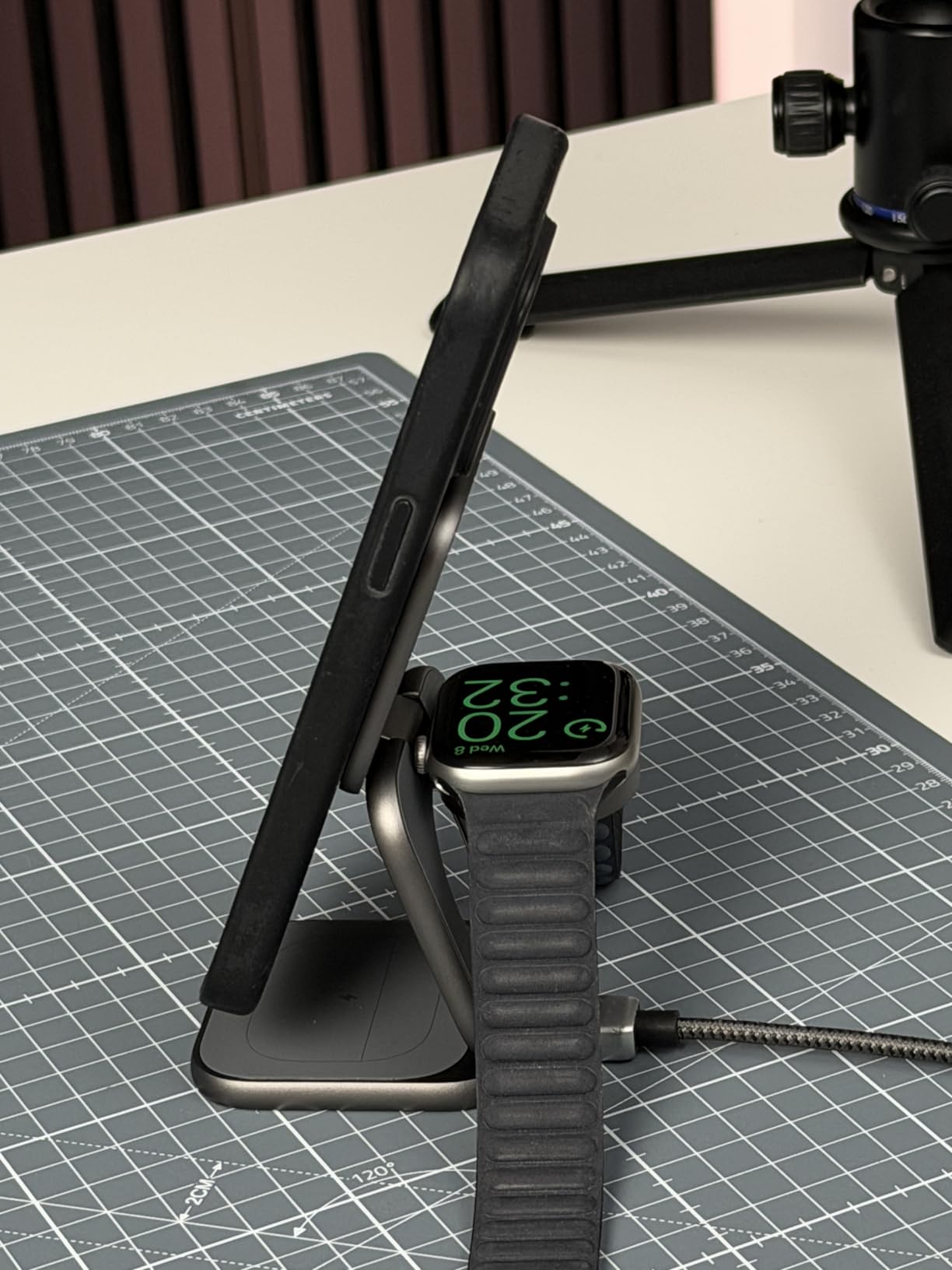
Image: The X40 Turbo charging station with the USB-C cable connected to the power adapter, illustrating the initial setup step.
Návod k obsluze
Nabíjení vašich zařízení
- For iPhone (Magnetic Charging Pad): Align your compatible iPhone (iPhone 12-17 series) with the magnetic charging pad. The strong N52 magnets will ensure precise alignment. Charging will begin automatically.
- For Apple Watch (Watch Charging Module): Place your Apple Watch on the dedicated watch charging module. Ensure the watch is properly seated for charging to initiate.
- For AirPods (Base Charging Pad): Place your AirPods (with wireless charging case) on the base charging pad.
The charging station allows simultaneous charging of all three devices. An LED indicator (if present, refer to product for specific location) typically illuminates to confirm charging status.
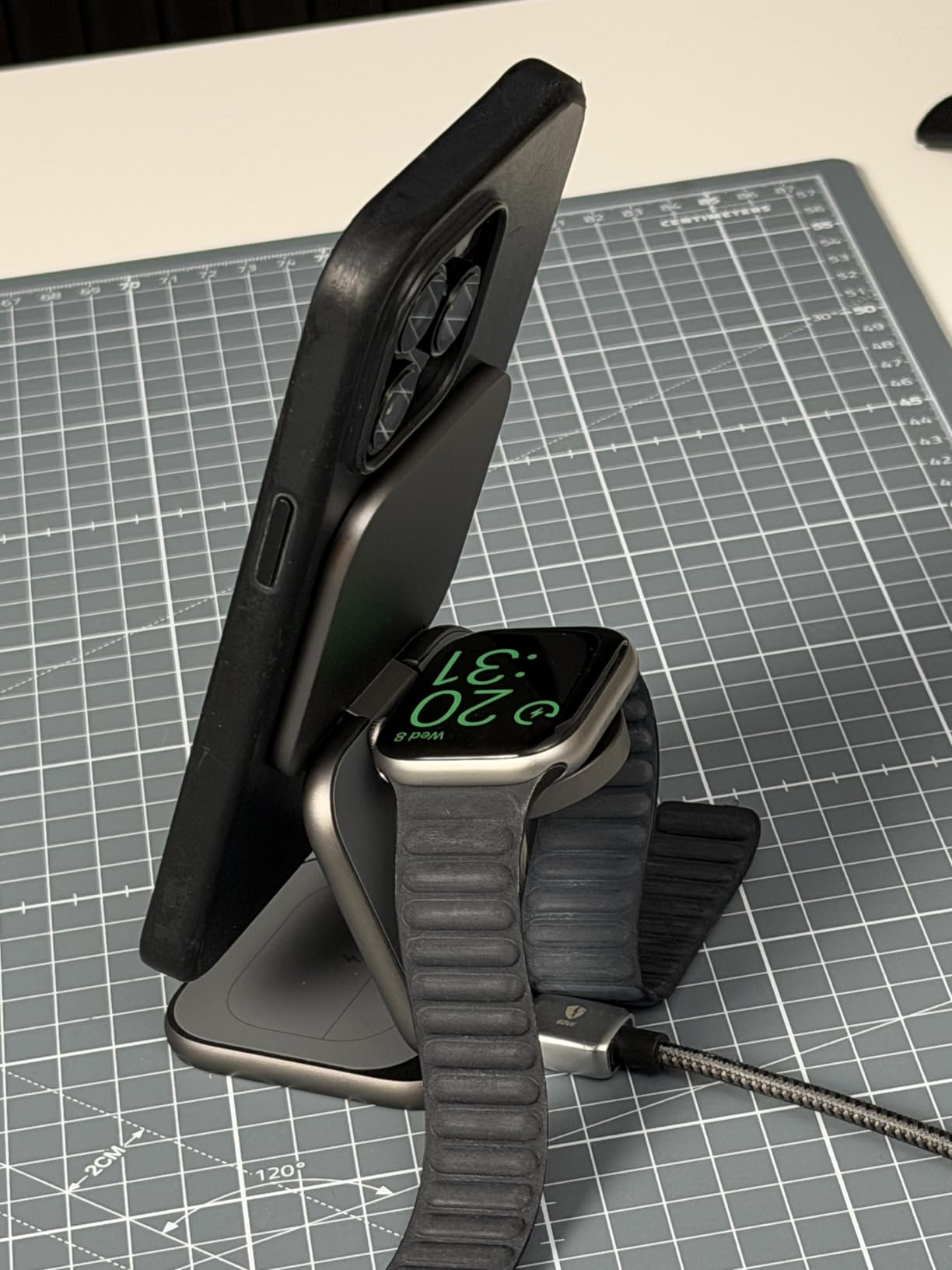
Image: The X40 Turbo charging station actively charging an iPhone, Apple Watch, and AirPods simultaneously, demonstrating its 3-in-1 functionality.
Nastavitelný design
The X40 Turbo features an adjustable hinge, allowing it to be used in various orientations:
- Plochý režim: For compact storage or when a low profile je preferováno.
- Režim stojanu: For upright viewing of your iPhone in portrait or landscape orientation while charging.
Kompatibilita
The KU XIU X40 Turbo is compatible with a wide range of devices:
- iPhone:
- Qi2.2 25W: iPhone 17/16 Series, Pixel 10 Pro XL
- Qi2.2 20W: iPhone Air (2025)
- Qi2 15W: iPhone 12-15 Series (including mini, Pro, Pro Max models), Pixel 10/10 Pro/10 Pro Fold
- Apple Watch (Max 5W): Ultra 3/2/1, SE 1-3, Series 4-11
- AirPods (Max 5W): 2/3/4/Pro/Pro 2 (with Wireless Charging Case/ANC)
Údržba
- Čištění: Před čištěním odpojte nabíječku od zdroje napájení. K otření povrchu použijte měkký, suchý hadřík, který nepouští vlákna. Nepoužívejte abrazivní čisticí prostředky, rozpouštědla ani chemické spreje.
- Skladování: When not in use, store the charging station in a cool, dry place, preferably in its original storage pouch to protect it from dust and scratches.
- Zacházení: Avoid dropping or subjecting the device to strong impacts. The aluminum construction is durable but can be damaged by excessive force.
Odstraňování problémů
| Problém | Možné řešení |
|---|---|
| Zařízení se nenabíjí. |
|
| Pomalé nabíjení. |
|
| LED indikátor nefunguje. |
|
| Device gets warm during charging. |
|
Specifikace
| Číslo modelu | X40 Turbo (YSEU-X40T-HEI) |
| Značka | KU XIU |
| Standard bezdrátového nabíjení | Qi2.2 |
| Max iPhone Output | 25W (Qi2.2) |
| Max Apple Watch Output | 5W |
| Max AirPods Output | 5W |
| Adaptér součástí | 45W USB-C GaN Adapter |
| Typ konektoru | USB typ C |
| Materiál | Hliník, silikon |
| Hmotnost položky | 210 gramů |
| Speciální funkce | Magsafe Compatible, Foldable |
Záruka a podpora
The KU XIU X40 Turbo 3-in-1 Charging Station comes with a Záruka 24 měsíců od data nákupu. Tato záruka se vztahuje na výrobní vady a zajišťuje spolehlivý výkon při běžném používání.
For technical support, warranty claims, or any questions regarding your product, please contact KU XIU customer service through the retailer where you purchased the product or visit the official KU XIU webstránky pro kontaktní informace.
Uschovejte si prosím doklad o koupi pro případ záručního servisu.