
WESEARY WG2
Uživatelská příručka k drátovým herním sluchátkům WESEARY WG2
Model: WG2
1. Úvod
Thank you for choosing the WESEARY WG2 Wired Gaming Headset. This manual provides detailed instructions for setting up, operating, and maintaining your headset to ensure an optimal gaming experience. The WG2 headset is designed for immersive audio and clear communication across multiple gaming platforms.
2. Co je v krabici
- WESEARY WG2 Gaming Headset (1 unit)
- 1 to 2 3.5mm Audio Jack Splitter Cable (1 unit)
- Uživatelská příručka (tento dokument)
3. Konec produktuview
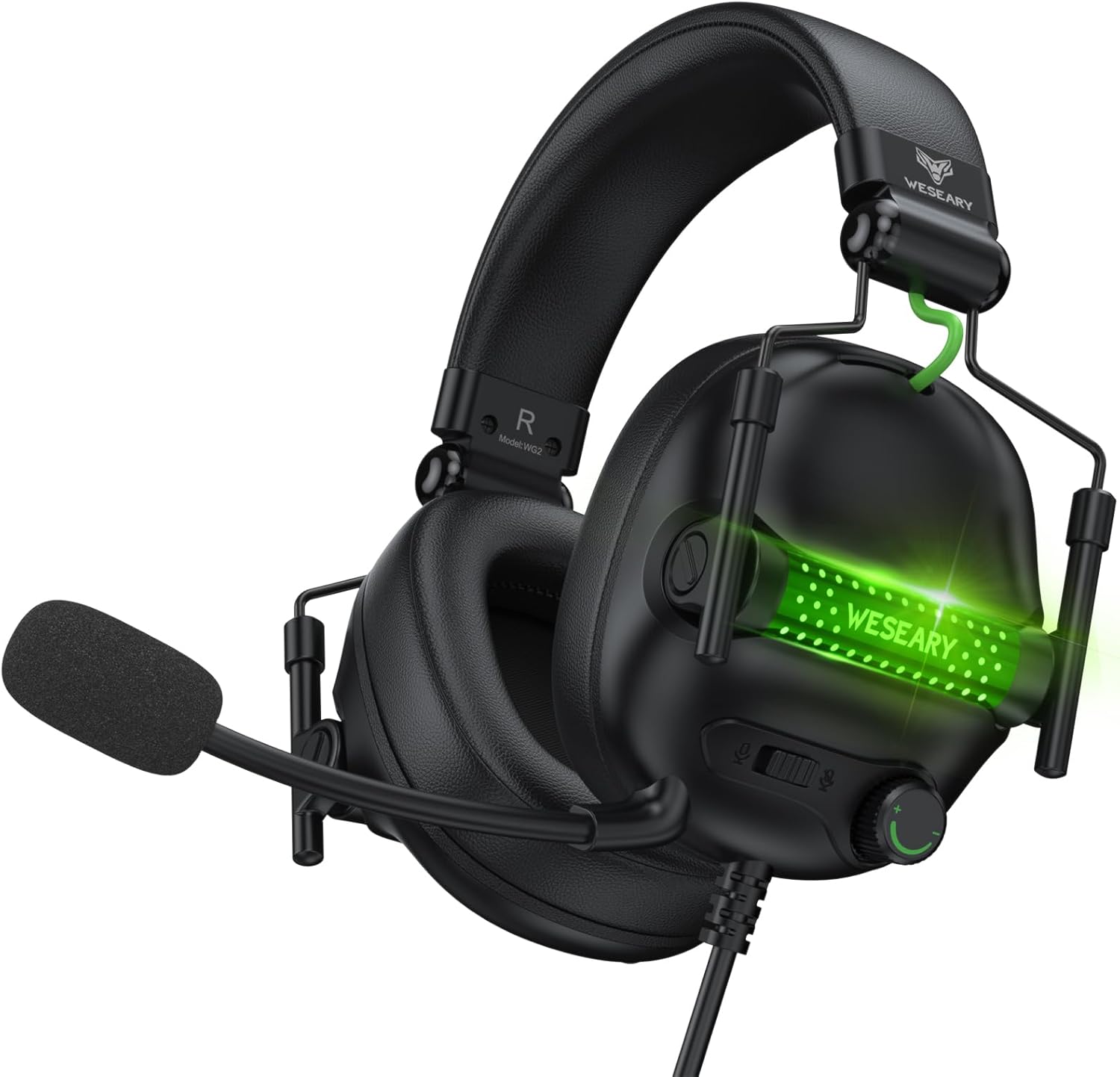
The WESEARY WG2 headset features 50mm drivers for rich stereo sound, an omnidirectional noise-canceling microphone for clear communication, and comfortable memory foam earcups. It is designed for multi-platform compatibility.
3.1 Klíčové vlastnosti
- Pohlcující stereo zvuk: 50mm high-density neodymium drivers deliver detailed 3D stereo audio.
- Mikrofon s potlačením šumu: 360° rotatable omnidirectional microphone with advanced noise cancellation for clear voice pickup.
- Ergonomický komfort: Lightweight design with soft memory foam earcups and an adjustable headband for extended wear.
- Snadné ovládání: In-line rotary volume control and one-button microphone mute.
- Odolný design: Features a strong braided cable for longevity.
3.2 Součásti náhlavní soupravy


4. Pokyny k nastavení
The WESEARY WG2 headset connects via a 3.5mm audio jack. Follow these steps to connect your headset to your device.
4.1 Connecting to PC/Laptop/Mac (with separate audio/mic ports)
- Locate the 3.5mm audio output port (headphone icon) and microphone input port (microphone icon) on your computer.
- Connect the 1 to 2 3.5mm Audio Jack Splitter Cable to the headset's 3.5mm jack.
- Plug the green connector of the splitter into your computer's audio output port.
- Plug the pink connector of the splitter into your computer's microphone input port.
- For LED lighting, connect the USB cable to an available USB port on your computer.
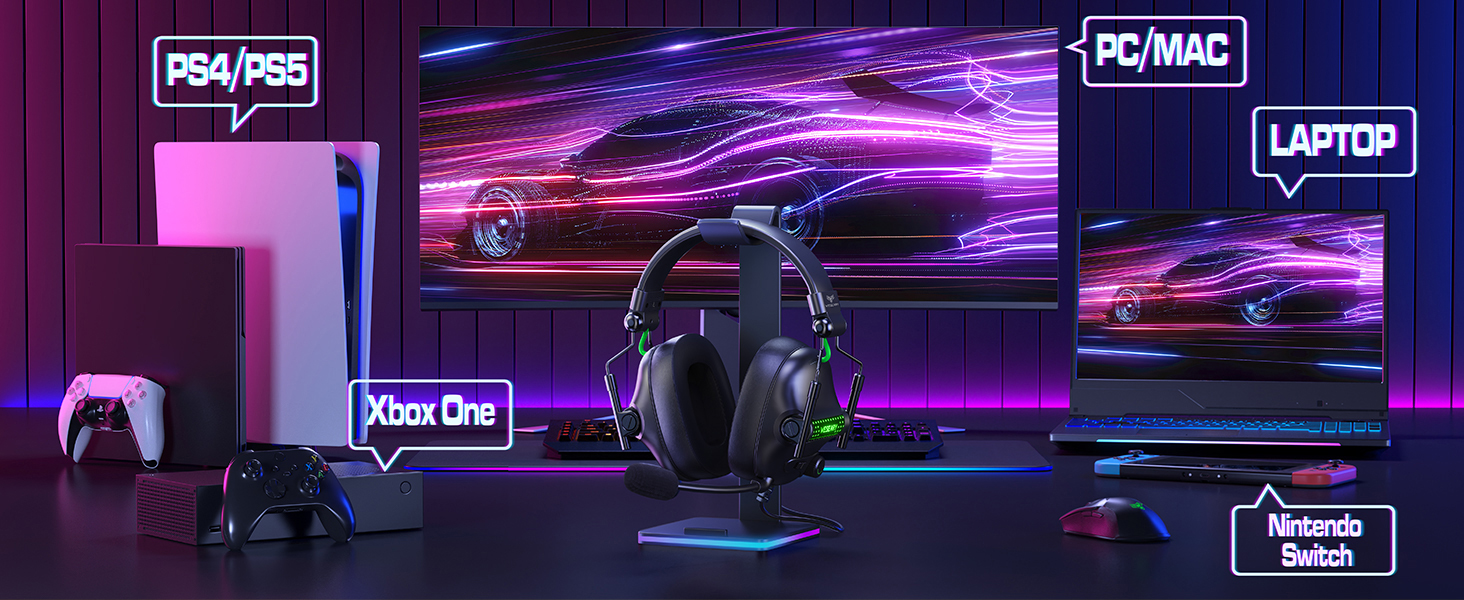
4.2 Connecting to PS4/PS5, Nintendo Switch, Xbox Series X|S, Mobile/Tablet (with single 3.5mm port)
- Plug the headset's 3.5mm jack directly into the 3.5mm audio port on your controller (PS4/PS5, Xbox Series X|S), console (Nintendo Switch), or mobile device.
- For LED lighting, connect the USB cable to an available USB port on your console or a USB power adapter.
- Note for Xbox One (older controllers): A Microsoft adapter (not included) is required for older Xbox One controllers that do not have a built-in 3.5mm jack.
- Poznámka ke kompatibilitě: This headset is not compatible with PS3 (without a 3.5mm adapter) or Xbox 360.

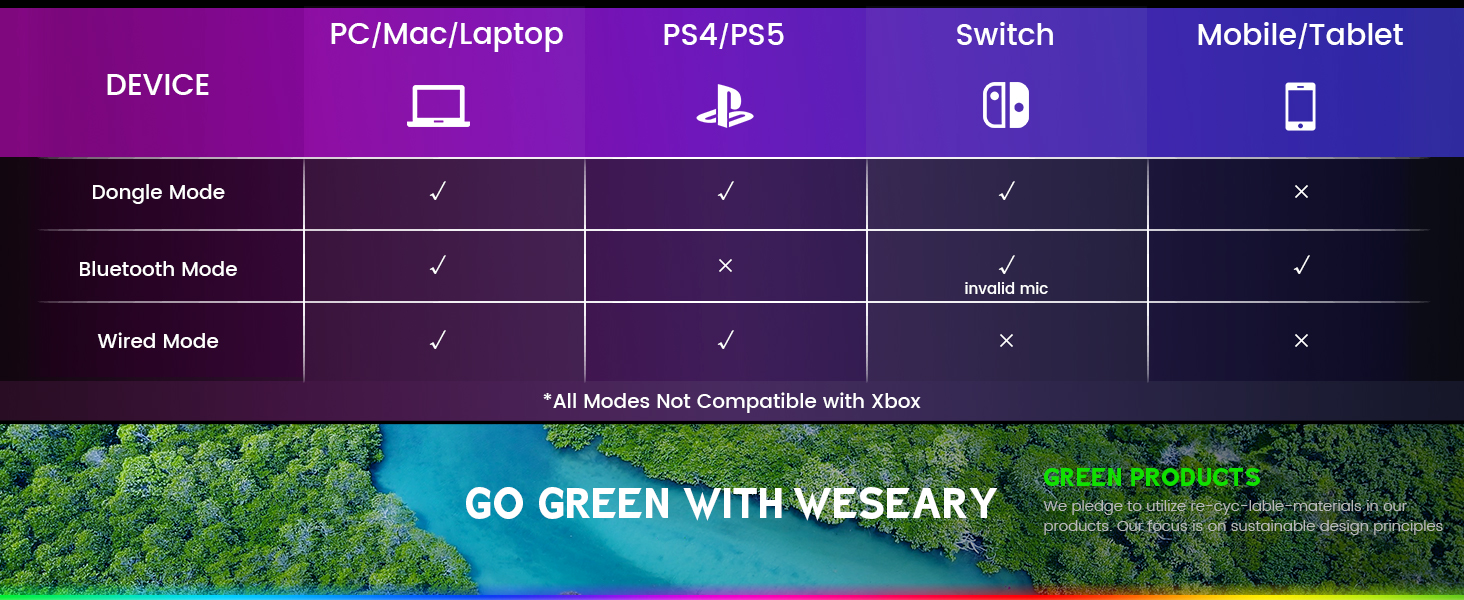
Důležitá poznámka: The WESEARY WG2 is a drátové gaming headset. Any references to "Dongle Mode" or "Bluetooth Mode" in external diagrams or marketing materials are not applicable to this specific model (WG2) which connects solely via its 3.5mm audio jack and USB for LED power.
5. Návod k obsluze
5.1 Nastavení hlasitosti
- Locate the rotary volume control wheel on the left earcup or in-line control.
- Otočením kolečka nahoru zvýšíte hlasitost.
- Otočením kolečka dolů snížíte hlasitost.

5.2 Ztlumení mikrofonu
- Locate the microphone mute button on the left earcup or in-line control.
- Jedním stisknutím tlačítka ztlumíte mikrofon.
- Opětovným stisknutím tlačítka zapnete mikrofon.
5.3 Adjusting the Microphone
- The microphone is 360° rotatable. Adjust its position for optimal voice pickup.
- Position the microphone approximately 1-2 inches from your mouth for best clarity.


5.4 Adjusting Headset Fit
- Adjust the headband by sliding the earcups up or down until the headset fits comfortably over your ears.
- Ensure the earcups fully enclose your ears for optimal sound isolation and comfort.
6. Kompatibilita s více platformami
The WESEARY WG2 Wired Gaming Headset is compatible with a wide range of devices:
- Herní konzole: PlayStation 5 (PS5), PlayStation 4 (PS4), Xbox Series X|S, Nintendo Switch.
- Počítače: PC, Laptops, Mac.
- Mobilní zařízení: Mobile phones, Tablets.
Důležité poznámky:
- For older Xbox One controllers without a 3.5mm jack, a Microsoft adapter (not included) is required.
- The headset is not compatible with PS3 or Xbox 360 without additional adapters.
- The USB connection is solely for powering the LED lighting and does not transmit audio.
7. Údržba
- Čištění: K čištění sluchátek s mikrofonem používejte měkký, suchý hadřík. Nepoužívejte agresivní chemikálie ani abrazivní materiály.
- Skladování: Sluchátka skladujte na chladném a suchém místě mimo dosah přímého slunečního záření a extrémních teplot. Skládací konstrukce umožňuje kompaktní skladování.
- Péče o kabely: Vyhněte se ostrým ohybům nebo nadměrnému tahání za kabel, abyste předešli jeho poškození.
8. Řešení problémů
8.1 Z headsetu nejde zvuk
- Ujistěte se, že je 3.5mm audio konektor zcela zasunut do audio portu zařízení.
- Check the volume control wheel on the headset and ensure it is turned up.
- Verify the audio output settings on your device (console, PC, etc.) are configured to use the headset.
- If using the splitter cable, ensure both green and pink jacks are correctly connected to their respective ports.
8.2 Mikrofon nefunguje
- Ujistěte se, že tlačítko ztlumení mikrofonu na náhlavní soupravě není aktivované.
- Check the microphone input settings on your device (console, PC, etc.) to ensure the headset microphone is selected and its volume is not muted.
- Ensure the 3.5mm audio jack (and pink splitter jack if applicable) is fully inserted.
- Upravte polohu mikrofonu blíže k ústům.
8.3 LED světla nefungují
- Ensure the USB cable is securely connected to a powered USB port on your device or a USB power adapter.
- Zkuste připojit kabel USB k jinému portu USB.
9. Specifikace
| Název modelu | WG2 |
| Technologie připojení | Wired (3.5mm Audio Jack, USB for LED) |
| Typ zvukového ovladače | Dynamický měnič (50mm neodymový) |
| Impedance | 32 ohmů |
| Umístění uší | Přes ucho |
| Kontrola hluku | Zvuková izolace, potlačení hluku (mikrofon) |
| Mikrofon | Omnidirectional, Noise-Canceling, 360° Rotatable |
| Materiál | Composite, Plastic (with Memory Foam Earcups) |
| Rozměry produktu | 5.5 x 2.98 x 5.5 palce |
| Hmotnost položky | 14.8 unce |
| Barva | Rock Black |
| Výrobce | WESEARY |
10. Záruka a podpora
For warranty information and technical support, please refer to the documentation provided with your purchase or visit the official WESEARY webUschovejte si doklad o koupi pro případ reklamace.
Online podpora: Visit the WESEARY Store on Amazon
11. Produktové video
1 video: WESEARY Wired Gaming Headset OverviewToto video poskytuje krátký vizuální přehledview of the headset's features and design, demonstrating its immersive sound and clear communication capabilities.
Související dokumenty - WG2
 |
Herní sluchátka s kabelem Occic pro PS4, PS5, Xbox a PC – funkce a specifikace Detailní konecview herních drátových sluchátek Occick s vysoce věrným zvukem, mikrofonem s potlačením hluku, ergonomickým designem a kompatibilitou s PS4, PS5, Xbox a PC. Včetně technických specifikací. |
 |
Uživatelská příručka k bezdrátovému hernímu headsetu BINNUNE BW02 Uživatelská příručka pro bezdrátový herní headset BINNUNE BW02, včetně nastavení a produktu nahořeview, specifikace, řešení problémů a informace o podpoře pro PC, PS4/PS5 a Xbox. |
 |
Corsair HS55 SURROUND Lehká stereo herní sluchátka s prostorovým zvukem 7.1 Objevte herní sluchátka Corsair HS55 SURROUND, všestranná kabelová herní sluchátka nabízející stereo a virtuální 7.1 prostorový zvuk. Seznamte se s jejich funkcemi, integrací softwaru iCUE a tipy pro nastavení pro optimální pohodlí a zvuk. |
 |
Uživatelská příručka herního headsetu BEAVIIOO HH01 Tato příručka obsahuje pokyny k nastavení a tipy pro řešení problémů s herním headsetem BEAVIIOO HH01, kompatibilním s PC, Mac, mobilními telefony, Xbox One a PS4. |
 |
WolfLawS G9400 Gaming Headset User Manual - Setup and Compatibility Guide User manual for the WolfLawS G9400 Gaming Headset, detailing specifications, what's included, warranty information, and compatible platforms like PS4, PS5, Xbox One, PC, and mobile devices. |
 |
Uživatelská příručka k headsetu SOMiC GS510 Cat Komplexní průvodce pro sluchátka SOMiC GS510 Cat s podrobným popisem funkcí, nastavení, kompatibility s herními konzolemi a počítačem a pokyny k použití zasouvacího mikrofonu s potlačením hluku. |
Ask a question about this manual
Ask about setup, troubleshooting, compatibility, parts, safety, or missing instructions. Manuals+ will review the question and use this page’s manual context to help answer it.