
1. Úvod
Thank you for choosing the PEICHENG PC-01 Wireless Bluetooth Earphones. These earphones are designed to provide a high-quality audio experience with advanced Bluetooth 6.0 technology, a comfortable over-ear hook design, and a portable charging case. This manual provides detailed instructions for setup, operation, and maintenance to ensure optimal performance and longevity of your device.
2. Co je v krabici
- PEICHENG PC-01 Wireless Bluetooth Earphones (Left and Right)
- Nabíjecí pouzdro
- Uživatelská příručka (tento dokument)
3. Konec produktuview
The PEICHENG PC-01 earphones feature an ergonomic over-ear hook design for a secure and comfortable fit, making them suitable for various activities. They utilize BlueSignal 6.0 technology for stable wireless connections and deliver High-Resolution Audio with deep bass.
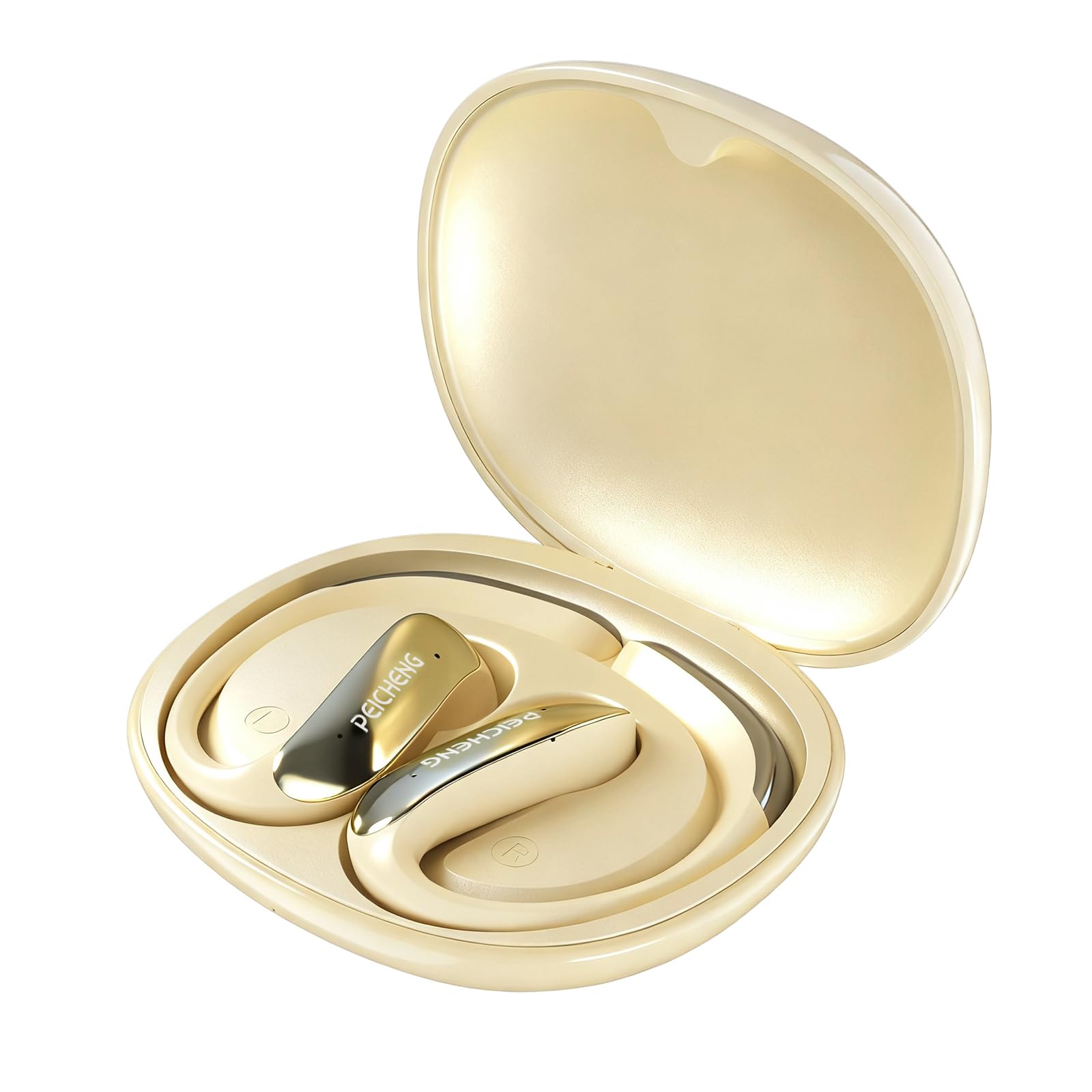
Figure 3.1: PEICHENG PC-01 Wireless Bluetooth Earphones and Charging Case.
Klíčové vlastnosti:
- BlueSignal 6.0 Technology: Ensures stable, faster, and efficient wireless connections with low latency.
- Zvuk ve vysokém rozlišení: Delivers immersive sound with deep, powerful bass.
- Design háčku přes uši: Provides a secure and comfortable fit for extended wear.
- Lehká konstrukce: Enhances comfort and reduces ear fatigue.
- Self-contained Space Audio: Creates an immersive sound experience.
- Vymazat volání: Integrated microphones ensure sharp and intelligible conversations.
- Přenosné nabíjecí pouzdro: 300mAh capacity for all-day power.

Obrázek 3.2: Přesview of PEICHENG Wireless Earbuds features.

Figure 3.3: Internal driver design for immersive sound.

Figure 3.4: Compact and portable charging case.
4. Nastavení
4.1 Nabíjení sluchátek a pouzdra
Before first use, fully charge the earphones and charging case. The charging case has a 300mAh battery capacity, providing multiple charges for the earphones.
- Vložte sluchátka do nabíjecího pouzdra a ujistěte se, že jsou správně usazena.
- Connect a USB Type-C charging cable to the charging port on the case and plug the other end into a compatible USB power source.
- The indicator lights on the case will show the charging status. A full charge typically takes approximately 2 hours.
4.2 Párování Bluetooth
The PEICHENG PC-01 earphones use BlueSignal 6.0 technology for efficient pairing with various devices.
- Ujistěte se, že jsou sluchátka nabitá a vložená do nabíjecího pouzdra.
- Open the charging case. The earphones will automatically enter pairing mode, indicated by a flashing LED light (specific color/pattern not provided, assume standard).
- On your device (smartphone, tablet, laptop, smartwatch, TV), go to the Bluetooth settings.
- Hledat available devices and select "PEICHENG PC-01" from the list.
- Once connected, the LED indicator on the earphones will typically stop flashing or change to a solid light.
- Sluchátka se po vyjmutí z pouzdra automaticky znovu připojí k poslednímu spárovanému zařízení, pokud je na zařízení povoleno Bluetooth.

Figure 4.1: BlueSignal 6.0 connectivity with various devices.
5. Návod k obsluze
The PEICHENG PC-01 earphones feature touch controls for managing audio playback and calls.
5.1 Dotykové ovládání
The touch-sensitive area on each earphone allows for various functions. Specific gestures and their corresponding actions are detailed below:
- Přehrát/pozastavit: Jedno klepnutí na kterékoli sluchátko.
- Další skladba: Dvakrát klepněte na pravé sluchátko.
- Předchozí skladba: Dvakrát klepněte na levé sluchátko.
- Přijmout/ukončit hovor: Během příchozího hovoru klepněte jedním klepnutím na kterékoli sluchátko.
- Odmítnout hovor: Během příchozího hovoru stiskněte a podržte kterékoli sluchátko.
- Aktivovat Voice Assistant: Třikrát klepněte na kterékoli sluchátko (pokud to vaše zařízení podporuje).
Note: Volume control is managed directly from your connected device.
5.2 Calling Functionality
The integrated microphones ensure clear communication during calls.
- When a call comes in, tap either earphone once to answer.
- To end an active call, tap either earphone once.
- To reject an incoming call, press and hold either earphone.

Figure 5.1: Earbud in use for clear calling.
5.3 režimů zvuku
The earphones feature Self-contained Space Audio, designed to provide an immersive listening experience by creating a sense of isolated sound.

Figure 5.2: Self-contained Space Audio feature.
6. Údržba
Správná údržba zajistí dlouhou životnost a výkon vašich sluchátek.
- Čištění: K čištění sluchátek a nabíjecího pouzdra používejte měkký, suchý hadřík. Nepoužívejte abrazivní materiály ani agresivní chemikálie.
- Skladování: Pokud sluchátka nepoužíváte, uložte je do nabíjecího pouzdra, aby byly chráněny před prachem a poškozením.
- Vystavení vodě: Sluchátka nejsou specifikována jako vodotěsná. Zabraňte jejich vystavení vodě nebo nadměrné vlhkosti.
- Teplota: Do not expose the earphones or case to extreme temperatures (hot or cold).
7. Řešení problémů
If you encounter issues with your PEICHENG PC-01 earphones, refer to the following common solutions:
| Problém | Řešení |
|---|---|
| Sluchátka se nespárují |
|
| Žádný zvuk nebo nízká hlasitost |
|
| Sluchátka se nenabíjejí |
|
| Touch controls unresponsive or delayed |
|
8. Specifikace
| Funkce | Detail |
|---|---|
| Název modelu | PC-01 |
| Značka | PEICHENG |
| Technologie připojení | Bezdrátové, Bluetooth |
| Verze Bluetooth | 6.0 (BlueSignal 6.0) |
| Umístění uší | Přes ucho |
| Form Factor | Přes ucho |
| Typ zvukového ovladače | Dynamický ovladač |
| Impedance | 15 ohmů |
| Kontrola hluku | Žádný |
| Speciální funkce | Self-contained Space Audio |
| Kontrolní metoda | Dotek |
| Výdrž baterie (sluchátka) | 5 hodiny |
| Kapacita baterie nabíjecího pouzdra | 300 XNUMX mAh |
| Doba nabíjení | Přibližně 2 hodin |
| Hardwarové rozhraní | USB typ C |
| Kompatibilní zařízení | Smartphones, Notebooks, Tablets, TVs, Smartwatches |
| Materiál | Plast, silikon |
| Rozměry produktu | 3.2 x 2.8 x 1.4 palce |
| Hmotnost položky | 5 unce |
| UPC | 607606229639 |
9. Oficiální video produktu
Video 9.1: Overview of the PEICHENG PC-01 Wireless Bluetooth Earphones, showcasing their design, features, and charging capabilities.
10. Záruka a podpora
For warranty information or technical support, please refer to the documentation included with your purchase or contact PEICHENG customer service through the retailer where the product was purchased. Keep your proof of purchase for warranty claims.