
Zavedení
The Lexar ES5 Magnetic External SSD is a high-performance portable storage device designed for fast data transfer and reliable storage. It features MagSafe compatibility for easy attachment to compatible smartphones, robust dust and water resistance, and supports high-resolution video recording formats like Apple ProRes and Samsung Pro Video. This manual provides essential information for setting up, operating, maintaining, and troubleshooting your Lexar ES5 SSD.
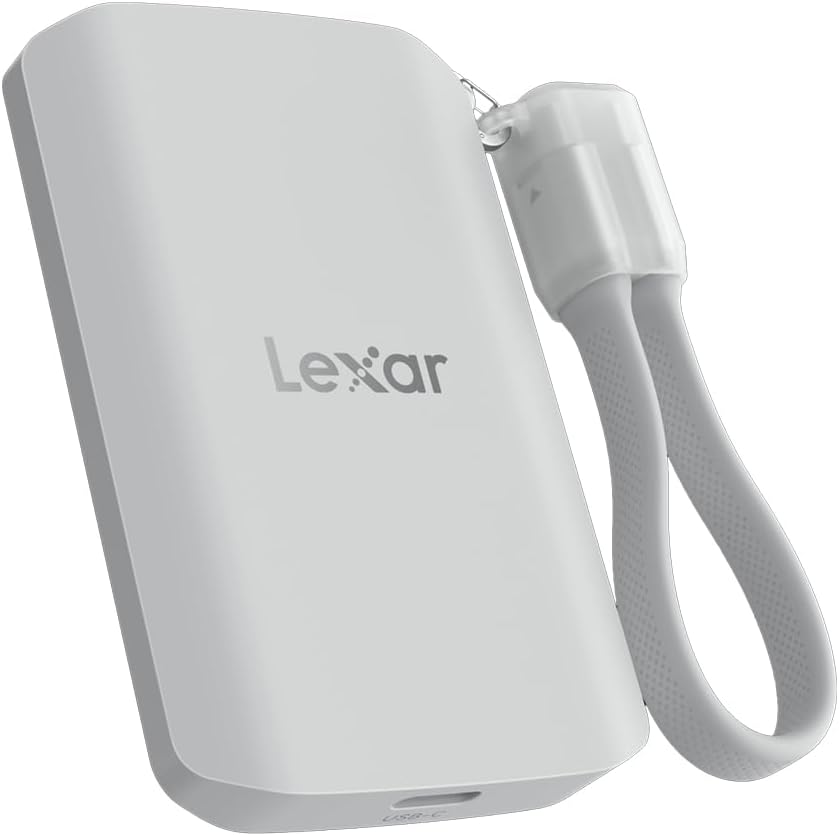
Image: The Lexar ES5 Magnetic External SSD, a compact and portable storage device.
Co je v krabici
Ověřte prosím, zda jsou v balení produktu přítomny všechny položky:
- Portable SSD (1)
- Kabel USB-C na USB-C (1)
- Data Cable Organizer (1)
- Adaptér USB-C na USB-A (1)
- Magnetic Attraction Plate (1)
- Operating Instruction (2)

Image: A visual representation of the Lexar ES5 Magnetic External SSD and its included accessories, such as cables, adapter, and magnetic plate.
Nastavení
- Připojení SSD disku: Use the provided USB-C to USB-C cable to connect the Lexar ES5 SSD to your device (smartphone, tablet, PC, or Mac). If your device only has USB-A ports, use the included USB-C to USB-A adapter.
- Kompatibilita MagSafe: For MagSafe-compatible smartphones, the SSD can be directly attached magnetically. An additional metal ring accessory is included to provide a magnetic surface for other devices if needed.
- Initial Formatting (if required): Upon first connection, your operating system may prompt you to format the drive. For optimal performance and compatibility, especially with Windows systems for large file transfers or gaming, consider formatting the drive to NTFS. For Mac, APFS or HFS+ may be preferred. Always back up any data before formatting.
- Správa kabelů: Utilize the included cable organizer, which also functions as a lanyard, to keep your cable tidy and prevent loss.

Image: The Lexar ES5 SSD demonstrating its MagSafe compatibility by attaching to an iPhone, and also showing its connection to a laptop via USB-C.
Návod k obsluze
Přenos dat
The Lexar ES5 SSD offers high-speed data transfer with up to 2000MB/s read and 2000MB/s write speeds. Connect the SSD to your device and drag-and-drop files or use your operating system's copy/paste functions to transfer data. Performance may vary depending on the host device and system, especially for systems not supporting USB 3.2 Gen 2x2.

Image: The Lexar ES5 Magnetic Portable SSD highlighting its maximum read and write speeds of 2000 MB/s.
Nahrávání videa ve vysokém rozlišení
The ES5 SSD supports direct recording of high-resolution video. It is compatible with Apple ProRes at 4K 120FPS and Samsung Pro Video at 8K 30FPS, making it suitable for professional content creation.

Image: Individuals using smartphones with the Lexar ES5 SSD attached, illustrating its capability for 4K and 8K video recording.
Lexar App for Backup
The Lexar ES5 includes free access to the Lexar App, which allows you to easily back up your media and expand the storage of your mobile device. Download the app from your device's app store and follow the on-screen instructions for setup and use.

Image: The Lexar ES5 SSD alongside the Lexar App logo, surrounded by various images and videos, indicating its use for media backup.
Údržba
Trvanlivost a ochrana
The Lexar ES5 SSD is designed for durability with an IP65 rating for dust and water resistance, and it is drop resistant up to three meters. This robust construction helps protect your data in various environments.

Image: Three Lexar ES5 SSD units illustrating their resistance to dust, water (IP65 rating), and impact from a 3-meter drop.
Tepelná regulace
The SSD incorporates a thermal control design to ensure optimal operating temperatures, which helps maintain high performance during extended use.

Image: The Lexar ES5 SSD connected to a laptop, with visual cues suggesting its internal thermal control system for sustained performance.
Čištění a skladování
- Wipe the exterior with a soft, dry cloth. Avoid harsh chemicals or abrasive materials.
- SSD disk skladujte na chladném a suchém místě mimo dosah přímého slunečního záření a extrémních teplot.
- Ensure the USB-C port is free of dust and debris before connecting cables.
Odstraňování problémů
Zařízení nebylo rozpoznáno
- Ujistěte se, že je kabel USB bezpečně připojen k disku SSD i k zařízení.
- Try a different USB port on your computer or a different USB-C cable.
- Restartujte počítač nebo mobilní zařízení.
- Check your device's disk management utility (Windows) or Disk Utility (Mac) to see if the drive is detected but unformatted. Format the drive if necessary (note: this will erase all data).
- Ujistěte se, že operační systém vašeho zařízení je aktuální.
Pomalé přenosové rychlosti
- Verify that your device's USB port supports USB 3.2 Gen 2x2 for maximum performance. Older USB standards will result in lower speeds.
- Ensure you are using the provided high-speed USB-C cable.
- Close any unnecessary applications running in the background on your computer.
- Check the health of the SSD using appropriate diagnostic tools (if available from Lexar).
MagSafe Attachment Issues
- Ensure your smartphone is MagSafe-compatible.
- If using the magnetic attraction plate, ensure it is properly adhered to your device or case.
- Remove any thick cases that might interfere with the magnetic connection.
Specifikace
| Funkce | Detail |
|---|---|
| Značka | Lexar |
| Název modelu | ES5 |
| Číslo modelu položky | LES5XXX002T-RNWNU |
| Digitální kapacita úložiště | 2 TB |
| Typ pevného disku | Solid State Drive |
| Technologie připojení | USB-C |
| Rychlost čtení | Až 2000 XNUMX MB/s |
| Rychlost zápisu | Až 2000 XNUMX MB/s |
| Speciální funkce | Drop Resistant, Dust Resistant, Portable, Water Resistant (IP65) |
| Kompatibilní zařízení | Desktop, Laptop, Smartphone, Tablet, iPhone 15/16+ |
| Hmotnost položky | 4.2 unce |
| Rozměry balení | 5.91 x 3.98 x 1.26 palce |
Informace o záruce
Lexar products typically come with a limited warranty. Please refer to the warranty card included in your product packaging or visit the official Lexar website for detailed warranty terms and conditions specific to the ES5 Magnetic External SSD. Keep your proof of purchase for warranty claims.
Podpora
For further assistance, technical support, or to download the Lexar App, please visit the official Lexar support website. You can also find FAQs and driver updates there.
Lexar Official Webmísto: www.lexar.com