
1. Úvod
Thank you for choosing the ZENTALITY A10 Projector. This compact and versatile projector is designed to deliver a high-quality home cinema experience with its native 1080P resolution, 4K decoding support, and integrated Android operating system. Featuring Wi-Fi 6 and Bluetooth 5.1 connectivity, automatic keystone correction, and a 360-degree adjustable stand, the A10 offers flexible entertainment options for various environments. Please read this manual carefully to ensure proper setup, operation, and maintenance of your device.
2. Bezpečnostní informace
- Napájení: Používejte pouze dodaný napájecí adaptér. Ujistěte se, že hlasitosttage odpovídá požadavkům projektoru.
- Větrání: Neblokujte větrací otvory. Kolem projektoru ponechte dostatečný prostor pro správné proudění vzduchu, abyste zabránili přehřátí.
- Expozice tekutin: Chraňte projektor před vodou nebo jinými kapalinami. Nepoužívejte jej ve vlhkém prostředí.
- Čištění: Disconnect power before cleaning. Use a soft, dry cloth. Avoid abrasive cleaners.
- Děti: Uchovávejte projektor mimo dosah malých dětí.
- Umístění: Umístěte projektor na stabilní a rovný povrch. Neumísťujte jej na přímé sluneční světlo ani do blízkosti zdrojů tepla.
- Čočka: Nedívejte se přímo do objektivu projektoru, když je zapnutýamp je zapnutý, protože by mohl způsobit poškození očí.
3. Obsah balení
Zkontrolujte prosím balení, zda neobsahuje následující položky:
- ZENTALITY A10 Projector Unit
- Dálkové ovládání
- Napájecí adaptér
- HDMI kabel
- Uživatelská příručka (tento dokument)
4. Konec produktuview
Familiarize yourself with the main components and ports of your ZENTALITY A10 Projector.

The ZENTALITY A10 Projector, showcasinjeho kompaktní design a objektiv.
Strana view of the ZENTALITY A10 Projector, highlighting its various input and output ports for connectivity.
Klíčové komponenty:
- Projekční čočka: Vysílá obraz.
- Vypínač: Zapne/vypne projektor.
- Port HDMI: Connects to external devices like laptops, gaming consoles, or TV sticks.
- USB port: Pro přehrávání médií z USB disků.
- Audio výstup: Připojuje se k externím reproduktorům nebo sluchátkům.
- DC vstup: Port napájení.
- Nastavitelný stojan: Allows for 360-degree rotation and flexible positioning.
5. Nastavení
5.1 Umístění
Position the projector on a stable surface. The optimal projection distance for the ZENTALITY A10 is between 1.0 to 3.5 meters, which can produce screen sizes ranging from 40 to 200 inches.

A visual guide recommending optimal projection screen sizes (30, 100, 200 inches) for the ZENTALITY A10 Projector under different lighting conditions, from dim to completely dark rooms.
5.2 Připojení napájení
- Připojte napájecí adaptér k portu DC In na projektoru.
- Zapojte napájecí adaptér do elektrické zásuvky.
- Stisknutím tlačítka napájení na projektoru nebo dálkovém ovladači jej zapněte.
5.3 Nastavení zaostření
The ZENTALITY A10 features electric focus. Use the 'F+' and 'F-' buttons on the remote control to achieve a clear and sharp image.

The ZENTALITY A10 Projector in a room setting, with its remote control demonstrating electric focus and automatic keystone correction features.
5.4 Korekce lichoběžníkového zkreslení
The projector is equipped with automatic 45° keystone correction. This feature automatically adjusts the image to be rectangular even if the projector is placed at an angle. Manual adjustments can also be made if needed through the settings menu.
5.5 Konektivita
- Wi-Fi připojení: Navigate to the 'Settings' menu on the projector's interface. Select 'Network & Internet' and connect to your desired 2.4G or 5G Wi-Fi network.
- Připojení Bluetooth: For connecting external audio devices, go to 'Settings' > 'Connected Devices' > 'Bluetooth'. Enable Bluetooth and pair with your device.
- Připojení HDMI: Connect an HDMI cable from your external device (e.g., laptop, TV stick) to the HDMI port on the projector. Select the HDMI input source from the projector's main menu.

An illustration showing the ZENTALITY A10 Projector's fast Wi-Fi 6 and Bluetooth 5.1 capabilities, enabling seamless wireless connections for streaming and audio.
6. Provoz
6.1 Operační systém Android a aplikace
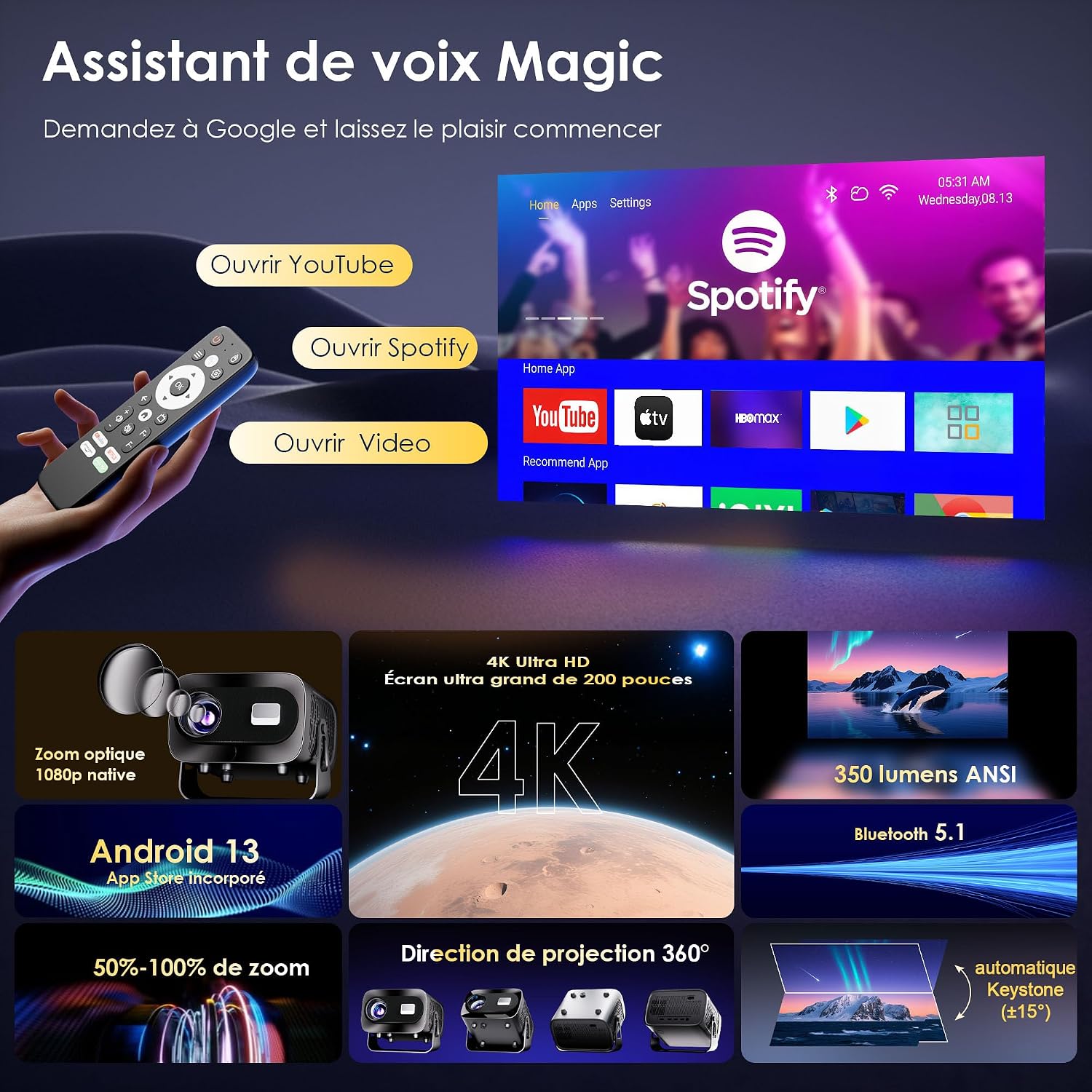
The ZENTALITY A10 runs on an integrated Android operating system, providing access to a wide range of applications. You can find pre-installed apps like YouTube and Spotify on the home screen. Additional applications can be downloaded from the Google Play Store.

A screenshot of the ZENTALITY A10 Projector's Android interface, displaying pre-installed applications like YouTube and Spotify, ready for streaming.
6.2 Audio výstup
The projector includes built-in speakers for audio playback. For an enhanced audio experience, connect external Bluetooth speakers or headphones via Bluetooth 5.1, or use the 3.5mm audio out port.
6.3 Rotace o 360°
The projector's integrated stand allows for 360-degree rotation, enabling projection onto walls, ceilings, or any desired surface without needing to reposition the entire unit.

An image illustrating the ZENTALITY A10 Projector's flexible 360-degree adjustable stand, allowing for versatile projection angles.
6.4 Funkce zoom
Adjust the image size from 50% to 100% using the zoom function in the projector's settings menu. This allows you to fine-tune the screen size without moving the projector.
7. Údržba
- Čištění objektivu: Use a soft, lint-free cloth specifically designed for optical lenses. Gently wipe the lens to remove dust or smudges. Avoid touching the lens with bare fingers.
- Čištění exteriéru: Wipe the projector's exterior with a soft, dry cloth. Do not use liquid or aerosol cleaners, as they may damage the finish.
- Větrání: Pravidelně kontrolujte, zda jsou větrací otvory čisté a bez prachu, aby byl zajištěn správný odvod tepla.
- Skladování: Pokud projektor delší dobu nepoužíváte, skladujte jej na chladném a suchém místě chráněném před prachem.
8. Řešení problémů
If you encounter issues with your ZENTALITY A10 Projector, refer to the following common problems and solutions:
| Problém | Možná příčina | Řešení |
|---|---|---|
| Žádná síla | Power cable disconnected; power outlet issue; projector off. | Ensure power cable is securely connected. Try a different outlet. Press the power button. |
| Rozmazaný obraz | Incorrect focus; projector too close/far; dirty lens. | Adjust focus using 'F+'/'F-' buttons. Adjust projection distance. Clean the lens. |
| Image is trapezoidal/distorted | Projector not perpendicular to screen; automatic keystone not engaged. | Ensure projector is facing the screen directly. Check keystone settings in the menu for manual adjustment if needed. |
| Žádný zvuk | Volume too low; external speakers not connected/paired; incorrect audio output selected. | Increase volume. Check Bluetooth connection for external speakers. Ensure correct audio output is selected in settings. |
| Dálkové ovládání nereaguje | Low batteries; obstruction; out of range. | Replace batteries. Ensure no obstructions between remote and projector. Point remote directly at the projector's IR receiver. |
| App compatibility issues (e.g., specific streaming apps) | DRM restrictions; app version incompatibility. | Ensure the app is updated to the latest version. Some apps may have specific device restrictions. Consider using an external streaming stick via HDMI if issues persist. |
| Přehřívání/Hluk ventilátoru | Zablokované větrání; dlouhodobé používání. | Ensure ventilation ports are clear. Allow the projector to cool down. Operate in a well-ventilated area. |
9. Specifikace
Key technical specifications for the ZENTALITY A10 Projector:
| Funkce | Specifikace |
|---|---|
| Značka | ZENTALITA |
| Název modelu | A10 |
| Nativní rozlišení displeje | 1920 x 1080 (1080P Full HD) |
| Maximální rozlišení displeje | 3840 × 2160 (podpora 4K) |
| Typ zobrazení | LCD |
| Kontrastní poměr | 10000:1 |
| Technologie připojení | Wi-Fi 6, Bluetooth 5.1, HDMI |
| Doporučené použití | Domácí kino |
| Speciální funkce | Integrated Wireless Connection, 360° Rotation, Automatic Keystone Correction, Android OS |
| Projekční vzdálenost | Až 3.5 metrů |
| Maximální velikost obrázku | 200 palce |
| Kompatibilní zařízení | Laptop, Smartphone, Gaming Console, TV Stick, HDMI devices |
| Technologie vylepšení obrazu | HDR10+ |
| Kódování videa | H.265 |
10. Záruka a podpora
ZENTALITY is committed to providing excellent customer service and product quality.
- Záruka kvality: Enjoy a 360-day quality guarantee from the date of purchase.
- Bezplatné vrácení: Benefit from 180 days of free returns.
- Technická podpora: Pro váš produkt je k dispozici doživotní technická podpora.
- Služby zákazníkům: Our customer service team is available 24/7 to assist you with any inquiries or issues.
For support, please refer to the contact information provided with your purchase or visit the official ZENTALITY webmísto.