
Zavedení
Thank you for choosing the LogiLink BT0070 BT 6.0 Gaming Headset. This manual provides essential information for the proper setup, operation, and maintenance of your headset. Please read these instructions carefully before using the product to ensure optimal performance and longevity.
The LogiLink BT0070 is a versatile wireless gaming headset designed for clear communication and immersive audio experiences. It features a 360° microphone, comfortable ear pads, an adjustable headband, and a long-lasting battery.
Bezpečnostní informace
- Nevystavujte sluchátka extrémním teplotám, vlhkosti ani korozivním látkám.
- Zabraňte pádu sluchátek na zem nebo jejich vystavení silným nárazům.
- Nepokoušejte se rozebírat ani upravovat sluchátka. Zrušíte tím záruku a může dojít k poškození.
- Chraňte sluchátka před vodou a jinými kapalinami.
- Používejte pouze specifikovaný nabíjecí objemtage a aktuální.
- Dlouhodobý poslech při vysoké hlasitosti může způsobit poškození sluchu. Upravte hlasitost na bezpečnou úroveň.
Obsah balení
Zkontrolujte prosím balení, zda neobsahuje následující položky:
- LogiLink BT0070 Gaming Headset
- USB nabíjecí kabel
- 3.5mm audio kabel AUX
- Uživatelská příručka (tento dokument)
Konec produktuview
Familiarize yourself with the components of your LogiLink BT0070 Gaming Headset.

Obraz: Nadview of the LogiLink BT0070 headset highlighting its adjustable headband, adjustable microphone, soft memory earmuffs, and flexible design for various head shapes.
- Nastavitelná čelenka: Allows for a customized and comfortable fit.
- Nastavitelný mikrofon: A 360° noise-isolating microphone for clear voice communication.
- Soft Memory Ear Pads: Designed for extended comfort during long gaming sessions.
- Ovládací tlačítka: (Specific button functions will be detailed in the Operating section).
- 3.5mm AUX port: Pro kabelové připojení k zařízením.
- Nabíjecí port: Pro dobíjení interní baterie.
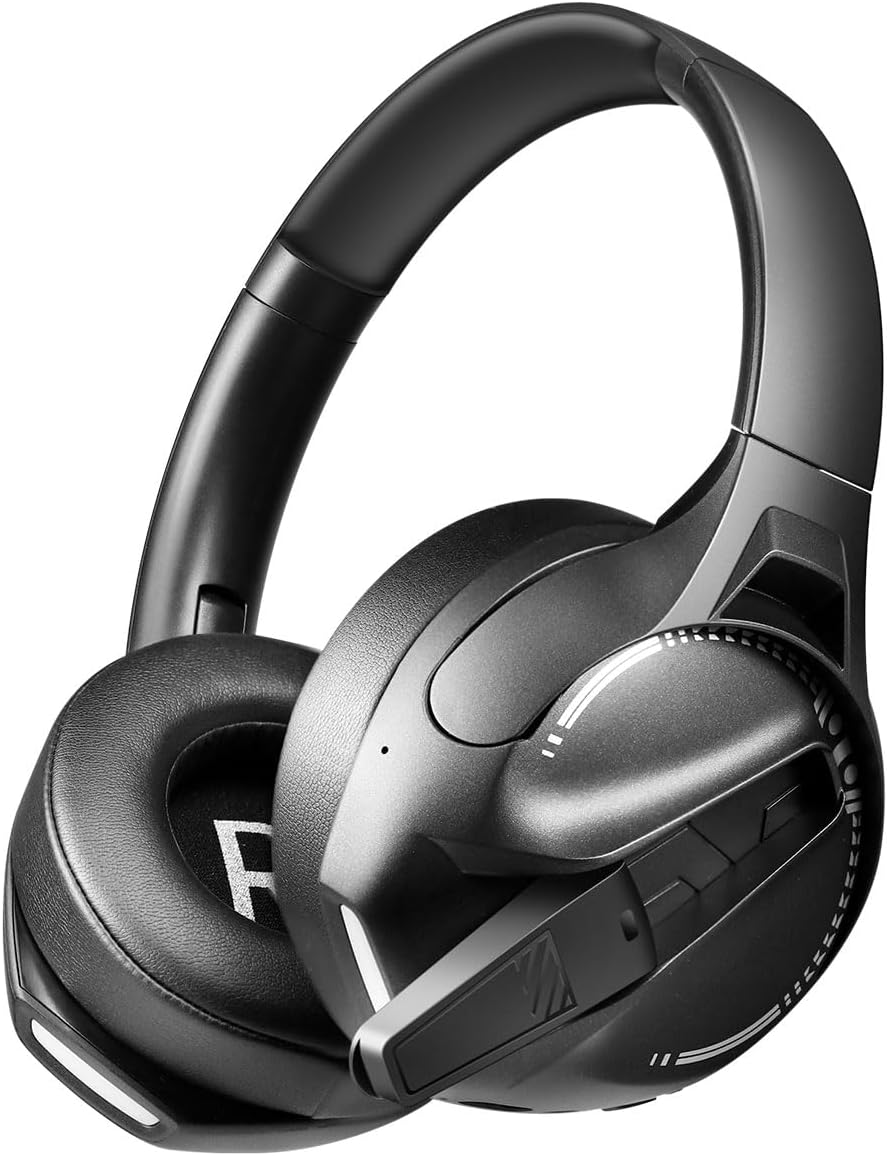
Obraz: Strana view of the LogiLink BT0070 headset, showing the extended microphone arm and ear cup design.

Obraz: Přední view of the LogiLink BT0070 headset, showcasinjeho celkový design.
Nastavení
1. Nabíjení náhlavní soupravy
Before first use, fully charge the headset. Connect the USB charging cable to the headset's charging port and the other end to a compatible USB power source (e.g., computer USB port, USB wall adapter).

Obraz: Illustration of power adapter requirements. Use a 3.0-3.0W power adapter. Note that a power adapter is not included with the headset.
- A full charge typically takes approximately [X] hours (specific time not provided, refer to product packaging or LED indicator).
- The LED indicator on the headset will change color or turn off once charging is complete.
- Ensure the power source provides 3.0-3.0W for optimal charging.
2. Zapnutí/vypnutí
- Zapnutí: Stiskněte a podržte tlačítko napájení přibližně 3 sekundy, dokud se nerozsvítí LED indikátor.
- Vypnutí: Stiskněte a podržte tlačítko napájení přibližně 5 sekund, dokud nezhasne LED indikátor.
3. Párování Bluetooth
Bezdrátové připojení sluchátek s mikrofonem k zařízení:
- Zkontrolujte, zda je náhlavní souprava vypnutá.
- Press and hold the Power button for approximately 5-7 seconds until the LED indicator flashes rapidly (usually blue and red), indicating pairing mode.
- On your device (smartphone, laptop, etc.), enable Bluetooth and search for new devices.
- Select "LogiLink BT0070" from the list of available devices.
- Once paired, the LED indicator on the headset will typically flash slowly or turn solid blue.
4. Wired Connection (3.5mm AUX)
For a wired connection, use the included 3.5mm AUX audio cable:
- Zapojte jeden konec 3.5mm audio kabelu do AUX portu na sluchátkách.
- Druhý konec zapojte do 3.5mm audio konektoru na vašem zařízení.
- The headset will operate in passive mode, drawing no power from its battery.
5. Úprava Fit
For optimal comfort and sound quality, adjust the headset to fit your head:
- Extend or retract the adjustable headband until the ear cups comfortably cover your ears.
- Ensure the soft memory ear pads create a good seal around your ears.
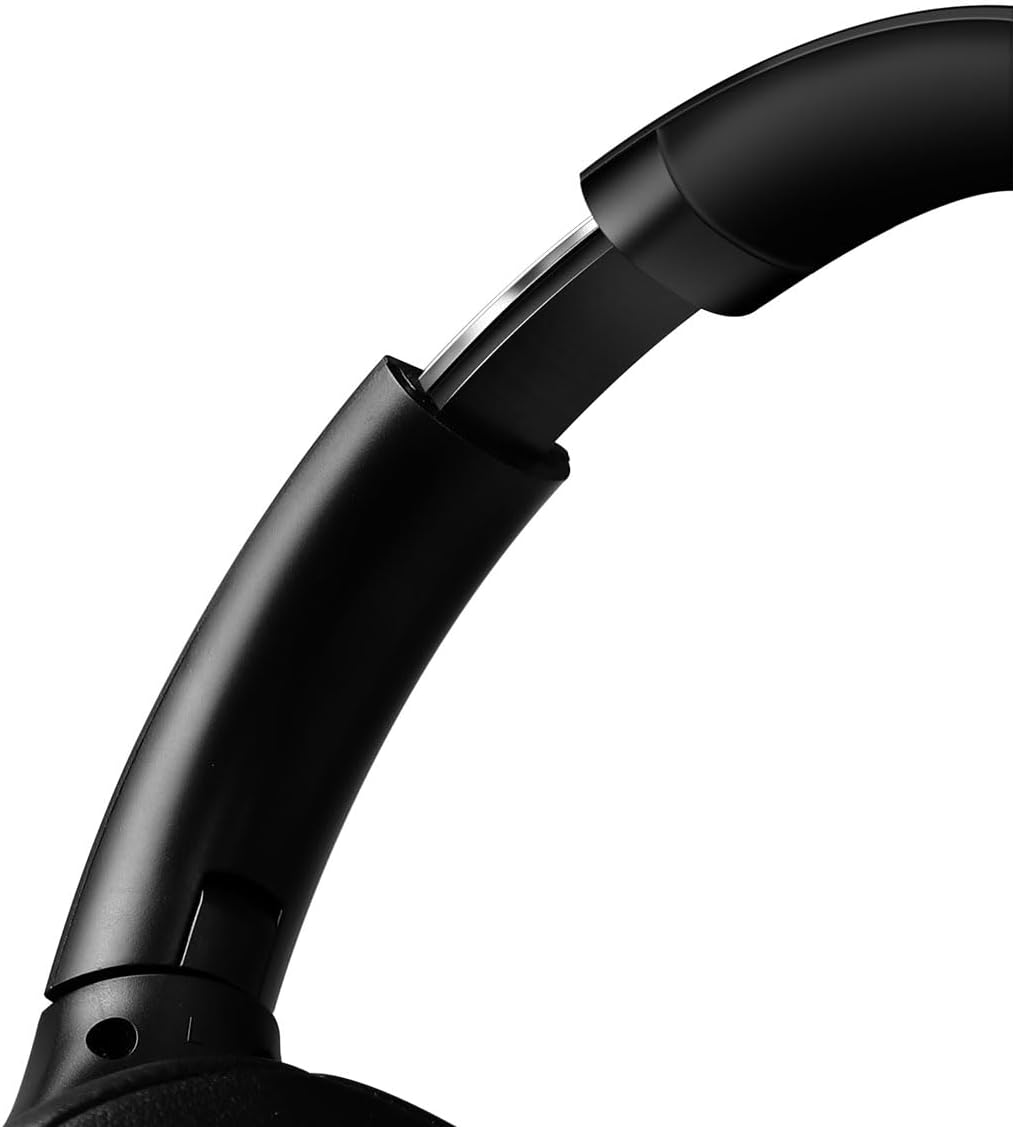
Obraz: Detailní záběr view of the adjustable headband mechanism, demonstrating how to customize the fit.
Ovládání náhlavní soupravy
1. Základní ovládací prvky
The headset features intuitive controls, typically located on the ear cups:
- Vypínač: Press and hold to power on/off. Short press for [X function, e.g., play/pause, answer call - specifics not provided, common functions listed].
- Zvýšení hlasitosti/další skladba: Krátké stisknutí pro zvýšení hlasitosti. Dlouhé stisknutí pro další skladbu.
- Snížit hlasitost/předchozí stopa: Krátké stisknutí pro snížení hlasitosti. Dlouhé stisknutí pro předchozí skladbu.
- Multifunkční tlačítko (MFB): (Often combined with Power button) Single press to Play/Pause music or Answer/End calls. Double press to Redial last number.
2. Použití mikrofonu
The integrated 360° noise-isolating microphone is designed for clear communication.
- Nastavení mikrofonu: Pro optimální snímání hlasu umístěte mikrofon blízko úst.
- Ztlumit/Zapnout: (Specific button for mute not provided, common methods listed) Look for a dedicated mute button on the headset or use your device's software controls.
3. Aktivní potlačení hluku (ANC)
The headset features Active Noise Cancellation to reduce ambient noise.
- Aktivace ANC: (Specific button for ANC not provided, common methods listed) Look for a dedicated ANC button or a combination press on existing buttons.
- When ANC is active, you may notice a slight change in audio characteristics.

Obraz: Users experiencing immersive audio with the LogiLink BT0070 headset, emphasizing its 3D surround sound capabilities for gaming.
Údržba
1. Čištění
- Otřete sluchátka měkkým, suchým hadříkem, který nepouští vlákna.
- Nepoužívejte abrazivní čisticí prostředky, alkohol ani chemická rozpouštědla.
- Clean the ear pads gently to remove any buildup.
2. Skladování
- Sluchátka skladujte na chladném a suchém místě mimo dosah přímého slunečního záření a extrémních teplot.
- Pokud baterii skladujete delší dobu, ujistěte se, že je částečně nabitá (kolem 50 %), aby se zachovala její životnost.

Obraz: The LogiLink BT0070 headset shown in a folded configuration, suitable for compact storage or transport.
3. Péče o baterie
- Vyhněte se častému úplnému vybíjení baterie.
- Pravidelně nabíjejte sluchátka, i když je nepoužíváte, aby se zachovala jejich životnost.
Odstraňování problémů
Pokud se setkáte s problémy s náhlavní soupravou, podívejte se na následující běžné problémy a jejich řešení:
| Problém | Možné řešení |
|---|---|
| Sluchátka se nezapínají. | Ensure the headset is fully charged. Press and hold the Power button for the required duration. |
| Nelze spárovat přes Bluetooth. | Ensure the headset is in pairing mode (rapidly flashing LED). Turn off and on your device's Bluetooth. Move closer to the device. Clear previous Bluetooth connections on your device. |
| Žádný zvuk nebo nízká hlasitost. | Check headset and device volume levels. Ensure the headset is properly connected (Bluetooth or AUX). For Bluetooth, check audio output settings on your device. |
| Mikrofon nefunguje. | Ensure the microphone is not muted. Check microphone input settings on your device. Ensure the microphone is positioned correctly. |
| Kvalita zvuku je nízká. | Ensure the headset is within Bluetooth range. Check for interference from other wireless devices. For wired connection, ensure the 3.5mm cable is fully inserted. |
Specifikace
Key technical specifications for the LogiLink BT0070 Gaming Headset:
| Funkce | Detail |
|---|---|
| Model | BT0070 |
| Technologie připojení | Bluetooth 6.0, 3.5mm AUX |
| Bezdrátová komunikace | Bluetooth |
| Typ náhlavní soupravy | Over-Ear |
| Průměr ovladače | 40 mm |
| Impedance | 32 ohmů |
| Mikrofon | 360° Noise-isolating, Omnidirectional |
| Kontrola hluku | Aktivní potlačení hluku |
| Životnost baterie | Až 50 hodin |
| Barva | Černý |
| Hmotnost položky | 500 gramů |
| Rozměry produktu | 16.8 x 17.8 x 7.5 cm |
| Kompatibilní s | Smartphone & Laptop |
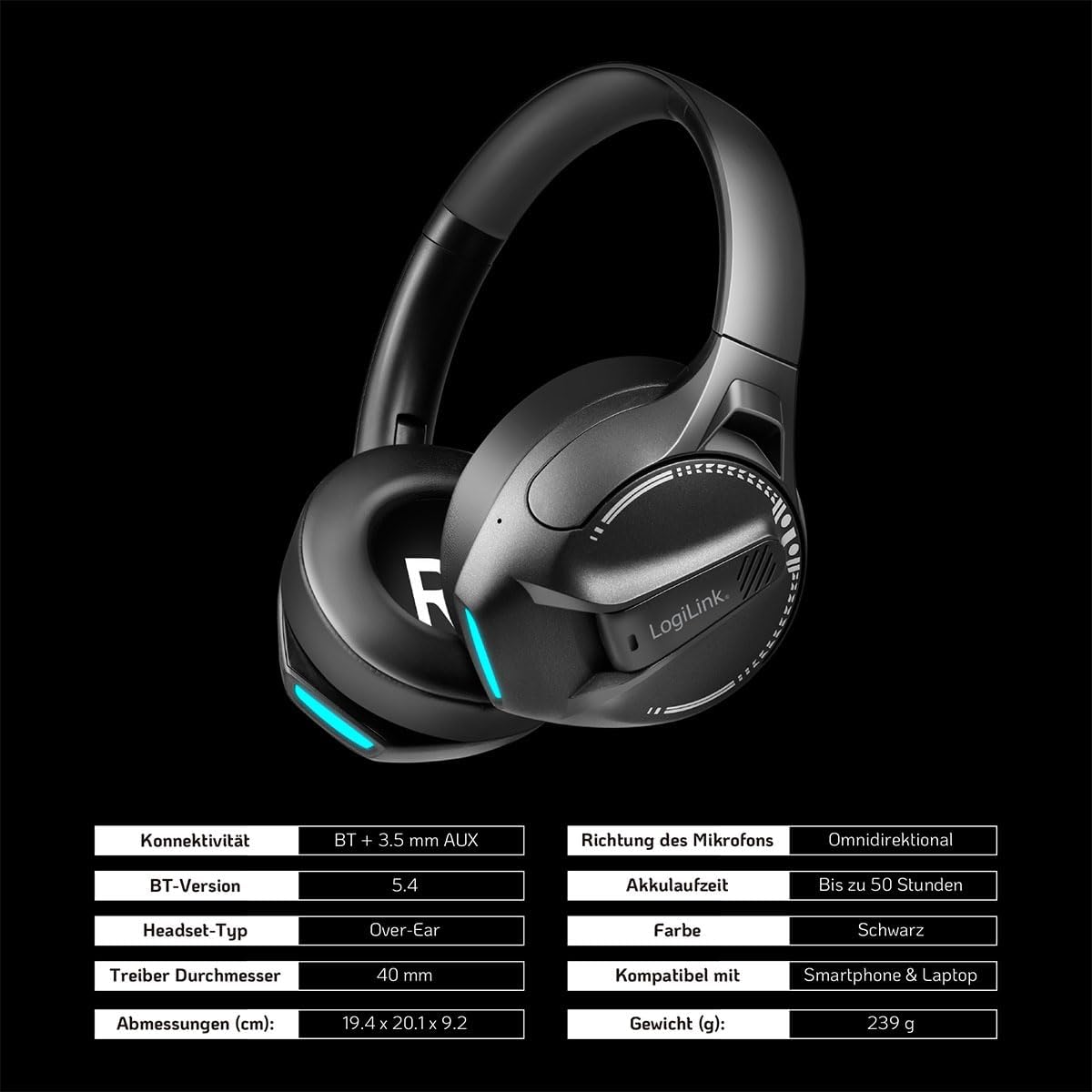
Obraz: Visual representation of key specifications for the LogiLink BT0070 headset, including connectivity, battery life, and dimensions. Note: The image lists Bluetooth version 5.4, while the product title specifies 6.0.
Záruka a podpora
LogiLink products are designed and manufactured to the highest quality standards. For warranty information and technical support, please refer to the warranty card included with your product or visit the official LogiLink webmísto.
Uschovejte si prosím doklad o koupi pro uplatnění záruky.