
1. Úvod
This manual provides detailed instructions for the setup, operation, maintenance, and troubleshooting of your Muddy Pro Cam 20 MP Trail Camera. Please read this manual thoroughly before using the camera to ensure proper function and longevity of the device. The Muddy Pro Cam 20 MP is designed for capturing high-resolution images and videos of wildlife with its 20MP sensor and 720p video capabilities.

Obrázek 1: Přední strana view of the Muddy Pro Cam 20 MP Trail Camera.
2. Obsah balení
Ověřte, zda jsou v balení obsaženy všechny níže uvedené položky:
- Muddy Pro Cam 20 Megapixel Trail Camera with Video Function
3. Klíčové vlastnosti
- Zobrazení ve vysokém rozlišení: 20MP camera with 850nm LEDs for clear day and night captures. Supports 20MP, 8MP, and 4MP resolution images.
- Video ve vysokém rozlišení: Captures 720p videos at 30 frames per second (FPS).
- Rychlá rychlost spouště: 0.5-second trigger speed to capture quick movements.
- Versatile Burst Mode: Captures 1 to 3 images per triggering event.
- Extensive Detection Range: 80-foot detection range for broad coverage.
- Zdroj napájení: Operates on eight AA batteries.
- Zabezpečení: Integrated Python lock latch for theft deterrence.
4. Nastavení
4.1. Instalace baterie
- Otevřete západku krytu kamery.
- Najděte přihrádku na baterie.
- Insert eight (8) AA batteries, ensuring correct polarity (+/-) as indicated inside the compartment.
- Bezpečně uzavřete přihrádku na baterie.
4.2. Instalace SD karty
- Vypněte fotoaparát a vyhledejte slot pro SD kartu.
- Insert a standard SD card (up to 32GB, not included) into the slot with the metal contacts facing down, until it clicks into place.
- To remove, press the SD card gently to release it.
4.3. Montáž kamery
The camera can be mounted using the included strap or a compatible mounting accessory.
- Select a suitable location, such as a tree or post, ensuring a clear view požadované oblasti.
- Provlékněte montážní popruh otvory na zadní straně fotoaparátu.
- Securely fasten the strap around the mounting surface.
- Adjust the camera angle to optimize the field of view and detection zone.
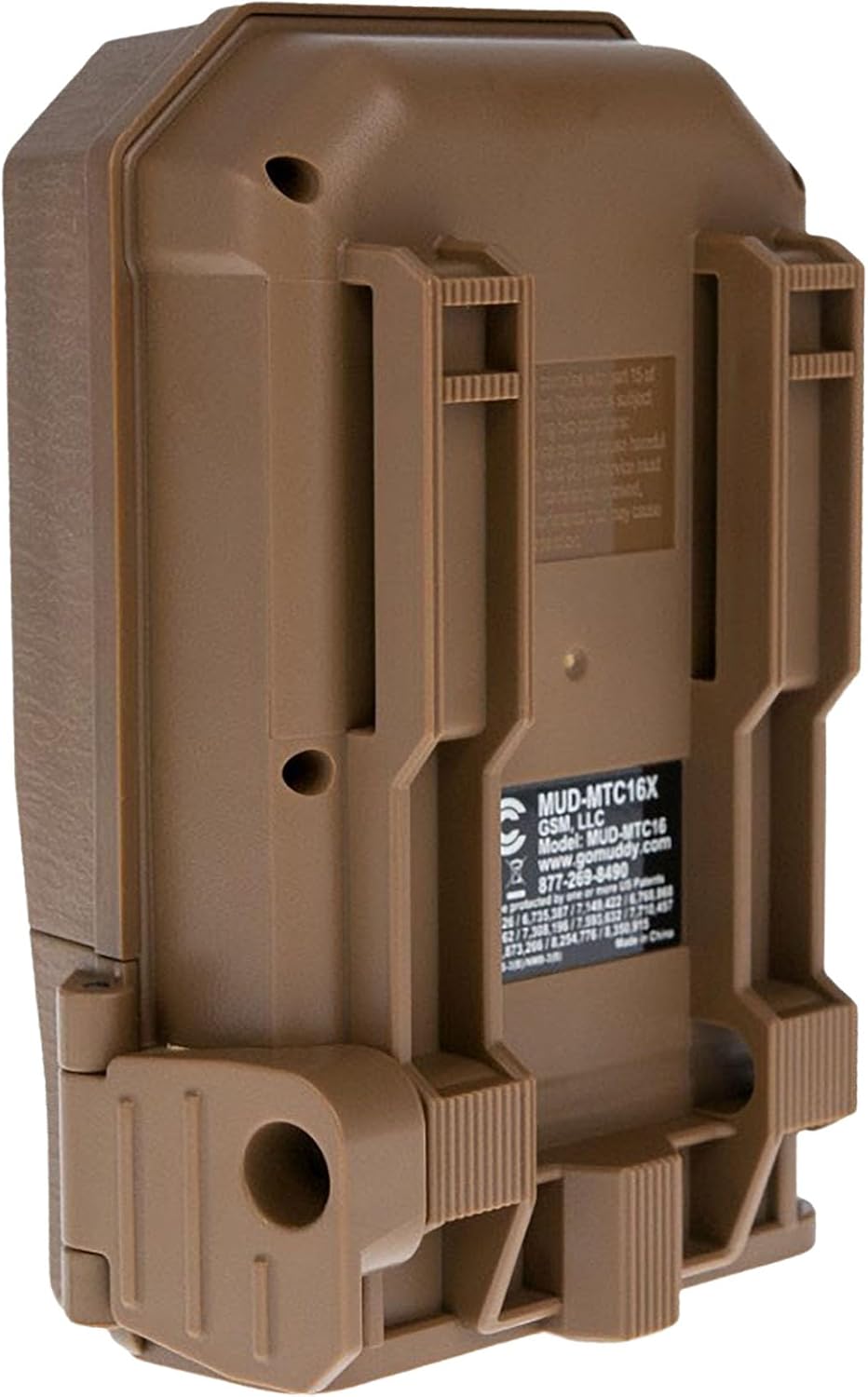
Obrázek 2: Zpět view of the camera showing mounting slots and product label.
5. Návod k obsluze
5.1. Zapnutí/vypnutí
- To power on, slide the power switch to the 'ON' position. The camera will perform a self-check.
- Chcete-li přístroj vypnout, přepněte vypínač do polohy „VYPNUTO“.
5.2. Navigace v menu
Use the navigation buttons (Up, Down, Left, Right, OK) to move through the menu options and confirm selections. The display screen will show current settings.
5.3. Nastavení režimu fotografie
In the menu, navigate to 'Photo Settings' to adjust:
- Rezoluce: Select 20MP, 8MP, or 4MP for image quality. Higher resolution results in larger file velikosti.
- Burst režim: Set the number of images captured per trigger (1 to 3 photos).
- Zpoždění: Set the time interval between consecutive triggers.
5.4. Nastavení režimu videa
In the menu, navigate to 'Video Settings' to adjust:
- Rezoluce: Set to 720p for video capture.
- Délka videa: Specify the duration of each video clip.
- Záznam zvuku: Enable or disable audio capture with video.
5.5. Detection and Trigger
The camera features an 80-foot detection range and a 0.5-second trigger speed. Ensure the detection area is clear of obstructions that might cause false triggers, such as swaying branches.
6. Údržba
6.1. Výměna baterie
When the battery indicator shows low power, replace all eight AA batteries with new ones to ensure optimal performance and prevent data loss.
6.2. Správa SD karty
Regularly check the SD card capacity. Format the SD card periodically to maintain optimal performance and prevent corruption. Always power off the camera before inserting or removing the SD card.
6.3. Čištění
Use a soft, dry cloth to clean the camera lens and housing. Avoid using abrasive cleaners or solvents. Ensure the camera is dry before closing the housing.
7. Řešení problémů
- Kamera se nezapíná: Zkontrolujte instalaci baterií a ujistěte se, že jsou nové.
- Nebyly pořízeny žádné obrázky/videa: Verify SD card is inserted correctly and has sufficient space. Check camera settings for proper mode selection and trigger delay.
- Špatná kvalita obrazu/videa: Ensure the lens is clean. Check resolution settings.
- False triggers: Adjust camera placement to avoid moving branches or excessive sunlight in the detection zone.
8. Specifikace
| Funkce | Specifikace |
|---|---|
| Číslo modelu | MUD-MTC20X |
| Rozlišení obrazu | 20MP, 8MP, 4MP |
| Rozlišení videa | 720p při 30 snímcích za sekundu |
| Rozsah detekce | 80 stop |
| Rychlost spouštění | 0.5 sekund |
| Typ paměti Flash | SD (až 32 GB) |
| Zdroj napájení | 8 x AA baterie |
| Technologie fotosenzoru | CMOS |
| Technologie připojení | Infračervený |
| Hmotnost položky | 12.3 unce |
| Rozměry produktu | 1 x 1 x 1 palce |
9. Informace o záruce
For detailed warranty information, please refer to the official MUDDY website or contact customer support. Keep your purchase receipt as proof of purchase.
10. Podpora
If you require further assistance or have questions not covered in this manual, please visit the MUDDY support page on their official webnebo kontaktujte jejich oddělení zákaznických služeb. Kontaktní informace obvykle naleznete na obalu produktu nebo na webových stránkách výrobce. webmísto.