
Zavedení
The NUBWO HG04 Wireless Gaming Headset is designed to provide a versatile audio experience for gaming, music, and movies across multiple platforms. Featuring dual 2.4GHz wireless and Bluetooth 5.3 connectivity, three custom EQ sound modes, a noise-canceling microphone, and a comfortable foldable design with a 50-hour battery life, this headset is engineered for extended use and clear communication.
Obsah balení
Please ensure all items are present in your NUBWO HG04 package:
- NUBWO HG04 Wireless Gaming Headset
- USB-A/C 2.4GHz Wireless Dongle
- Detachable Noise-Canceling Microphone
- Nabíjecí kabel USB-C
- 3.5mm audio kabel
- Uživatelská příručka
- Extended Warranty Activation Card (as shown in some product videos)
Konec produktuview a ovládací prvky
Familiarize yourself with the headset's components and controls for optimal use.
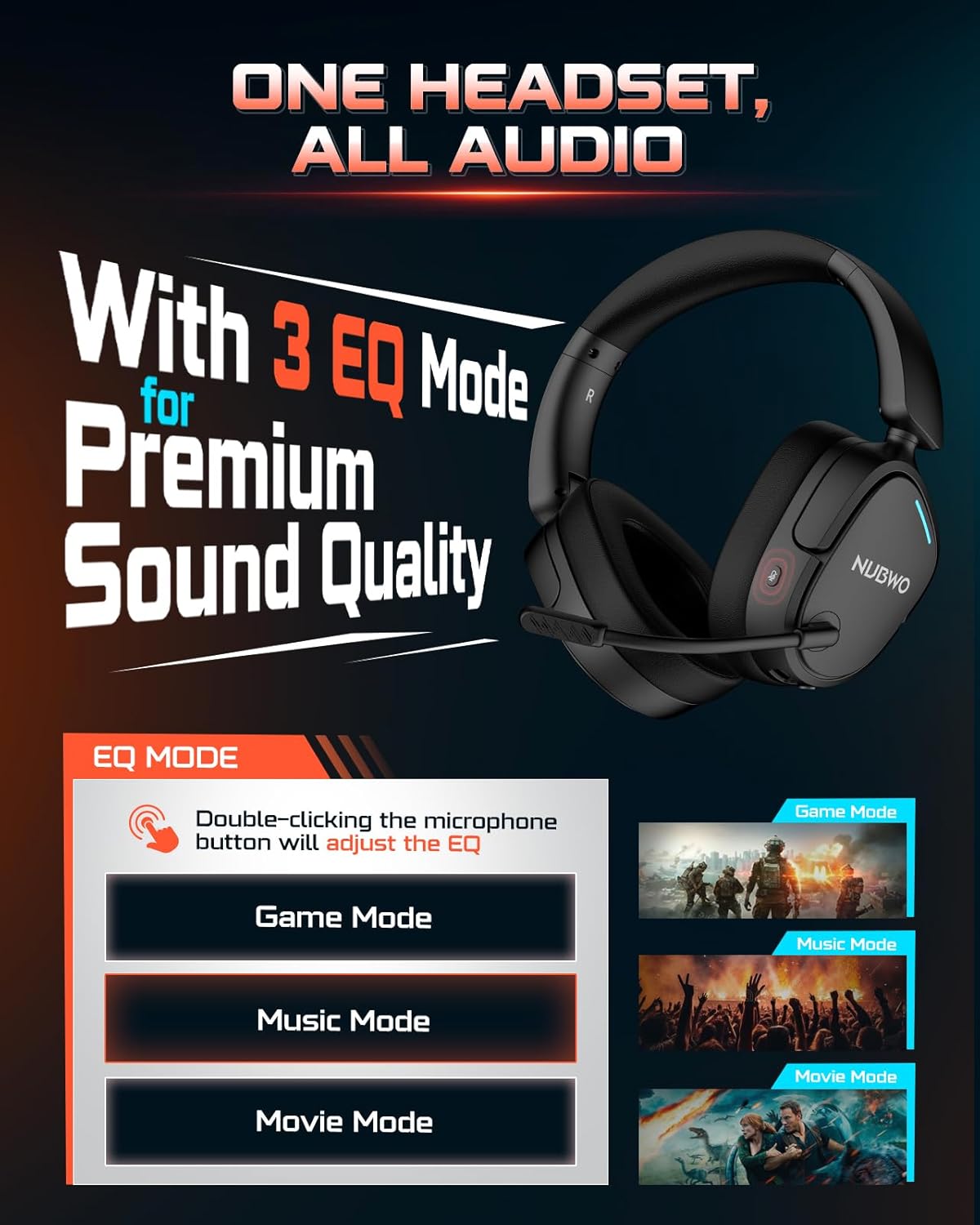
Image: NUBWO HG04 Wireless Gaming Headset highlighting its three EQ modes (Game, Music, Movie) and the microphone button for switching between them.
Ovládání sluchátek:
- Vypínač: Located on the left earcup. Long press to power on/off.
- Kolečko hlasitosti: Upravuje úroveň zvukového výstupu.
- Tlačítko ztlumení mikrofonu: Toggles microphone mute. Double-click to cycle through EQ modes.
- Indikátor režimu ekvalizéru: Visual feedback for selected sound mode (Game, Music, Movie).
- Nabíjecí port USB-C: Pro nabíjení náhlavní soupravy.
- 3.5mm audio jack: Pro kabelové připojení.
- Detachable Microphone Port: Connects the boom microphone.
Pohodlí a design:
The NUBWO HG04 features lightweight construction (270g) with rotating memory foam earcups for extended comfort during long gaming sessions. Its foldable design allows for easy storage and portability.

Image: Close-up of the NUBWO HG04 headset's memory foam earcups, emphasizing comfort for prolonged use.

Image: Comparison showing the NUBWO HG04 headset in its foldable state for travel versus a non-foldable headset.
Nastavení a připojení
The NUBWO HG04 offers multiple connectivity options for various devices.

Image: Diagram illustrating the headset's 4-in-1 multi-platform connectivity, including 3.5mm wired, Bluetooth, USB-A, and USB-C options for various devices.
1. 2.4GHz Wireless Connection (PC, PS5, PS4, Nintendo Switch)
- Insert the USB-A/C wireless dongle into an available USB port on your PC, PS5, PS4, or Nintendo Switch.
- Power on the headset by long-pressing the Power button. The headset will automatically connect to the dongle.
- Ujistěte se, že jsou v nastavení systému vybrána sluchátka jako vstupní/výstupní zvukové zařízení.
- Poznámka: Microphone functionality is not supported on Nintendo Switch via 2.4GHz wireless.
Video: Overview of the NUBWO HG04 Wireless Gaming Headset, demonstrating its features and connectivity options, including the 2.4GHz dongle.
2. Bluetooth 5.3 Connection (Mobile Devices)
- Zapněte náhlavní soupravu.
- Activate Bluetooth pairing mode on the headset (refer to the specific button combination in the quick start guide, usually a long press on the Bluetooth button or mode button).
- On your mobile device, search for Bluetooth devices and select "NUBWO HG04" to pair.
- The headset supports dual-channel simultaneous connection, allowing you to game via 2.4GHz and maintain a Bluetooth link to your phone for calls and notifications.

Image: Illustration of the NUBWO HG04 headset simultaneously connected to a PS5 via 2.4GHz and a phone via Bluetooth, enabling seamless game and call management.
3. 3.5mm Wired Connection (Xbox Series X|S, Nintendo Switch, PC, PS4)
- Connect the 3.5mm audio cable from the headset's 3.5mm jack to your device's audio port (e.g., Xbox controller, Nintendo Switch, PC).
- Poznámka: For Xbox Series X|S, only wired connection is supported. Microphone functionality is not supported on Nintendo Switch in wired mode.
Návod k obsluze
Zvukové režimy ekvalizéru:
The NUBWO HG04 features three custom EQ modes to optimize your audio experience:
- Herní režim: Enhanced treble for clear footsteps and in-game audio cues.
- Hudební režim: Deep bass and balanced tones for full immersion.
- Režim filmu: Clear voices and cinematic immersion.
To switch between EQ modes, double-click the Microphone Mute button.
Použití mikrofonu:
The detachable directional microphone focuses on your voice, reducing background noise through passive noise reduction. It also features real-time mic monitoring, allowing you to hear your own voice clearly through the headset.

Image: A gamer wearing the NUBWO HG04 headset, showcasing the crystal clear noise-canceling microphone in action, designed to block background noise and highlight the user's voice.
- Attaching/Detaching: Align the microphone's 3.5mm plug with the port on the left earcup and insert until it clicks. To remove, gently pull it out.
- Ztlumení: Use the Microphone Mute button on the headset to quickly mute or unmute your voice.
- Umístění: For optimal clarity, position the microphone 1-2 cm away from your mouth, ensuring it is not tilted upwards.
Nastavení hlasitosti:
Use the volume wheel on the headset to adjust the audio output to your preferred level.
Nabíjení a baterie
The NUBWO HG04 headset is equipped with a long-lasting battery for extended usage.
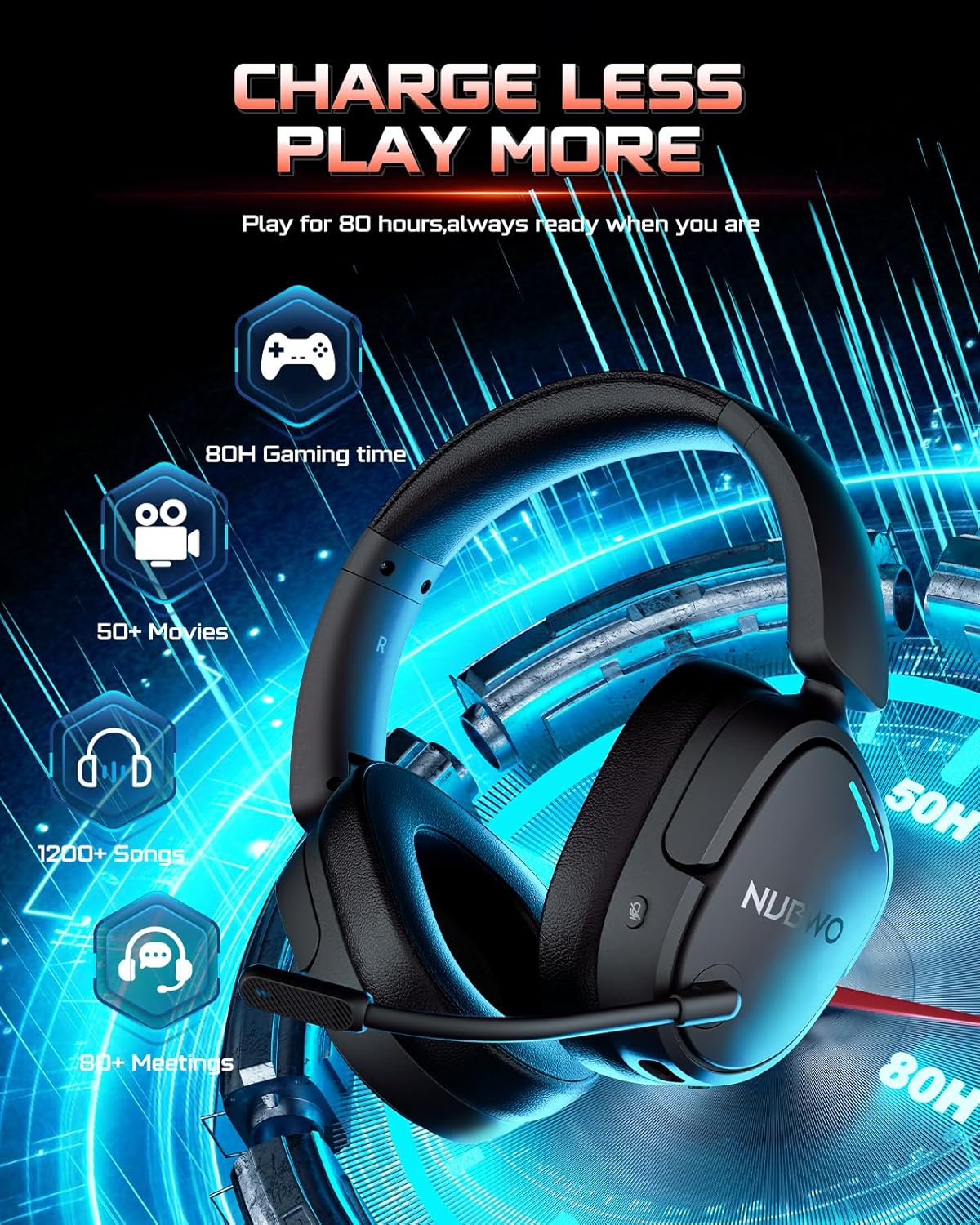
Image: The NUBWO HG04 headset with graphics indicating a 50-hour battery life, suitable for extended gaming, movies, music, and meetings.
- Životnost baterie: Užijte si až 50 hodin nepřetržitého používání na jedno nabití.
- Nabíjení: Connect the supplied USB-C charging cable to the headset's USB-C port and a power source (e.g., computer USB port, USB wall adapter).
- Indikátor nabíjení: An LED indicator on the headset will show the charging status.
Údržba a péče
To ensure the longevity and optimal performance of your NUBWO HG04 headset, follow these care guidelines:
- Čištění: K čištění sluchátek s mikrofonem používejte měkký, suchý hadřík. Nepoužívejte agresivní chemikálie ani abrazivní materiály.
- Skladování: When not in use, store the headset in a cool, dry place. The foldable design helps protect it during travel.
- Vyhněte se extrémním podmínkám: Nevystavujte sluchátka extrémním teplotám, vlhkosti ani přímému slunečnímu záření.
- Zacházejte opatrně: Zabraňte pádu sluchátek z náhlavní soupravy nebo jejich vystavení silným nárazům.
Odstraňování problémů
If you encounter any issues with your NUBWO HG04 headset, please refer to the following common solutions:
- Žádný zvuk/nízká hlasitost:
- Check the headset's volume wheel and your device's volume settings.
- Ensure the headset is properly connected (dongle inserted, Bluetooth paired, or 3.5mm cable fully plugged in).
- Ověřte, zda je v nastavení systému vybráno správné výstupní zvukové zařízení.
- Mikrofon nefunguje:
- Ujistěte se, že je mikrofon bezpečně připojen a není ztlumený.
- Zkontrolujte nastavení zvukového vstupu zařízení a ujistěte se, že je vybrán mikrofon sluchátek.
- Remember, microphone is not supported on Nintendo Switch (2.4GHz or wired) and Xbox Series X|S (wired only).
- Problémy s připojením:
- For 2.4GHz, ensure the dongle is fully inserted and the headset is powered on and within range.
- For Bluetooth, ensure the headset is in pairing mode and your device's Bluetooth is enabled. Try unpairing and re-pairing.
- Restartujte sluchátka i připojené zařízení.
Specifikace
| Funkce | Specifikace |
|---|---|
| Název modelu | HG04 |
| Značka | NUBWO |
| Technologie připojení | Bezdrátové (2.4 GHz, Bluetooth 5.3), Kabelové (3.5mm jack) |
| Technologie bezdrátové komunikace | 2.4GHZ, Bluetooth 5.3 |
| Dosah Bluetooth | 33 stop |
| Zvuková latence | 20 milisekund |
| Velikost zvukového ovladače | 40 milimetrů |
| Frekvenční odezva | 20000 Hz |
| Citlivost | 90 dB |
| Kontrola hluku | Pasivní potlačení hluku |
| Hmotnost položky | 6.1 unce (0.38 libry) |
| Rozměry produktu | 7.13 x 6.2 x 2.46 palce |
| Životnost baterie | Až 50 hodin |
| Materiál | Plast |
| Kompatibilní zařízení | Cellphones, Desktops, Gaming Consoles, Laptops, PS5/PS4, Xbox Series X|S (wired only) |
Záruka a podpora
Your NUBWO HG04 Wireless Gaming Headset comes with a manufacturer's warranty. Please refer to the included Extended Warranty Activation Card for details on how to register your product and activate your warranty.
For further assistance, troubleshooting, or product inquiries, please visit the official NUBWO support webnebo kontaktujte jejich zákaznický servis.