
1. Úvod
This manual provides detailed instructions for the assembly, installation, operation, and maintenance of your JONSBO D400 Black ATX Mid-Tower PC Case. Please read this manual thoroughly before beginning installation to ensure proper setup and safe operation.
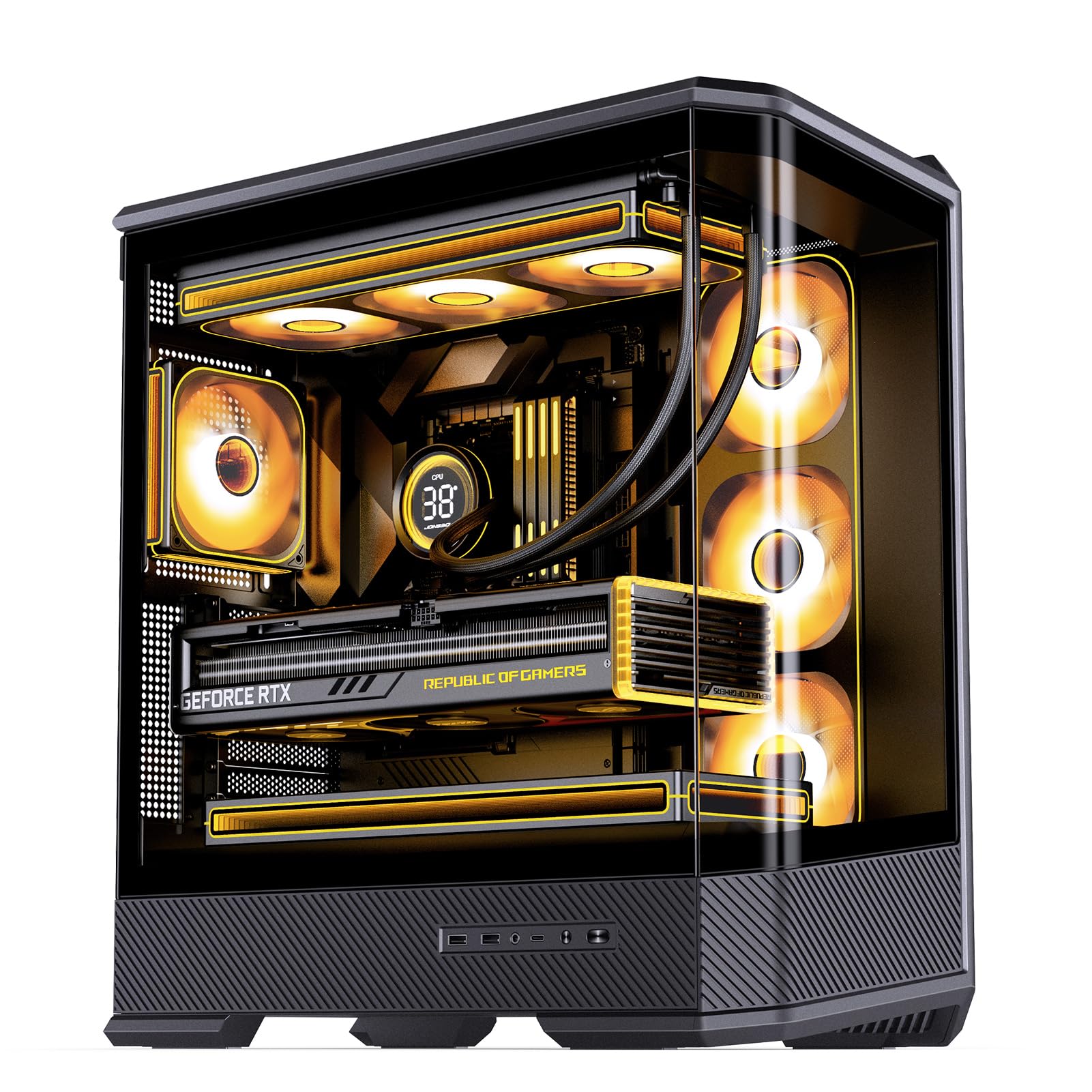
Figure 1: JONSBO D400 Black ATX Mid-Tower PC Case with internal components.
2. Vlastnosti produktu
- Rozměry: 488mm (L) x 239mm (W) x 514mm (H) (including feet).
- Design: Three-dimensional, beveled, curved glass design for clear visibility of internal hardware.
- Podpora základní desky: Compatible with ATX, Micro-ATX, and Mini-ITX BTF motherboards.
- Kompatibilita s GPU: Podporuje grafické karty o délce až 450 mm.
- Podpora PSU: ATX PS2 power supplies, up to 200mm in length.
- Možnosti chlazení:
- Air Cooling: CPU cooler height up to 169mm.
- AIO Support: Top 240mm / 280mm / 360mm (optional); Side 360mm (optional).
- Fan Positions: Top (3x 120mm or 2x 140mm), Side (3x 120mm), Rear (1x 120mm), Power Compartment (3x 120mm).
- Pozice pro jednotky: 2x 2.5" SSD or 1x 3.5" HDD + 1x 2.5" SSD; 1x 2.5" SSD or 1x 3.5" HDD in PSU compartment.
- Přední I/O porty: 1x USB 3.2 Gen2 Type-C, 2x USB 3.0, 1x Audio + 1x Mic (2-in-1).
- Rozšiřující sloty: 7.
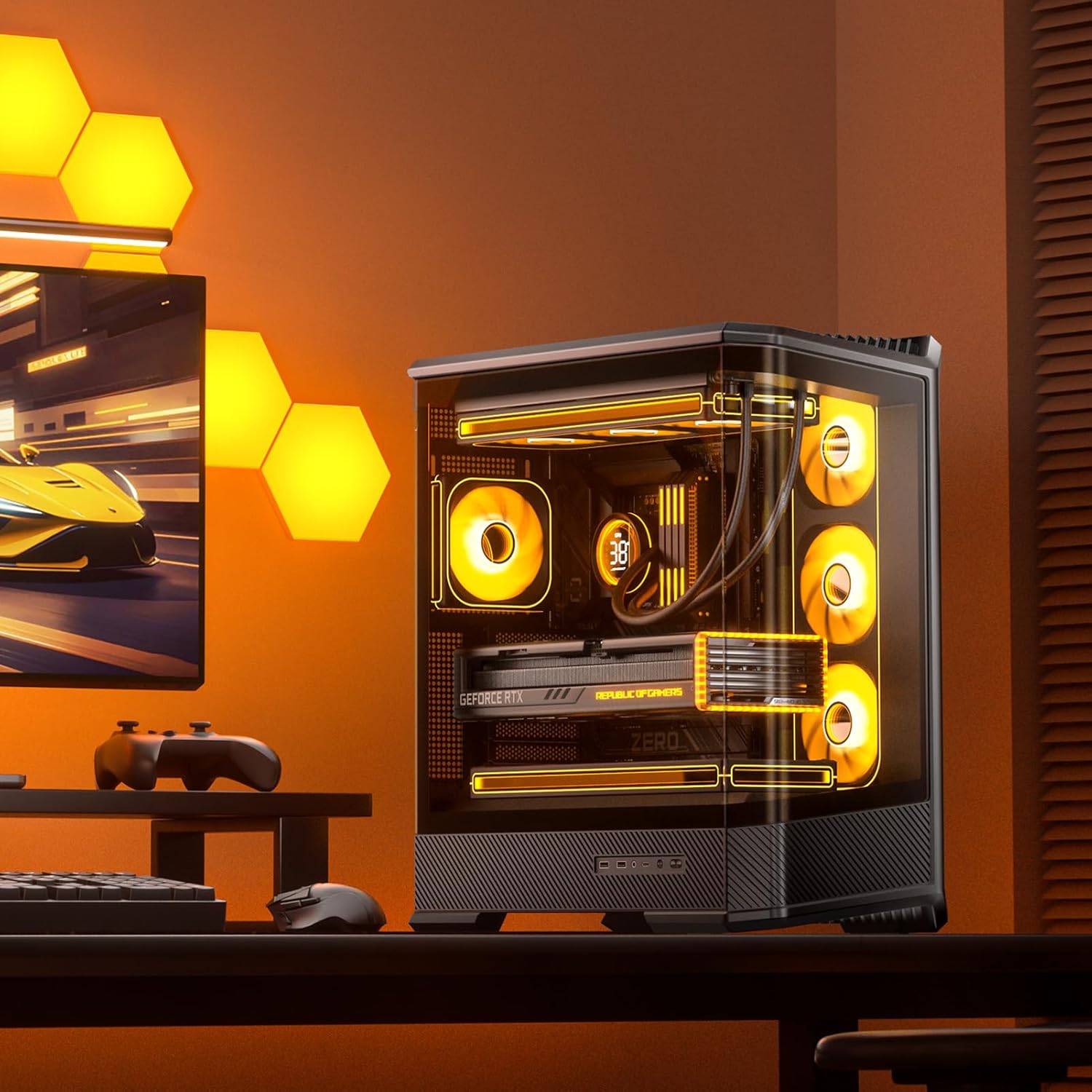
Obrázek 2: Přední strana view of the JONSBO D400 PC Case highlighting the curved glass design.
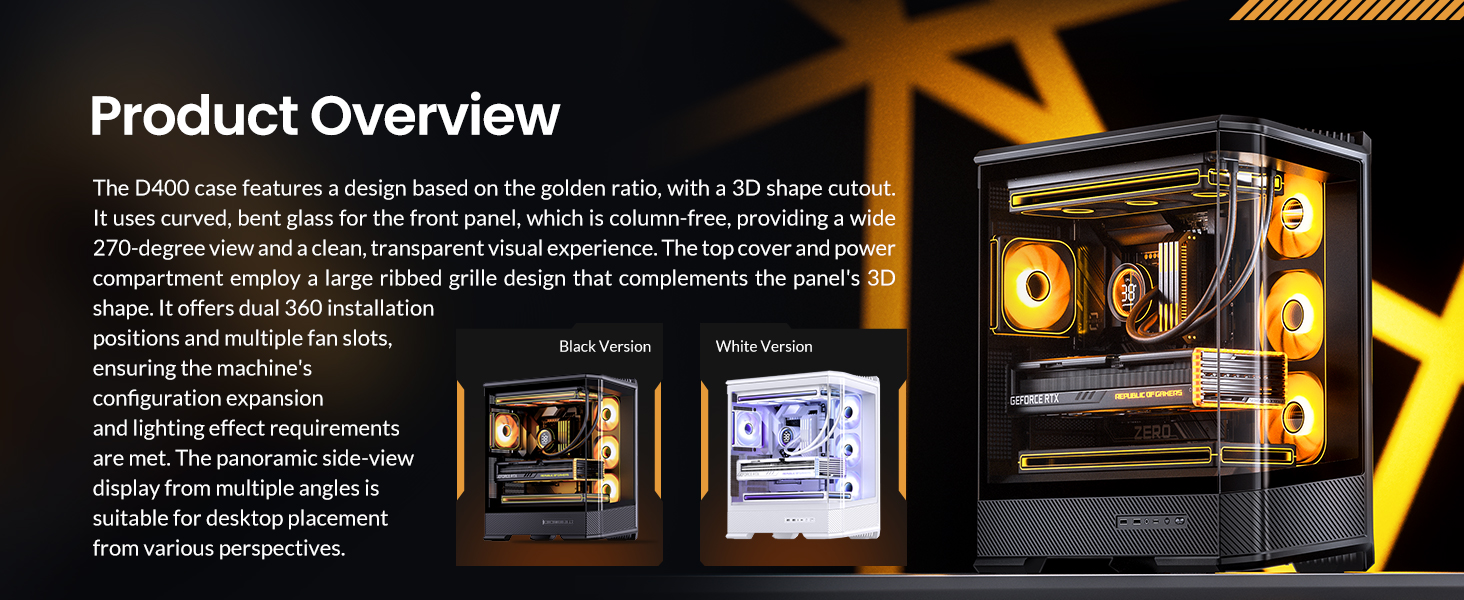
Obrázek 3: Produkt nadview highlighting the D400's design and features.
3. Nastavení a instalace
3.1 Instalace základní desky
The JONSBO D400 supports ATX, Micro-ATX, and Mini-ITX BTF motherboards. Ensure your motherboard is compatible with the case's mounting points. The case is designed to support through-hole for most back-connect motherboards, which helps in reducing visible cables inside the case for a cleaner aesthetic.
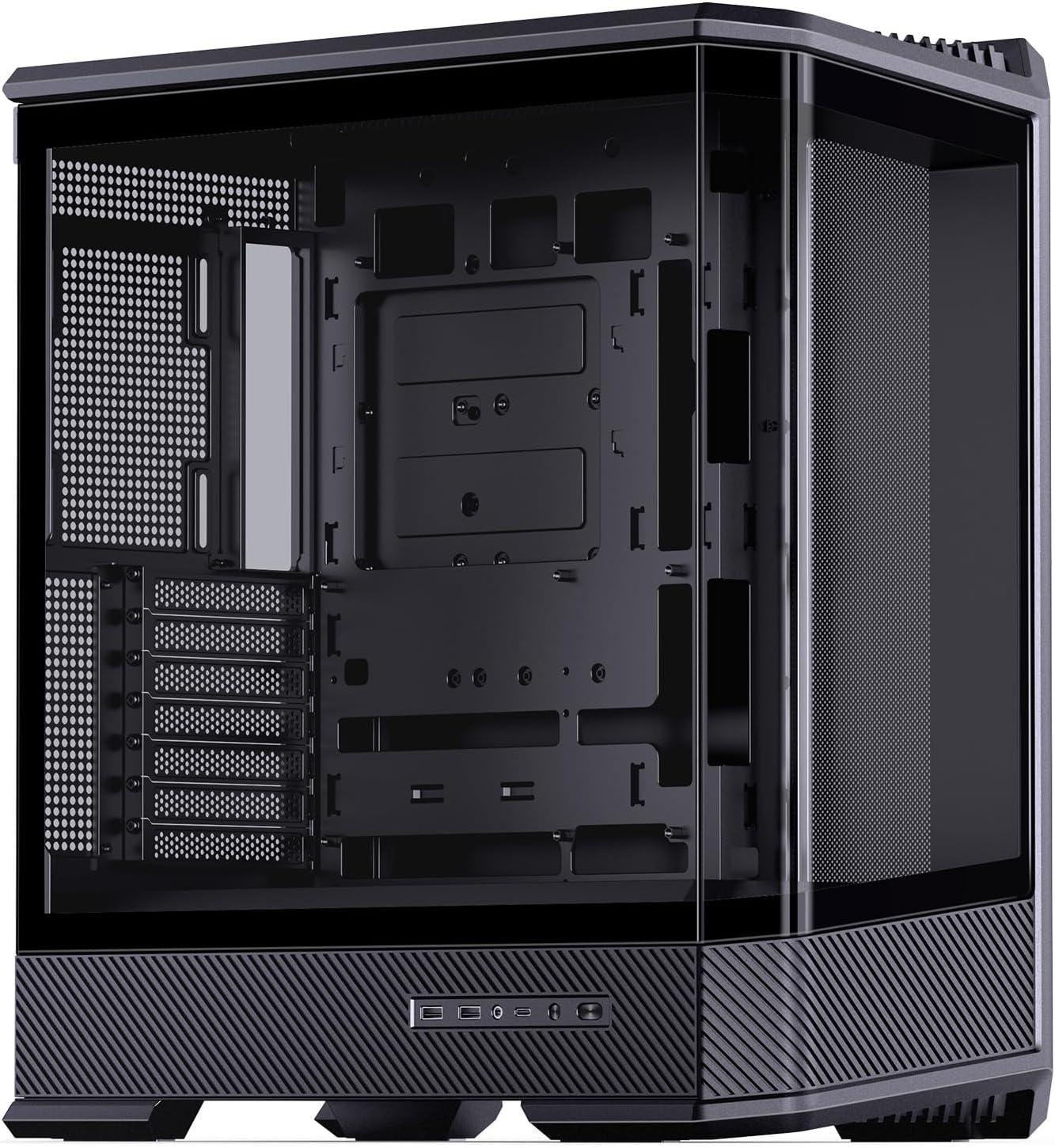
Figure 4: Internal layout of the D400 case, ready for motherboard installation.
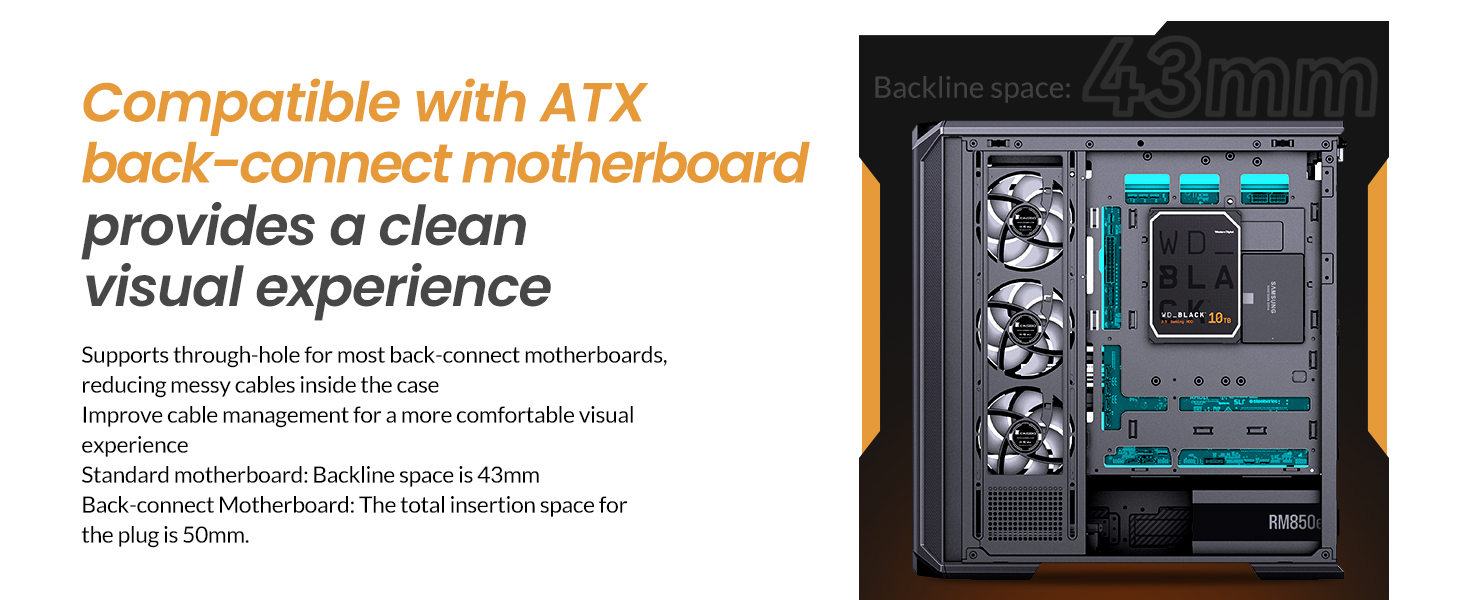
Figure 5: Illustration of BTF motherboard compatibility and cable management space.
3.2 Instalace grafické karty
The case accommodates GPUs up to 450mm in length. It features 7 PCI slots and supports vertical GPU installation (cable not supplied, requires a third-party adapter bracket).
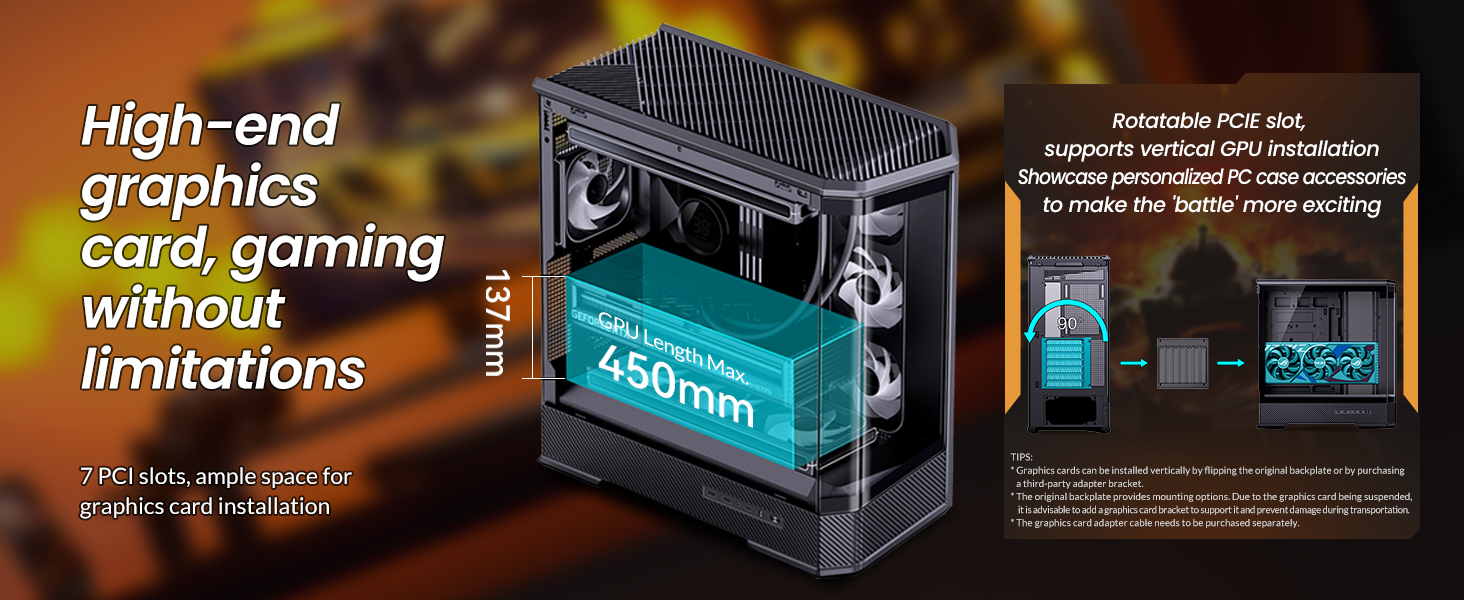
Figure 6: GPU installation options and length compatibility.
3.3 Instalace jednotky napájecího zdroje (PSU)
The JONSBO D400 supports ATX PS2 power supplies up to 200mm in length. The power supply is located at the bottom of the case with independent airflow channels to ensure stable chassis temperatures.
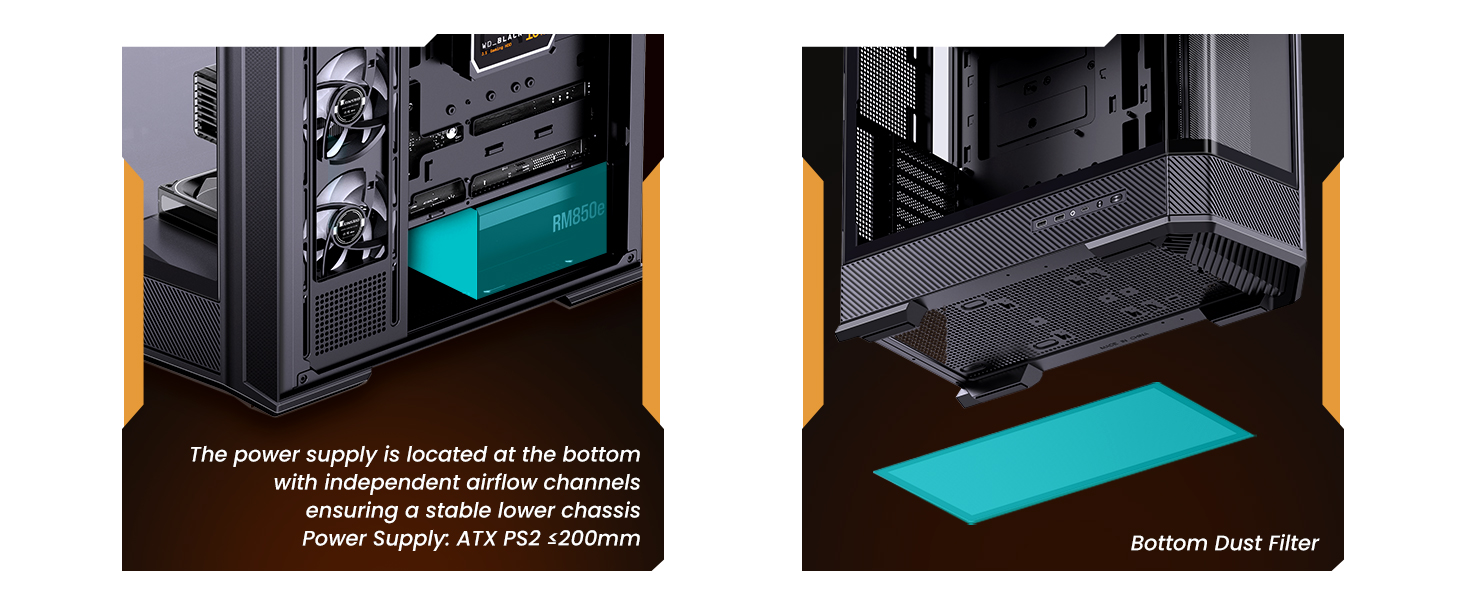
Figure 7: PSU mounting location and dust filter access.
3.4 Instalace chladicího systému
The case offers extensive cooling support with 10 fan positions and dual AIO radiator support. CPU air coolers up to 169mm in height are supported.
- Top: 3x 120mm or 2x 140mm fans (optional) / 240mm, 280mm, or 360mm AIO radiator (optional).
- Side: 3x 120mm fans (optional) / 360mm AIO radiator (optional).
- Rear: 1x 120mm fan (optional).
- Power Compartment: 3x 120mm fans (optional).
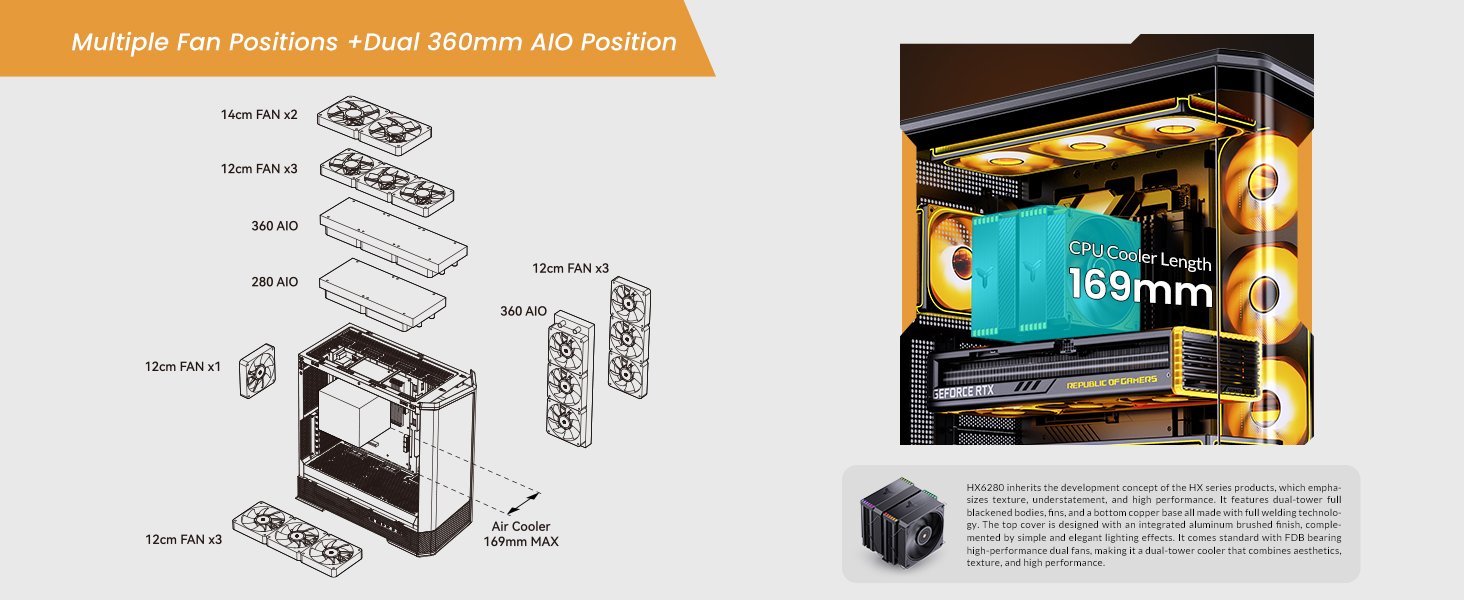
Figure 8: Fan and AIO radiator placement options.
3.5 Drive Bay Configuration
The case provides flexible storage options:
- Back Side: 2x 2.5" SSD or 1x 3.5" HDD + 1x 2.5" SSD.
- PSU Compartment: 1x 2.5" SSD or 1x 3.5" HDD.
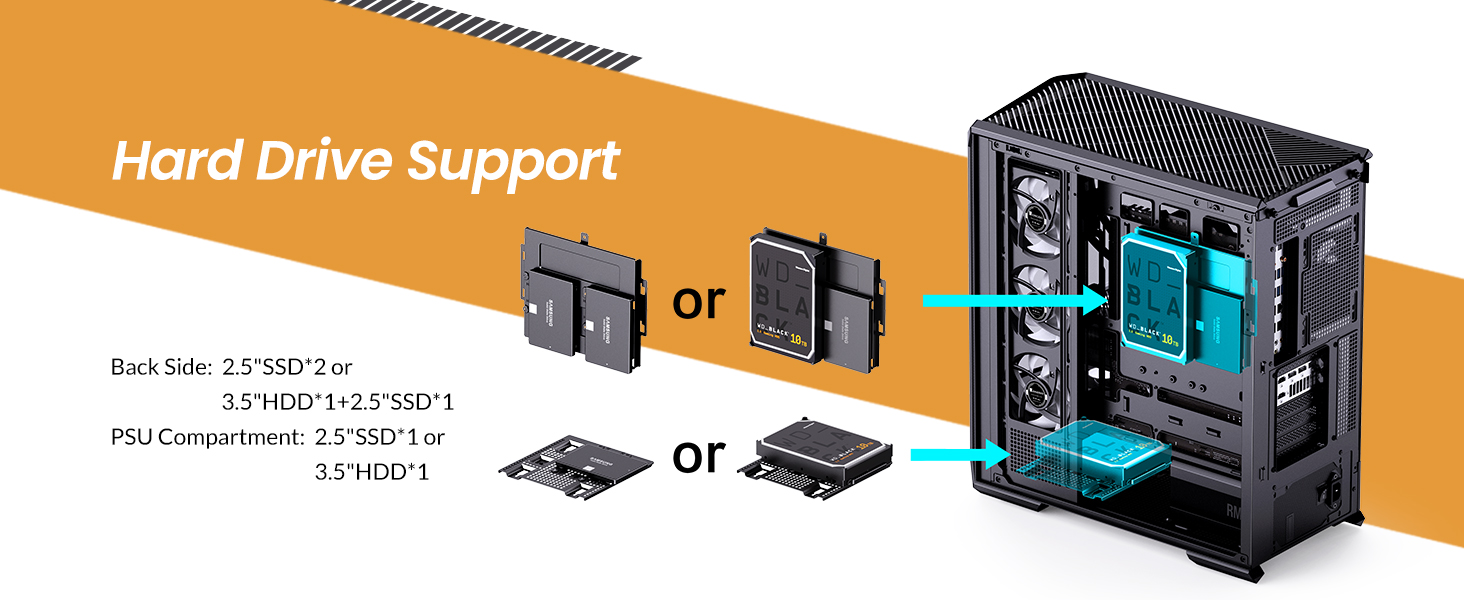
Figure 9: Hard drive and SSD mounting locations.
3.6 Přední I/O porty
The front I/O panel includes:
- 1x USB 3.2 Gen2 Type-C
- 2x USB 3.0
- 1x Audio + 1x Mic (2-in-1)
4. Návod k obsluze
After successful assembly, connect all necessary peripherals and power cables. Press the power button on the front I/O panel to start your system. Refer to your motherboard and component manuals for specific operating instructions related to your installed hardware.
Video 1: JONSBO D400 ATX PC case overview, demonstrating internal layout and features.
5. Údržba
5.1 Čištění
Regular cleaning is essential for maintaining optimal performance and longevity of your PC components. Use compressed air to remove dust from fans, radiators, and internal components. Ensure the system is powered off and unplugged before cleaning.
5.2 Prachové filtry
The JONSBO D400 includes a bottom dust filter. Regularly remove and clean this filter to prevent dust buildup and maintain good airflow. The grille-shaped top cover also allows for multi-angle quick disassembly for cleaning and customization.
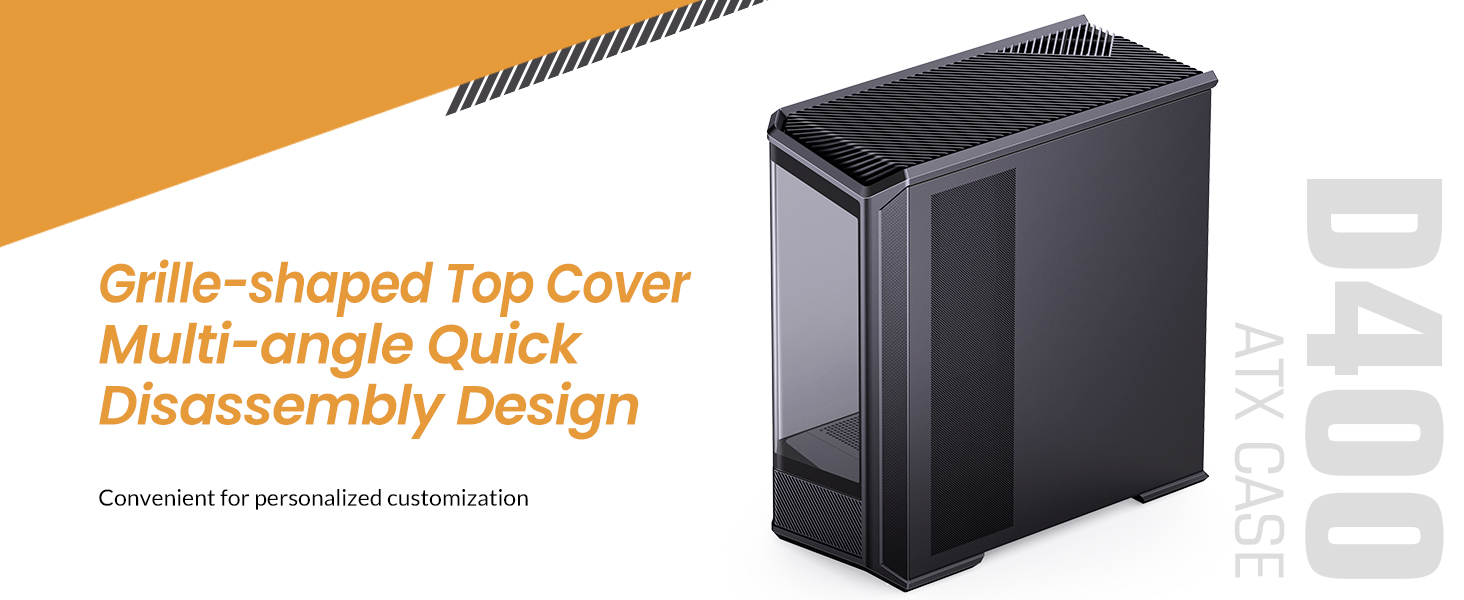
Figure 10: Top cover disassembly for maintenance and customization.
6. Řešení problémů
If you encounter issues, perform the following basic checks:
- Bez napájení: Ensure all power cables (PSU, motherboard, GPU) are securely connected. Check the power switch on the PSU.
- Bez displeje: Verify that your monitor cable is connected to the graphics card (not the motherboard's integrated graphics ports, unless you are using integrated graphics). Reseat the GPU and RAM modules.
- Přehřívání: Check fan connections and ensure they are spinning. Clean dust filters and internal components. Verify AIO pump operation if installed.
- Součást nebyla detekována: Reseat the component (e.g., RAM, GPU, SSD). Check power and data connections.
For more complex issues, consult the manuals for your individual components (motherboard, GPU, PSU, etc.) or contact JONSBO customer support.
7. Specifikace
| Funkce | Specifikace |
|---|---|
| Značka | Jonsbó |
| Název modelu | D400 |
| Typ pouzdra | Střední věž |
| Barva | Černý |
| Materiál | Kov |
| Rozměry produktu (DxŠxV) | 488 x 239 x 514 mm (19.21 x 9.21 x 20.43 palce) |
| Hmotnost položky | 23.5 libry |
| Kompatibilita základní desky | ATX, Micro-ATX, Mini-ITX (BTF Motherboard Support) |
| Délka GPU (max.) | 450 mm |
| Výška chladiče CPU (max.) | 169 mm |
| Podpora PSU | ATX PS2 (up to 200mm) |
| Podpora radiátorů AIO | Top: 240/280/360mm (Optional); Side: 360mm (Optional) |
| Fan Positions | Top: 3x 120mm / 2x 140mm; Side: 3x 120mm; Rear: 1x 120mm; Power Compartment: 3x 120mm |
| Drive Bays | 2.5" SSD*2 or 3.5" HDD*1+2.5" SSD*1; 2.5" SSD*1 or 3.5" HDD*1 (PSU Compartment) |
| Přední I / O porty | USB3.2 Gen2 Type-C*1 / USB3.0*2 / AUDIO*1+MIC*1 (2 in 1) |
| Rozšiřující sloty | 7 |

Figure 11: Visual representation of JONSBO D400 dimensions and key specifications.
8. Záruka a podpora
For warranty information, technical support, or further assistance, please refer to the official JONSBO webnebo se obraťte na prodejce. Uschovejte si účtenku jako doklad o koupi pro případ reklamace.
JONSBO is committed to providing high-quality products and customer satisfaction. If you have any questions or require support, please do not hesitate to reach out.
Visit the Jonsbo Store: Jonsbo Official Store