
1. Úvod
Thank you for choosing the comiso M11 Wearable Bluetooth Speaker. This manual provides essential information for setting up, operating, and maintaining your speaker. The M11 is designed for portability and convenience, featuring IPX7 waterproofing, Bluetooth 6.0 connectivity, and a built-in microphone for hands-free calls.
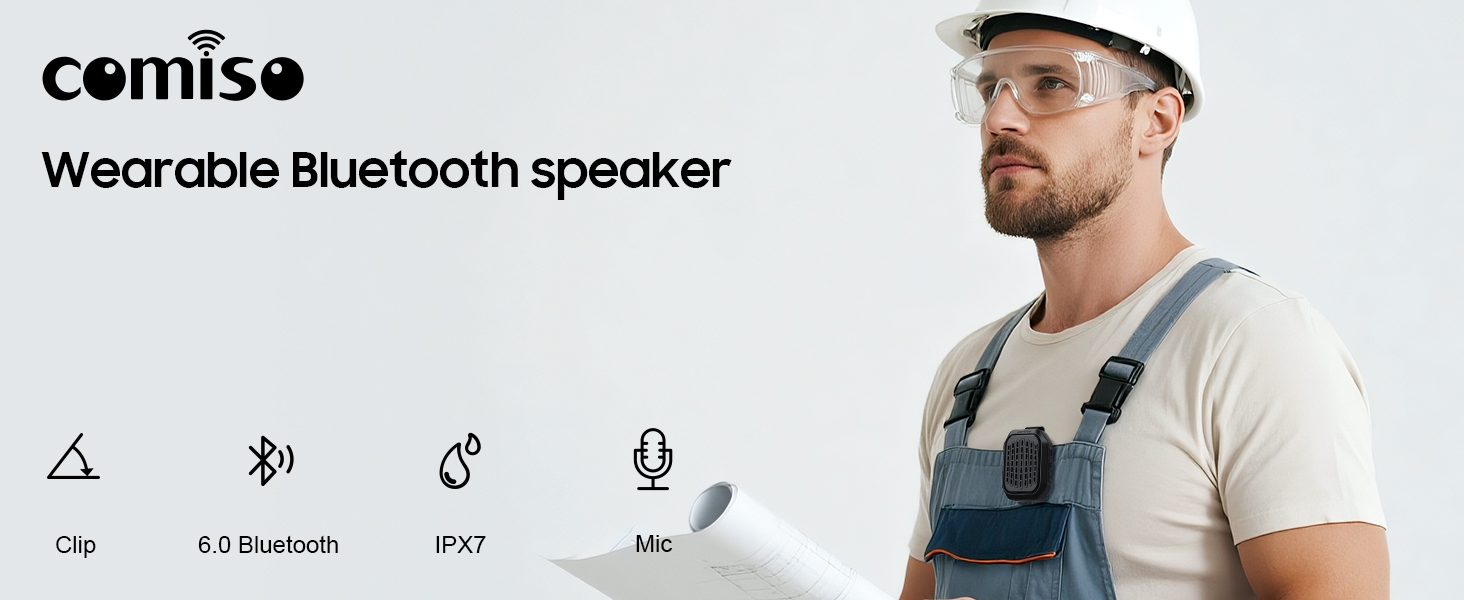
Obrázek 1.1: Konecview of the comiso M11 speaker highlighting its key features: clip-on design, Bluetooth 6.0, IPX7 waterproof rating, and built-in microphone.
2. Obsah balení
Zkontrolujte prosím balení, zda neobsahuje následující položky:
- 1 x comiso M11 Wearable Bluetooth Speaker
- Nabíjecí kabel 1 x USB-C
- 1 x šňůrka
- 1 x Uživatelská příručka (tento dokument)
3. Konec produktuview
The comiso M11 speaker features a compact design with a durable clip for easy attachment. Familiarize yourself with the speaker's components:
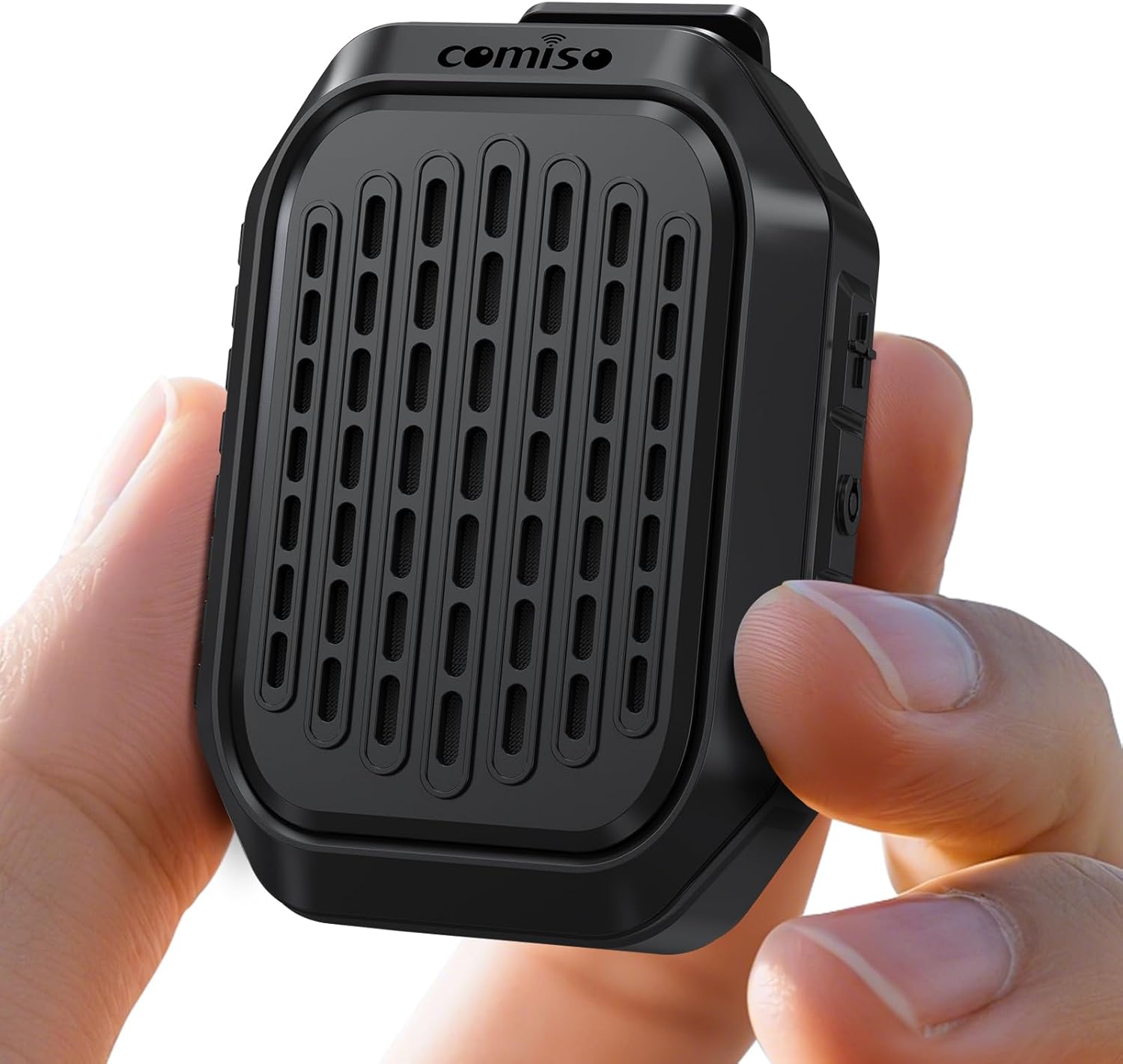
Image 3.1: The comiso M11 speaker, demonstrating its small, portable form factor when held in a hand.
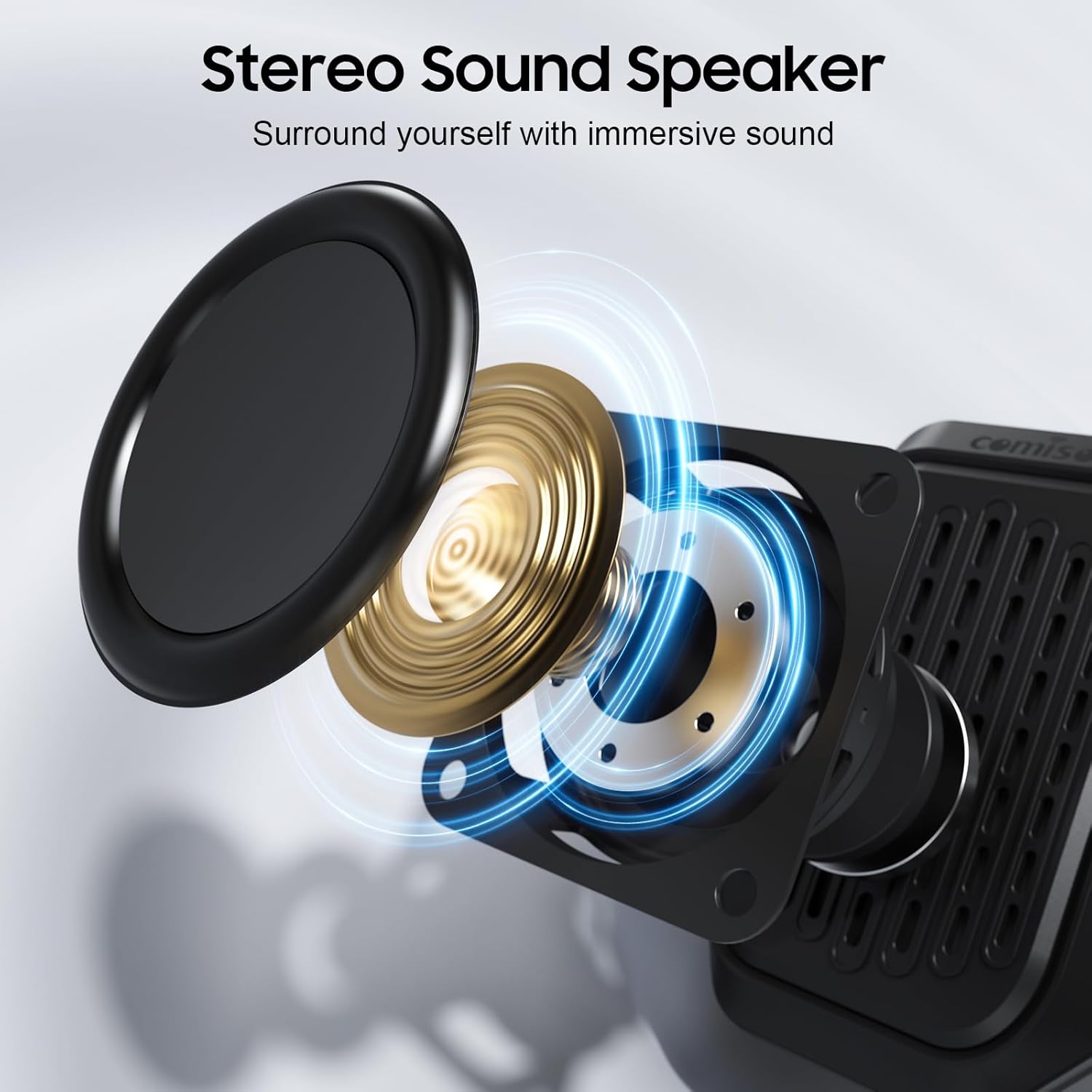
Image 3.2: An exploded diagram illustrating the internal components of the speaker, including the sound driver, designed for stereo sound output.
4. Nastavení
4.1 Nabíjení reproduktoru
Before first use, fully charge your comiso M11 speaker. Use the included USB-C cable to connect the speaker to a compatible USB power source (e.g., wall adapter, computer USB port).
- Během nabíjení bude svítit kontrolka nabíjení.
- A full charge provides over 10 hours of playtime at 50% volume.
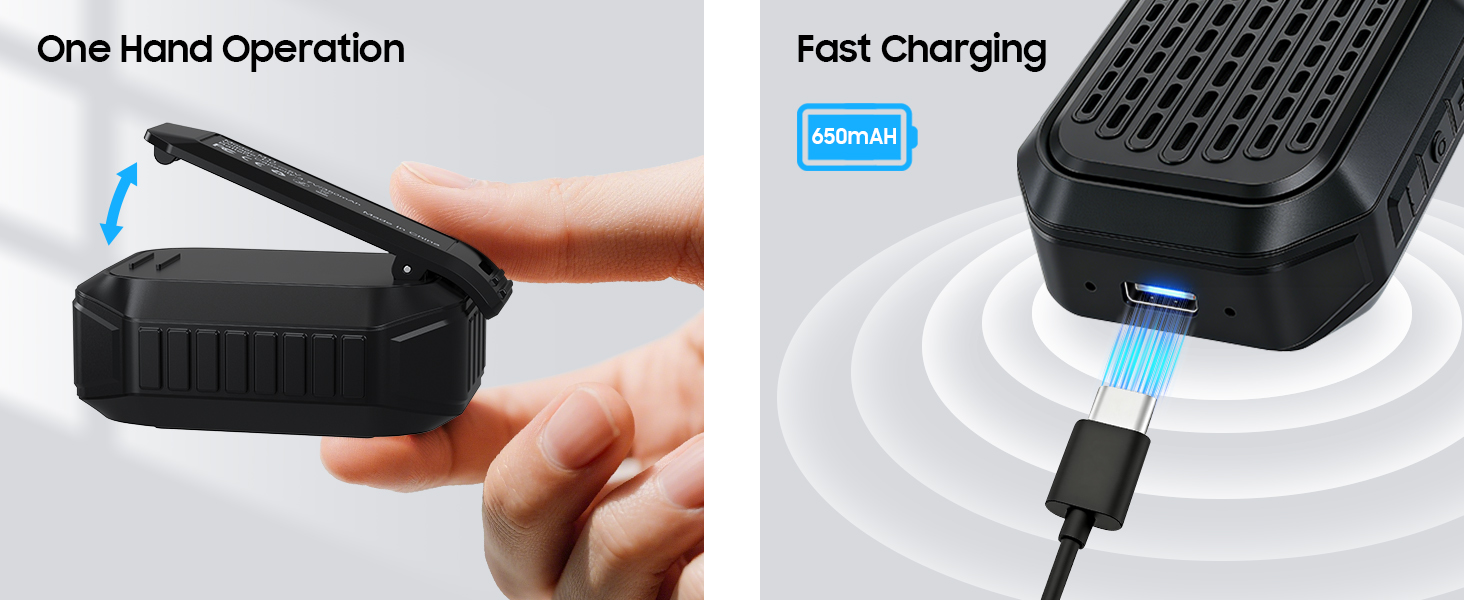
Image 4.1: The speaker's USB-C port connected for fast charging, alongside an illustration of its one-hand operable clip.
4.2 Párování Bluetooth
Připojení reproduktoru k zařízení s podporou Bluetooth:
- Ujistěte se, že je reproduktor nabitý a zapnutý.
- Aktivujte Bluetooth na svém smartphonu nebo jiném zařízení.
- Hledat dostupná zařízení a ze seznamu vyberte „M11“.
- Once connected, the speaker will indicate a successful pairing (e.g., an audible tone or LED indicator change).

Image 4.2: A smartphone screen showing the Bluetooth pairing process, with the M11 speaker visible and ready for connection.
5. Návod k obsluze
5.1 Zapnutí/vypnutí
- Zapnutí: Stiskněte a podržte tlačítko napájení přibližně 2 sekundy.
- Vypnutí: Stiskněte a podržte tlačítko napájení přibližně 3 sekundy.
5.2 Přehrávání hudby
Once connected via Bluetooth, you can control music playback from your device or directly on the speaker (if applicable buttons are present).
- Přehrát/pozastavit: Stiskněte jednou tlačítko Přehrát/Pozastavit.
- Zvýšit hlasitost: Stiskněte tlačítko pro zvýšení hlasitosti.
- Snížit hlasitost: Stiskněte tlačítko pro snížení hlasitosti.
- Další skladba: Stiskněte a podržte tlačítko pro zvýšení hlasitosti.
- Předchozí skladba: Stiskněte a podržte tlačítko snížení hlasitosti.
5.3 Handsfree hovory
Vestavěný mikrofon umožňuje jasnou handsfree komunikaci.
- Přijmout hovor: Při příchozím hovoru stiskněte jednou tlačítko Přehrát/Pozastavit.
- Ukončit hovor: Během hovoru stiskněte jednou tlačítko Přehrát/Pozastavit.
- Odmítnout hovor: Stiskněte a podržte tlačítko Přehrát/Pozastavit po dobu 2 sekund.

Image 5.1: A user demonstrating hands-free calling with the speaker clipped to their clothing, suitable for active environments.
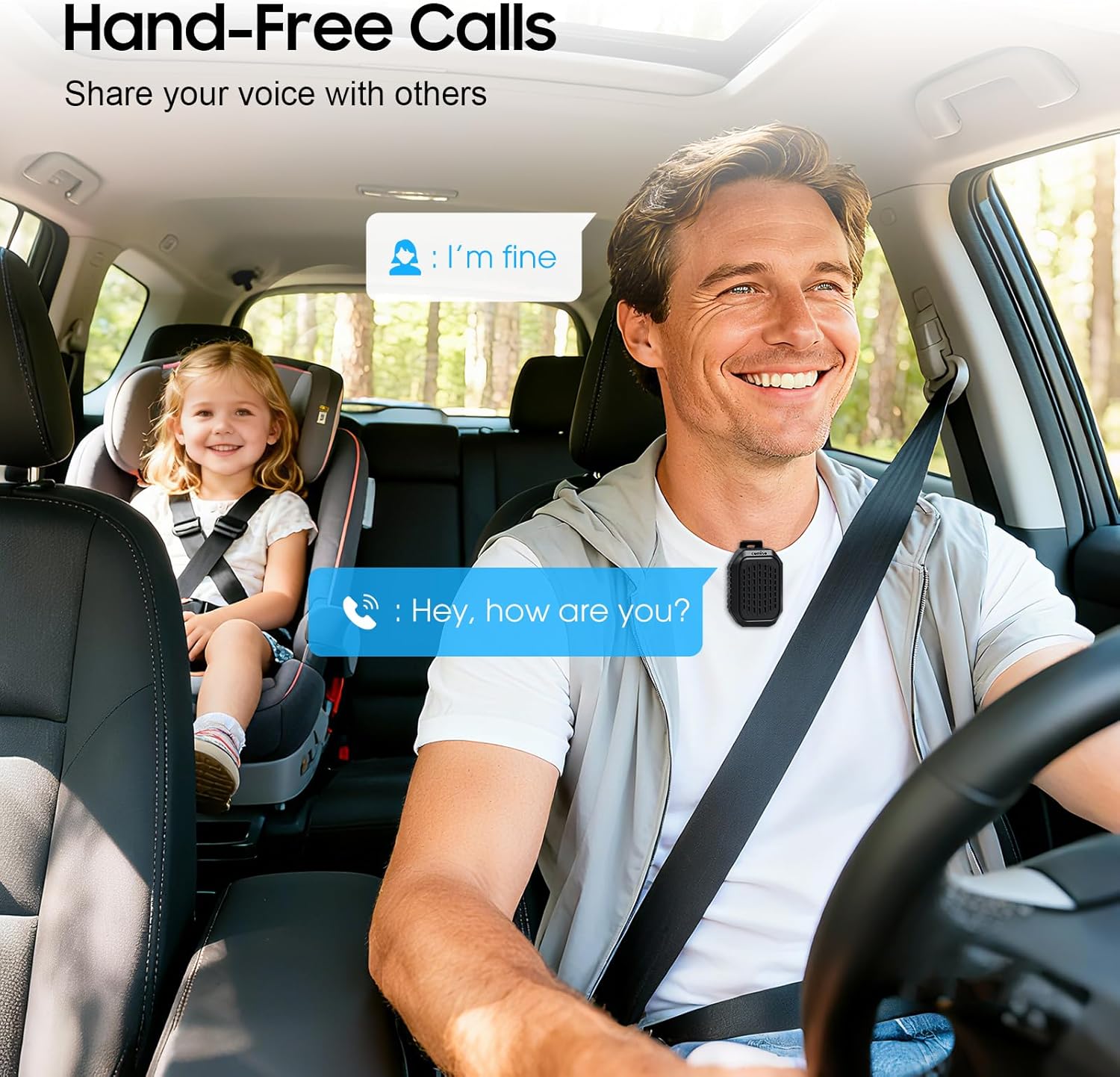
Image 5.2: The speaker facilitating hands-free communication while driving, clipped securely to a seatbelt.
5.4 Párování s pravým bezdrátovým stereo (TWS) systémem
For an enhanced audio experience, you can pair two M11 speakers together to create a stereo sound system.
- Ujistěte se, že oba reproduktory M11 jsou zapnuté a nejsou připojeny k žádnému jinému zařízení Bluetooth.
- On either speaker, triple-press the Power button to enter TWS pairing mode.
- The speakers will automatically search for and connect to each other.
- Once paired, connect your device to one of the speakers via Bluetooth as described in Section 4.2.
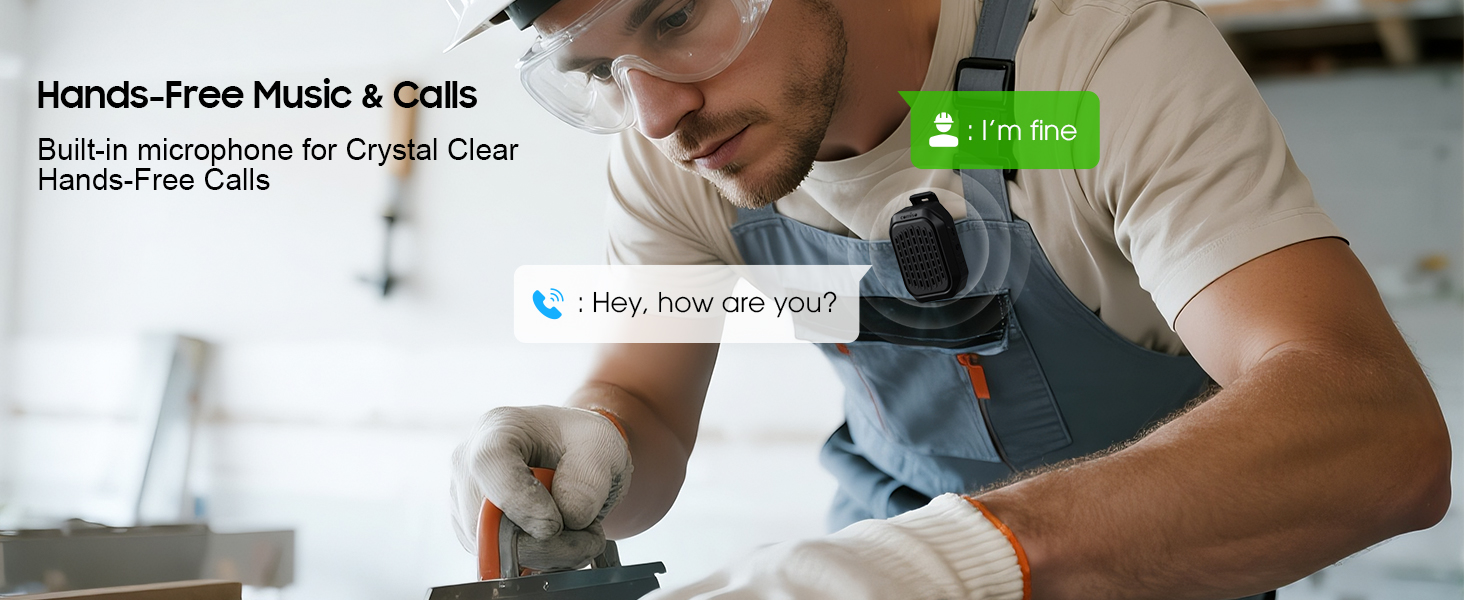
Image 5.3: Two M11 speakers wirelessly connected for a stereo audio experience, enhancing sound immersion.
5.5 Wearing the Speaker
The M11 speaker's anti-slip clip and included lanyard offer versatile wearing options.
- Klip-on: Easily attach the speaker to your shirt, backpack strap, belt, or jacket.
- Šňůrka: Use the lanyard to hang the speaker on your bag, bike, or car.
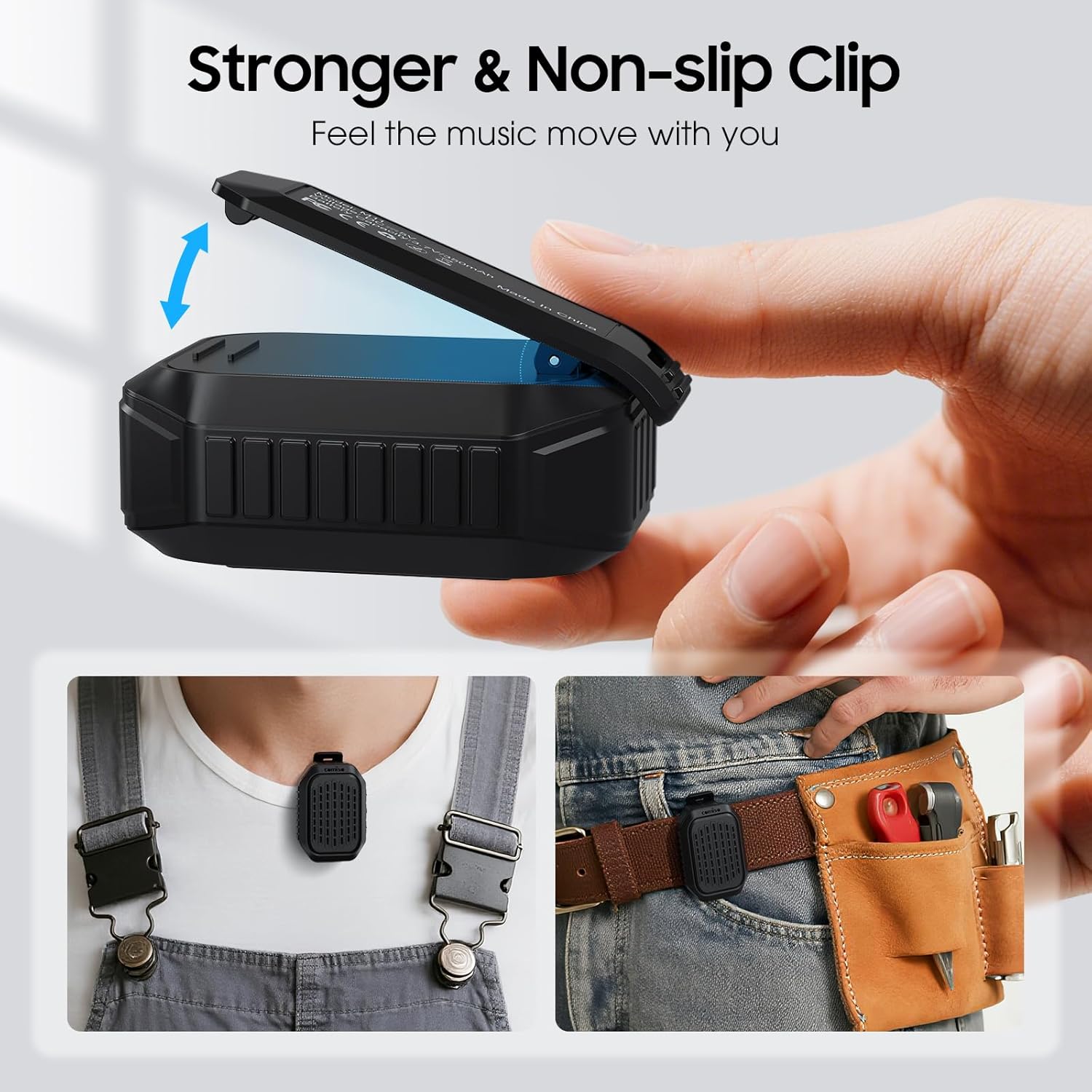
Obrázek 5.4: Podrobný view of the speaker's strong, non-slip clip, designed for secure attachment to various items.
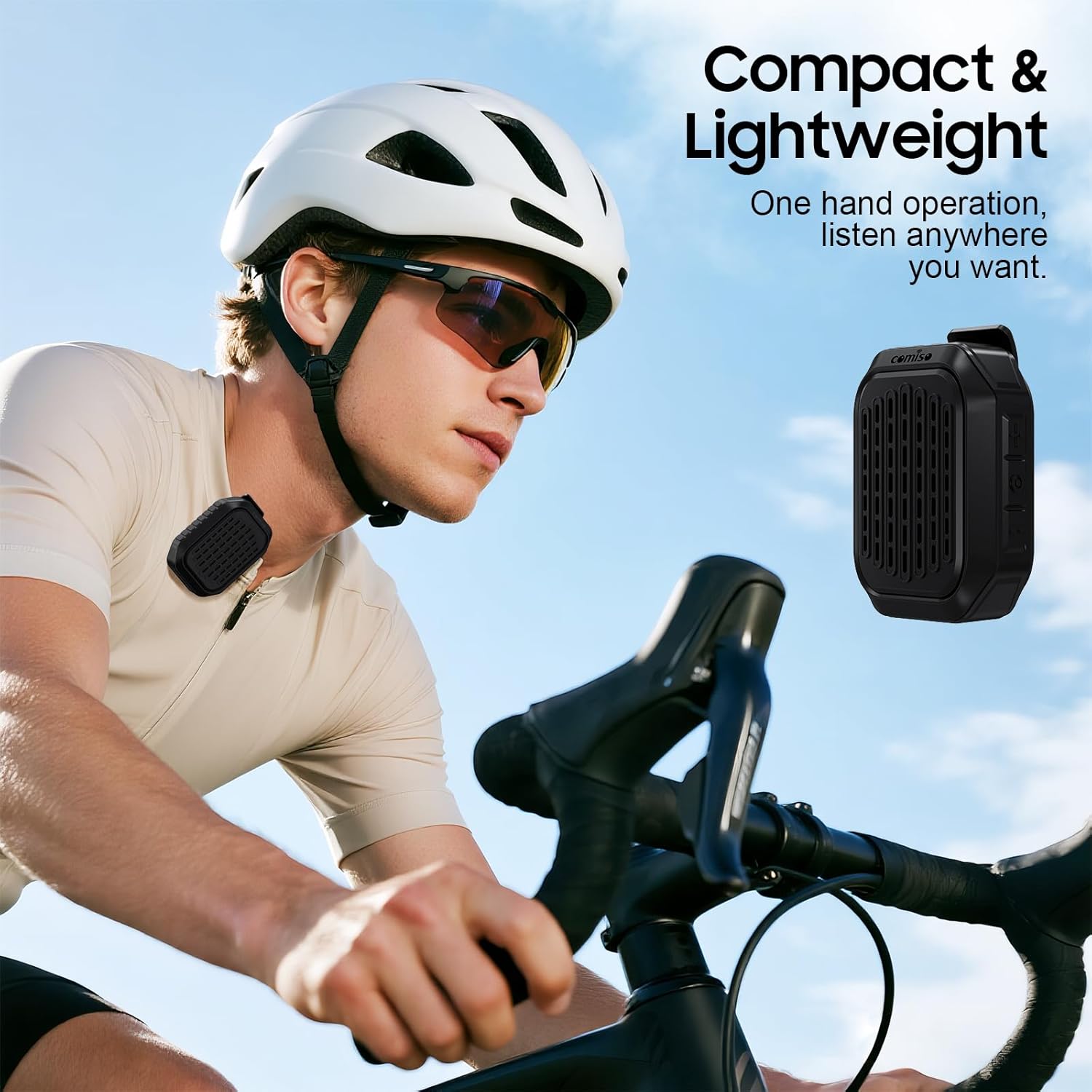
Image 5.5: A cyclist wearing the compact and lightweight speaker, demonstrating its suitability for outdoor activities.
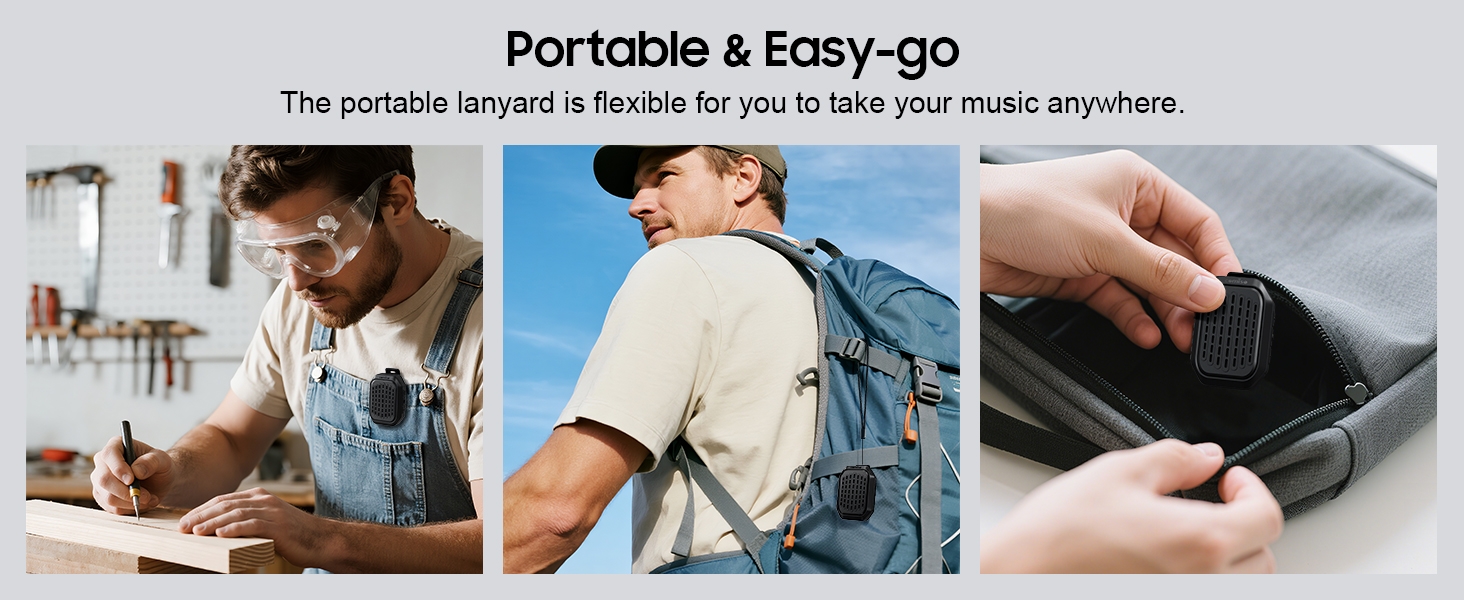
Obrázek 5.6: Příkladamples of the speaker's portability and ease of use, including being clipped to clothing, a backpack, and stored in a pocket.
6. Údržba
6.1 Vodotěsnost (IPX7)
The comiso M11 speaker is IPX7 waterproof, meaning it can be immersed in water up to 1 meter deep for 30 minutes. This makes it suitable for outdoor use and resistant to splashes and rain.
- Před vystavením reproduktoru vodě se ujistěte, že je kryt nabíjecího portu bezpečně uzavřen.
- Reproduktor úmyslně neponořujte na delší dobu ani do hloubky, která překračuje stanovenou hodnotu.
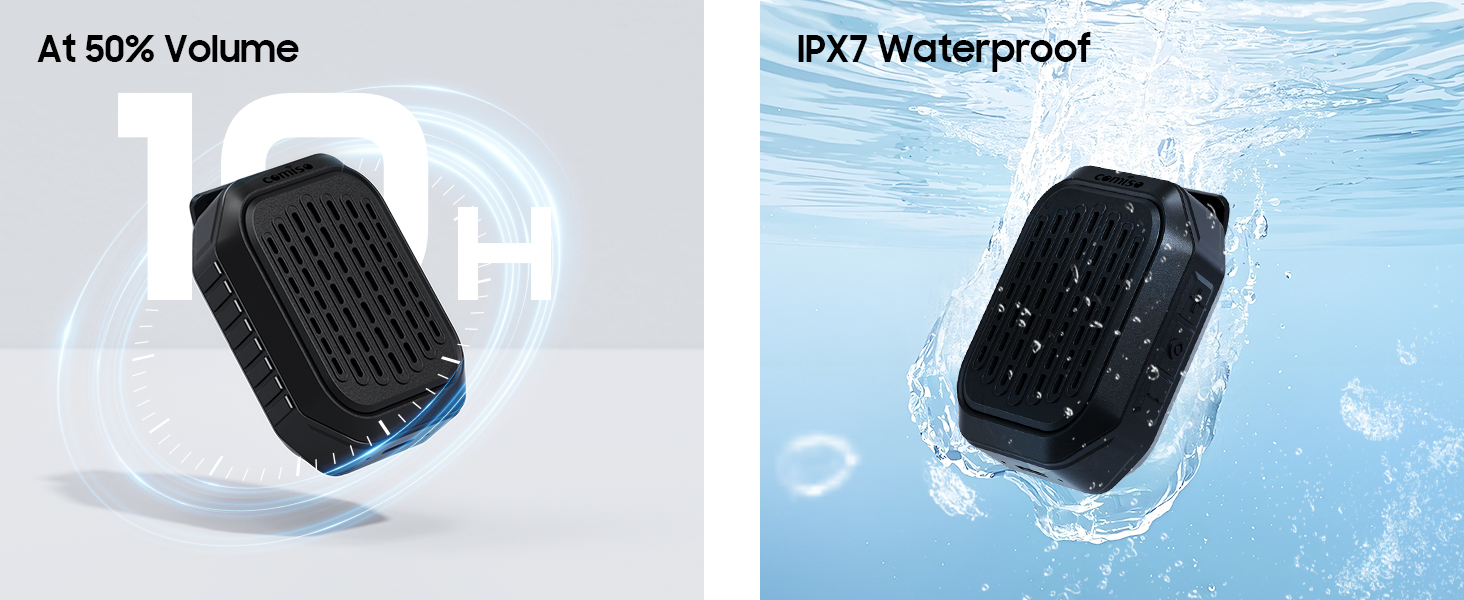
Image 6.1: The speaker submerged in water, illustrating its IPX7 waterproof capability, alongside an indicator of its 10-hour battery life.
6.2 Čištění a skladování
- Vyčistěte reproduktor měkkým, damp tkanina. Nepoužívejte abrazivní čisticí prostředky nebo rozpouštědla.
- Reproduktor skladujte na chladném a suchém místě mimo dosah extrémních teplot a přímého slunečního záření.
- If not used for a long period, charge the speaker at least once every three months to maintain battery health.
7. Řešení problémů
If you encounter issues with your comiso M11 speaker, please refer to the following common solutions:
- Reproduktor se nezapne:
Ensure the speaker is fully charged. Connect it to a power source using the USB-C cable and try again. - Nelze spárovat se zařízením Bluetooth:
Make sure the speaker is in pairing mode (check indicator light). Turn off and on Bluetooth on your device. Ensure the speaker is within the 10-meter range. Clear previous Bluetooth connections on your device and try pairing again. - Žádný zvuk nebo nízká hlasitost:
Check the volume levels on both the speaker and your connected device. Ensure the speaker is properly paired. If using TWS, ensure both speakers are connected correctly. - Špatná kvalita hovoru:
Ensure the speaker is close enough for the microphone to pick up your voice clearly. Check for environmental noise interference. - Reproduktor se nenabíjí:
Verify the USB-C cable is securely connected to both the speaker and the power source. Try a different USB-C cable or power adapter.
8. Specifikace
| Funkce | Detail |
|---|---|
| Název modelu | M11 |
| Typ reproduktoru | Nositelný Bluetooth reproduktor |
| Verze Bluetooth | 6.0 |
| Maximální výstupní výkon reproduktoru | 5 wattů |
| Úroveň odolnosti proti vodě | IPX7 (do 1 metru po dobu 30 minut) |
| Životnost baterie | Over 10 hours (at 50% volume) |
| Nabíjecí port | USB-C |
| Rozměry produktu (D x Š x V) | 1.9 cm x 2.9 cm x 1.3 cm |
| Hmotnost položky | 75 gramů (2.65 unce) |
| Maximální dosah Bluetooth | 10 metrů |
| Vestavěný mikrofon | Ano |
| TWS Párování | Ano |
9. Bezpečnostní informace
Please read and follow these safety guidelines to ensure safe operation and prolong the life of your speaker:
- Reproduktor nerozebírejte, neopravujte ani neupravujte. Mohlo by dojít ke zrušení záruky a k ohrožení bezpečnosti.
- Chraňte reproduktor před extrémními teplotami, přímým slunečním zářením a otevřeným ohněm.
- Vyvarujte se pádu reproduktoru nebo jej nevystavujte silným nárazům.
- Do not use the speaker while charging in wet conditions.
- Uchovávejte mimo dosah dětí.
- Reproduktor a jeho baterii zlikvidujte zodpovědně v souladu s místními předpisy.
10. Záruka a podpora
For warranty information or technical support, please contact comiso customer service through the retailer where you purchased the product or visit the official comiso website. Please have your model number (M11) and purchase details ready.