
Vandlion V11B
Uživatelská příručka k digitálnímu hlasovému záznamníku Vandlion V11B 64GB
Model: V11B
Zavedení
Thank you for choosing the Vandlion V11B Digital Voice Recorder. This manual provides detailed instructions on how to set up, operate, and maintain your device. Please read it carefully to ensure optimal performance and longevity of your recorder.

Image: The Vandlion V11B Digital Voice Recorder, a compact device shown held in a hand, highlighting its portable design.
Co je v krabici
Ověřte, zda jsou v balení přítomny všechny položky:
- 1 x Digital voice recorder
- 1 x datový kabel USB-C
- 1 x sluchátka
- 1 x Uživatelská příručka (tento dokument)

Image: A visual representation of the package contents, including the digital voice recorder, USB-C cable, headphones, lanyard, and user manual.
Zařízení skončiloview
Familiarize yourself with the physical components of your Vandlion V11B recorder.

Obrázek: Podrobný view of the Vandlion V11B digital voice recorder, showing its display, control buttons (REC, SAVE, POWER, RESET), and integrated carabiner clip.

Image: The Vandlion V11B digital voice recorder shown attached to a backpack and a belt loop, illustrating its compact size and ease of carrying.
Mezi klíčové vlastnosti patří:
- Displej: Shows recording status, time, battery level, and file informace.
- REC/SAVE Switch: Slide up to start recording, slide down to save.
- Tlačítko napájení: Stiskněte a podržte pro zapnutí/vypnutí.
- Tlačítko reset: Small pinhole button for factory reset if needed.
- Port USB-C: Pro nabíjení a přenos dat.
- Sluchátkový jack: 3.5mm port for audio playback.
- Integrovaný klip: Pro snadnou přenositelnost.
Nastavení
1. Nabíjení zařízení
Before first use, fully charge the recorder. Connect the supplied USB-C cable to the device's USB-C port and the other end to a computer or a USB power adapter (not included).
- Plné nabití trvá přibližně 1.5 hodin.
- A fully charged device provides up to 20 hodin of continuous recording.
- Displej bude indikovat stav nabíjení.

Image: The Vandlion V11B digital voice recorder connected to a laptop via its USB-C port for charging and data transfer.
2. Zapnutí/vypnutí
- Zapnutí: Stiskněte a podržte tlačítko MOC tlačítko, dokud se obrazovka nerozsvítí.
- Vypnutí: Stiskněte a podržte tlačítko MOC tlačítko, dokud se obrazovka nevypne.
Návod k obsluze
1. One-Button Recording
The device features a simple slide switch for quick recording.
- To start recording: Slide the REC/SAVE switch upwards to the "REC" position. The device will begin recording immediately.
- To save recording: Slide the REC/SAVE switch downwards to the "SAVE" position. The current recording will be saved, and the device will stop recording.

Image: An illustration demonstrating the one-button recording function, showing a finger sliding the REC/SAVE switch to initiate recording.
2. Redukce šumu pomocí umělé inteligence
The Vandlion V11B incorporates an advanced AI chip to enhance audio clarity by reducing background noise.
- This feature automatically identifies and minimizes distracting sounds, focusing on human speech.
- It is active during recording to provide high-fidelity voice capture.

Image: A graphic illustrating how AI noise reduction works, showing various types of noise (wind, static, hum) being filtered out to produce clear sound.
3. Hlasově aktivované nahrávání (VOR)
The Voice Activated Recording function allows the device to record only when sound is detected, conserving memory and battery life.
- To enable VOR: Access the device's menu by long pressing the Přehrát/Pozastavit/Potvrdit button when not recording, then navigate to the VOR settings. Set VOR to "ON".
- Once enabled, slide the REC/SAVE button to "REC". The recorder will start recording when sound above a set threshold (e.g., >65dB) is detected and pause when sound falls below the threshold (e.g., <65dB).
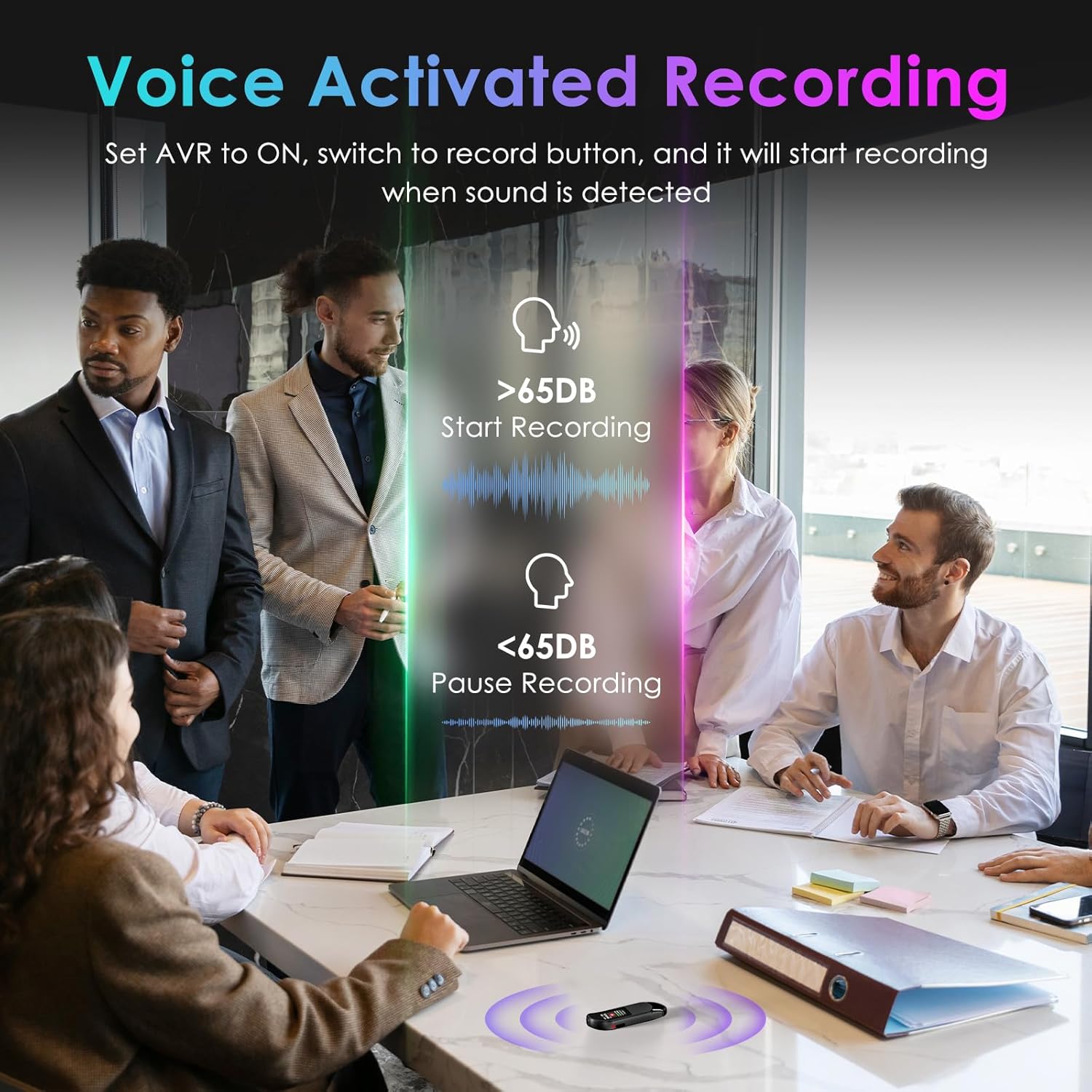
Image: A visual demonstrating voice-activated recording in a meeting, showing the device starting to record when sound is above 65dB and pausing when below.
4. Přehrávání
You can listen to your recordings directly from the device using headphones or by transferring files to a computer or Android phone.
- Používání sluchátek: Connect the included headphones to the 3.5mm jack. Use the control buttons (Vol+, Vol-, Previous, Next, Play/Pause/Confirm) on the headphone cable to navigate and play recordings.
- Connecting to Computer/Phone: Převod files as described in the "File Management" section below.

Image: A diagram showing various playback methods: using wired headphones, connecting to a computer, and connecting to an Android phone. The image also illustrates the control buttons on the headphone cable for navigation.
5. Ochrana heslem
To protect your recordings, you can set a 4-digit password.
- To set a password: Access the device's menu (long press the Přehrát/Pozastavit/Potvrdit button when not recording) and navigate to the "Password" settings. Follow the on-screen prompts to set your 4-digit code.
- Once enabled, the password will be required to access the device's files.

Image: A visual representation of the password protection feature, showing the device screen prompting for a 4-digit password.
6. File Správa a převod
Recordings are saved with timestamps for easy organization. You can transfer files to a computer (Windows/Mac) or an Android phone.
- Connect the device to your computer or Android phone using the supplied USB-C cable.
- The device will appear as a removable storage drive.
- Pak můžete nahrávku přetáhnout files (MP3 or WAV format) to your desired location.
- Poznámka: This device is not compatible with iPhones for direct file převod.

Image: The Vandlion V11B connected to a laptop via USB-C, demonstrating file transfer and showing example filenames with timestamps.
Údržba
- Uchovávejte zařízení v suchu a mimo dosah extrémních teplot.
- Zařízení čistěte měkkým, suchým hadříkem. Nepoužívejte tekuté čisticí prostředky.
- Zabraňte pádu zařízení nebo jeho vystavení silným nárazům.
- Regularly back up your recordings to prevent data loss.
- If the device becomes unresponsive, use a small pin to press the RESETOVAT tlačítko.
Odstraňování problémů
| Problém | Možná příčina | Řešení |
|---|---|---|
| Zařízení se nezapne. | Slabá baterie. | Nabíjejte zařízení alespoň 1.5 hodin. |
| Nelze nahrávat. | Memory full; device frozen. | Převod files to a computer to free up space. Press the RESET button. |
| Špatná kvalita zvuku. | Microphone obstructed; excessive background noise. | Ensure microphone is clear. Use AI Noise Reduction in appropriate environments. |
| Nelze přenést files to iPhone. | Device is not compatible with iPhone for direct transfer. | Převod files to a computer (Windows/Mac) or Android phone instead. |
| Zapomenuté heslo. | Heslo ztraceno. | Contact customer support for assistance. A factory reset might be required, which will erase all data. |
Specifikace
| Funkce | Detail |
|---|---|
| Číslo modelu | V11B |
| Kapacita paměti | 64 GB (až 900 hodin nahrávání) |
| Formát záznamu | Audio MP3, WAV |
| Kvalita zvuku | 1536Kbps Crystal Audio |
| Redukce šumu | Potlačení hluku pomocí umělé inteligence |
| Výdrž baterie (nahrávání) | Až 20 hodin |
| Doba nabíjení | Přibl. 1.5 hodin |
| Kompatibilní zařízení | Personal Computer (Windows/Mac), Smartphone (Android) |
| Hardwarové rozhraní | USB typ C |
| Tvarový faktor mikrofonu | Vestavěný |
| Jack pro sluchátka | 3.5 milimetru |
| Rozměry produktu | 10 mm x 22 mm x 76 mm (hloubka x šířka x výška) |
| Hmotnost položky | 1.41 unce (40 gramů) |
| Viditelná úhlopříčka obrazovky | 1" / 3 cm |
Záruka a podpora
Vandlion products are built for performance and durability. For warranty information or technical support, please refer to the contact details provided with your purchase or visit the official Vandlion webmísto.
For common issues, please consult the Troubleshooting section of this manual.
Výrobce: Vandlion
Důležité poznámky
- Always ensure the device is fully charged before important recording sessions.
- Regularly transfer and back up your recordings to avoid data loss.
- The device does not have a built-in speaker; headphones or external playback devices are required to listen to recordings.
Související dokumenty - V11B
 |
Uživatelská příručka k digitálnímu hlasovému záznamníku Vandlion V13 Uživatelská příručka k digitálnímu hlasovému záznamníku Vandlion V13 s podrobným popisem jeho funkcí, obsluhy, specifikací a průvodce řešením problémů. |
 |
Uživatelská příručka k diktafonu Vandlion – funkce, ovládání a specifikace Komplexní uživatelská příručka k hlasovému záznamníku Vandlion. Seznamte se s jeho funkcemi, návodem k obsluze, nastavením, řešením problémů a technickými specifikacemi. |
 |
Uživatelská příručka digitálního hlasového záznamníku V11 Komplexní uživatelská příručka pro digitální hlasový záznamník V11 od společnosti Vandlion, která zahrnuje nastavení, obsluhu, funkce, nastavení, řešení problémů a specifikace. |
 |
Uživatelská příručka k digitálnímu hlasovému záznamníku Vandlion V79 Comprehensive user manual for the Vandlion V79 digital voice recorder, covering setup, operation, recording, playback, settings, troubleshooting, and technical specifications. |
 |
Uživatelská příručka k digitálnímu hlasovému záznamníku Vandlion V15 User manual for the Vandlion V15 digital voice recorder, covering product introduction, operation, indicator lights, troubleshooting, memory footprint, and technical specifications. |
 |
Uživatelská příručka k digitálnímu hlasovému záznamníku Vandlion V59 Comprehensive user manual for the Vandlion V59 digital voice recorder, covering setup, operation, settings, troubleshooting, and specifications. Learn how to record, play, manage files, and customize your device. |
Ask a question about this manual
Ask about setup, troubleshooting, compatibility, parts, safety, or missing instructions. Manuals+ will review the question and use this page’s manual context to help answer it.