
1. Úvod
This manual provides essential information for setting up, operating, and maintaining your HP 21.5-inch All-in-One Desktop PC. This device integrates the computer components and display into a single unit, offering a streamlined computing experience for home and office use. Please read this manual thoroughly to ensure proper usage and to maximize the lifespan of your product.

Obrázek 1.1: Přední strana view of the HP 21.5-inch All-in-One Desktop PC.
2. Co je v krabici
Carefully unpack your HP All-in-One Desktop PC and verify that all items are present. If any items are missing or damaged, contact your retailer.
- HP 21.5-inch All-in-One Desktop Computer
- HP USB Cashmere White Wired Keyboard
- HP USB Cashmere White Wired Mouse
- Napájecí kabel
- Uživatelská příručka (tento dokument)
- Accessories (shipped separately, not included in the same package with the computer)
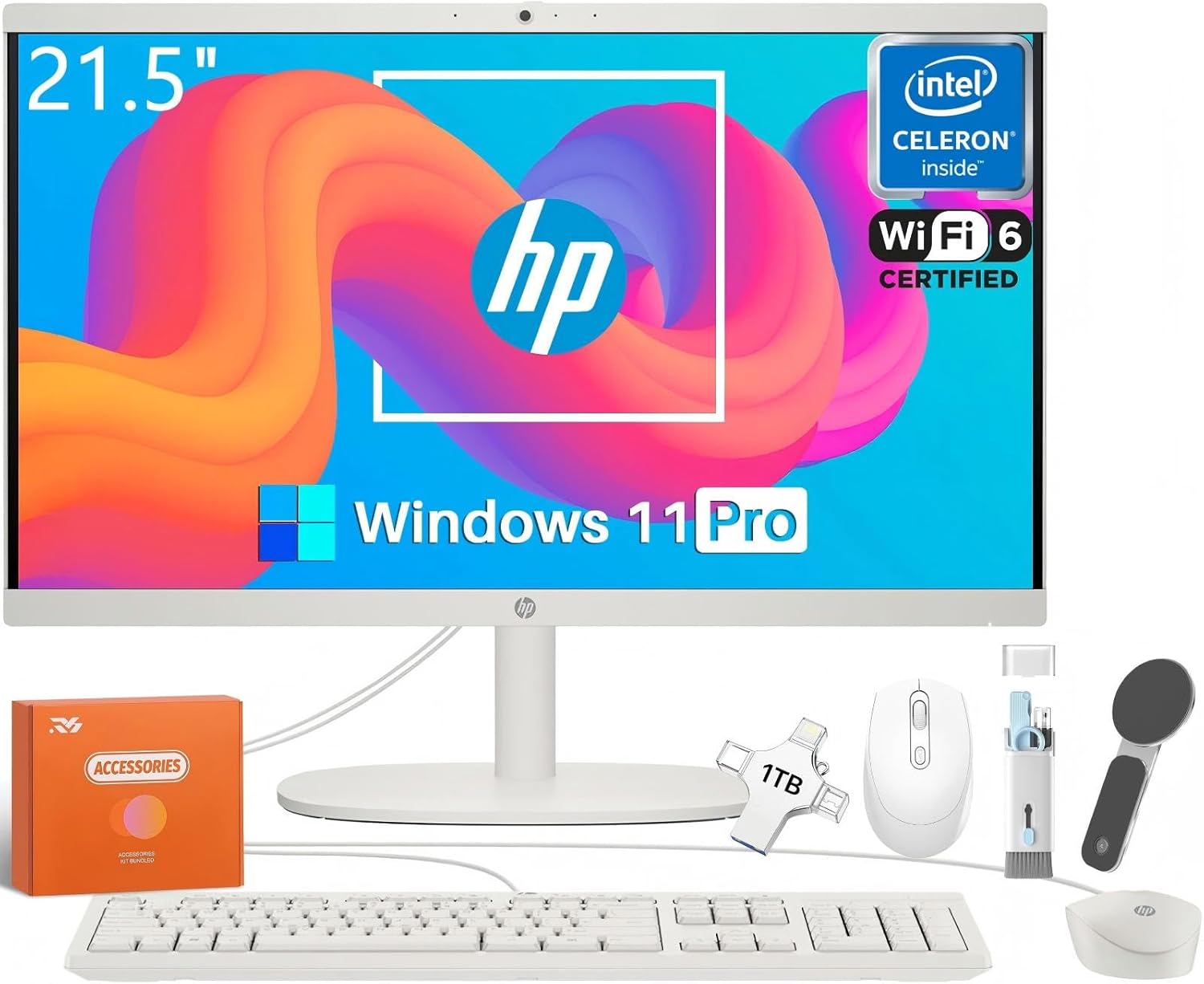
Image 2.1: Included components with the HP All-in-One Desktop PC.
3. Nastavení
Follow these steps to set up your HP All-in-One Desktop PC:
- Umístění: Place the All-in-One PC on a stable, flat surface with adequate ventilation. Ensure there is enough space around the unit for airflow.
- Připojení klávesnice a myši: Connect the wired USB keyboard and mouse to the available USB ports on the back of the All-in-One PC.
- Připojení napájení: Connect the power cord to the power port on the back of the All-in-One PC, then plug the other end into a grounded electrical outlet.
- Počáteční zapnutí: Press the power button, usually located on the side or bottom edge of the display, to turn on the computer.
- Nastavení systému Windows: Postupujte podle pokynů na obrazovce a dokončete počáteční nastavení systému Windows 11 Pro, včetně výběru jazyka, síťového připojení a vytvoření uživatelského účtu.

Image 3.1: HP All-in-One Desktop PC ready for use on a desk.
4. Ovládání počítače
4.1 Zapnutí/vypnutí
- Zapnutí: Stiskněte tlačítko napájení.
- Vypnout: Click the Start button in Windows 11 Pro, then select Power > Shut down.
- Restartovat: Klikněte na tlačítko Start a poté vyberte Napájení > Restartovat.
- Spát: Klikněte na tlačítko Start a poté vyberte Napájení > Režim spánku.
4.2 Výkon a multitasking
Your HP All-in-One PC is equipped with an Intel Celeron J4025 processor, 16 GB DDR4 RAM, and a 512 GB PCIe SSD, providing efficient performance for daily tasks, web browsing, document processing, and multimedia consumption. The SSD ensures fast boot-up times and quick application loading.
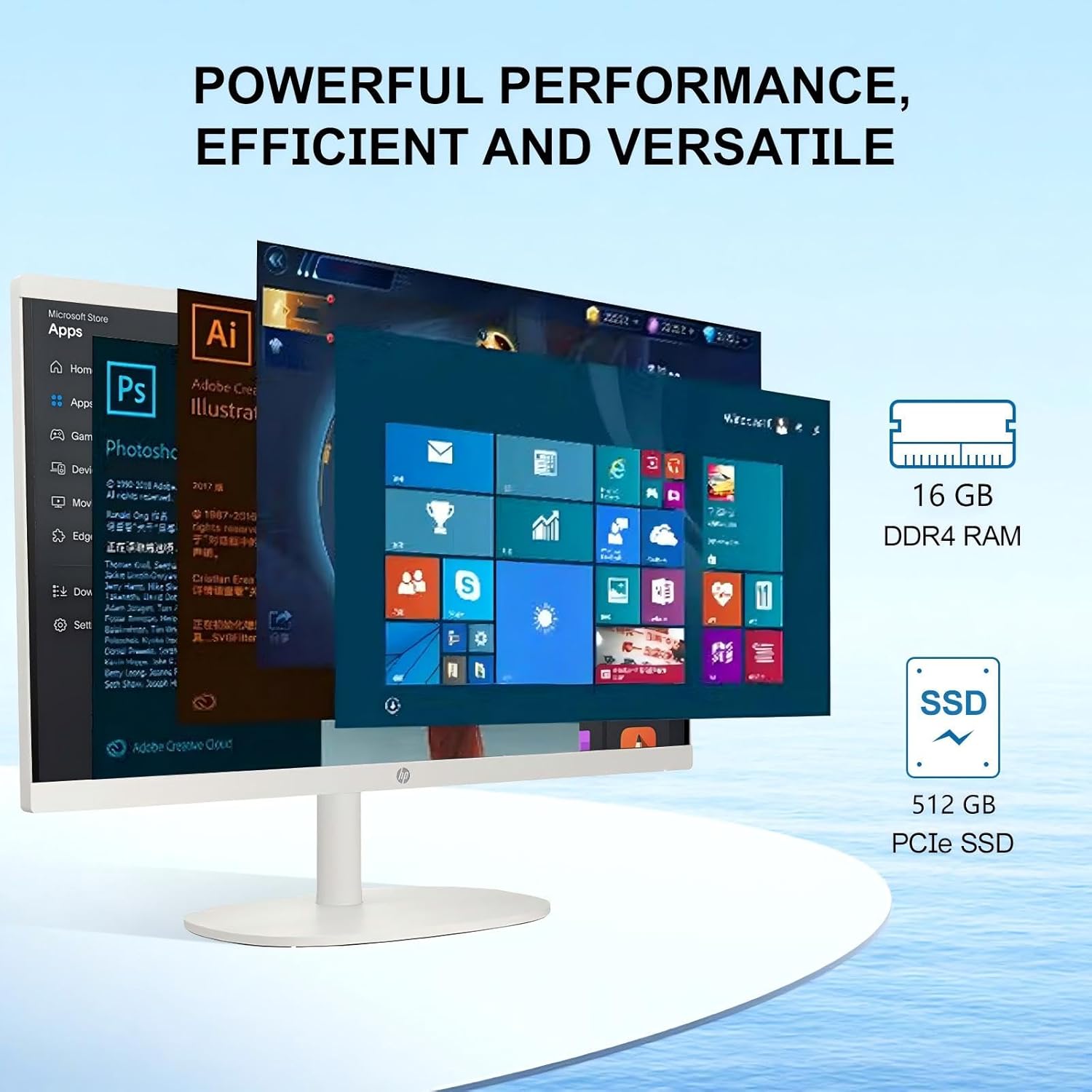
Image 4.1: Demonstrating multitasking capabilities with RAM and SSD.
5. Display and Camera
The HP All-in-One PC features a 21.5-inch Full HD (1920x1080) Anti-Glare IPS display. This display offers vibrant colors with 99% sRGB coverage and a brightness of 250 nits, reducing reflections for comfortable viewing. The integrated HP True Vision 720p HD Camera with Temporal Noise Reduction and Dual Array Digital Microphones provides clear video and audio for online communication.

Image 5.1: Key features of the display and integrated camera.
6. Konektivita
Your HP All-in-One PC offers a variety of ports and wireless options for connecting peripherals and networks:
6.1 Porty
- 1 x USB typu C (rychlost signálu 5 Gb/s)
- 2 x USB typu A (rychlost signálu 5 Gb/s)
- 2x USB 2.0 Type-A
- 1x HDMI výstup
- 1 x Headphone/Microphone Combination Jack
- 1× RJ-45 (Ethernet)
6.2 Wireless
- Wi-Fi 6 (2x2): Pro vysokorychlostní bezdrátové připojení k internetu.
- Bluetooth 5.3: For connecting wireless peripherals such as headphones, speakers, or mobile devices.

Image 6.1: Port layout on the back of the HP All-in-One PC.
7. Specifikace
| Funkce | Specifikace |
|---|---|
| Značka | HP |
| Číslo modelu | 22-dg0024 |
| Operační systém | Windows 11 Pro |
| Procesor | Intel Celeron J4025 (2.9 GHz) |
| Velikost displeje | 21.5 palce |
| Rozlišení obrazovky | 1920 1080 x XNUMX XNUMX (FHD) |
| Funkce displeje | Anti-Glare, 250 Nits, 99% sRGB |
| Grafika | Grafická karta Intel UHD Graphics 600 |
| BERAN | 16 GB DDR4 |
| Skladování | 512 GB SSD |
| Bezdrátové připojení | Wi-Fi 6 (2x2), Bluetooth 5.3 |
| Porty | 1x USB-C, 2x USB-A (5Gbps), 2x USB 2.0-A, 1x HDMI Out, 1x Headphone/Mic Combo, 1x RJ-45 |
| Fotoaparát | HP True Vision 720p HD Camera with Temporal Noise Reduction |
| Rozměry (DxŠxV) | 19.43 x 15.07 x 6.69 palce |
| Hmotnost | 9.19 liber |

Image 7.1: Physical dimensions and weight of the HP All-in-One PC.
8. Údržba
Pravidelná údržba pomáhá zajistit dlouhou životnost a optimální výkon vašeho počítače HP All-in-One.
- Čištění: Use a soft, lint-free cloth to gently wipe the screen and exterior surfaces. For stubborn marks, dampHadřík lehce navlhčete vodou nebo čističem obrazovky. Vyhněte se agresivním chemikáliím.
- Aktualizace softwaru: Pravidelně kontrolujte a instalujte aktualizace systému Windows a aktualizace ovladačů HP, abyste zajistili stabilitu a zabezpečení systému.
- Větrání: Ensure the ventilation openings on the PC are not blocked to prevent overheating.
- Záloha dat: Pravidelně zálohujte důležitá data na externí disk nebo cloudové úložiště, abyste předešli jejich ztrátě.
9. Řešení problémů
Tato část se zabývá běžnými problémy, se kterými se můžete setkat.
9.1 Bez napájení
- Ujistěte se, že je napájecí kabel bezpečně připojen k počítači i k elektrické zásuvce.
- Ověřte funkčnost elektrické zásuvky zapojením jiného zařízení.
- Pokud je k dispozici, zkuste jiný napájecí kabel.
9.2 Žádný displej
- Check if the PC is powered on (power indicator light).
- Ensure the brightness settings are not set to minimum.
- If an external monitor is connected, ensure the correct display output is selected in Windows settings.
9.3 Peripheral Issues (Keyboard/Mouse)
- Ensure USB cables are firmly connected to the correct ports.
- Zkuste připojit periferní zařízení k jinému USB portu.
- Restartujte počítač.
9.4 Problémy s připojením k Wi-Fi
- Zkontrolujte, zda je v nastavení systému Windows povolena Wi-Fi.
- Ujistěte se, že se připojujete ke správné síti a zadáváte správně heslo.
- Restartujte router a modem.
- V případě potřeby aktualizujte ovladače Wi-Fi.
10. Záruka a podpora
Your HP All-in-One Desktop PC comes with a one-year limited warranty. For detailed warranty terms and conditions, please refer to the warranty information provided with your product or visit the official HP support webmísto.
Pro technickou pomoc, stažení ovladačů nebo další podporu navštivte oficiální stránky podpory HP. webmísto: support.hp.com