
1. Úvod
This manual provides comprehensive instructions for the ZIUTY T21 Wireless Earbuds. These earbuds feature Active Noise Cancellation (ANC) and Environmental Noise Cancellation (ENC) for clear audio, a multi-functional touchscreen charging case, Bluetooth 5.3 connectivity, and an IPX7 waterproof rating. Please read this manual carefully to ensure proper use and optimal performance of your device.
2. Co je v krabici
Ověřte, zda jsou v balení obsaženy všechny níže uvedené položky:
- Bezdrátová sluchátka T21
- Nabíjecí pouzdro s dotykovou obrazovkou
- Nabíjecí kabel USB-C
- Ušní nástavce (velikosti S/M/L)
- Uživatelská příručka

Image: Package contents of the ZIUTY T21 Wireless Earbuds.
3. Konec produktuview
3.1 Komponenty
The ZIUTY T21 system consists of two wireless earbuds and a portable charging case with an integrated touchscreen.
3.2 Ovládací prvky
The earbuds and charging case offer various control options:
Earbud Touch Controls:
- Přehrát/pozastavit: Jediným klepnutím na jedno sluchátko.
- Další skladba: Dvakrát klepněte na pravé sluchátko.
- Předchozí skladba: Dvakrát klepněte na levé sluchátko.
- Přijmout/ukončit hovor: Jediným klepnutím na jedno sluchátko.
- Odmítnout hovor: Stiskněte a podržte kterékoli ze sluchátek.
- Aktivovat Voice Assistant: Trojitě klepněte na kterékoli sluchátko.
- Přepnout režim ANC/průhlednosti: Stiskněte a podržte po dobu 2 sekund na kterémkoli sluchátku.
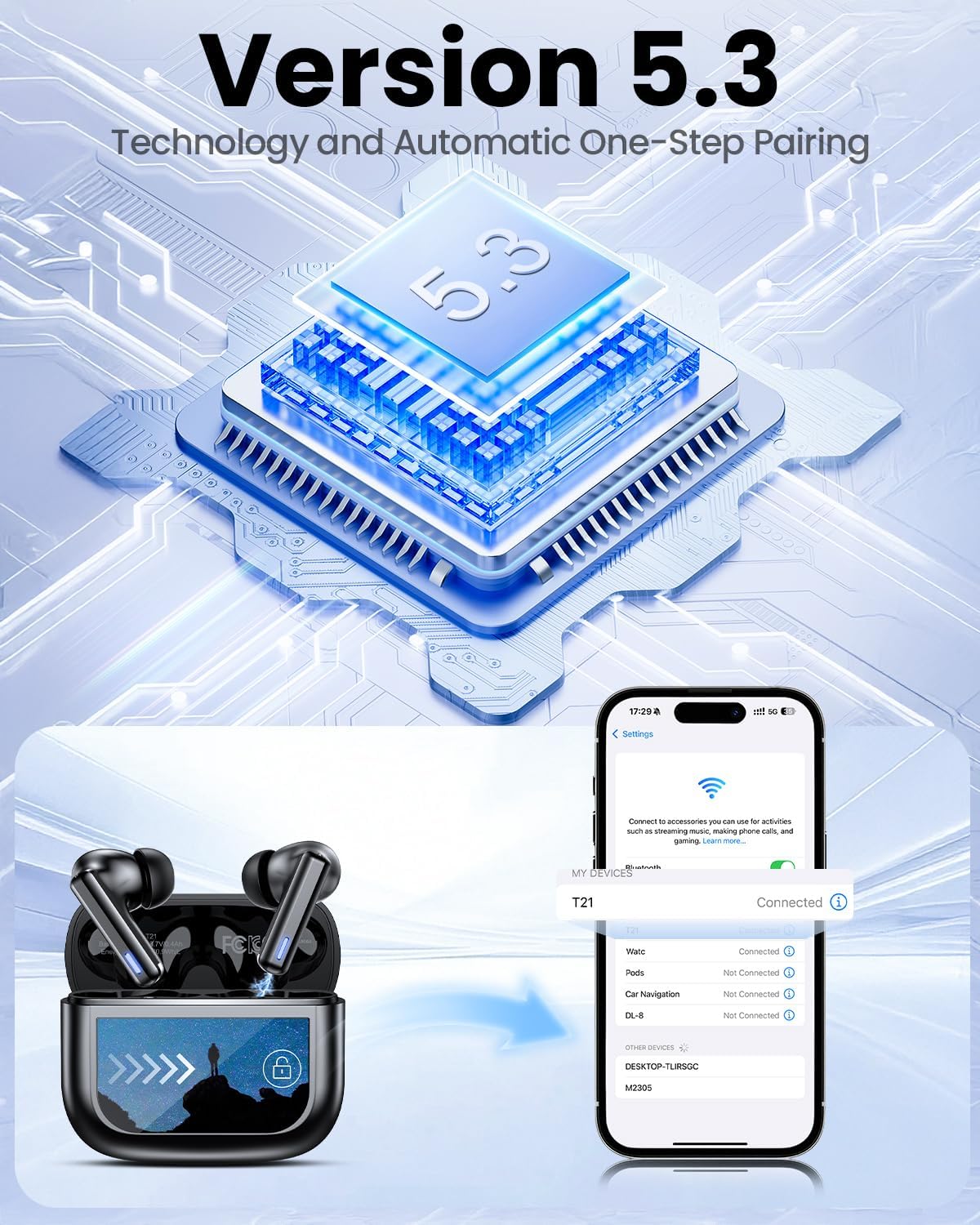
Image: Smart touch controls available on the earbuds.
Charging Case Touch Screen Functions:
- Přehrávání hudby: Control play, pause, and track navigation.
- Ovládání hlasitosti: Upravte úroveň zvukového výstupu.
- Redukce šumu: Toggle between ANC, Transparency, and Normal modes.
- Ekvalizér (EQ): Select from 5 preset sound profiles.
- Úroveň světla: Upravte jas obrazovky.
- Přepnutí jazyka: Změňte jazyk zobrazení.
- Najít moje sluchátka: Najděte ztracená sluchátka.
- Ovládání kamery: Vzdáleně spusťte fotoaparát telefonu.

Image: Multi-functional LCD touch screen interface on the charging case.
4. Nastavení
4.1 Počáteční nabíjení
- Before first use, remove the protective film from the charging contacts on both earbuds.
- Vložte sluchátka do nabíjecího pouzdra.
- Connect the USB-C charging cable to the case and a power source. The case's touchscreen will display the charging status.
- Fully charge the earbuds and case before initial use. A full charge takes approximately 1.5 hours.
4.2 Párování Bluetooth
- Otevřete nabíjecí pouzdro. Sluchátka se automaticky přepnou do režimu párování.
- Na svém zařízení (chytrý telefon, tablet, notebook) povolte Bluetooth.
- Hledat dostupná zařízení Bluetooth a v seznamu vyberte „T21“.
- Once connected, the earbuds will indicate successful pairing, and the device will show "Connected".

Image: Bluetooth 5.3 technology and one-step pairing process.
5. Návod k obsluze
5.1 Aktivní potlačení hluku (ANC) a režim průhlednosti
The earbuds feature Hybrid Active Noise Cancellation (ANC) to reduce ambient noise by up to 40dB, and a Transparency Mode to allow you to hear your surroundings.
- Přepínací režimy: Press and hold either earbud for 2 seconds to cycle between ANC, Transparency, and Normal modes. You can also switch modes via the charging case touchscreen.

Image: Active Noise-Cancelling in use.
5.2 Sound Quality and EQ Modes
Equipped with 14.2mm dynamic drivers, the earbuds deliver balanced audio. You can customize your listening experience with 5 Equalizer (EQ) presets:
- Normální
- Rock
- Klasický
- Pop
- Jazz
Select your preferred EQ mode directly from the charging case touchscreen.

Image: Available 5 EQ Modes for audio customization.
5.3 Uskutečňování a přijímání hovorů
The dual-ENC microphones are designed to reduce 98% of background noise, ensuring clear calls even in noisy environments.
- Přijmout/ukončit hovor: Jediným klepnutím na jedno sluchátko.
- Odmítnout hovor: Stiskněte a podržte kterékoli ze sluchátek.

Image: Earbud design for superior call clarity with built-in microphones.
5.4 Find My Earbuds Feature
The charging case touchscreen includes a "Find My Earphone" function to help locate misplaced earbuds.
- Access the "Find My Earphone" option on the case's touchscreen. The earbuds will emit a sound to assist in locating them.

Image: Using the 'Find My Earbuds' feature on the charging case.
5.5 Správa baterie
The earbuds provide up to 8 hours of playtime on a single charge, extended to a total of 40 hours with the charging case. A 10-minute quick charge can provide 2 hours of music playback.
- The charging case touchscreen displays the battery percentage pro pouzdro i jednotlivá sluchátka.

Image: Battery life indication for ZIUTY T21 earbuds and charging case.
6. Údržba
6.1 Čištění
Regular cleaning helps maintain optimal performance and charging efficiency.
- Use an alcohol pad or a soft, dry cloth to clean the charging contacts on both the earbuds and inside the charging case.
- Gently clean the ear tip mesh to remove any dust or earwax that may affect sound quality or volume.

Image: Cleaning instructions for earbuds and charging case contacts.
6.2 Voděodolnost
The ZIUTY T21 earbuds have an IPX7 waterproof rating, meaning they can withstand immersion in water up to 1 meter for 30 minutes. This makes them suitable for workouts and light rain exposure.
- Neponořujte nabíjecí pouzdro do vody.
- Před vložením sluchátek zpět do nabíjecího pouzdra se ujistěte, že jsou suchá, abyste předešli jejich poškození.

Image: IPX7 Waterproof feature of the earbuds.
6.3 Eartip Selection and Comfort
The package includes S, M, and L size eartips to ensure a comfortable and secure fit for various ear canal sizes. A proper fit is crucial for optimal sound quality and noise cancellation.
- Experiment with different eartip sizes to find the best seal and comfort for your ears.
- To replace eartips, gently pull off the current tip and push on the new one, ensuring it is securely attached.

Image: Eartip sizes for comfortable and stable fit.
7. Řešení problémů
If you encounter issues with your ZIUTY T21 Wireless Earbuds, refer to the following common problems and solutions:
- Sluchátka se nespárují:
Ensure earbuds are charged and removed from the case. Turn off and on your device's Bluetooth. Forget "T21" from your device's Bluetooth list and re-pair. - Z jednoho sluchátka žádný zvuk:
Check if both earbuds are charged. Try placing both earbuds back in the case, closing it, and then reopening to reset the connection. Clean the charging contacts. - Problémy s nabíjením:
Ensure the USB-C cable is securely connected to both the case and the power source. Clean the charging contacts on the earbuds and inside the case. Try a different charging cable or power adapter. - Špatná kvalita zvuku nebo nízká hlasitost:
Ensure eartips provide a good seal. Clean the ear tip mesh to remove any obstructions. Adjust volume on both the earbuds (via touch controls) and your connected device. - Dotykové ovládání nereaguje:
Ensure your fingers are clean and dry. Try resetting the earbuds by placing them in the case and closing it for a few seconds.
8. Specifikace
| Funkce | Specifikace |
|---|---|
| Název modelu | T21 |
| Technologie připojení | Bezdrátové připojení (Bluetooth 5.3) |
| Dosah Bluetooth | 15 metrů |
| Kontrola hluku | Aktivní zrušení šumu (ANC) |
| Mikrofony | Dual-ENC Microphones |
| Velikost zvukového ovladače | 14.2 milimetrů |
| Frekvenční odezva | 20 kHz |
| Citlivost | 107 dB |
| Impedance | 32 Ohmy |
| Výdrž baterie (sluchátka) | Až 8 hodin |
| Výdrž baterie (s pouzdrem) | Až 40 hodin |
| Doba nabíjení | Přibl. 1.5 hodin |
| Úroveň odolnosti proti vodě | IPX7 |
| Typ ovládání | Dotykové ovládání (sluchátka), dotyková obrazovka (pouzdro) |
| Speciální funkce | 5 EQ Presets, Find My Earbuds, Camera Control |
| Materiál | Akrylonitrilbutadienstyren (ABS) |
| Hmotnost položky | 3.17 unce (90 gramů) |
| Rozměry produktu | 2.23 x 1.01 x 1.94 palce |
9. Záruka a podpora
For warranty information or technical support, please refer to the contact details provided with your purchase or visit the official ZIUTY webUschovejte si doklad o koupi pro případné reklamace.