
Konec produktuview
The BNCF NewBook 11 is a versatile 2-in-1 laptop designed for productivity and entertainment. It features an 11-inch Full HD IPS touchscreen, powered by an Intel N150 processor, 12GB DDR5 RAM, and a 512GB SSD. This device runs on Windows 11 Pro and includes a magnetic keyboard and kickstand for flexible use.
Klíčové vlastnosti
- Intel N150 CPU with UHD Graphics
- Operační systém Windows 11 Pro
- 12GB DDR5 RAM and 512GB NVMe SSD
- 11-inch FHD IPS In-Cell Touchscreen (1920x1200)
- Dual Cameras (5MP front, 8MP rear)
- 34.2Wh Battery with Type-C Fast Charging
- Durable 635g Metal Body
- Included Magnetic Keyboard and Protective Case
- Connectivity: 2x Type-C, USB 3.0, Micro HDMI, 3.5mm Jack, Wi-Fi 6, Bluetooth 5.0
Co je v krabici
Your BNCF NewBook 11 package includes the following items:
- BNCF NewBook 11 2-in-1 Laptop (Tablet Unit)
- Magnetic Pogo Pin Keyboard
- Kickstand / Protective Case
- Napájecí adaptér (12V/3A)
- Uživatelská příručka

Image: Contents of the BNCF NewBook 11 package.
Počáteční nastavení
Unboxing and First Inspection
Carefully remove all components from the packaging. Inspect the tablet and accessories for any signs of damage.
Video: BNCF NewBook 11 2-in-1 Laptop Unboxing. This video demonstrates the unboxing process and initial handling of the device and its accessories.
Zapnutí a počáteční konfigurace
Press and hold the power button located on the side of the tablet to turn it on. Follow the on-screen prompts to complete the initial Windows 11 setup. This includes selecting your language, region, and setting up user accounts and passwords.
Video: BNCF NewBook 11 Initial Setup. This video guides you through the first power-on, language selection, and user account setup.
Attaching the Magnetic Keyboard
Align the magnetic pogo pins on the tablet with the corresponding connectors on the keyboard. The keyboard will snap into place magnetically. This allows for instant transition to laptop mode.

Image: The BNCF NewBook 11 in laptop mode with the magnetic keyboard attached.
Operating Your BNCF NewBook 11
Understanding Device Modes
The BNCF NewBook 11 offers three primary modes for versatile usage:
- Režim notebooku: Attach the magnetic keyboard and use the device like a traditional laptop for typing and productivity tasks.
- Režim tabletu: Detach the keyboard for a lightweight tablet experience, ideal for browsing, reading, or touch-based applications.
- Režim stojanu: Utilize the integrated kickstand (or protective case) to prop up the tablet for media consumption, presentations, or video calls without the keyboard.

Image: The BNCF NewBook 11 demonstrating its three flexible usage modes: Laptop, Tablet, and Stand.
Windows 11 Pro Features
Your device comes pre-installed with Windows 11 Pro, offering enhanced security, productivity, and management features.
- Chip-level Security: Benefit from advanced hardware-based security.
- BitLocker Encryption: Protect your data with full disk encryption.
- Dobrý den ve Windows: Secure and fast login using facial recognition or fingerprint (if applicable).
- Efektivní multitasking: Utilize Snap Layouts and Desktops for organized workflows.
Konektivita
The NewBook 11 provides comprehensive connectivity options:
- Wi-Fi 6 (2.4/5GHz): Pro vysokorychlostní bezdrátový přístup k internetu.
- Bluetooth 5.0: Connect wireless peripherals like headphones, mice, and keyboards.
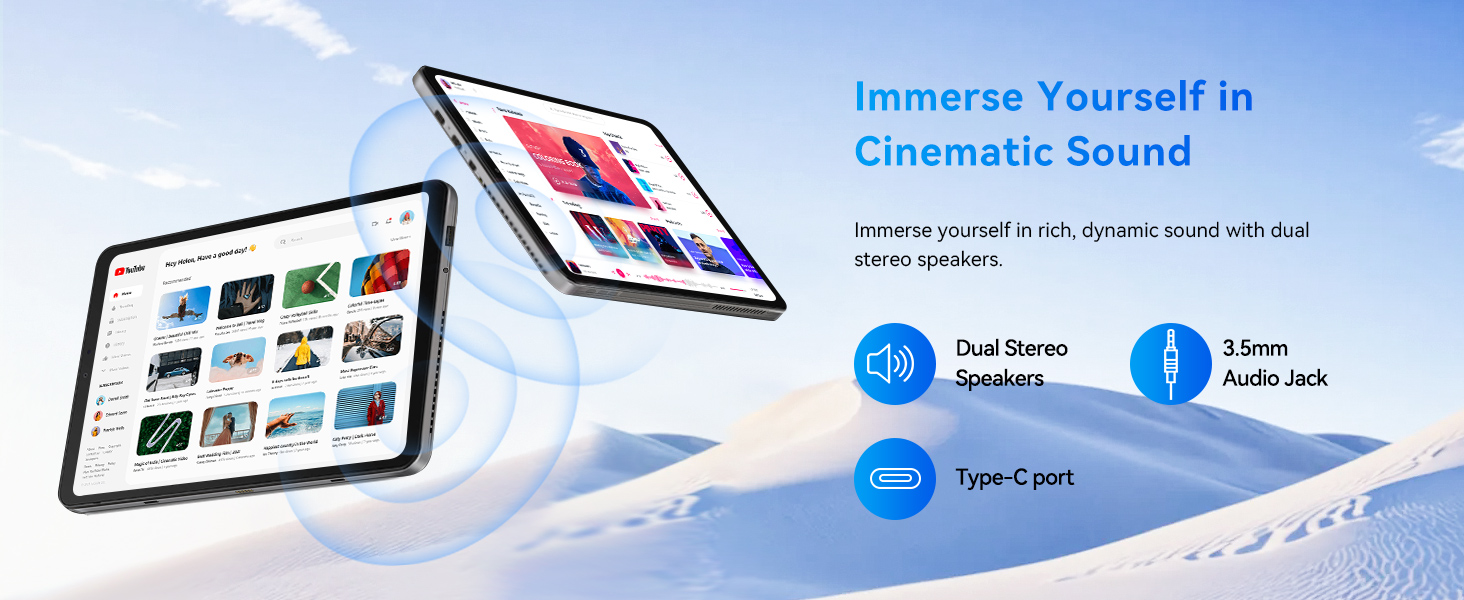
- USB porty: Includes 2x Type-C (charging/data) and 1x USB 3.0 for connecting various devices.
- Micro HDMI: Connect to external displays, monitors, or projectors for extended screen space.
- 3.5mm audio jack: Pro drátová sluchátka nebo externí reproduktory.
Obrázek: Podrobný view of the BNCF NewBook 11's ports and buttons.
Údržba
Čištění zařízení
- K čištění obrazovky a těla používejte měkký hadřík, který nepouští vlákna.
- Na odolné šmouhy lehce otřeteamphadřík vodou nebo čisticím prostředkem na obrazovky.
- Vyhněte se agresivním chemikáliím, abrazivním materiálům nebo nadměrné vlhkosti.
- Udržujte porty bez prachu a nečistot.
Aktualizace softwaru
Regularly check for and install Windows updates to ensure optimal performance, security, and access to the latest features. Go to Nastavení > Aktualizace systému Windows pro správu aktualizací.
Péče o baterie
- Pro optimální životnost baterie se vyvarujte častého úplného vybíjení.
- Pokud zařízení delší dobu nepoužíváte, skladujte jej na chladném a suchém místě.
- Use only the provided power adapter or a compatible Type-C PD charger.
Odstraňování problémů
Běžné problémy a řešení
- Zařízení se nezapne: Ujistěte se, že je baterie nabitá. Připojte napájecí adaptér a zkuste to znovu.
- Obrazovka nereaguje: Restart the device. If the issue persists, check for system updates or contact support.
- Nefunkční klávesnice: Ensure the magnetic connection is secure. Restart the device.
- Problémy s připojením k Wi-Fi/Bluetooth: Check if Wi-Fi/Bluetooth is enabled in settings. Restart your router or device.
- Pomalý výkon: Close unnecessary applications. Check for system updates. Ensure sufficient free storage space.
If you encounter persistent issues, refer to the official BNCF support resources or contact customer service.
Technické specifikace
| Funkce | Specifikace |
|---|---|
| Značka | BNCF |
| Název modelu | NewBook 11 |
| Velikost obrazovky | 11 palce |
| Rezoluce | 1920x1200 (FHD IPS) |
| Model CPU | Intel Twin Lake N150 |
| Rychlost procesoru | Až 3.6 GHz |
| BERAN | 12 GB DDR5 |
| Skladování | 512GB SSD (NVMe) |
| Operační systém | Windows 11 Pro |
| Grafika | Grafická karta Intel UHD (integrovaná) |
| Přední kamera | 5 MP |
| Zadní kamera | 8 MP |
| Baterie | 34.2 Wh |
| Konektivita | Wi-Fi 6, Bluetooth 5.0, 2x Type-C, USB 3.0, Micro HDMI, 3.5mm Audio |
| Rozměry (tablet) | 25.7"D x 16.8"Š x 0.96"V |
| Weight (Tablet) | 635 g |
| Weight (with Keyboard/Case) | 1106 g |
Záruka a podpora
Informace o záruce
The BNCF NewBook 11 comes with a 1letá omezená zárukaTato záruka se vztahuje na výrobní vady a poruchy hardwaru za běžného používání. Uschovejte si prosím doklad o koupi pro případ uplatnění záruky.
Zákaznická podpora
For any questions, software glitches, or hardware concerns, please contact BNCF customer support.
- E-mailová podpora: service01@bncfai.com
- Online zdroje: Visit the official BNCF website for drivers, firmware downloads, and FAQs.
- Doba odezvy: Our team aims to respond within 24/7 a week.
When contacting support, please provide your product model number (N150) and order number for faster assistance.