
Zavedení
The ZOMBIES CAT MGALL X22 Clip On Wireless Headphones offer a unique open-ear listening experience combined with a fashionable design. These headphones feature Bluetooth 6.0 connectivity, an LED HD display for battery status, and a comfortable clip-on fit. This manual provides essential information for setting up, operating, and maintaining your headphones.
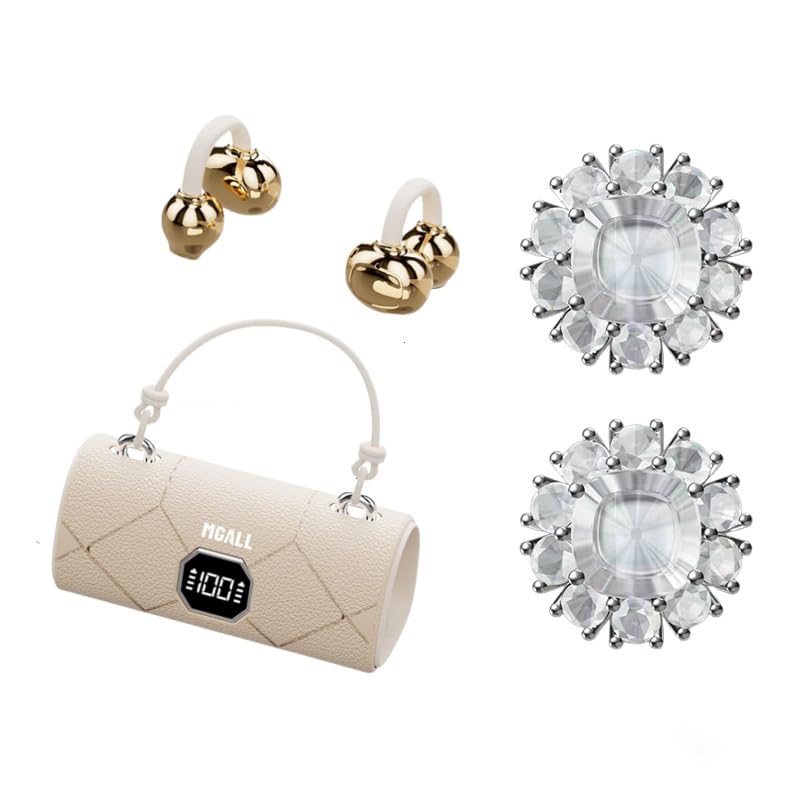
MGALL X22 Clip On Wireless Headphones in their charging case, showcasing the unique handbag-style design and open-ear earbuds.
Klíčové vlastnosti
- Design s otevřeným uchem: Provides a comfortable and pleasant listening experience without blocking the ear canal.
- Bluetooth 6.0: Ensures fast pairing, seamless audio, and ultra-low latency.
- Dual AI Noise-Canceling Mics: Enhances voice clarity by suppressing ambient noise during calls.
- Pohlcující stereo zvuk: Delivers crisp highs, rich bass, and a wider soundstage with advanced directional audio.
- Prodloužená životnost baterie: Up to 6 hours of listening per charge, with a total of 40 hours using the charging case.
- LED HD Display: Shows real-time battery levels for both the charging case and earbuds.
- Módní design: Features a unique handbag-style charging case with a smooth leather finish and graceful handle.

Diagram illustrating the open listening experience and key features of the MGALL X22 headphones, including comfort, battery display, lossless HiFi sound, luxury leather texture, Dual-mode Bluetooth 6.0, and open ear clip design.
Nastavení
Nabíjení sluchátek
Před prvním použitím sluchátka a nabíjecí pouzdro plně nabijte.
- Připojte dodaný kabel USB-C k nabíjecímu portu na zadní straně nabíjecího pouzdra.
- Plug the other end of the USB-C cable into a compatible USB power source.
- The LED HD display on the case will show the charging progress. A green indicator light on the case signifies it is charging or fully charged.
- Place the earbuds into their respective slots inside the charging case. They will begin charging automatically.

Close-up of the MGALL X22 charging case with earbuds inside, showing the green indicator light, indicating charging or readiness.

Image showing the LED dynamic power HD digital display on the charging case, indicating the battery level of the charging case and earphones.
Spárování se zařízením
- Ujistěte se, že jsou sluchátka nabitá a vložená do nabíjecího pouzdra.
- Otevřete nabíjecí pouzdro. Sluchátka se automaticky přepnou do režimu párování.
- Na svém zařízení (chytrém telefonu, tabletu atd.) povolte Bluetooth.
- Hledat available Bluetooth devices and select "MGALL X22" from the list.
- Po připojení uslyšíte zvukový signál a sluchátka budou připravena k použití.
Official product video demonstrating the charging case and earbuds, highlighting the handbag-style design and LED display.
Obsluha sluchátek
Nošení sluchátek
The MGALL X22 headphones feature an open-ear clip-on design for comfort and awareness of your surroundings.
- Identifikujte levé (L) a pravé (R) sluchátko.
- Gently clip each earbud onto your ear, ensuring the speaker portion is positioned just outside your ear canal.
- Adjust for a secure and comfortable fit. The flexible design allows for slight adjustments.

Image showing a person wearing the MGALL X22 clip-on headphones, demonstrating the secure and comfortable fit.
Dotykové ovládání
The earbuds feature touch-sensitive controls for easy management of audio and calls.
- Přehrát/pozastavit: Jediným klepnutím na jedno sluchátko.
- Další skladba: Dvakrát klepněte na pravé sluchátko.
- Předchozí skladba: Dvakrát klepněte na levé sluchátko.
- Přijmout/ukončit hovor: Během příchozího hovoru klepněte jedním klepnutím na kterékoli sluchátko.
- Odmítnout hovor: Během příchozího hovoru dlouze stiskněte kterékoli sluchátko.
- Aktivovat Voice Assistant: Trojitě klepněte na kterékoli sluchátko.
Removable Earring Charms
The headphones come with optional removable earring charms for customization.
- To attach a charm, open the clasp on the charm.
- Carefully attach the clasp to the designated loop on the earbud.
- Close the clasp securely.
- To remove, simply open the clasp and detach.
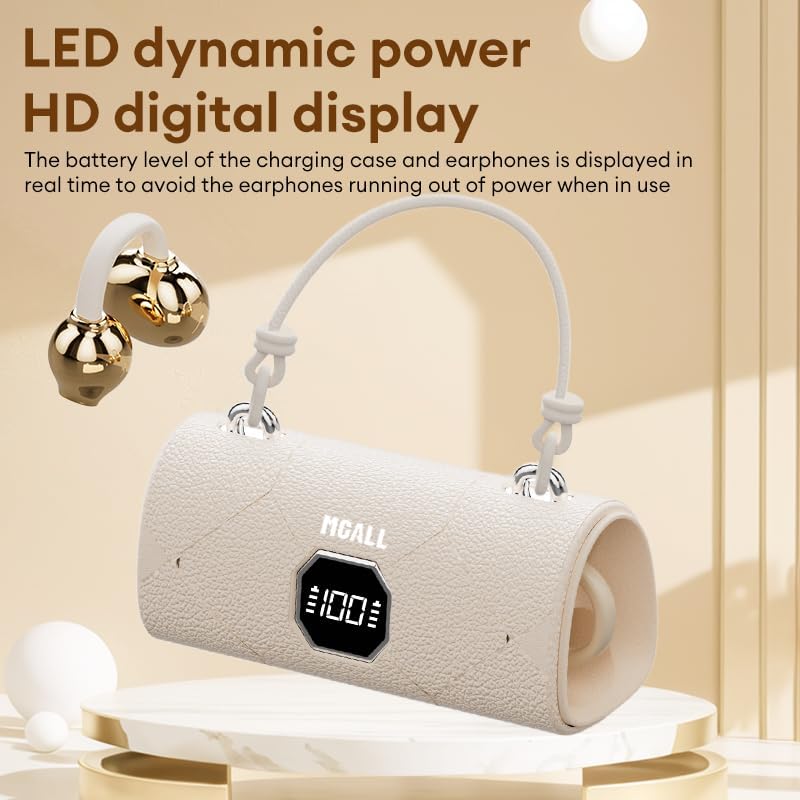
Image showing the removable earring charms that can be attached to the headphones for a personalized look.
Oficiální video s produktemasing the MGALL X22 clip-on earbuds, demonstrating how they are worn and the optional earring attachments.
Údržba
Čištění
- Otřete sluchátka a nabíjecí pouzdro měkkým, suchým hadříkem, který nepouští vlákna.
- Nepoužívejte abrazivní čisticí prostředky, rozpouštědla ani aerosolové spreje.
- Zabraňte vniknutí vlhkosti do jakýchkoli otvorů.
Skladování
- Pokud sluchátka nepoužíváte, uložte je do nabíjecího pouzdra, aby byla chráněna a zůstala nabitá.
- Keep the device in a cool, dry place away from extreme temperatures and direct sunlight.
Odstraňování problémů
Běžné problémy a řešení
- Žádný zvuk:
- Ujistěte se, že jsou sluchátka správně spárována s vaším zařízením.
- Zkontrolujte úroveň hlasitosti na zařízení i ve sluchátkách.
- Ujistěte se, že jsou sluchátka do uší nabitá.
- Problémy s párováním:
- Vypněte Bluetooth na svém zařízení a znovu jej zapněte.
- Vložte sluchátka zpět do pouzdra, zavřete je a znovu je otevřete, abyste znovu přešli do režimu párování.
- Forget/delete "MGALL X22" from your device's Bluetooth list and try pairing again.
- Problémy s nabíjením:
- Ujistěte se, že je nabíjecí kabel bezpečně připojen k pouzdru i ke zdroji napájení.
- Zkontrolujte, zda je nabíjecí port čistý a bez nečistot.
- Zkuste jiný kabel USB-C nebo napájecí adaptér.
Specifikace
| Funkce | Detail |
|---|---|
| Název modelu | X2202+TYEJPS06 |
| Značka | ZOMBIES CAT |
| Technologie připojení | Bezdrátové, Bluetooth 6.0 |
| Dosah Bluetooth | 10 metrů |
| Kontrola hluku | Hybrid Noise Cancellation (for mics) |
| Tvar sluchátka | Otevřené ucho |
| Kontrolní metoda | Dotek |
| Impedance | 32 ohmů |
| Materiál | Plast |
| Výdrž baterie (sluchátka) | Až 6 hodin |
| Celková výdrž baterie (s pouzdrem) | Až 40 hodin |
Co je v krabici
- MGALL X22 Clip On Wireless Headphones
- Nabíjecí pouzdro
- Nabíjecí kabel USB-C
- Uživatelská příručka
- Removable Earring Charms
Záruka a podpora
Your ZOMBIES CAT MGALL X22 Clip On Wireless Headphones are covered by a standard manufacturer's warranty against defects in materials and workmanship. Please refer to the product packaging or contact customer support for specific warranty details and duration.
For technical support, troubleshooting assistance, or warranty claims, please contact ZOMBIES CAT customer service through the retailer where the product was purchased or visit the official ZOMBIES CAT webstránky pro kontaktní informace.