
FYDEE A7-HTM-CA-2ND-GENMAI
FYDEE Vinyl Record Player User Manual
Model: A7-HTM-CA-2ND-GENMAI | Brand: FYDEE
1. Nastavení
1.1 Vybalení a komponenty
Opatrně vyjměte všechny součásti z obalu. Ujistěte se, že jsou přítomny všechny níže uvedené položky:
- 1 x gramofon
- 1 x protiprachový kryt
- 1 x RCA kabel
- 1 x 5V 1A napájecí adaptér
- 1 x Uživatelská příručka
- 1 x 45 RPM adaptér
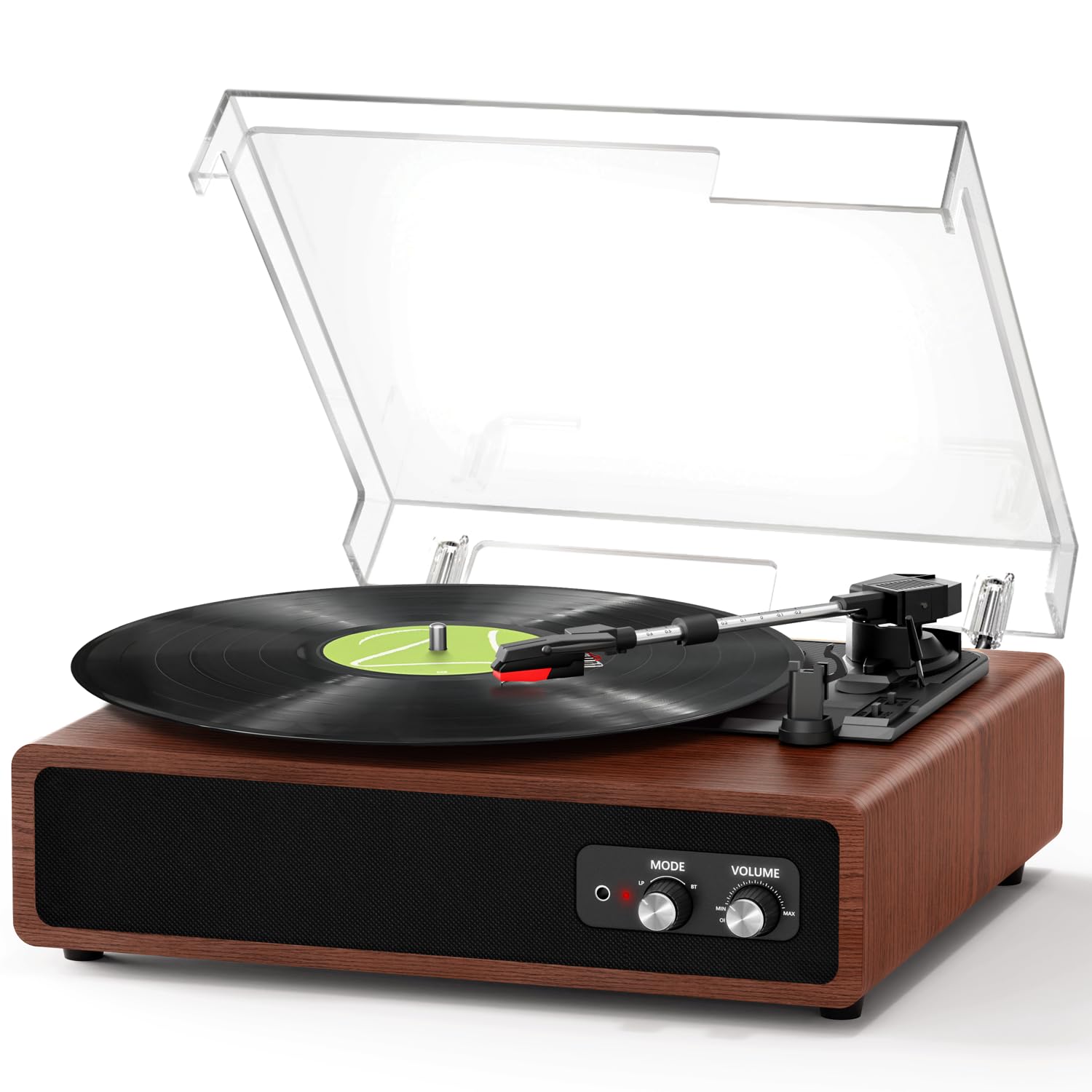
Image: The FYDEE Vinyl Record Player, showcasing its wooden finish and clear dust cover.
1.2 Instalace protiprachového krytu
The removable dust cover protects the turntable from dust and damage. To install, align the hinges of the dust cover with the slots at the back of the record player and gently push down until it is securely in place. The cover can be lifted to a 90-degree angle for easy access to the platter.
Video: Demonstrates the installation and operation of the dust cover on the record player.
1.3 Připojení napájení
Connect the provided 5V 1A power adapter to the DC 5V port on the back of the record player. Plug the other end into a standard electrical outlet. The unit is designed for 110V (AC) power.
Image: Rear panel of the record player, highlighting the RCA OUT, AUX IN, and DC 5V power input ports.
2. Provoz
2.1 Přehrávání vinylové desky
- Place a vinyl record on the platter. For 7-inch records, use the included 45 RPM adapter if necessary.
- Select the appropriate speed (33, 45, or 78 RPM) using the speed switch located near the tonearm.
- Gently lift the tonearm using the lift lever.
- Umístěte hrot nad požadovanou počáteční drážku desky.
- Lower the tonearm slowly using the lift lever. The stylus will make contact with the record, and playback will begin.
- Adjust the volume using the 'VOLUME' knob on the front panel.

Obrázek: Nahoře view of the record player, indicating the 45 RPM adapter, lift lever, tonearm, auto-stop switch, speed selector, and stylus.
Video: Demonstrates placing a record, adjusting the tonearm, and starting playback.
2.2 Adjustable Counterweight
The tonearm features an adjustable counterweight. This allows you to fine-tune the tracking force of the stylus on the record. Proper adjustment helps minimize skipping and ensures accurate playback, protecting both your records and the stylus. Rotate the counterweight to achieve the recommended tracking force (refer to specific stylus recommendations if available).

Obrázek: Detailní záběr view of the tonearm, highlighting the adjustable counterweight for precise tracking force.
2.3 Auto-Stop Function
The record player includes an automatic stop function. When enabled (switch set to 'ON'), the turntable will automatically stop rotating once the record finishes playing. This feature helps reduce wear on the stylus and the record. To disable, set the auto-stop switch to 'OFF'.

Obrázek: Podrobný view of the auto-stop switch, showing its 'ON' and 'OFF' positions.
2.4 Bluetooth Receiving Mode (BT Input)
This mode allows you to stream audio from your Bluetooth-enabled device (e.g., smartphone, tablet) to the record player's built-in speakers.
- Zapněte gramofon.
- Set the 'MODE' knob to 'LP' (Line Play).
- Na externím zařízení povolte Bluetooth a vyhledejte dostupná zařízení.
- Select 'A7' from the list to pair. The blue indicator light will turn solid when connected.
- Play audio from your device. Adjust volume using the record player's 'VOLUME' knob or your device's volume controls.
Video: Demonstrates connecting a smartphone to the record player via Bluetooth in receiving mode.
2.5 Bluetooth Transmission Mode (BT Output)
This mode allows you to transmit the audio from playing vinyl records to an external Bluetooth speaker or headphones.
- Zapněte gramofon.
- Set the 'MODE' knob to 'TX' (Transmit). The red indicator light will flash.
- Ensure your external Bluetooth speaker/headphones are in pairing mode.
- Play a vinyl record on the turntable.
- The record player will automatically search for and connect to the nearest Bluetooth audio device. The red indicator light will turn solid when connected.
- Adjust volume on your external Bluetooth device.
Poznámka: Bluetooth output works only when playing records.

Image: The record player wirelessly connected to an external Bluetooth speaker, illustrating the transmission mode.
2.6 External Audio Connections (RCA Out, AUX In)
- RCA OUT: Use the RCA output ports (red for right, white for left) on the back panel to connect the record player to an external ampzesilovač nebo aktivní reproduktory pro vylepšený zvuk.
- AUX IN: Use the 3.5mm AUX IN port to connect external audio sources (e.g., MP3 player, CD player) to play through the record player's built-in speakers.

Obrázek: Podrobný view of the RCA OUT and AUX IN ports on the rear of the record player.
3. Údržba
3.1 Čištění
- Jednotka: Wipe the exterior of the record player with a soft, dry cloth. Avoid using harsh chemicals or abrasive cleaners.
- Protiprachový kryt: Očistěte protiprachový kryt měkkým hadříkemamp cloth. For stubborn marks, use a mild soap solution and dry thoroughly.
- Stylus: Gently brush the stylus from back to front with a soft stylus brush to remove dust and debris. Be extremely careful to avoid bending the stylus.
3.2 Výměna stylusu
The stylus (needle) is a delicate component that wears out over time. A worn stylus can damage your records and degrade sound quality. Replace the stylus approximately every 200-300 hours of playback, or if you notice a decrease in sound quality or increased skipping. Refer to the manufacturer's website or contact customer support for compatible replacement styli.
4. Řešení problémů
| Problém | Možná příčina | Řešení |
|---|---|---|
| Žádná síla | Napájecí adaptér není připojen nebo je zásuvka vadná. | Ujistěte se, že je napájecí adaptér bezpečně připojen a zásuvka je funkční. |
| Žádný zvuk z reproduktorů | Volume too low; incorrect mode selected; stylus not properly seated. | Increase volume; ensure 'MODE' is set to 'LP' for vinyl playback; check stylus connection. |
| Přeskakování záznamu | Dust/debris on record or stylus; improper tracking force; record player not level. | Clean record and stylus; adjust counterweight; place record player on a stable, level surface. |
| Problémy s připojením Bluetooth | Device too far; pairing mode not active; interference. | Ensure devices are within range; activate pairing mode on both devices; reduce interference from other electronics. |
5. Specifikace
| Funkce | Detail |
|---|---|
| Značka | FYDEE |
| Číslo modelu | A7-HTM-CA-2ND-GENMAI |
| Rychlosti | 33/45/78 ot./min |
| Konektivita | Dual Bluetooth 5.4 (Input & Output), RCA Out, AUX In, 3.5mm Headphone Jack |
| Reproduktory | Built-in Dual 3W Stereo Speakers |
| Speciální funkce | Dust Cover, Auto-Stop Function, Adjustable Counterweight |
| Materiál | Dřevo |
| Zdroj napájení | AC 110V (5V 1A Adapter) |
6. Záruka a podpora
This FYDEE Vinyl Record Player comes with a 365-day worry-free warranty. We also provide lifetime customer support for any questions or issues you may encounter.
For technical assistance, troubleshooting, or warranty claims, please contact our customer support team:
- E-mail: support@fydee.com (example)
- Telefon: 1-800-XXX-XXXX (např.ample)
- Webmísto: www.fydee.com/support (example)
Ask a question about this manual
Ask about setup, troubleshooting, compatibility, parts, safety, or missing instructions. Manuals+ will review the question and use this page’s manual context to help answer it.