
Surge SG60094
Surge Wireless Pro Controller User Manual
Model: SG60094
Zavedení
This manual provides instructions for the Surge Wireless Pro Controller, Model SG60094. It covers setup, operation, maintenance, troubleshooting, and specifications. Please read this manual thoroughly before using the controller.
The Surge Wireless Pro Controller is designed for multi-platform compatibility, featuring Hall Effect thumb sticks and triggers for precision control.
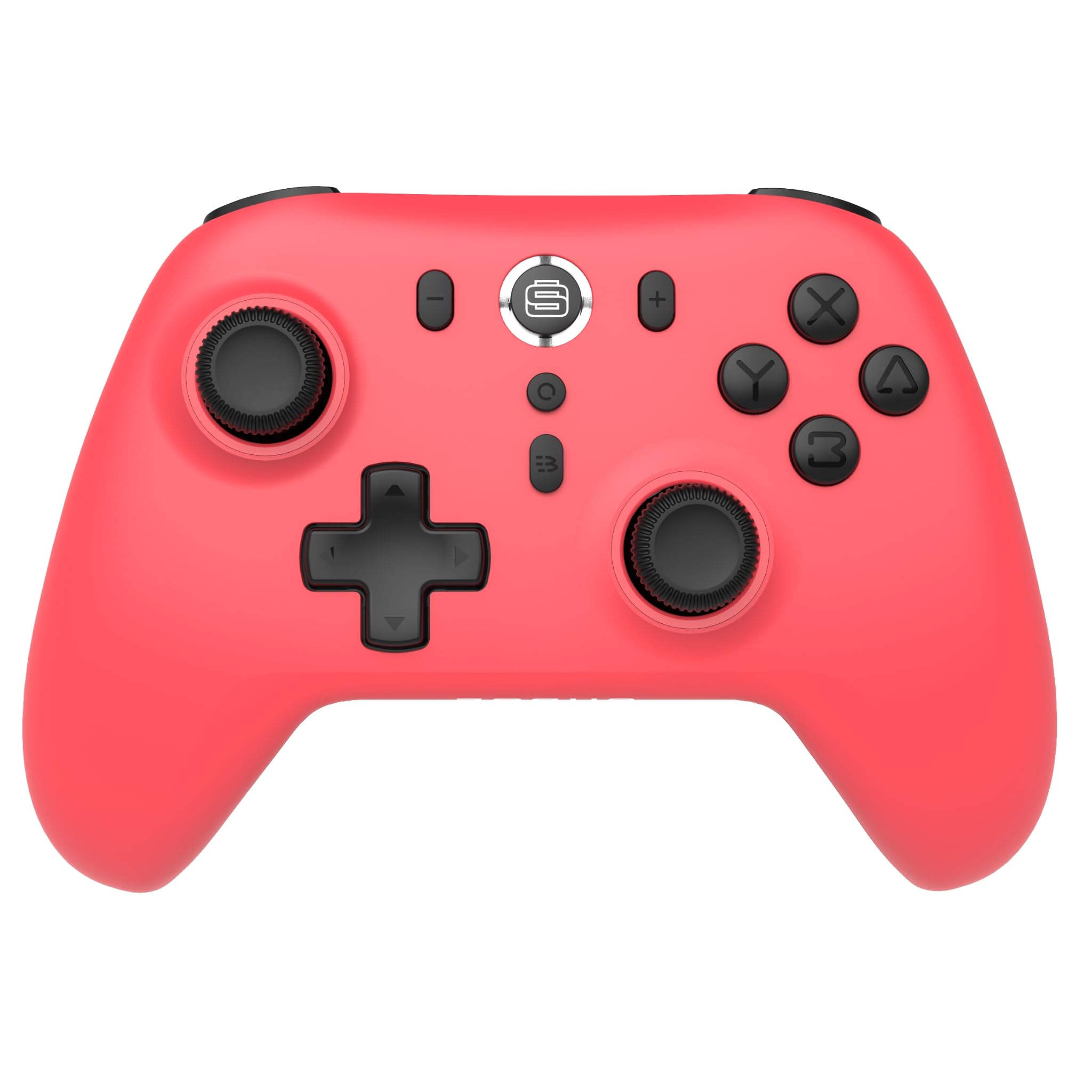
Obrázek: Přední strana view of the Surge Wireless Pro Controller in Neon Red.
Klíčové vlastnosti
- Kompatibilita s více platformami: Supports Nintendo Switch/Switch 2 (Note: No C Button/Audio Port on Switch 2), Windows PC, Steam Deck, Android, and iOS devices.
- Hall Effect Thumb Sticks & Triggers: Engineered for precise control and to prevent stick drift.
- Turbo funkce: Offers 3 adjustable turbo levels for rapid-fire actions.
- Vibrační zpětná vazba: Features 4 customizable vibration levels for enhanced haptic feedback.
- Ovládání pohybu: Compatible with games that utilize motion sensing.
- Console Wake Up: Ability to wake the Nintendo Switch console from sleep mode (Nintendo Switch only).
- Dobíjecí baterie: Built-in 600mAh Li-polymer battery provides up to 10 hours of gameplay per charge.
- Nabíjení USB-C: Includes a 1-meter USB-C charging cable.
Pokyny pro nastavení
1. Počáteční nabíjení
Before first use, fully charge the controller. Connect the included USB-C cable to the controller's charging port and the other end to a USB power source (e.g., console, PC, USB wall adapter). The charging indicator will show status.

Image: The controller connected to a USB-C charging cable.
2. Párování s konzolí Nintendo Switch
- Na konzoli Nintendo Switch přejděte do nabídky HOME.
- Vybrat Ovladače, pak Změnit Grip/Pořadí.
- Stiskněte a podržte Tlačítko párování on the top of the Surge Wireless Pro Controller until the player indicator lights begin to flash.
- Once paired, the player indicator light(s) will remain solid.
- To wake the console from sleep mode, press the Home button on the controller.
3. Pairing with PC, Android, or iOS
The pairing process may vary slightly depending on your device's operating system. Generally, you will need to enable Bluetooth on your device and search for new devices.
- Ensure Bluetooth is enabled on your PC, Android, or iOS device.
- On the Surge Wireless Pro Controller, press and hold the Tlačítko párování until the indicator lights flash.
- On your device, select "Surge Pro Controller" from the list of available Bluetooth devices.
- Postupujte podle pokynů na obrazovce a dokončete párování.
Video: Overview of the 8Bitdo Ultimate 2 Wireless Controller, demonstrating general wireless controller setup principles.
Návod k obsluze
Rozložení tlačítka

Image: Diagram showing the button layout of the Surge Wireless Pro Controller.
- Levé/pravé analogové páčky: For movement and camera control. Features Hall Effect technology for enhanced durability and precision.
- D-Pad: Pro směrový vstup.
- Tlačítka A/B/X/Y: Standardní akční tlačítka.
- Tlačítka L/P: Knoflíky na ramenou.
- Spouštěče ZL/ZR: Analog triggers with Hall Effect sensors.
- Tlačítko Domů: Returns to the console's home menu.
- Tlačítko pro snímek obrazovky: Pořizuje snímky obrazovky.
- Tlačítka Plus (+) / Mínus (-): Pro navigaci v herním menu.
- Tlačítko Turbo: Activates/deactivates turbo function.
- Tlačítko párování: Used for Bluetooth pairing.
Funkce Turbo
To activate turbo for a button, press and hold the Tlačítko Turbo, then press the desired action button (A, B, X, Y, L, R, ZL, ZR). Repeat the process to deactivate. There are 3 adjustable turbo levels; refer to the full product manual for detailed adjustment instructions.
Nastavení vibrací
The controller offers 4 levels of vibration intensity. Specific button combinations or software may be required to adjust these levels. Consult the full product manual or manufacturer's website for precise instructions.
Údržba
- Čištění: K čištění ovladače používejte měkký, suchý hadřík. Nepoužívejte agresivní chemikálie ani abrazivní materiály.
- Skladování: Regulátor skladujte na chladném a suchém místě mimo dosah přímého slunečního záření a extrémních teplot.
- Péče o baterie: Chcete-li prodloužit životnost baterie, vyvarujte se častého úplného vybíjení. Ovladač pravidelně nabíjejte, i když jej delší dobu nepoužíváte.
- Péče o kabely: Handle the USB-C charging cable carefully. Avoid bending or twisting it excessively.
Odstraňování problémů
| Problém | Řešení |
|---|---|
| Ovladač se nezapne. | Ujistěte se, že je ovladač plně nabitý. Připojte jej ke zdroji napájení pomocí kabelu USB-C. |
| Nelze spárovat se zařízením. | Make sure Bluetooth is enabled on your device. Press and hold the pairing button on the controller until lights flash. Ensure the controller is not already paired with another device. Try restarting both the controller and the device. |
| Stick drift or inaccurate input. | The controller features Hall Effect sticks to minimize drift. If issues persist, ensure the controller's firmware is up to date. Contact customer support if the problem continues. |
| Vibrace nefungují. | Check in-game settings to ensure vibration is enabled. Verify the vibration intensity level on the controller. |
| Console Wake Up not functioning. | This feature is only supported on Nintendo Switch. Ensure the controller is properly paired with the Switch. |
Specifikace
- Číslo modelu: SG60094
- Baterie: 1 Nonstandard Battery (600mAh Li-polymer, included)
- Životnost baterie: Až 10 hodin (přibližně)
- Nabíjecí port: USB-C
- Konektivita: Bezdrátové Bluetooth
- Rozměry: 20.1 x 14 x 6.6 cm (přibližně)
- Hmotnost: 310 g (přibližně)
- Země původu: Čína
Záruka a podpora
For warranty information and customer support, please refer to the official Surge website or contact support directly at support@surgegaming.com.
The product typically comes with a manufacturer's warranty covering defects in materials and workmanship. Please retain your proof of purchase for warranty claims.
Ask a question about this manual
Ask about setup, troubleshooting, compatibility, parts, safety, or missing instructions. Manuals+ will review the question and use this page’s manual context to help answer it.