
1. Úvod
Thank you for choosing the AOBOCAM W06 Mini 4K UHD WiFi Indoor Security Camera. This compact and versatile camera is designed to provide reliable indoor surveillance with advanced features such as 4K Ultra HD video, automatic night vision, instant motion detection alerts, and flexible storage options. This manual will guide you through the setup, operation, and maintenance of your device to ensure optimal performance and security.
2. Konec produktuview
2.1 Klíčové vlastnosti
- Real-time Monitoring via App: Connect the mini WiFi camera to your home network for live viewing from anywhere using the dedicated app.
- 4K Ultra HD Video & Automatic Night Vision: Capture clear details day and night with 4K resolution and automatic night vision up to 5 meters in complete darkness.
- Instant Motion Detection Alerts: High-sensitivity motion sensor detects activity and sends push notifications to your smartphone, allowing real-time event viewIng.
- Continuous Recording with Dual Storage: Securely save videos to the cloud (optional service) or directly to a microSD card (not included). Loop recording overwrites older files automaticky.
- Rychlé nastavení: Bluetooth pairing with the app for intuitive and fast Wi-Fi configuration. Clear instructions and video tutorials are provided for a stress-free setup.
2.2 Obsah balení
Zkontrolujte prosím balení, zda jsou všechny položky přítomny:
- AOBOCAM W06 Mini Camera
- Adjustable Mount/Stand
- USB nabíjecí kabel
- Uživatelská příručka (tento dokument)
2.3 Součásti kamery
Familiarize yourself with the camera's parts:

Obrázek 1: Přední strana view of the AOBOCAM W06 Mini Camera, showing the lens and IR lights.
- Čočka: Captures 4K UHD video.
- IR světla: Zajistěte osvětlení pro noční vidění.
- Mikrofon: Nahrává zvuk.
- Reproduktor: For two-way audio (if supported, not explicitly mentioned but common).
- Slot pro microSD kartu: For local storage (card not included).
- USB port: Pro napájení a nabíjení.
- Resetovací tlačítko: Pro resetování fotoaparátu do továrního nastavení.
3. Nastavení
3.1 Nabíjení fotoaparátu
Před prvním použitím fotoaparát plně nabijte pomocí dodaného USB kabelu a standardního 5V/1A USB napájecího adaptéru (není součástí balení). Indikátor nabíjení bude zobrazovat stav nabíjení.
3.2 Vložení karty MicroSD (volitelné)
For local video storage, insert a compatible microSD card (up to 128GB, Class 10 or higher, not included) into the microSD card slot. Ensure the camera is powered off before inserting or removing the card.
3.3 Stažení a instalace aplikace
Download the dedicated AOBOCAM app from your smartphone's app store (iOS App Store or Google Play Store). Hledat "AOBOCAM" or scan the QR code provided in the quick start guide (if available).
3.4 Připojení k Wi-Fi
- Zapněte fotoaparát.
- Open the AOBOCAM app and create an account or log in.
- Follow the in-app instructions to add a new device. The app will guide you through Bluetooth pairing for quick Wi-Fi configuration.
- Select your 2.4GHz Wi-Fi network and enter the password. (Note: 5GHz Wi-Fi is not supported).
- Once connected, the camera's indicator light will change, and you will see the camera online in the app.

Figure 2: Illustration of the camera's three connection modes: Wi-Fi, mobile hotspot, and no Wi-Fi (local recording).
3.5 Instalace a umístění
The AOBOCAM W06 is designed for flexible placement. Use the included adjustable mount to position the camera on flat surfaces, shelves, or even magnetically attach it to metallic surfaces.
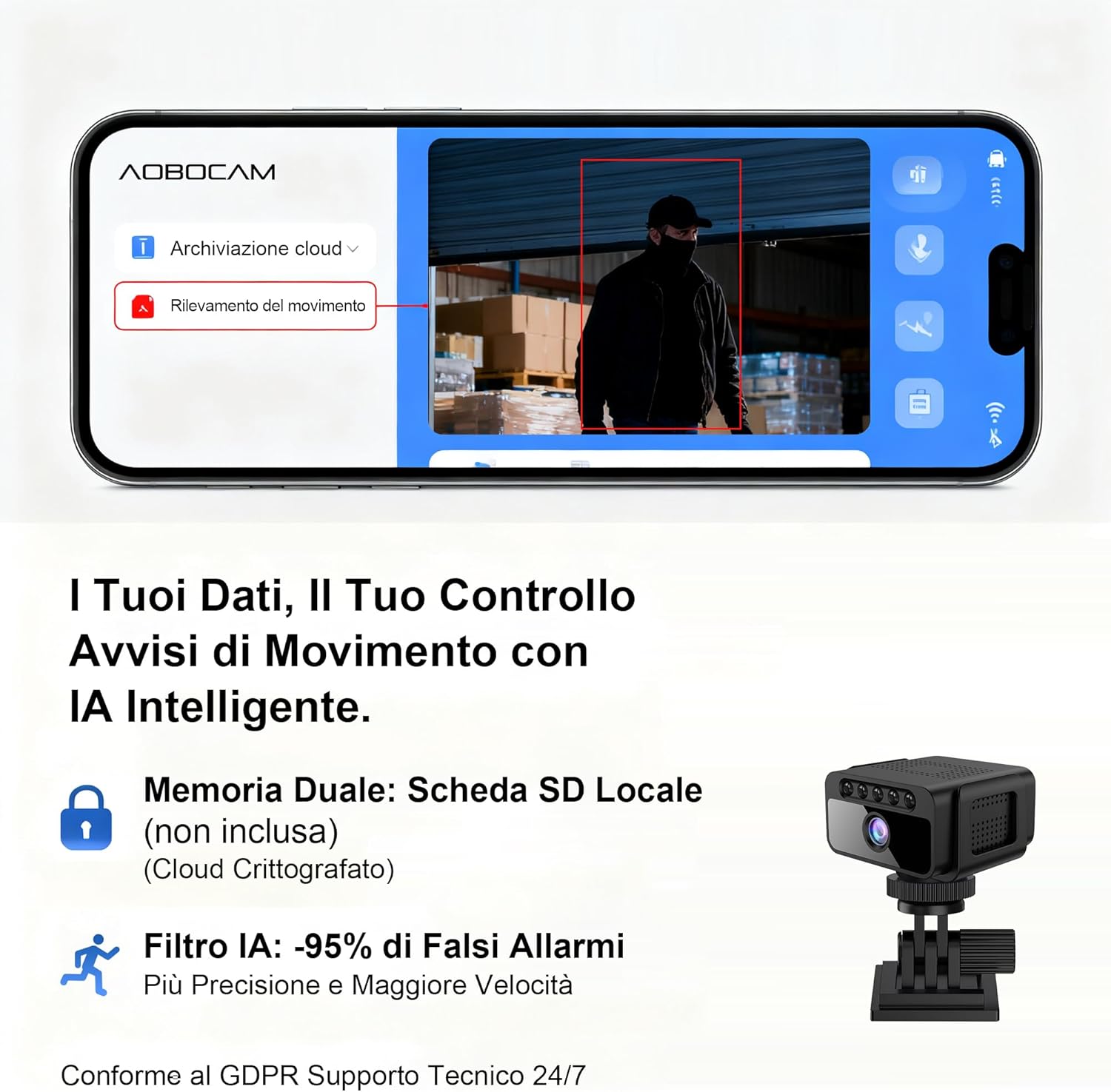
Figure 3: The compact size of the AOBOCAM W06 camera shown next to a mouse and phone, with examples of discreet placement on a desk, door frame, and shelf.

Figure 4: The AOBOCAM W06 camera mounted on a wall, demonstrating its versatile installation options.
Video: Installation and Placement Options
This video demonstrates the various ways to install and position your AOBOCAM W06 camera, highlighting its flexible mounting options and compact design.
Video 1: AOBOCAM W06 Mini Camera installation and usage preview.
4. Návod k obsluze
4.1 Živě View a vzdálené monitorování
Once the camera is connected to your Wi-Fi network, open the AOBOCAM app on your smartphone. Select your camera from the device list to access the live video feed. You can monitor your space in real-time from anywhere.

Figure 5: The AOBOCAM app interface showing live view and motion detection alerts.
4.2 Detekce pohybu a upozornění
The camera features a sensitive motion sensor. When motion is detected, the camera will automatically start recording and send an instant push notification to your smartphone.
- Povolit/Zakázat detekci pohybu: In the app settings, you can turn motion detection on or off.
- Upravit citlivost: Customize the motion detection sensitivity to reduce false alarms.
- Zóny aktivity: Nastavte konkrétní oblasti v záběru fotoaparátu view pro detekci pohybu.
4.3 Noční vidění
The AOBOCAM W06 is equipped with automatic night vision, providing clear video footage even in complete darkness up to 5 meters. The camera automatically switches to night vision mode when ambient light is low.

Figure 6: Comparison of standard camera night vision versus AOBOCAM W06's clear 4K night vision in low light conditions.
4.4 Nahrávání a přehrávání videa
- Nepřetržité nahrávání: If a microSD card is inserted or cloud storage is active, the camera will record continuously. Older footage will be overwritten by new recordings when the storage is full (loop recording).
- Záznam události: Recordings triggered by motion detection are saved separately.
- Přehrávání: Access recorded videos through the app's "Cloud Playback" or "TF Card" sections. You can review footage by date and time.
5. Údržba
- Čištění: Jemně otřete objektiv a tělo fotoaparátu měkkým, suchým hadříkem. Nepoužívejte agresivní chemikálie ani abrazivní materiály.
- Aktualizace firmwaru: Periodically check the app for available firmware updates. Keeping your camera's firmware up-to-date ensures optimal performance and security features.
- Péče o baterie: For optimal battery life, avoid exposing the camera to extreme temperatures. If storing for extended periods, charge the battery to about 50%.
- Správa microSD karet: Pravidelně zálohujte důležité souborytage from your microSD card. Format the microSD card periodically through the app to maintain its performance.
6. Řešení problémů
| Problém | Řešení |
|---|---|
| Fotoaparát se nedaří připojit k Wi-Fi. |
|
| Žádná upozornění na detekci pohybu. |
|
| Video footage je rozmazané nebo nejasné. |
|
| Na kartu MicroSD se nenahrává. |
|
7. Specifikace
| Funkce | Detail |
|---|---|
| Značka | AOBOCAM |
| Název modelu | W06 |
| Doporučená použití | Home Monitoring, Indoor Surveillance |
| Technologie připojení | 2.4Ghz Wi-Fi, Hotspot, Wireless |
| Speciální funkce | Portable, HD Resolution (4K UHD), Motion Sensor, Night Vision |
| Rozlišení videa | 4K Ultra HD |
| Rozsah nočního vidění | Až 5 metrů |
| Životnost baterie | Approximately 5 hours (stated in product title, assuming continuous use) |
| Možnosti úložiště | MicroSD Card (up to 128GB, not included), Cloud Storage (optional service) |
8. Záruka a podpora
For warranty information and technical support, please refer to the contact details provided with your product packaging or visit the official AOBOCAM webmísto.