
1. Úvod
The PEICHENG Q2SPRO is a 7-inch tablet designed for a smooth and responsive user experience, powered by the Android 15.0 operating system. It features an IPS display, ample memory and storage, and dual cameras, making it suitable for various daily tasks from browsing to media consumption. This manual provides essential information for setting up, operating, maintaining, and troubleshooting your device.
2. Obsah balení
Po vybalení zkontrolujte obsah balení. Pokud některé položky chybí nebo jsou poškozené, kontaktujte zákaznickou podporu.
- PEICHENG Q2SPRO 7-inch Android 15.0 Tablet
- Protective Case with Foldable Stand
- Nabíjecí kabel USB-C
- Napájecí adaptér (může se lišit v závislosti na regionu)
- Uživatelská příručka (tento dokument)
3. Uspořádání zařízení
Familiarize yourself with the physical components of your PEICHENG Q2SPRO tablet.
This image shows the PEICHENG Q2SPRO tablet from both the front, displaying its screen, and the rear, highlighting the camera and overall design.

Strana view of the PEICHENG Q2SPRO tablet, illustrating the placement of its various ports and buttons, such as the USB-C port, power button, and volume controls.
- Přední kamera: Nachází se nad obrazovkou.
- Zadní kamera: Nachází se na zadním panelu.
- Vypínač: Obvykle na boku, používá se k zapnutí/vypnutí zařízení nebo k probuzení/usnutí.
- Tlačítka hlasitosti: Upravte úrovně zvuku.
- Port USB-C: Pro nabíjení a přenos dat.
- Reproduktor: Pro audio výstup.
- Slot pro microSD kartu: Pro rozšiřitelné úložiště.
4. Nastavení
4.1 Počáteční nabíjení
Before first use, fully charge your tablet. Connect the USB-C cable to the tablet's charging port and the other end to the power adapter. Plug the adapter into a wall outlet. The charging indicator will show the charging status.
4.2 Zapnutí/vypnutí
- Zapnutí: Press and hold the Power button until the PEICHENG logo appears on the screen.
- Vypnutí: Press and hold the Power button until the power options appear, then select "Power Off."
- Spánek/probuzení: Krátce stiskněte tlačítko Napájení.
4.3 Průvodce počátečním nastavením
Upon first power-on, the Android 15.0 setup wizard will guide you through essential configurations:
- Výběr jazyka: Vyberte preferovaný jazyk.
- Wi-Fi připojení: Connect to a wireless network to access the internet. The tablet supports WiFi6 (2.4G+5G).
- Účet Google: Sign in with your Google account or create a new one to access Google services like the Play Store, Gmail, and Google Drive.
- Datum a čas: Nastavte správné datum a čas.
- Zabezpečení: Pro zabezpečení zařízení si nastavte zámek obrazovky (PIN, vzorec nebo heslo).

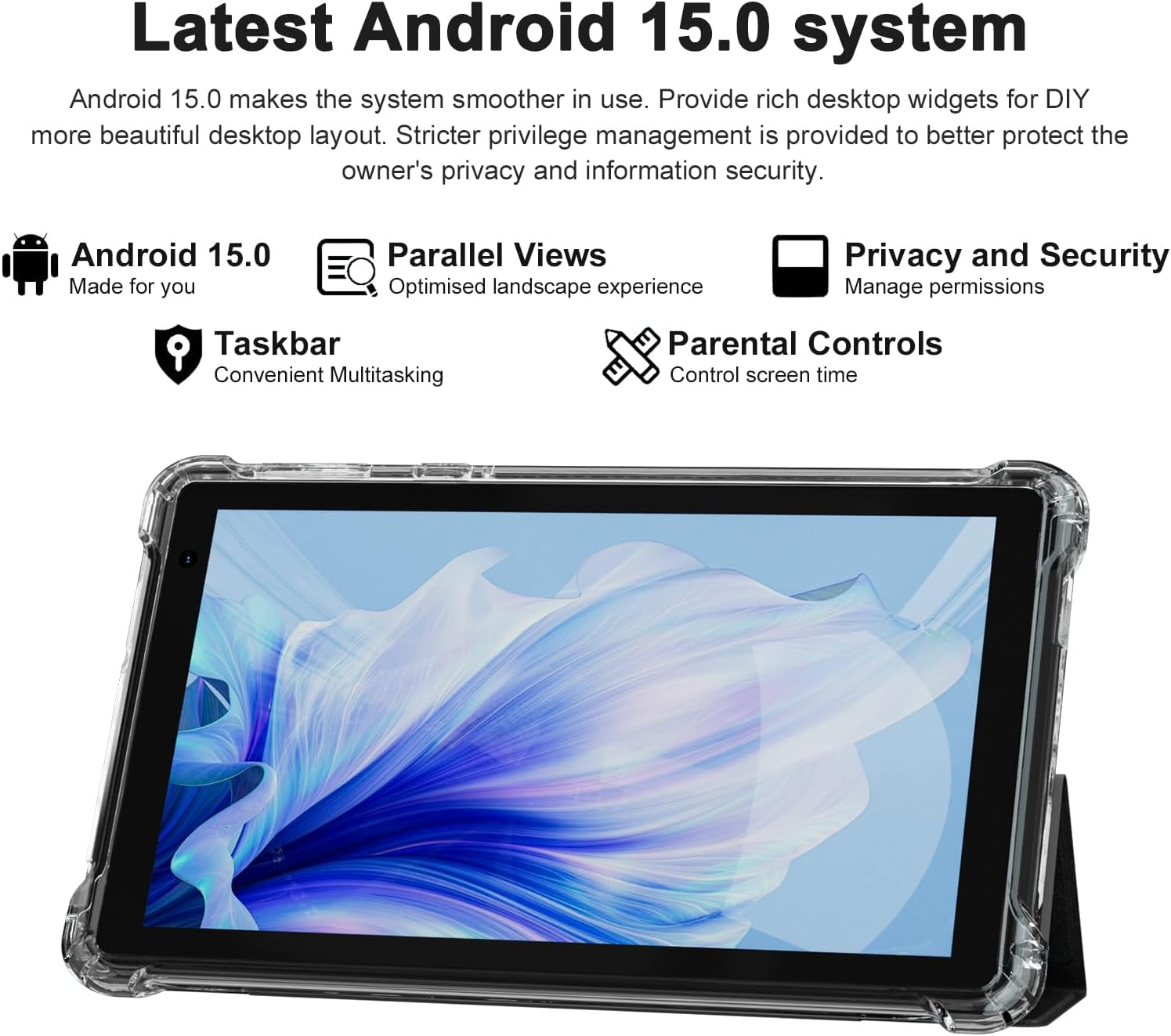
The PEICHENG Q2SPRO tablet screen displaying the Android 15.0 operating system interface, highlighting features like desktop widgets and privacy controls.
5. Návod k obsluze
5.1 Základní navigace
- Dotyková obrazovka: Tap, swipe, pinch-to-zoom for interaction.
- Domovská obrazovka: Access apps, widgets, and notifications. Android 15.0 offers rich desktop widgets for customization.
- Panel oznámení: Přejeďte prstem dolů z horní části obrazovky na view oznámení a rychlé nastavení.
- Hlavní panel: Android 15.0 includes a taskbar for convenient multitasking and optimized landscape mode.
5.2 Wi-Fi připojení
- Přejít na Nastavení > Síť a internet > Internet.
- Zapněte Wi-Fi.
- Vyberte ze seznamu požadovanou síť Wi-Fi.
- Pokud se zobrazí výzva, zadejte heslo a poté klepněte na Připojit.
5.3 Párování Bluetooth
- Přejít na Nastavení > Připojená zařízení > Předvolby připojení > Bluetooth.
- Zapněte Bluetooth.
- Ensure the device you want to pair is in pairing mode.
- Select the device from the list of available devices and follow on-screen instructions to complete pairing.
5.4 Použití kamery
Tablet je vybaven 2.0MP předním fotoaparátem a 5.0MP zadním fotoaparátem.
- Otevřete Fotoaparát aplikace.
- Klepnutím na ikonu fotoaparátu přepínáte mezi předním a zadním fotoaparátem.
- Klepnutím na tlačítko spouště pořídíte fotografii nebo spustíte/zastavíte nahrávání videa.

This image illustrates the 5MP rear camera and 2MP front camera specifications of the PEICHENG Q2SPRO tablet, alongside exampfotografie pořízené tímto zařízením.
5.5 Instalace aplikace
Access millions of applications through the Google Play Store.
- Otevřete Obchod Play aplikace
- Hledat požadovanou aplikaci.
- Klepněte Instalovat a postupujte podle pokynů na obrazovce.
5.6 Protective Case and Stand
The included transparent, shock-absorbing protective case helps protect your tablet. It features a built-in foldable stand, allowing you to prop the tablet at a comfortable viewing angle for hands-free use.

The PEICHENG Q2SPRO tablet enclosed in its transparent protective case, demonstrating the integrated foldable stand propping the device at a comfortable viewúhel.
6. Údržba
6.1 Čištění tabletu
- K čištění obrazovky a těla používejte měkký hadřík, který nepouští vlákna.
- Do not use liquid cleaners or aerosols directly on the tablet.
- Pro odolné skvrny lehce otřeteamphadřík vodou nebo čisticím prostředkem na obrazovky.
6.2 Aktualizace softwaru
Pravidelně kontrolujte a instalujte aktualizace softwaru, abyste zajistili optimální výkon, zabezpečení a přístup k novým funkcím. Přejděte na Nastavení > Systém > Aktualizace systému.
6.3 Péče o baterii
- Vyhněte se extrémním teplotám, které mohou snížit životnost baterie.
- Nenechávejte baterii často úplně vybít.
- Pro optimální nabíjení použijte dodanou nabíječku.
- The tablet emphasizes low power consumption for better battery efficiency.
7. Řešení problémů
Tato část se zabývá běžnými problémy, se kterými se můžete s tabletem setkat.
| Problém | Možná příčina / řešení |
|---|---|
| Tablet se nezapne | Ujistěte se, že je baterie nabitá. Připojte k nabíječce a před opětovným zapnutím počkejte několik minut. |
| Tablet freezes or is unresponsive | Press and hold the Power button for about 10-15 seconds to force a restart. Close unnecessary background applications. |
| Problémy s připojením Wi-Fi | Ensure Wi-Fi is enabled. Restart your router and the tablet. Check if the Wi-Fi password is correct. Try connecting to a different network if available. |
| Baterie se rychle vybíjí | Reduce screen brightness. Close unused apps. Disable Wi-Fi/Bluetooth when not in use. Check for power-intensive apps in battery settings. |
| Tablet se přehřívá | Avoid using the tablet in direct sunlight or hot environments. Close demanding applications. Allow the tablet to cool down before continued use. |
| Pomalý výkon | Clear cache and data of frequently used apps. Uninstall unused apps. Ensure sufficient free storage space. Restart the tablet regularly. |
8. Specifikace
Technical specifications for the PEICHENG Q2SPRO tablet.
| Funkce | Detail |
|---|---|
| Značka | PEICHENG |
| Název modelu | Q2SPRO |
| Operační systém | Android 15.0 |
| Velikost obrazovky | 7 palce |
| Typ zobrazení | IPS LED Touchscreen |
| Rozlišení displeje | 1024 x 600 pixelů |
| Paměť RAM | 8GB (3GB installed + 5GB expandable) |
| Kapacita paměti | 32 GB (rozšiřitelné až na 1 TB pomocí MicroSD karty) |
| Značka procesoru | Rockchip |
| Zadní kamera | 5.0 MP |
| Přední kamera | 2.0 MP |
| Rozlišení záznamu videa | HD 720p |
| Bezdrátová technologie | Wi-Fi (802.11ax, 802.11g, 2.4G+5G) |
| Bluetooth | Bluetooth 5.0 |
| Technologie připojení | USB 3.0 typ C |
| Typ baterie | Lithium Polymer |
| Energetický obsah baterie | 3000 miliampere Hour (mAh) |
| Hmotnost položky | 0.49 kg |
| Rozměry položky (D x Š x Tloušťka) | 8"D x 5"Š x 0.4"V |
9. Informace o záruce
The PEICHENG Q2SPRO tablet comes with a 1letá omezená záruka from the date of purchase. This warranty covers manufacturing defects and malfunctions under normal use. It does not cover damage caused by misuse, accidents, unauthorized repairs, or normal wear and tear. Please retain your proof of purchase for warranty claims.
10. Zákaznická podpora
For further assistance, technical support, or warranty inquiries, please refer to the contact information provided with your product packaging or visit the official PEICHENG website. When contacting support, please have your model number (Q2SPRO) and proof of purchase readily available.